

A 2-bay NAS holds two hard drives and, in nearly every home setup, mirrors them in RAID 1 so a dead drive does not take your files with it. That makes it an inexpensive way into network storage that survives a drive failure, and it is enough for phone photo backups, computer backups, and a family Plex or Jellyfin library. On most models, the only way to grow one is to replace both drives with larger ones. Our pick is the UGREEN DXP2800, and the table below lists the other 2-bay models worth buying in October 2026.
The 2-bay NAS models worth buying in 2026
| Model | Processor | Memory (max) | M.2 slots | Fastest port | Hardware transcoding | Price |
|---|---|---|---|---|---|---|
| UGREEN DXP2800 | Intel N100 | 8GB DDR5 (16GB) | 2 | 2.5GbE | Yes, Quick Sync | $389.99 |
| UGREEN DXP2800 GT | AMD Ryzen Embedded R2514 | 8GB DDR4 (64GB) | 2 | 10GbE | Yes, H.264 and H.265 | $459.99 |
| TerraMaster F2-425 Plus | Intel N150 | 8GB DDR5 (32GB) | 3 | 2x 5GbE | Yes, Quick Sync | $424.99 |
| Synology DS225+ | Intel Celeron J4125 | 2GB DDR4 (6GB) | 0 | 2.5GbE | Only with a community script | $399.99 at launch |
| Synology DS725+ | AMD Ryzen R1600 | 4GB DDR4 ECC (32GB) | 2 | 2.5GbE | No | — |
| UGREEN DH2300 | Rockchip RK3576 (ARM) | 4GB, soldered | 0 | 1GbE | No Plex transcoding | $239.99 |
Every model here ships without drives, and all six take 3.5-inch SATA hard drives or 2.5-inch SATA SSDs. Prices are each maker’s own store price, or the launch price where the maker sells only through retailers; Synology has not published a US launch price for the DS725+. The UGREEN models run UGOS Pro, the TerraMaster runs TOS 6, and the Synology models run DSM. The NAS comparison chart has the full spec sheets side by side, and it can filter by bay count.
The UGREEN DXP2800 is the best 2-bay NAS for most homes
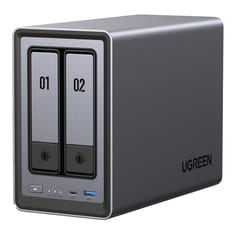
UGREEN NASync DXP2800
Editor's ChoiceThe UGREEN DXP2800 costs $389.99, $10 less than Synology’s DS225+, and has newer hardware. Its Intel N100 is a four-core chip from 2023 with Intel Quick Sync, the video engine Plex and Jellyfin use to convert a 4K movie for a phone or an older TV without loading the CPU. It ships with 8GB of DDR5 on one SO-DIMM slot that takes a 16GB module, and it has two M.2 NVMe slots that work as an SSD cache for the hard drives or as a separate fast pool for Docker containers and photo thumbnails. UGOS Pro sits on a 32GB eMMC chip, so both bays stay free for data. UGREEN also allows TrueNAS or Unraid on the box and says a third-party system does not void the hardware warranty.
The single 2.5GbE port has no upgrade path, since there is no PCIe slot. The M.2 slots sit behind both drive trays, so adding an SSD later means pulling the drives first. UGOS Pro has fewer apps than Synology’s DSM, and Plex and Jellyfin install as Docker containers rather than native packages. How-To Geek’s Andrew Heinzman, reviewing an early unit in 2024, recommended it to enthusiasts “but not first-time NAS users”, though UGREEN has added Docker and other missing features since. Packetswitch’s Suresh Vinasiththamby bought one with his own money, ran Pi-hole in Docker and an Ubuntu Server VM on it, and summed up the value as “the best bang for the buck.”
The DXP2800 GT brings 10GbE to two bays
Two hard drives in a mirror cannot fill a 10GbE link, so the DXP2800 GT’s faster port pays off when you put SSDs in the M.2 slots or the bays, or when you edit video from the NAS over a 10GbE network. If your router and computers are 1GbE or 2.5GbE, the DXP2800 delivers the same speed for $70 less. UGREEN launched the GT in June 2026 with the same two bays and two M.2 slots, swapping the N100 for an AMD Ryzen Embedded R2514, a four-core, eight-thread chip with Radeon Vega graphics that transcode H.264 and H.265. Its one network port is 10GbE. Memory is 8GB of DDR4 expandable to 64GB, and the same chip in the four-bay DXP4800 GT takes ECC modules (UGREEN’s 2-bay spec sheet does not mention ECC modules, so check with UGREEN before you buy ECC memory for it). UGREEN’s store sells it for $459.99.
Idle power is the GT’s main drawback. In Notebookcheck’s October 2026 review, it drew 14.84 to 20.14 W at idle with two hard drives spinning, and the reviewer listed “relatively high idle power consumption” and “no volume encryption” among its cons, next to “quiet operation” and “expandable RAM” among the pros. Every 10 W of continuous draw adds about 88 kWh a year, roughly $16 at a US average rate of about 18 cents per kWh.
The TerraMaster F2-425 Plus adds 5GbE ports for $35 more
Each of the TerraMaster F2-425 Plus’s two 5GbE ports carries twice the speed of the DXP2800’s port, and its third M.2 slot leaves room for an SSD pool plus a cache. It sells for $424.99 on TerraMaster’s US store (it launched at $399.99) and runs an Intel N150 (a slightly faster successor to the N100, also with Quick Sync) with 8GB of DDR5 that goes to 32GB. It runs TOS 6, TerraMaster’s own system, which covers backups, photo sync, and Docker.
Each M.2 slot runs at PCIe 3.0 x1, according to Liliputing’s coverage of the launch, which caps an SSD at about 1GB/s. That is still faster than a 5GbE port can carry, so files served over the network lose nothing, but apps and VMs running on the NAS itself cannot use full NVMe speed. TOS has a smaller community than DSM or UGOS Pro, which means fewer guides when something goes wrong. The TerraMaster F4-425 Plus puts the same chip and ports in four bays with 16GB of memory.
A Synology DS225+ or DS725+ fits a backup-first home
DSM’s Hyper Backup, Active Backup for Business, Synology Photos, and Snapshot Replication are more mature than the equivalents on UGOS Pro or TOS, and they need little attention once set up. On two drives, Synology Hybrid RAID behaves like a mirror. The UGREEN vs Synology comparison covers the software gap in detail.
The Synology DS225+ launched in July 2025 at $399.99 but runs DSM on a Celeron J4125 from 2019. Memory starts at 2GB and tops out at 6GB, and without M.2 slots there is no room for an SSD cache or app pool. Networking is one 2.5GbE port plus a 1GbE port. Its Intel graphics have Quick Sync, but hardware transcoding does not work on stock DSM. In a Plex forum thread on the DS425+, which uses the same chip, a Plex engineer wrote in August 2025 that he had “removed all X25+ products from Hardware Transcoding Support,” a DS225+ owner reported the same problem on Jellyfin, and later posts in the thread point owners to a community-written script that turns it on. Dong Knows Tech called the DS225+ “an excellent compact NAS server for those needing modest network-attached storage space”. It works better as a backup appliance than as a media or app server.
The DS725+ can grow past two bays, because Synology’s DX525 expansion unit adds five more. It moves to an AMD Ryzen R1600 with 4GB of ECC memory (32GB at most) and two M.2 slots. The R1600 has no graphics engine, so Plex streams only files your devices can play as they are. It also has no route to 10GbE, which TechRadar’s review called “a shocking choice” for Synology to make.
At launch, the 2025 Plus models accepted only Synology-branded or Synology-approved drives. DSM 7.3, released in October 2025, lifted that rule for third-party SATA hard drives and SSDs. M.2 storage pools on the DS725+ still need SSDs from Synology’s compatibility list.
The UGREEN DH2300 handles backups but not Docker
UGREEN’s store sells the DH2300 for $239.99, the lowest price here. Its eight-core Rockchip RK3576 is an ARM chip, the 4GB of memory is soldered, and the single network port runs at 1GbE. Its version of UGOS also has no official Docker support, which Mighty Gadget’s review said “severely restricts functionality that many people want from a NAS.” It still mirrors two drives, backs up phones and computers, and serves files to a TV. The DXP2800 costs $150 more and adds Docker, hardware transcoding, 2.5GbE, and two M.2 slots.
Two drives in RAID 1 give you the space of one
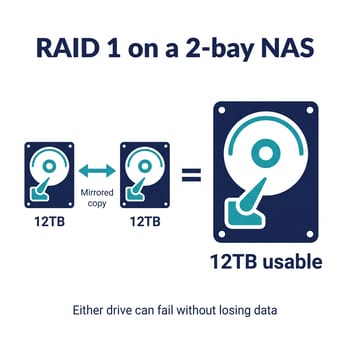
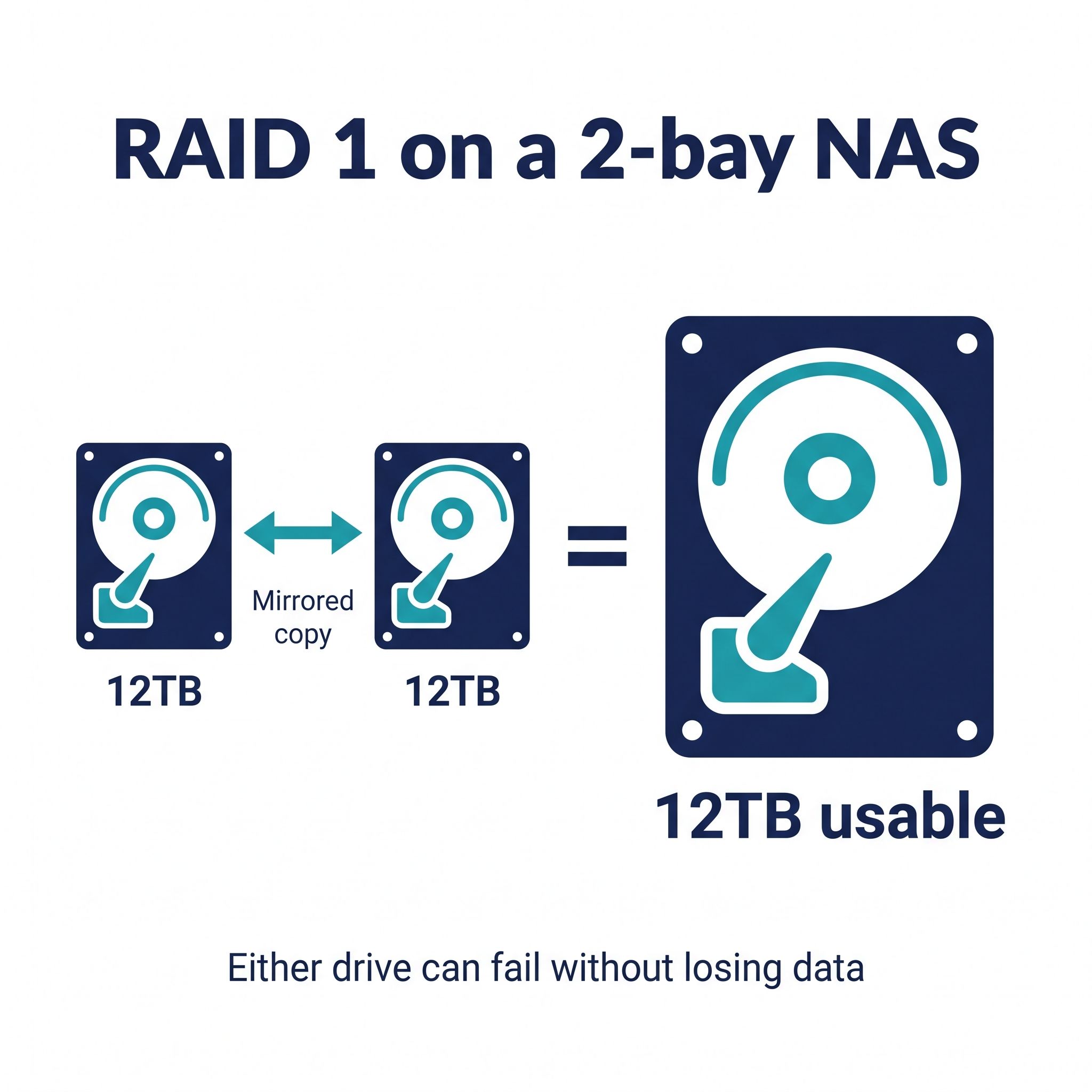
In RAID 1, every file lands on both drives, and the NAS keeps running if either one dies. RAID 0 stripes data across both for the full capacity and more speed, but one failed drive loses everything on both. JBOD or Basic volumes treat the drives as separate disks with no protection. For a home NAS that holds family photos and backups, RAID 1 is the setting to use.
| Drive pair | RAID 1 usable space | RAID 0 usable space |
|---|---|---|
| 2x 4TB | 4TB | 8TB |
| 2x 8TB | 8TB | 16TB |
| 2x 12TB | 12TB | 24TB |
| 2x 20TB | 20TB | 40TB |
Formatted space shows up a little lower than the label, because drive makers count a terabyte as 1,000 gigabytes while Windows counts 1,024. Buy the pair larger than you think you need: growing a 2-bay mirror means buying two new drives, replacing one at a time, and waiting for the NAS to rebuild after each swap. A pair of large NAS drives can cost as much as the NAS itself, so price the drives before you compare enclosures.
RAID 1 protects against a dead drive and nothing else. A deleted folder, ransomware, or a house fire takes both copies at once. Keep a second copy on a USB drive, a second NAS, or cloud storage, and turn on snapshots if your NAS supports them.
CMR NAS drives hold up during a rebuild
Use drives sold for NAS duty, such as Seagate IronWolf or WD Red Plus, rather than cheap desktop drives. Most NAS drives use conventional magnetic recording (CMR), while some low-cost drives use shingled magnetic recording (SMR), which slows down badly during long sustained writes. A RAID rebuild is exactly that kind of write. In 2020, after owners found that some 2TB to 6TB WD Red drives used SMR and struggled with rebuilds, WD split the line: plain WD Red became the SMR range, and WD Red Plus became the CMR range for NAS use. Check the maker’s spec sheet for “CMR” before you buy.
Two spinning drives in a small box are audible in a quiet room, especially while the NAS scrubs or indexes photos, so a closet, office, or media shelf suits a 2-bay NAS better than a bedroom. If you can, buy the two drives from different retailers or batches, which lowers the chance that one manufacturing fault reaches both halves of the mirror.
Four bays leave room to grow
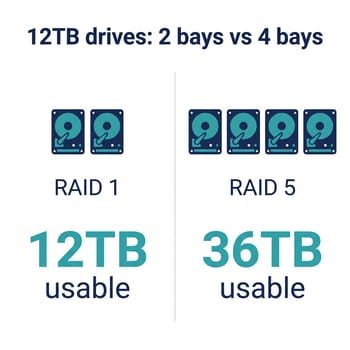
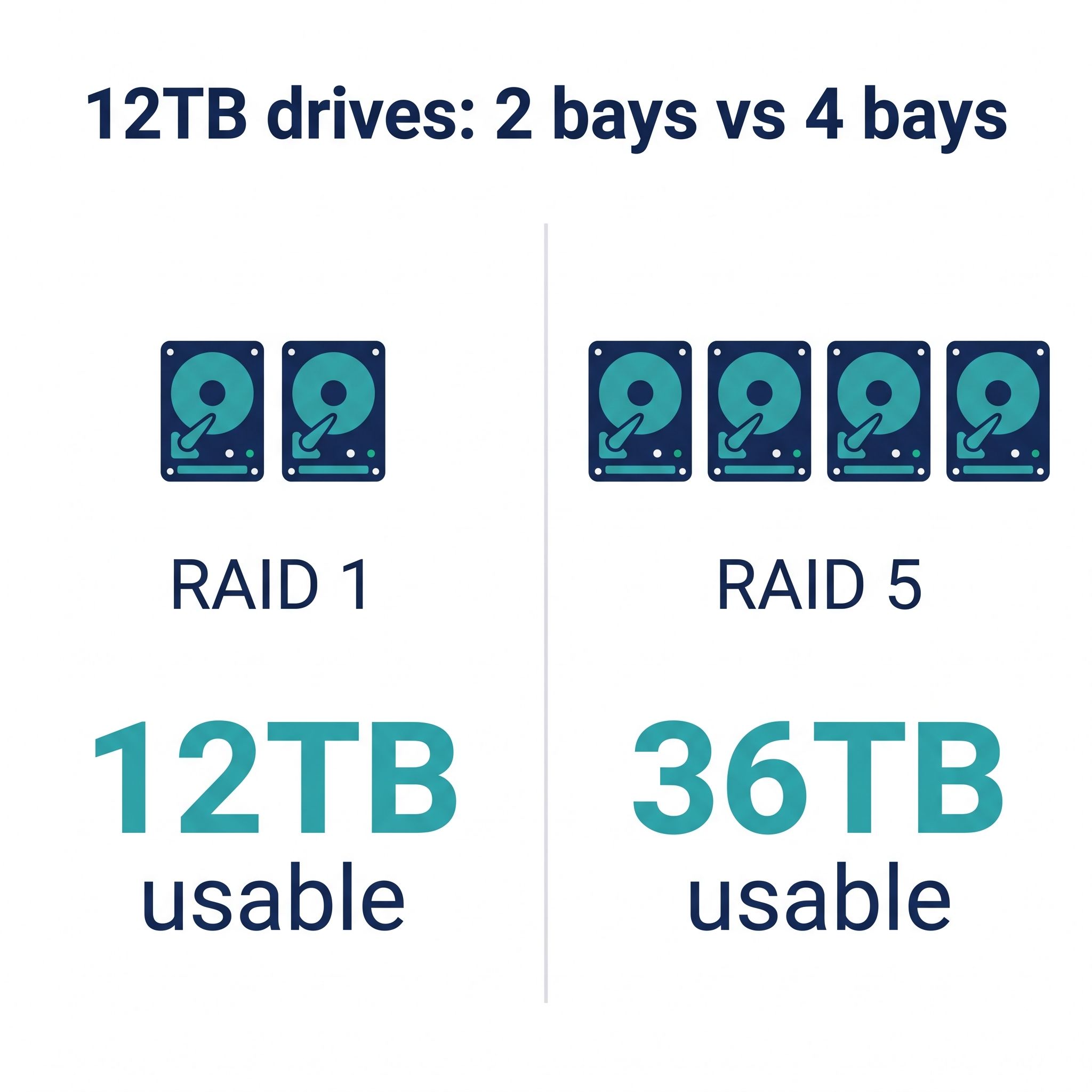
A four-bay NAS costs more up front. With four drives in RAID 5, you lose one drive to protection instead of half, so four 12TB drives give you about 36TB usable, against 12TB from a mirrored pair. You can also start with two drives and add the other two later, which a 2-bay box cannot do. If your photo and video library is already past a few terabytes, or you plan to rip a disc collection into Plex, start at four bays.
UGREEN’s four-bay step up is the UGREEN DXP4800 Plus, with a Pentium Gold 8505, a 10GbE port plus a 2.5GbE port, and memory to 64GB. On the Synology side, the Synology DS925+ keeps DSM’s backup apps but has no hardware transcoding, and the NAS comparison chart lists every other four-bay model.
A mini PC can replace a 2-bay NAS for flash storage
With SSDs instead of hard drives, a mini PC runs quieter than any NAS full of spinning drives. The Beelink ME Mini is a small cube that runs TrueNAS, Unraid, or Proxmox, with six M.2 slots, an Intel N150, and two 2.5GbE ports. Flash costs far more per terabyte than hard drives, so this route suits a few terabytes of fast storage, not a large media library. Our guide to using a mini PC as a NAS compares the two routes, and the 10GbE mini PC NAS guide covers faster networking from the mini PC side.
Check your network speed before you choose
A NAS moves files only as fast as the slowest link between it and your computer. Your router’s admin page lists the speed of each wired port, and your computer’s network settings show its own link speed. If either one reads 1 Gbps, a 2.5GbE port on the NAS runs at 1GbE too, and the extra money for the DXP2800 GT’s 10GbE or the TerraMaster’s 5GbE ports buys nothing until the switch and computers are upgraded.
More NAS guides and model pages are on the NAS hub.


