

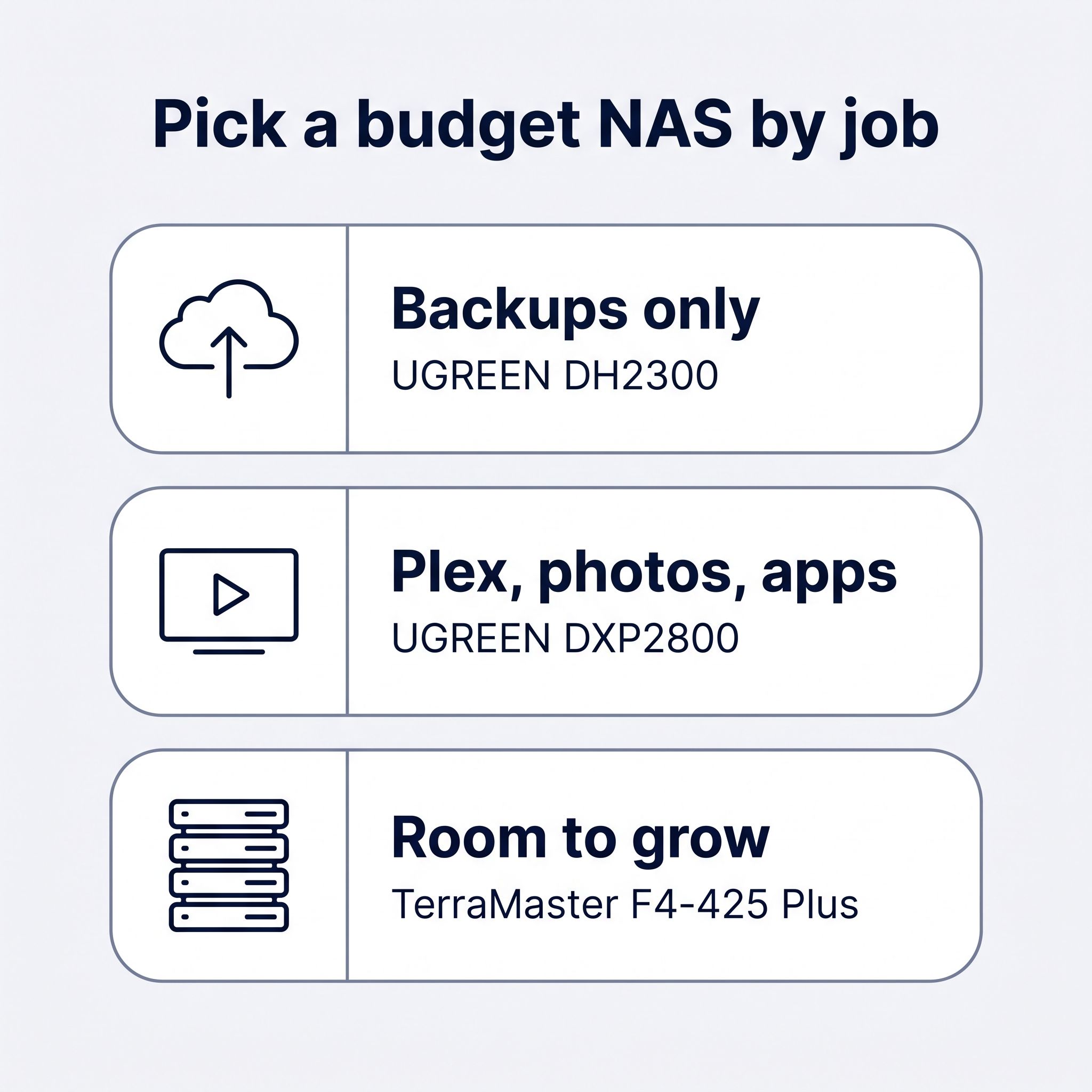
The UGREEN DXP2800 is our pick for most homes on a budget, and with two NAS hard drives the whole setup costs about $770 to $1,110. Two drives are the smallest setup that survives a drive failure, so every total below includes them. Hard drive prices roughly doubled over the past two years, and a pair of 4TB NAS drives now costs about as much as the DXP2800 itself. That shrinks what the cheaper boxes save. The DXP2800 adds $120 to $150 to the total over the cheapest two-bay setup, and the money buys a faster network port, an Intel chip that transcodes video, and two SSD slots.
Every price below is a maker’s list or store price for the box, plus a rounded range for the drives as of October 2026. Drive prices move by tens of dollars from week to week.
What the cheapest NAS setups cost with two drives
The table pairs each box with two 4TB NAS drives (about $380 to $480 for the pair) and two 8TB NAS drives (about $660 to $720). In RAID 1, the mirror layout for two drives, two 4TB drives give you 4TB of usable space and two 8TB drives give you 8TB, because every file is written to both drives.
| Box | Bays | Box price | With two 4TB drives | With two 8TB drives |
|---|---|---|---|---|
| UGREEN DH2300 | 2 | $269.99 list, $239.99 on sale | about $620 to $750 | about $900 to $990 |
| TerraMaster F2-425 | 2 | $299.99 list, $254.99 on sale | about $635 to $780 | about $915 to $1,020 |
| UGREEN DXP2800 | 2 | $389.99 (marked down from $439.99) | about $770 to $870 | about $1,050 to $1,110 |
| TerraMaster F4-425 Plus (N95) | 4 | $509.99 | about $890 to $990 | about $1,170 to $1,230 |
| UGREEN DXP4800 GT | 4 | $559.99 | about $940 to $1,040 | about $1,220 to $1,280 |
The lowest total on the list is about $620, and that buys 4TB of mirrored storage on a box with a 1GbE port, 4GB of fixed RAM, and no official Docker support. The DXP2800 setup costs about $120 to $150 more and gives the same 4TB with a 2.5GbE port, a chip that runs Plex and Docker, and two M.2 SSD slots. With 8TB drives the gap between those two setups stays the same in dollars and shrinks as a share of the total.
The two four-bay boxes in the table cost $120 to $170 more than the DXP2800 and do not need all four drives on day one. Two drives in a four-bay box leave two empty bays for later, which matters more now that the cheapest way to add space is to add a drive rather than replace both.
Our budget pick is the UGREEN DXP2800
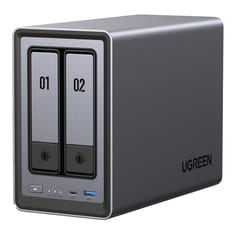
UGREEN NASync DXP2800
Editor's ChoiceThe UGREEN DXP2800 costs $389.99 on UGREEN’s store, marked down from $439.99, and runs on an Intel N100, a four-core chip from 2023 with Intel Quick Sync, the video engine that lets Plex or Jellyfin convert a 4K movie for a phone or an older TV without loading the CPU. It ships with 8GB of DDR5 in one slot (16GB maximum), a 2.5GbE port, two M.2 NVMe slots, and tool-less 3.5-inch trays in a metal case. A 2.5GbE port moves about 280 MB/s, close to the 300 MB/s that TechRadar gives as the practical ceiling for two hard drives striped together. A 1GbE port tops out near 115 MB/s.
UGREEN’s UGOS Pro software includes a Docker app, so Immich, Home Assistant, or Pi-hole can run next to the file shares. The M.2 slots take an SSD cache or a separate SSD pool for those apps. UGREEN also lets you install TrueNAS or Unraid without voiding the warranty, so you can switch systems later without buying new hardware. OCinside measured about 7 W at idle in its December 2024 review, so the box itself costs about $10 a year to run at 17 cents per kWh; two spinning drives add more, and our 24/7 power cost math covers how to price that at your local rate.
Two bays mean RAID 1 or RAID 0 only, so growing past two drives means replacing both with larger ones. There is no PCIe slot, so the only route past 2.5GbE is a USB network adapter. UGOS Pro has fewer apps than Synology’s DSM, and Plex and Jellyfin install as Docker containers rather than one-click packages. How-To Geek’s review of a pre-release unit in April 2024 said UGOS “needs a lot of work”; Docker and most of the missing features arrived in later updates, and Macworld’s July 2025 review called the interface intuitive but found UGOS Pro less mature than Synology’s and QNAP’s systems.
The UGREEN DH2300 is the cheapest box and suits backups only
The UGREEN DH2300 launched in 2025 at $209.99, and in October 2026 UGREEN’s store lists it at $269.99, on sale for $239.99. It runs UGOS Pro on a Rockchip RK3576, an eight-core ARM chip, with 4GB of RAM soldered to the board and a single 1GbE port. TechRadar’s November 2025 review by Mark Pickavance gave it 4.5 out of 5 and called it “a terrific NAS that does most of what these things are bought for, without breaking the bank.”
It handles phone photo backup, a shared folder, and nightly PC backups. TechRadar measured 118 MB/s over the built-in 1GbE port with two 4TB IronWolf drives. With a USB 2.5GbE adapter (about $25), reads rose to 296 MB/s and writes to 286 MB/s. TechRadar also found that a cheap SATA SSD can act as a read cache for a single hard drive.
The RAM cannot be upgraded, and UGREEN’s product page says the DH2300 does not have official Docker support or virtual machines. TechRadar wrote that with 4GB “it can only handle a couple of major Docker containers.” The ARM chip cannot run Windows or Linux virtual machines, and there are no M.2 slots. Even with a $25 USB 2.5GbE adapter, the DH2300 setup costs about $95 to $125 less than a DXP2800 setup, about 11% to 16% of the DXP2800 setup’s total with 4TB drives.
The TerraMaster F2-425 is the cheapest Intel two-bay
The TerraMaster F2-425 sits between the two UGREEN boxes. It pairs an Intel Celeron N5095 from 2021 with 4GB of DDR4 (16GB maximum), a 2.5GbE port, and TerraMaster’s TOS software, and TerraMaster’s store lists it at $299.99 with sales to about $255. Because it is an Intel chip, it runs Docker and virtual machines and has Quick Sync for video transcoding. PCWorld’s October 2025 review by Jon L. Jacobi called it “a good value for streaming media over your home network, handling IP cams, and backing up your computer,” and listed “occasional interface rough spots” and an “all-plastic case” as its cons.
It has no M.2 slots, and its chip is two years older than the N100 in the DXP2800. At sale prices it is about $135 below the DXP2800. That buys Plex and a couple of containers if you can do without SSD slots. At its $299.99 list price the gap to the DXP2800 shrinks to $90, and the DXP2800 is the better use of that money.
Four-bay boxes leave room for two more drives
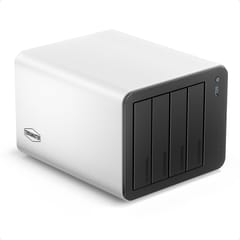
TerraMaster F4-425 Plus
Most Expandable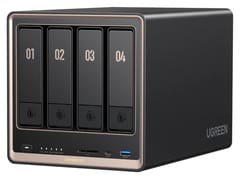
UGREEN NASync DXP4800 GT
Best PerformanceA two-bay NAS has one upgrade path: replace both drives with larger ones and copy the data across. A four-bay box lets you start with two drives in RAID 1 and add two more later, or move to RAID 5, where one drive’s worth of space protects the rest. If your photo and video library keeps growing, adding drives to empty bays avoids retiring a working pair of drives. Our NAS comparison chart treats four bays as the practical starting point for a home NAS, and that holds for anyone who can see past 8TB. On a tight budget, a two-bay box is the cheaper entry.
The TerraMaster F4-425 Plus in its Intel N95 version lists at $509.99 with 8GB of DDR4, three M.2 NVMe slots, and two 5GbE ports, which is faster networking than any other box in this guide except the DXP4800 GT. The N95 is a 2023 chip in the same class as the DXP2800’s N100, with Quick Sync. The cons are a single RAM slot, M.2 slots that each run at one PCIe lane, and no PCIe slot for a 10GbE card.
The UGREEN DXP4800 GT lists at $559.99 and moves to an AMD Ryzen Embedded R2514 with two 10GbE ports and ECC memory support. It is the cheapest box here with 10GbE, which only pays off if your PC and switch also have 10GbE. It transcodes H.264 and H.265 video, but PCWorld’s review measured about 25 W with the drives asleep, so it costs more to run around the clock than the Intel N-series boxes.
For tinkerers there is also the AOOSTAR WTR PRO 5825U, a four-bay barebone at $379 with an eight-core Ryzen 7 5825U and dual 2.5GbE. It ships with no RAM, no SSD, and no NAS software, so the full cost is $379 plus a DDR4 kit and a boot SSD, plus an evening installing TrueNAS or Unraid. The bays are not hot-swappable, so you power it down to change a drive. It is a poor fit for anyone who wants a setup wizard.
Drive prices doubled, and small drives cost the most per terabyte
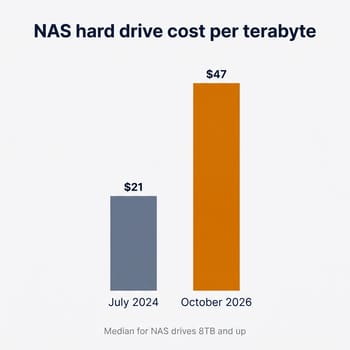
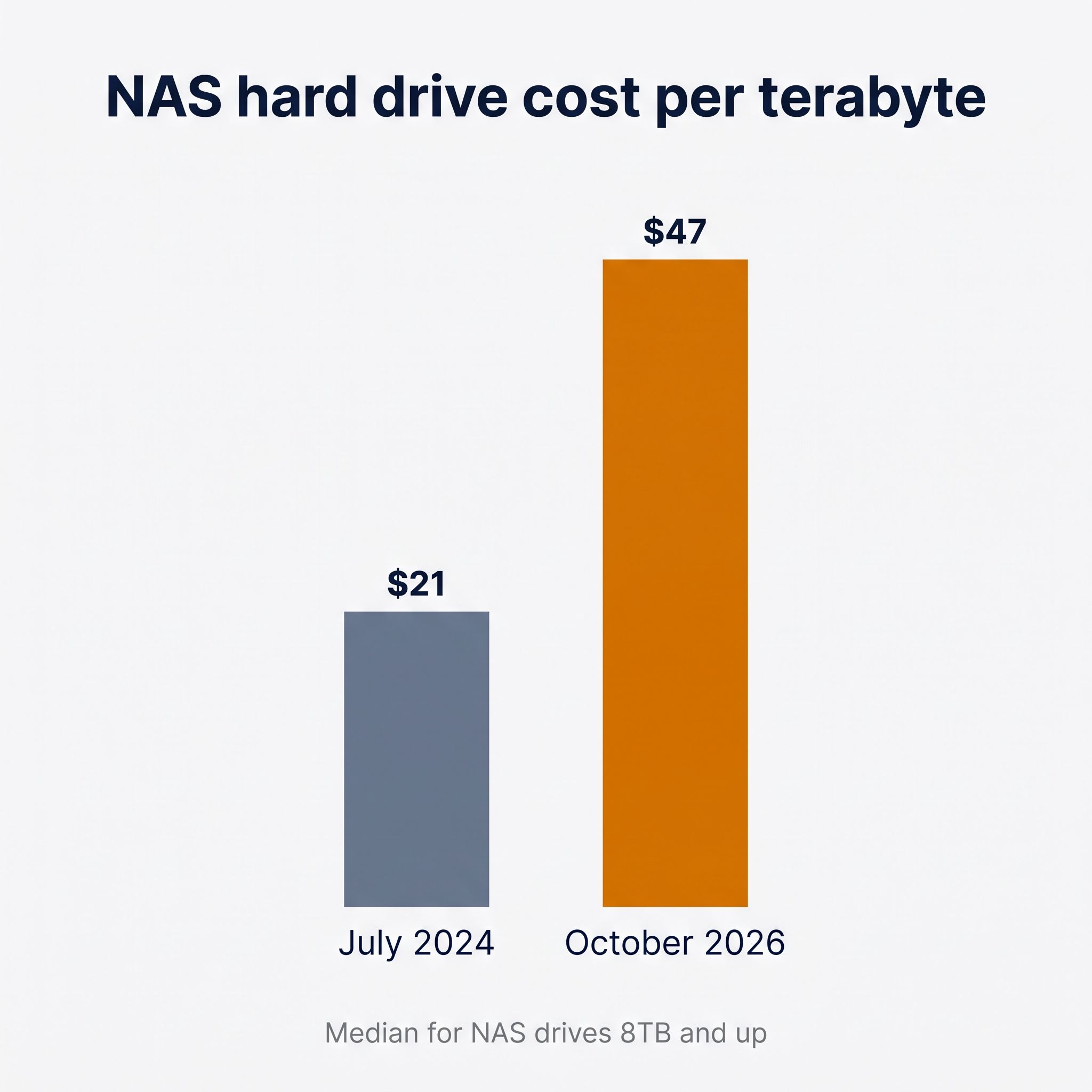
The NASDisks price tracker reports that the typical NAS hard drive of 8TB and up went from $21 per terabyte in July 2024 to $47 per terabyte in October 2026, more than double. MakeUseOf’s September 2026 report traces the cause to data center demand: “Western Digital says it’s sold out of nearline hard drive capacity through calendar 2026.” Analysts cited in that report do not expect prices to normalize before late 2027, so waiting for a sale is a weak plan.
At the cheaper end of each size, a 4TB NAS drive costs roughly $48 to $60 per terabyte, an 8TB drive about $41 to $45, and 12TB drives fall to about $36. The 4TB pair is still the lowest total outlay. If you can spend about $250 more, the 8TB pair doubles your usable space for about 60% more on the drives.
The drives to look for are CMR models sold for NAS use, such as WD Red Plus, Seagate IronWolf, or Toshiba N300. CMR (conventional magnetic recording) drives handle the long rebuild a RAID mirror runs after a drive swap. Plain WD Red drives (without “Plus”) in the 2TB to 6TB range use SMR (shingled magnetic recording), which writes slowly under sustained load and can stretch a rebuild into days. Recertified enterprise drives were the budget trick of 2024 and 2025, and they no longer help much. PC Server and Parts tracked a recertified 24TB Seagate Exos going from $298.99 to $699 in a year.
SSD prices rose too. NASCompares’ July 2026 roundup shows 4TB NVMe SSDs that sold for about $190 to $230 in June 2025 listed at about $699 to $900 or more. At those prices, an all-SSD NAS costs far more per terabyte than one with hard drives.
Where Synology and a mini PC fit
Synology’s cheapest two-bay, the DS223j, runs Synology’s DSM software on a Realtek RTD1619B with 1GB of RAM and a 1GbE port. When TechRadar reviewed the DH2300 at its $209.99 launch price, it noted the DS223j cost “a few dollars less” and had a weaker chip and a quarter of the memory. Its draw is DSM’s backup apps, such as Hyper Backup and Snapshot Replication. Synology’s two-bay DS225+ starts near $400, the same price as a DXP2800, with a 2019 Celeron and 2GB of RAM; see our UGREEN vs Synology comparison for that matchup.
A used office mini PC with TrueNAS or Unraid is cheaper still for the box: off-lease Dell OptiPlex and Lenovo ThinkCentre Micro models sell for $100 to $200. They hold one or two internal drives, have 1GbE, and need a USB enclosure for more disks, which is a weaker setup for a RAID mirror than a NAS with dedicated drive bays. Our guide to using a mini PC as a NAS covers that route, including the Beelink ME Mini, a small box with six M.2 SSD slots. The ME Mini was a cheap NAS in 2025, but with 4TB SSDs now costing several times a 4TB hard drive, it has become a pricey way to buy capacity.
Which budget setup to buy
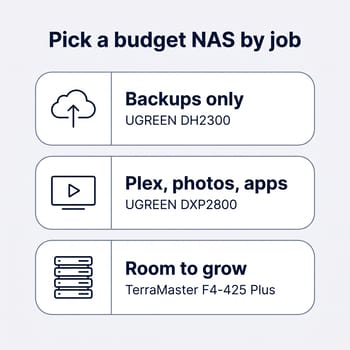
For most homes, the setup we would choose is the UGREEN DXP2800 with two 8TB NAS drives, at roughly $1,050 to $1,110. If that is too much, two 4TB drives bring the total down to roughly $770 to $870 and still give you a working mirror. Nothing cheaper in this guide pairs Quick Sync video transcoding and Docker with SSD slots and a 2.5GbE port.
Someone who only wants a home for backups and shared files can spend less. The UGREEN DH2300 with two 4TB drives comes to about $620 to $750, and a $25 USB 2.5GbE adapter is worth adding if your PC has a 2.5GbE port. If your files could outgrow 8TB within a few years, the TerraMaster F4-425 Plus N95 model with two drives makes more sense, because adding two drives later costs less than replacing both drives in a two-bay box.
Whatever you buy, a RAID 1 mirror protects you from a dead drive, not from a deleted folder, ransomware, or a house fire. Keep a second copy of the files you cannot replace on a USB drive or a cloud backup service. The comparison chart lists every NAS we cover by bays, network speed, idle power, and list price if you want to compare beyond these picks.


