
Minisforum N5 Air
Published on

The Minisforum N5 Air is a 5-bay NAS for homelab owners who want to run TrueNAS, Unraid, Proxmox, or Minisforum’s own MinisCloud OS on hardware with far more CPU than a typical home NAS. It takes the original N5’s place in Minisforum’s US store, and Minisforum expects to ship a version with a 6-core Ryzen 5 7640HS in late October 2026. The base model ships without RAM or hard drives. The tradeoffs are a plastic-heavy case, drive trays that need firm force to clip in, M.2 slots that run below full x4 speed, and software that reviewers rate behind established NAS systems.
Pros and cons
| Pros | Cons |
|---|---|
| 8-core Ryzen 7 255 with Radeon 780M graphics for VMs, containers, and hardware transcoding | Base model has no RAM, so memory is an extra purchase |
| 10GbE and 5GbE RJ45 ports built in | Plastic-heavy chassis passes on more hard drive noise than a metal case |
| PCIe x16 slot (PCIe 4.0 x4), OCuLink, and two USB4 ports | M.2 slots run at x1 and x2 by Minisforum’s spec, well below x4 |
| Five SATA bays in a 4-bay footprint, up to 150TB of hard drives | No ECC memory support |
| Slide-out motherboard tray for RAM and SSD upgrades | Drive trays use clips that need significant force |
| Windows 11 and Linux supported, with an internal USB-A port for a boot drive | MinisCloud OS is less mature than DSM, QTS, or UGOS Pro |
Minisforum N5 Air Comparison Chart
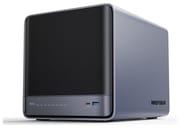 Minisforum N5 Air | Minisforum N5 Air | Minisforum N5 Air | Minisforum N5 Air | |
| Price | List Price: $535.00 Amazon Prices: Loading prices... | List Price: $719.00 Amazon Prices: Loading prices... | List Price: $495.00 Amazon Prices: | List Price: $679.00 Amazon Prices: |
| Version | Ryzen 7 255, barebone (no RAM), 64GB system SSD | Ryzen 7 255, 16GB DDR5, 64GB system SSD | Ryzen 5 7640HS, barebone (no RAM), 64GB system SSD | Ryzen 5 7640HS, 16GB DDR5-4800, 64GB system SSD |
| Drive Bays | 5 x 3.5-inch SATA (2.5-inch compatible) Hot-swap, tool-less trays | 5 x 3.5-inch SATA (2.5-inch compatible) Hot-swap, tool-less trays | 5 x 3.5-inch SATA (2.5-inch compatible) Hot-swap, tool-less trays | 5 x 3.5-inch SATA (2.5-inch compatible) Hot-swap, tool-less trays |
| M.2 Slots | 2 x M.2 NVMe, cache or storage pool PCIe 4.0; x2 and x1 per Minisforum | 2 x M.2 NVMe, cache or storage pool PCIe 4.0; x2 and x1 per Minisforum | 2 x M.2 NVMe, cache or storage pool PCIe 4.0; x2 and x1 per Minisforum | 2 x M.2 NVMe, cache or storage pool PCIe 4.0; x2 and x1 per Minisforum |
| Max Raw Capacity | 150 TB | 150 TB | 150 TB | 150 TB |
| Included Drives | None (diskless) | None (diskless) | None (diskless) | None (diskless) |
| System Drive | 64GB SSD (in an M.2 slot) | 64GB SSD (in an M.2 slot) | 64GB SSD (in an M.2 slot) | 64GB SSD (in an M.2 slot) |
| Processor | Octa-core 3.80 Ghz (max 4.90 Ghz) AMD Ryzen 7 H 255 | Octa-core 3.80 Ghz (max 4.90 Ghz) AMD Ryzen 7 H 255 | Hexa-core 4.30 Ghz (max 5.00 Ghz) AMD Ryzen 5 7640HS | Hexa-core 4.30 Ghz (max 5.00 Ghz) AMD Ryzen 5 7640HS |
| Hardware Transcoding | Yes (AMD VCN (Radeon 780M)) | Yes (AMD VCN (Radeon 780M)) | Yes (AMD VCN (Radeon 760M)) | Yes (AMD VCN (Radeon 760M)) |
| RAM | 0 GB DDR5 SO-DIMM Max 96 GB, 2 slots DDR5-5600, non-ECC | 16 GB DDR5 SO-DIMM Max 96 GB, 2 slots DDR5-5600, non-ECC | 0 GB DDR5 SO-DIMM Max 96 GB, 2 slots DDR5-5600, non-ECC | 16 GB DDR5 SO-DIMM Max 96 GB, 2 slots DDR5-5600, non-ECC |
| ECC Memory | No | No | No | No |
| Network Ports | 1 x 10GbE RJ45 1 x 5GbE RJ45 | 1 x 10GbE RJ45 1 x 5GbE RJ45 | 1 x 10GbE RJ45 1 x 5GbE RJ45 | 1 x 10GbE RJ45 1 x 5GbE RJ45 |
| PCIe Slot | Yes (x16 slot wired PCIe 4.0 x4; OCuLink) | Yes (x16 slot wired PCIe 4.0 x4; OCuLink) | Yes (x16 slot wired PCIe 4.0 x4; OCuLink) | Yes (x16 slot wired PCIe 4.0 x4; OCuLink) |
| Expansion Unit | None | None | None | None |
| Operating System | MinisCloud OS | MinisCloud OS | MinisCloud OS | MinisCloud OS |
| Third-Party OS | Yes (Windows 11 and Linux supported; internal USB-A port for a boot drive) | Yes (Windows 11 and Linux supported; internal USB-A port for a boot drive) | Yes (Windows 11 and Linux supported; internal USB-A port for a boot drive) | Yes (Windows 11 and Linux supported; internal USB-A port for a boot drive) |
| File Systems | ZFS | ZFS | ZFS | ZFS |
| USB Ports | 2 USB 3, 2 USB-C (2 USB4) Front: USB4, USB-A 10Gbps. Rear: USB4, USB-A 10Gbps, USB 2.0 | 2 USB 3, 2 USB-C (2 USB4) Front: USB4, USB-A 10Gbps. Rear: USB4, USB-A 10Gbps, USB 2.0 | 2 USB 3, 2 USB-C (2 USB4) Front: USB4, USB-A 10Gbps. Rear: USB4, USB-A 10Gbps, USB 2.0 | 2 USB 3, 2 USB-C (2 USB4) Front: USB4, USB-A 10Gbps. Rear: USB4, USB-A 10Gbps, USB 2.0 |
| Thunderbolt Ports | No | No | No | No |
| HDMI | 1 | 1 | 1 | 1 |
| WiFi | No | No | No | No |
| Idle Power | 26 W (SATA SSDs installed, system idle (26 to 27 W)) | 26 W (SATA SSDs installed, system idle (26 to 27 W)) | 26 W (SATA SSDs installed, system idle (26 to 27 W)) | 26 W (SATA SSDs installed, system idle (26 to 27 W)) |
| Load Power | 83 W (Ryzen 7 255, SATA SSDs, full CPU load (81 to 83 W)) | 83 W (Ryzen 7 255, SATA SSDs, full CPU load (81 to 83 W)) | 83 W (Ryzen 7 255, SATA SSDs, full CPU load (81 to 83 W)) | 83 W (Ryzen 7 255, SATA SSDs, full CPU load (81 to 83 W)) |
| Power Supply | 280W external (19V/14.73A) | 280W external (19V/14.73A) | 280W external (19V/14.73A) | 280W external (19V/14.73A) |
| Noise | 38 dB (Ryzen 7 255, SATA SSDs, system idle (35 to 38 dBA)) | 38 dB (Ryzen 7 255, SATA SSDs, system idle (35 to 38 dBA)) | 38 dB (Ryzen 7 255, SATA SSDs, system idle (35 to 38 dBA)) | 38 dB (Ryzen 7 255, SATA SSDs, system idle (35 to 38 dBA)) |
| Dimensions width x length x thickness | 7.8 x 9.9 x 8 inches (198.12 x 251.46 x 203.2 mm) | 7.8 x 9.9 x 8 inches (198.12 x 251.46 x 203.2 mm) | 7.8 x 9.9 x 8 inches (198.12 x 251.46 x 203.2 mm) | 7.8 x 9.9 x 8 inches (198.12 x 251.46 x 203.2 mm) |
| Weight | 8.8 lbs (4 kg) | 8.8 lbs (4 kg) | 8.8 lbs (4 kg) | 8.8 lbs (4 kg) |
| Released | January 2026 | January 2026 | January 2026 | January 2026 |
| In the Box | Main unit, power adapter and cord, HDMI cable, network cable, drive screws, manual. | Main unit, power adapter and cord, HDMI cable, network cable, drive screws, manual. | Main unit, power adapter and cord, HDMI cable, network cable, drive screws, manual. | Main unit, power adapter and cord, HDMI cable, network cable, drive screws, manual. |
| Expandability | RAM to 96GB (2x SO-DIMM). 2 free M.2 NVMe slots. PCIe x16 slot (x4 electrical), OCuLink. | RAM to 96GB (2x SO-DIMM). 2 free M.2 NVMe slots. PCIe x16 slot (x4 electrical), OCuLink. | RAM to 96GB (2x SO-DIMM). 2 free M.2 NVMe slots. PCIe x16 slot (x4 electrical), OCuLink. | RAM to 96GB (2x SO-DIMM). 2 free M.2 NVMe slots. PCIe x16 slot (x4 electrical), OCuLink. |
Five bays, three M.2 slots, and a slide-out tray
The N5 Air measures about 7.8 x 8.0 x 9.9 inches and weighs about 8.8 pounds without drives. Five SATA bays take 3.5-inch or 2.5-inch drives up to 30TB each, for 150TB of hard drive capacity, behind a magnetic front cover. Minisforum supports RAID 0, 1, 5, and 6 in MinisCloud OS, so a five-drive array can survive two failed disks in RAID 6. The trays mount drives without screws, but Hake Hardware found that their interference-fit clips need significant force to operate. The motherboard slides out on a tray held by two screws, and the DDR5 slots sit under the cooler shroud.
There are three M.2 2280 NVMe slots under the tray, with a small fan over them. One holds the included 64GB system SSD that carries MinisCloud OS, which leaves two for data. Minisforum rates the three slots at PCIe 4.0 x1, x1, and x2, with the system SSD in an x1 slot, so neither free slot reaches full x4. Hake Hardware measured differently with the same drives in each slot: one data slot negotiated PCIe 4.0 x4, the other x2, and the system drive slot ran at PCIe 2.0 x1. Either way, put the fastest NVMe drive in the wider data slot and use the other for cache or a small app pool. Memory is two DDR5-5600 SO-DIMM slots with a 96GB maximum. Minisforum lists the memory as non-ECC, which is one of the main differences from the more expensive N5 Pro.
Network, expansion, and power

Networking is one 10GbE RJ45 port (Realtek RTL8127) and one 5GbE RJ45 port (Realtek RTL8126). Hake Hardware measured 8.44 Gbit/s on a single stream and 9.27 Gbit/s on four streams over the 10GbE port. The Realtek 10GbE chip needs an out-of-tree driver on Debian 13, since in-kernel support arrives with Linux 6.16, so check the kernel version of the OS you plan to install. For expansion there is a PCIe x16 slot wired at PCIe 4.0 x4 for a faster network card, an HBA, or a low-profile GPU, plus an OCuLink port for an external GPU dock.
The front has a USB4 port and a 10Gbps USB-A port. The rear adds a second USB4 port, a 10Gbps USB-A port, a USB 2.0 port, and an HDMI 2.1 port; HDMI and both USB4 ports drive displays up to 8K at 60Hz. An internal 10Gbps USB-A port holds a flash drive for a second operating system. Power comes from a 280W external adapter. NASCompares measured 26 to 27 W at idle with SATA SSDs and 81 to 83 W under full CPU load, with noise of 35 to 38 dBA at idle. Hake Hardware measured 70.3 W at idle with five hard drives spinning and 38.2 W with them spun down, with a Tesla P4 GPU installed that it estimates adds 10 to 15 W.
The Ryzen 7 255, the Ryzen 5 7640HS, and MinisCloud OS

The Ryzen 7 255 is a 2025 Zen 4 chip with 8 cores, 16 threads, a 4.9GHz boost, and a PassMark score of about 28,700. That is several times the CPU in the Intel N-series and Pentium chips common in 4-bay home NAS units. It runs Proxmox with several VMs, Docker containers, and file serving at the same time, and Hake Hardware recorded a 72C peak after a five-minute all-core stress test with no throttling. The Radeon 780M graphics handle hardware encoding and decoding for Plex or Jellyfin. NASCompares found that AMD transcoding is less straightforward than Intel Quick Sync in some NAS setups; direct playback of an 8K 60 fps file used only 9 to 11 percent of the CPU. The N5 Air-7640 variant uses a 6-core, 12-thread Ryzen 5 7640HS with Radeon 760M graphics and a PassMark score of about 23,100 in the same chassis; Minisforum lists its first shipments for late October 2026.
MinisCloud OS runs from the 64GB system SSD and covers RAID setup, file sharing, photo backup, and Docker apps, with desktop and mobile apps. NASCompares called it functional but less mature than established NAS software. Minisforum also supports Windows 11 and Linux, and TrueNAS, Unraid, and Proxmox install as they would on a desktop PC. Hake Hardware ran a ZFS RAID-Z2 pool of five 4TB hard drives and measured 486 MB/s sequential writes and 405 MB/s reads. NASCompares measured about 650 MB/s reads and 500 to 525 MB/s writes from four 4TB hard drives in RAID.
Reviewer Insights
Both reviewers valued the N5 Air for its hardware; NASCompares also found MinisCloud OS behind established NAS software. Both flagged the plastic chassis and the M.2 lane widths.
NASCompares
Rob Andrews of NASCompares scored the N5 Air 8.2 out of 10 in March 2026. He wrote that “The Minisforum N5 Air is best viewed as a lower-cost refinement of the original N5 rather than a major new generation.” He listed as strengths the five bays in a 4-bay footprint, three NVMe slots, 10GbE and 5GbE as standard, the PCIe slot, OCuLink, and the slide-out internal design. On the downside, he pointed to MinisCloud OS, the plastic-heavy chassis compared with the metal original N5, no ECC support, and the 64GB OS drive taking one of the M.2 slots. His conclusion on software: “Buyers planning to use TrueNAS, Unraid, or another third-party NAS OS will likely find the value proposition much stronger than buyers expecting a highly refined out-of-box software experience.”
Hake Hardware
Hake Hardware tore down and benchmarked a barebone N5 Air in April 2026, running Debian 13 with a Tesla P4 GPU in the PCIe slot. The review sums up the design this way: “The tradeoff is a plastic chassis and some build quality compromises.” It praised the slide-out motherboard tray, writing “It is genuinely one of the best internal access designs in this product category,” and found that the fans stay quiet while the hard drives are louder through the plastic walls. Its complaints were the stiff drive tray clips, the uneven M.2 slots, the RTL8127 driver on older kernels, the external power brick, and fans with small proprietary connectors. On the CPU: “The Ryzen 7 255 is significantly overpowered for pure NAS duties.”
Customer Reviews
The Amazon star rating for the N5 Air also counts reviews of the N5 Pro and N5 Max. N5 Air owners use it as a Plex server and homelab box. A. W. Thompson installed Windows 11 and reported that “I had no problem getting 9.4Gb/s speeds from the 10GbE port,” and measured “around 13 watts or so with just the 990 pro installed,” with no hard drives fitted. John wrote that “The Radeon 780M graphics also help significantly with 4K video transcoding.” Amazonimaniac liked the open hardware: “One of the best things about this device is that you’re not tied into specific hardware requirements like some of the big name NAS companies.”
Fan noise is the main complaint. A. W. Thompson wrote that “If I had any complaint, it would be that the fans were louder than I would like,” and fixed it by lowering the fan settings in the BIOS, which is the only place they can be changed. Read more owner reviews on Amazon.
A homelab NAS that needs your own RAM and, for many buyers, your own OS
The N5 Air fits a buyer who wants five drive bays, 10GbE, and enough CPU for VMs and media transcoding, and who plans to run TrueNAS, Unraid, or Proxmox. Budget for DDR5 memory on top of the barebone price. If you want a polished NAS system out of the box and do not need the extra CPU, a UGREEN or Synology unit is the simpler choice; see UGREEN vs Synology for how their software compares. If you need ECC memory, Minisforum’s N5 Pro adds it along with a faster Ryzen AI chip.
Frequently Asked Questions
Does the Minisforum N5 Air come with RAM?
The barebone model does not. It includes only the 64GB system SSD with MinisCloud OS, so you need to add DDR5 SO-DIMM memory before it will boot. Minisforum also sells a version with 16GB of DDR5 installed. The two slots take up to 96GB in total.
Does the N5 Air support ECC memory?
No. Minisforum lists its two DDR5-5600 SO-DIMM slots as non-ECC. The N5 Pro is the Minisforum 5-bay model that supports ECC memory.
Can I install TrueNAS or Unraid on the N5 Air?
Yes. Minisforum supports Windows 11 and Linux as well as MinisCloud OS, and an internal USB-A port can hold a boot flash drive for Unraid or another system. On Linux kernels older than 6.16, the Realtek RTL8127 10GbE port needs an out-of-tree driver.
How fast are the N5 Air’s M.2 slots?
Minisforum rates the three slots at PCIe 4.0 x1, x1, and x2, and the 64GB system SSD occupies one of the x1 slots. Hake Hardware measured one data slot at PCIe 4.0 x4 and the other at x2. For full NVMe speed, an adapter card in the PCIe 4.0 x4 slot is the faster option.
Can the N5 Air transcode video for Plex or Jellyfin?
Yes. The Radeon 780M graphics in the Ryzen 7 255 support hardware encoding and decoding, which Plex and Jellyfin can use. AMD hardware transcoding takes more setup than Intel Quick Sync in some NAS software.
How much power does the Minisforum N5 Air use?
NASCompares measured 26 to 27 W at idle with SATA SSDs and 81 to 83 W under full CPU load. With five hard drives spinning and a GPU installed, Hake Hardware measured 70.3 W at idle.