
TerraMaster F8 SSD Plus
Published on

The TerraMaster F8 SSD Plus is a paperback-sized NAS that holds eight NVMe SSDs and no hard drives, for video editors, home labs, and small offices that want quiet flash storage over a fast network. Each SSD gets a single PCIe lane and the unit has one network port, so the decision comes down to whether slot count and size matter more to you than drive speed and redundancy. It launched in September 2024 at $799.99. TerraMaster’s store now lists it at $899.99, and lists the F8 SSD, the same chassis with a slower chip and half the memory, at $659.99.
Pros and cons
| Pros | Cons |
|---|---|
| Eight M.2 NVMe slots, up to 64TB, in a case about the size of a paperback | Each slot runs at PCIe 3.0 x1, a little under 1,000 MB/s per drive |
| Liliputing measured 9.90 Gb/s on the 10GbE port | One network port, so no failover and no separate storage network |
| Very quiet at idle; no hard drive noise | Fans get loud under heavy work, 51.3 dBA while setting up a VM in one test |
| Core i3-N305 with hardware transcoding for Plex and Jellyfin | No ECC memory and one SO-DIMM slot |
| TOS includes TRAID, Btrfs snapshots, Docker, and backup apps | Liliputing’s TOS 6 test found few apps and an old VirtualBox release; TerraMaster says TOS 7 adds VM management |
| Unraid booted in Liliputing’s test; TrueNAS may need BIOS and firmware changes | Plastic shell, and rubber bands hold the heat sinks on |
Related Videos
TerraMaster F8 SSD Plus Comparison Chart
 TerraMaster F8 SSD Plus | TerraMaster F8 SSD Plus | |
| Price | List Price: $899.99 Amazon Prices: Loading prices... TerraMaster store: | List Price: $659.99 Amazon Prices: Loading prices... TerraMaster store: |
| Version | F8 SSD Plus: Core i3-N305, 16GB DDR5, diskless | F8 SSD: Intel N95, 8GB DDR5, diskless |
| Drive Bays | None | None |
| M.2 Slots | 8 x M.2 NVMe, storage pool only PCIe 3.0 x1 each | 8 x M.2 NVMe, storage pool only PCIe 3.0 x1 each |
| Max Raw Capacity | 64 TB | 64 TB |
| Included Drives | None (diskless) | None (diskless) |
| System Drive | none (TOS installs on the M.2 drives; internal USB bootloader) | none (TOS installs on the M.2 drives; internal USB bootloader) |
| Processor | Octa-core 1.80 Ghz (max 3.80 Ghz) Intel Core i3-N305 | Quad-core 3.40 Ghz (max 3.40 Ghz) Intel Processor N95 |
| Hardware Transcoding | Yes (Intel Quick Sync (UHD Graphics), up to 4K60) | Yes (Intel Quick Sync (UHD Graphics), up to 4K60) |
| RAM | 16 GB DDR5 SO-DIMM Max 32 GB, 1 slot Non-ECC SO-DIMM; DDR5 on-die ECC only | 8 GB DDR5 SO-DIMM Max 32 GB, 1 slot Non-ECC SO-DIMM; DDR5 on-die ECC only |
| ECC Memory | No (DDR5's built-in on-die ECC only) | No (DDR5's built-in on-die ECC only) |
| Network Ports | 1 x 10GbE RJ45 | 1 x 10GbE RJ45 |
| PCIe Slot | No | No |
| Expansion Unit | None; USB DAS units such as the D8 Hybrid mount as external drives | None; USB DAS units such as the D8 Hybrid mount as external drives |
| Operating System | TOS 7 | TOS 7 |
| Third-Party OS | Yes (Unraid booted in Liliputing's test; TrueNAS may need BIOS and firmware changes) | Yes (Unraid booted in Liliputing's test; TrueNAS may need BIOS and firmware changes) |
| File Systems | Btrfs, ext4 (external drives also EXT3, NTFS, FAT32, HFS+) | Btrfs, ext4 (external drives also EXT3, NTFS, FAT32, HFS+) |
| USB Ports | 2 USB 3, 1 USB-C All on the rear, all 10Gbps | 2 USB 3, 1 USB-C All on the rear, all 10Gbps |
| Thunderbolt Ports | No | No |
| HDMI | 1 | 1 |
| WiFi | No | No |
| Idle Power | 19.7 W (Core i3-N305 model, eight 4TB NVMe SSDs, idle, Liliputing) | 19.7 W (Core i3-N305 model, eight 4TB NVMe SSDs, idle, Liliputing) |
| Load Power | 41.6 W (Core i3-N305 model, eight SSDs, copying a 100GB file from NAS to PC, Liliputing) | 41.6 W (Core i3-N305 model, eight SSDs, copying a 100GB file from NAS to PC, Liliputing) |
| Power Supply | 72W external | 72W external |
| Noise | 33 dB (idle with eight SSDs, 40.3 dBA copying a large file, Liliputing) | 33 dB (idle with eight SSDs, 40.3 dBA copying a large file, Liliputing) |
| Dimensions width x length x thickness | 2.4 x 5.5 x 7 inches (60.96 x 139.7 x 177.8 mm) | 2.4 x 5.5 x 7 inches (60.96 x 139.7 x 177.8 mm) |
| Weight | 1.5 lbs (0.68 kg) | 1.5 lbs (0.68 kg) |
| Released | September 2024 at $799.99 | September 2024 at $799.99 |
| In the Box | Main unit, 72W power adapter, Ethernet cable, 8 heat sinks with thermal pads and bands, screwdriver, screws, quick guide. | Main unit, 72W power adapter, Ethernet cable, 8 heat sinks with thermal pads and bands, screwdriver, screws, quick guide. |
| Expandability | RAM to 32GB (one SO-DIMM). 8x M.2 2280 NVMe, PCIe 3.0 x1. No PCIe slot. | RAM to 32GB (one SO-DIMM). 8x M.2 2280 NVMe, PCIe 3.0 x1. No PCIe slot. |
Eight M.2 slots on single PCIe lanes
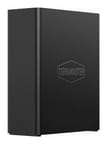
The F8 SSD Plus stands about 7 inches tall, 5.5 inches deep, and 2.4 inches thick, and weighs about 1.5 pounds without drives. A plastic shell slides over the motherboard: remove one thumbscrew at the back and the whole internal tray comes out, with four M.2 slots on each side of the board. TerraMaster calls this tool-free, but each SSD still needs a small screw, and a screwdriver is in the box. Hot swapping is not supported. The bundle includes eight heat sinks with thermal pads, held to each drive by rubber bands, and those heat sinks do not fit well on double-sided SSDs.
TerraMaster rates the eight slots for 8TB drives each, 64TB raw. The N305 has nine PCIe 3.0 lanes, so each slot gets a single lane, some of them through an ASMedia ASM2806 switch. A single drive tops out a little under 1,000 MB/s, and Liliputing measured 837 to 849 MB/s per drive in TOS. Faster PCIe 4.0 and 5.0 SSDs fit but run at the same speed, so older Gen 3 drives are the economical choice. Together the drives can outrun the network port. TOS installs on the SSDs from a small internal USB bootloader, so no separate system drive takes up a slot.
Memory is a single DDR5 SO-DIMM slot with 16GB installed on the Plus and 8GB on the F8 SSD. TerraMaster rates both for 32GB of non-ECC memory, and one owner on TerraMaster’s forum reports a 48GB module working. DDR5 chips carry on-die ECC, but the module is non-ECC and the chip does not support ECC memory, so errors between the memory and the CPU go uncorrected.
10GbE, USB, and power

All the ports are on the back: one 10GbE RJ45 port on a Marvell AQC113C controller, two 10Gbps USB-A ports, one 10Gbps USB-C port, HDMI, and the barrel power jack. There is no 2.5GbE port as a backup, no PCIe slot, and no Thunderbolt or USB4. Liliputing measured 9.90 Gb/s in iperf3, about 1,236 MB/s in sequential reads and 1,230 MB/s in writes to a network share in CrystalDiskMark, and about 1 GB/s copying a 100GB file to the NAS and 885 MB/s copying it back. A USB DAS such as TerraMaster’s D8 Hybrid adds external storage over 10Gbps USB. HDMI shows a command line for diagnostics, not a desktop.
Power comes from a 72 W external adapter. Liliputing measured 19.7 W at idle with eight 4TB SSDs, 20.7 W running Jellyfin in Docker, and 36.2 to 41.6 W during large file copies; a 14 W idle and a 35 W write load came from Michael Klements’ unit with four SSDs. TerraMaster rates it at 9 W with eight 2TB SSDs in hibernation and 45 W under read and write. Two 50mm fans in the base push air up through the case. TerraMaster rates 19 dB(A) in standby with a 17.3 dB(A) test room, while Liliputing measured 33.0 dBA at idle, 37.9 to 40.3 dBA copying files, and 51.3 dBA while configuring a VirtualBox VM.
The Core i3-N305, the N95 model, and TOS

The Core i3-N305 is an eight-core, eight-thread Intel chip from early 2023 with a 3.8GHz boost and a PassMark score of about 9,600. It handles file serving, Docker containers, and hardware transcoding through Intel UHD Graphics with 32 execution units, up to 4K at 60 fps. Under a sustained Cinebench run, Liliputing saw the chip settle at about 15 W and 72°C. The N95 in the F8 SSD is a four-core chip from the same family with a PassMark score of about 5,300, a little over half the N305’s.
TOS installs from the internal USB drive during setup. It offers TRAID, which mixes drive sizes, along with the usual RAID levels, Btrfs or ext4 volumes, snapshots, iSCSI, a photo app, Docker, and backup tools such as CloudSync and Duple Backup. Plex and Emby install from the app center. There is no native ZFS. TerraMaster now lists TOS 7, but every review below tested TOS 6, where VMs ran through VirtualBox and Liliputing found few apps. TerraMaster says TOS 7 adds VM deployment and management and 10 new App Center categories.
TrueNAS can need BIOS changes on this hardware, while Unraid booted fine on Liliputing’s unit. A guide on TerraMaster’s forum lists turning off Secure Boot, VT-d, and TOS Boot First before installing TrueNAS, though VT-d is needed for device passthrough, and it points to a separate BIOS and PCIe chip firmware upgrade. NASCompares says TerraMaster does not withhold hardware warranty for third-party systems, while Learn Linux TV reports a notice on TerraMaster’s website saying a swap voids it. TerraMaster’s warranty term is two years, so ask its support before relying on either.
Reviewer Insights
These reviews tested the Core i3-N305 model with TOS 6, mostly in 2024. Six of them fault the single network port, and NASCompares confirmed the x1 slots over SSH. They split on whether TOS and the build justify the price, with Liliputing the most critical.
Liliputing
Liliputing made the power, noise, and network measurements above with a mix of Lexar, Samsung, and PNY 4TB drives. Its review found few apps, VirtualBox 6.1.46 instead of the current release, 944 packages pinned in the Ubuntu-based TOS, 9.5 GB lost to partitions on each drive, and a nearly 22-hour sync on a four-drive RAID 10. On its unit in 2024, Debian, Ubuntu, and TrueNAS Scale failed to boot with all drives installed, Windows needed a separately downloaded 10GbE driver, TrueNAS Core had no working 10GbE, and Unraid booted fine. “Basically I wasn’t keen on the plastic construction which just feels cheap,” the reviewer wrote, and concluded: “For a NAS with NVMe drives, it is just not high-end enough as it has too much missing functionality to be worth buying in its current state.”
NASCompares
Robbie of NASCompares wrote, “The design of the F8 SSD PLUS is pretty impressive!” but said, “I am not a huge fan of the rubber band heatsinks, as they tend to be less durable under intense heat.” His video review confirmed over SSH that every slot runs at Gen 3 x1 and he said he did not like the single Ethernet port. In Plex tests over 10GbE, dedicated client apps played dense 4K and 8K originals with little CPU load, and hardware transcoding brought large files down to 480p and lower. The web player stalled on some high-bitrate files, and one automatic conversion of a dense 4K file reached 93% utilization. SSD temperatures stayed in the 50s and 60s.
TechRadar and Android Police
“What was most impressive was the quiet running of the NAS compared to our existing system, which uses HDDs rather than the faster SSDs,” Alastair Jennings wrote for TechRadar, scoring it 4.5 out of 5 and marking it down for the cost of the unit plus SSDs and some issues with cloud integration. Android Police also praised the quiet operation, along with the mostly automatic setup, in Cody Toombs’ 8 out of 10 review: “TerraMaster’s new line of NAS products is impressive, and with the launch of TOS 6, the feature set and quality are coming within striking distance of Synology.” He listed the missing SD reader and the price for the specs as cons, and criticized the 12V barrel connector on the power brick.
Android Central
Harish Jonnalagadda of Android Central found TOS 6 has far fewer utilities than Synology DSM 7.1 and never received the email verification code during setup. Even so, he wrote, “The use of M.2 drives exclusively combined with 10GbE connectivity makes this one of the best NAS servers around if you need to move a lot of data regularly.” His wish list was an aluminum chassis, dual 10GbE, and Thunderbolt 4.
PetaPixel
PetaPixel saw transfers peak near 1,000 MB/s over 10GbE and settle between 600 and 850 MB/s. Fan noise peaked at about 28 dB(A) under stress testing and the system stayed under 50°C. “The only real downside with this device is the single 10Gbe Ethernet port, which can feel somewhat limiting if you have a workload requiring a lot of aggregation and failover protections,” it wrote. It also noted no status LEDs for drives or network activity, no dust filter on the fans, and heat sink bands that broke during installation.
TechPowerUp
TechPowerUp delayed its review because the unit underperformed as shipped. TerraMaster worked with the site on a software fix: “We weren’t told the specifics of what was done to resolve the issue, but we’ve since seen file copy time improve by a factor of five, from sub HDD performance to performing within expectations.” The site also listed the lack of expansion slots as a limit.
Michael Klements
Michael Klements of The DIY Life tested four Crucial P3 Plus drives at default settings. Small files wrote at a little over 1,000 MB/s and read at about 850 MB/s. A 70GB video copy started at 1.1 GB/s and settled a little under 650 MB/s on writes, and held about 1.1 GB/s on reads. He measured 39 to 40 dB under load in a 32 dB room and wished for a second network port, but wrote, “Overall I think this is a great product and I haven’t found any significant issues with it.”
VirtualizationHowto
Brandon Lee of VirtualizationHowto built a TRAID pool from six 2TB Samsung 980 Pro drives and shared it to VMware over iSCSI. His HCIBench run reached 71,864 IOPS and 280.72 MB/s at 0.89 ms average latency with 4K blocks at 70% reads. “I think having two network adapters like two 10 gig adapters would have been ideal to separate the storage and management traffic,” he said.
Learn Linux TV
The host of Learn Linux TV broke three rubber bands while fitting heat sinks: “I’m just not sure how comfortable I am with rubber bands as a long-term solution.” Initializing the array took about two hours, and the email confirmation code never arrived but could be skipped. He called the single port “a major bummer,” and summed up, “My overall opinion of the F8 SSD Plus is that it’s a very good machine and if you buy one you’ll probably love it.”
ArtIsRight
Comparing the two models, ArtIsRight said, “I think the Plus model is definitely the one to consider.” He added a third-party heat sink because the bundled ones do not work well with double-sided drives, warned against running the unit upside down because that blocks the vents and presses the power button, and found the fan does not run at a high pitch.
Major Hardware and TechMagnet
Major Hardware, a video editor new to NAS, built a pool from four SSDs and found setup simple. His transfers were limited to gigabit speeds by his switch and a 2.5GbE PC port, so he says his gateway and switch need upgrading. TechMagnet set up one SSD on TOS 6.0 with the NAS connected directly to his PC and no internet access, so he downloaded the TOS package by hand. “These fans are super silent, very quiet,” he said.
Conclusion
The F8 SSD Plus fits someone who wants to edit video or photos straight off a NAS in the same room, run Docker containers and a small home lab, or share fast storage among a few machines over a 10GbE network, and who values eight slots and a very small case. Inexpensive Gen 3 or low-end Gen 4 SSDs are enough for its single-lane slots. The F8 SSD, with its N95 and 8GB, suits plain file storage; several containers or a VM call for the Plus.
It is the wrong box for storage that needs ECC memory or network failover, since it has neither. The UGREEN DXP480T Plus has four faster slots, Thunderbolt 4, and an aluminum case, and the best NVMe NAS guide compares it with other all-flash options. For bulk storage, a hard drive NAS such as the TerraMaster F4-425 Plus costs far less per terabyte. Every model is side by side on the NAS comparison chart.
Frequently Asked Questions
What is the difference between the F8 SSD and the F8 SSD Plus?
The Plus has an eight-core Intel Core i3-N305 and 16GB of DDR5. The F8 SSD has a four-core Intel N95 and 8GB of DDR5. Both have eight M.2 NVMe slots, one 10GbE port, the same ports and case, and a 32GB memory limit from TerraMaster.
How fast are the M.2 slots in the F8 SSD Plus?
PCIe 3.0 x1, which limits one drive to a little under 1,000 MB/s even with a PCIe 4.0 or 5.0 SSD. Liliputing measured about 840 to 850 MB/s per drive in TOS, and a pool of drives can exceed what the 10GbE port carries.
Does the F8 SSD Plus support ECC memory?
No. TerraMaster rates it for non-ECC SO-DIMMs and the Intel chip does not support ECC memory. The on-die ECC in DDR5 works only inside each memory chip.
Can I install TrueNAS or Unraid on the F8 SSD Plus?
Yes, though TrueNAS takes more setup than Unraid. Expect BIOS setting changes and a firmware upgrade for TrueNAS, which a guide on TerraMaster’s forum walks through. NASCompares and Learn Linux TV disagree on the warranty, so check with TerraMaster support first.
Can the F8 SSD Plus transcode video for Plex or Jellyfin?
Yes. TerraMaster lists hardware transcoding of H.264, H.265, MPEG-4, and VC-1 up to 4K at 60 fps through the Intel UHD Graphics. NASCompares confirmed Plex hardware transcoding with a Plex Pass.
How loud is the F8 SSD Plus and how much power does it use?
At idle with eight SSDs, Liliputing measured 19.7 W and 33.0 dBA. A large file copy raised that to about 42 W and 40.3 dBA, and setting up a VM reached 51.3 dBA. Michael Klements’ unit drew 14 W at idle with four SSDs.