
If you’ve shopped for a Chromebook recently, you’ve probably noticed that some models carry a “Chromebook Plus” badge while others don’t. This isn’t just marketing fluff—it’s Google’s certification program that guarantees certain hardware specifications and unlocks exclusive software features. But with Chromebook Plus models typically costing $100-200 more than standard Chromebooks, the real question is whether those extras justify the premium for your particular needs.
What Is Chromebook Plus?
Short Answer:
Chromebook Plus is Google’s premium certification program that guarantees minimum hardware specifications and provides exclusive AI-powered software features not available on standard Chromebooks.
Long Answer:
Launched in October 2023, Chromebook Plus represents Google’s attempt to address one of the platform’s longstanding criticisms: the confusing quality spread across Chromebook models. Before Chromebook Plus, shoppers had to wade through a sea of specs to find machines that could actually handle modern workloads. Some budget Chromebooks shipped with just 4GB of RAM and sluggish processors, leading to frustrated users who blamed Chrome OS rather than the underpowered hardware.
The Chromebook Plus program solves this by establishing a hardware floor that manufacturers must meet to use the badge. When you see “Chromebook Plus” on a device, you know it meets certain minimum specifications and includes Google’s latest AI features baked directly into the operating system. Think of it as Google’s equivalent to Intel’s Evo certification—a seal of approval that this particular machine will deliver a premium experience.
Google works directly with manufacturers like Acer, ASUS, HP, and Lenovo to certify devices before they reach store shelves. The certification isn’t retroactive, so older Chromebooks that meet the specs don’t automatically become Chromebook Plus devices. The exclusive software features require specific firmware integration that only ships on certified hardware.
What Hardware Does Chromebook Plus Guarantee?
Short Answer:
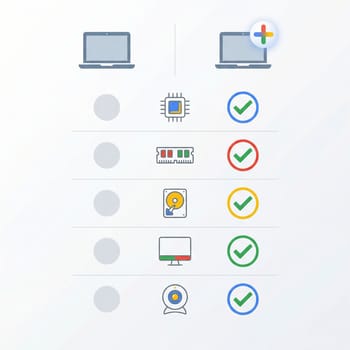
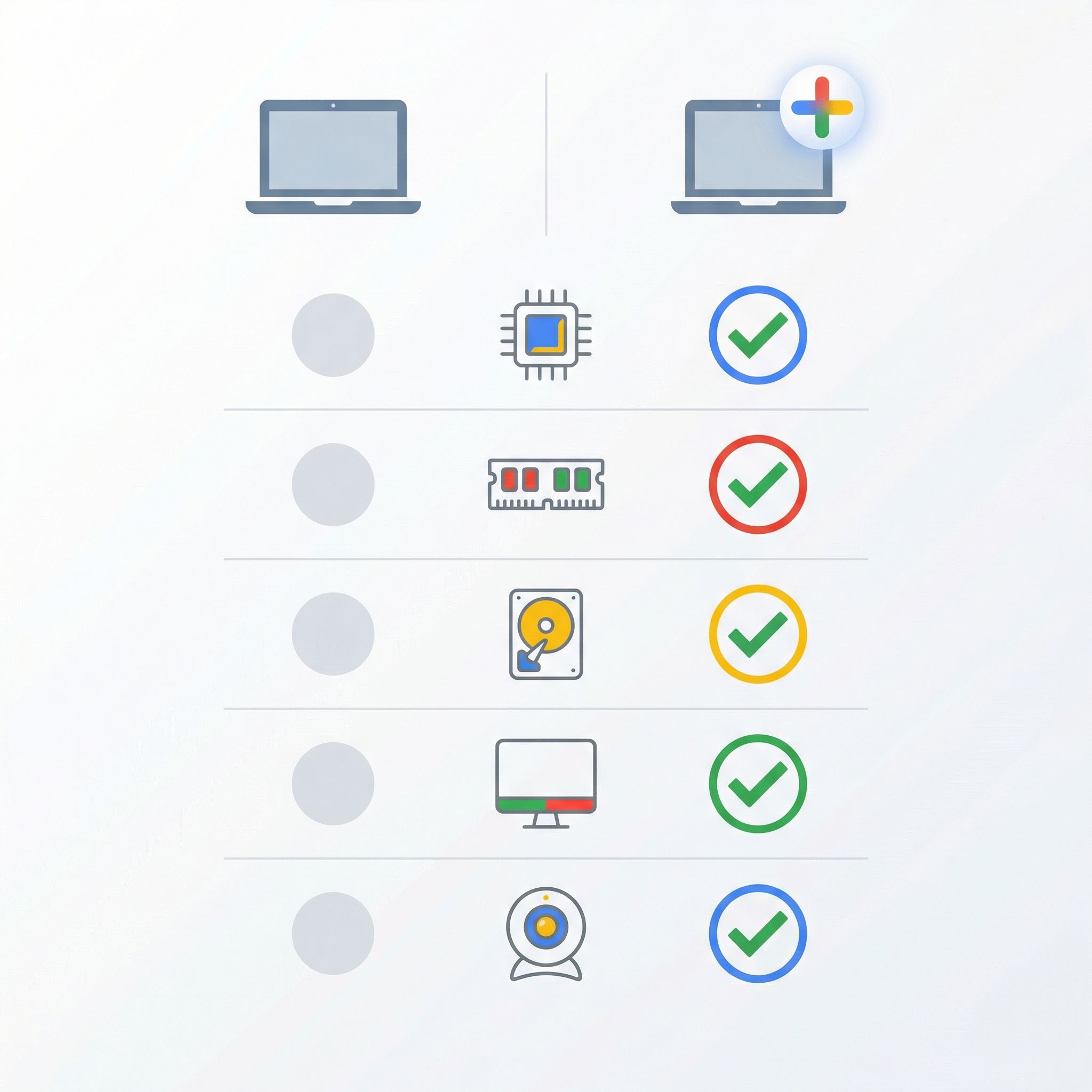
At minimum: Intel Core i3 12th Gen (or AMD Ryzen 3 7000+), 8GB RAM, 128GB storage, Full HD IPS display, and a 1080p webcam with temporal noise reduction.
Long Answer:
The Chromebook Plus hardware requirements set a baseline that ensures smooth multitasking and a pleasant user experience. Every Chromebook Plus device must include at least 8GB of RAM—double what many budget Chromebooks offer—which makes a genuine difference when you have multiple tabs open alongside Android apps. The 128GB minimum storage also provides meaningful breathing room for users who actually use their devices, rather than the 32GB or 64GB that leaves budget Chromebooks constantly running out of space.
The processor requirements are where things get more interesting. Google mandates at least an Intel Core i3 12th generation processor or AMD Ryzen 3 7000 series. These aren’t the latest chips on the market, but they represent a significant step up from the Celeron and MediaTek processors found in budget Chromebooks. The performance difference is immediately noticeable in tasks like loading complex web applications, running Linux containers, or using more demanding Android apps.
The display requirements ensure you get a Full HD (1920x1080 or better) IPS panel, which eliminates the washed-out, narrow-viewing-angle screens that plagued cheaper Chromebooks for years. And the webcam specification—1080p with temporal noise reduction—matters more than ever in the post-pandemic era of video calls.
What the Chromebook Plus badge doesn’t guarantee is equally important to understand. Build quality, battery life, display brightness, keyboard feel, and port selection all vary significantly between Chromebook Plus models. A device that barely meets the minimum specs is still technically Chromebook Plus certified, even if it can’t match the overall experience of a higher-end model. The certification gets you in the door, but you still need to evaluate the complete package.
What Exclusive Features Come with Chromebook Plus?
Short Answer:
AI-powered features including Gemini integration, Magic Eraser in Google Photos, Magic Editor, Help Me Write, enhanced video call effects, and the Quick Insert key for instant AI access.
Long Answer:
The software features exclusive to Chromebook Plus represent Google’s bet that AI integration will be the defining advantage of premium Chromebooks. The most visible of these is Gemini—Google’s AI assistant—integrated directly into Chrome OS. Rather than visiting a website to interact with AI, Chromebook Plus users can summon Gemini from anywhere in the operating system to help with writing, research, or creative tasks.
The Quick Insert key (found on newer Chromebook Plus keyboards) provides one-touch access to AI features. Press it anywhere you can type, and you’ll get options to generate text, create AI images, or get writing suggestions without switching contexts. This may sound like a small convenience, but it meaningfully reduces the friction of incorporating AI assistance into your workflow.
Magic Eraser and Magic Editor bring Google’s photo editing AI—previously exclusive to Pixel phones—to Chromebook Plus. Magic Eraser lets you remove unwanted objects or people from photos with a few taps, while Magic Editor enables more dramatic changes like repositioning subjects or changing lighting conditions. These features work entirely on-device, so your photos don’t get uploaded anywhere.
Help Me Write and Help Me Read use AI to assist with text. Help Me Write can generate drafts from prompts or rewrite existing text in different tones, while Help Me Read can summarize long documents or web pages. Video calls also get AI enhancement—Chromebook Plus devices can automatically improve lighting, cancel background noise, and apply portrait effects regardless of which video conferencing app you use.
One notable change since launch: the Google One AI Premium offer that included 12 months of Gemini Advanced (a $240 value) with Chromebook Plus purchases expired on January 31, 2026. While Chromebook Plus still includes the built-in AI features described above, the extended Gemini trial is no longer available for new purchases. Future promotions may emerge, but don’t count on this perk when calculating value.
Is Chromebook Plus Worth the Premium?
Short Answer:
For most users who spend $400+ on a Chromebook anyway, yes—the hardware guarantees and AI features provide meaningful value. For budget-conscious buyers, a capable standard Chromebook may make more sense.
Long Answer:
The value proposition of Chromebook Plus depends heavily on what you’d otherwise buy. At the budget end, you can find standard Chromebooks for $200-300 that handle basic browsing and Google Workspace tasks adequately. Chromebook Plus models start around $350-400 and typically run $450-600 for mainstream options. That’s a $150-300 premium for the certification.
What you get for that premium is meaningful. The 8GB RAM minimum alone transforms the Chromebook experience—you can actually keep multiple tabs open without the system slowing to a crawl. The storage bump from 32-64GB to 128GB+ means you can install Linux apps or keep files locally without constantly managing space, and it makes a real difference when you want to use your Chromebook offline. And the Full HD display requirement eliminates the eyestrain of using a dim, low-resolution panel for hours.
The AI features add real utility, though their value varies by user. If you regularly edit photos, Magic Eraser and Magic Editor are genuinely useful tools that would otherwise require desktop software. If you write frequently, Help Me Write can speed up drafting tasks. If you take lots of video calls, the AI enhancements make you look and sound better. But if you mainly browse the web and watch videos, these features may go largely unused.
My honest recommendation: if you were already planning to spend $400 or more on a Chromebook, buying a Chromebook Plus model makes sense. The hardware guarantees reduce the risk of buyer’s remorse, and the AI features are a nice bonus even if you don’t use them daily. But if your budget is genuinely $250-300, don’t stretch to afford Chromebook Plus—a well-specced standard Chromebook with 8GB RAM and adequate storage will serve most users well, even without the AI extras.
How Do I Know If a Chromebook Is Chromebook Plus?
Short Answer:
Look for the “Chromebook Plus” badge in product listings and on the device itself, or check our Chromebook Comparison Chart with the Chromebook Plus filter enabled.
Long Answer:
Identifying Chromebook Plus devices is straightforward once you know what to look for. Manufacturers prominently display the Chromebook Plus branding in marketing materials, product packaging, and on the devices themselves. Major retailers like Best Buy and Amazon include Chromebook Plus in the product title for certified models, and you can often filter by this certification when browsing.
On the device itself, you’ll typically see a Chromebook Plus badge on the palm rest or near the keyboard. In Chrome OS settings, navigate to Settings > About Chrome OS > Additional details, and certified devices will identify themselves as Chromebook Plus.
Our Chromebook Comparison Chart makes it easy to compare options—use the Chromebook Plus filter to see only certified models, then sort by the specs that matter most to you. You can also filter by price range, screen size, and other features to narrow down your choices.
Recommended Chromebook Plus Models
ASUS Chromebook Plus CX34 (CX3402)
- ✓Intel Core i3-1215U
- ✓8GB RAM
- ✓256GB storage
- ✓1080p webcam
- ✓under $400
- ✗Non-touch display
- ✗average battery life
- ✗speakers could be better
Lenovo Chromebook Plus 2-in-1 14
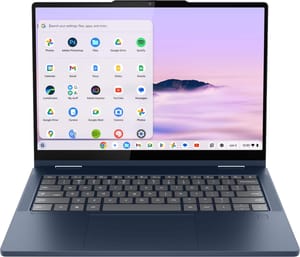
- ✓360-degree convertible design
- ✓stylus support
- ✓5MP webcam
- ✓WiFi 6E
- ✓aluminum build
- ✗3.48 lbs is heavier than some competitors
- ✗stylus sold separately
Acer Chromebook Plus 516 GE
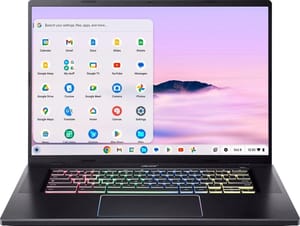
- ✓16-inch 2560x1600 120Hz display
- ✓RGB keyboard
- ✓2.5G Ethernet
- ✓WiFi 6E
- ✓Intel Core 5
- ✗$649 price point
- ✗heavier at 3.81 lbs
- ✗no touchscreen
Frequently Asked Questions
Can my existing Chromebook become Chromebook Plus?
No. Chromebook Plus certification requires specific firmware integration that only ships on devices certified by Google before manufacturing. Even if your current Chromebook meets or exceeds the hardware requirements, it won’t receive the exclusive AI features or Chromebook Plus designation through software updates.
Do all Chromebook Plus devices get the same software updates?
Yes. All Chromebook Plus devices receive the same Chrome OS updates and AI feature additions, regardless of manufacturer or price point. The main variation is in the Auto Update Expiration (AUE) date, which varies by the underlying hardware platform. Most current Chromebook Plus models will receive updates through 2033-2035.
Is Chromebook Plus better than a regular Chromebook with the same specs?
If both devices have identical hardware, the Chromebook Plus version is objectively better because it includes AI features the standard model lacks. However, comparing Chromebook Plus to a hypothetical standard Chromebook with identical specs is mostly theoretical—the certification exists precisely because Google wanted manufacturers to guarantee minimum specs, and devices meeting those specs are typically certified as Chromebook Plus if they’re recent models.
Will the exclusive Chromebook Plus features eventually come to all Chromebooks?
Some features may eventually migrate to non-Plus devices, but Google has not announced plans to do so. The AI features require significant processing power, which is why Google tied them to the minimum hardware requirements. As processor technology advances, future budget Chromebooks may gain some of these capabilities, but there’s no timeline for this.
For more guidance on choosing the right Chromebook, explore our Chromebook Comparison Chart to compare all available models side by side, including filtering specifically for Chromebook Plus certification.


