
Acer Chromebook 15 CB315 (AMD)
Updated on

The Acer Chromebook 15 CB315 with AMD processor is a 2019 budget 15.6-inch Chromebook that Acer kept on shelves long after most rivals had moved on to Intel Celeron and MediaTek silicon. At launch the lineup started near $279 for the HD CB315-2H and stretched up to roughly $349 for the Full HD IPS Touch CB315-2HT variants. The AMD A4-9120C and A6-9220C paired with 4GB of LPDDR4 handle the lowest tier of ChromeOS work (Docs, Sheets, light browsing), and the fanless chassis stays silent under that load. The hardware was already dated in 2019, and Google lists ChromeOS updates running through June 2029, so units still in classroom, kiosk, or hand-me-down use have supported life left.
Related Videos
Acer Chromebook 15 CB315 (AMD) Comparison Chart
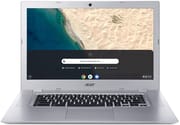 Acer Chromebook 15 CB315 (AMD) | Acer Chromebook 15 CB315 (AMD) | Acer Chromebook 15 CB315 (AMD) | Acer Chromebook 15 CB315 (AMD) | |
| Price | List Price: $349.99 Amazon Prices: | List Price: $279.99 Amazon Prices: | List Price: $299.99 Amazon Prices: | List Price: Amazon Prices: Loading prices... |
| Model number | CB315-2H-68E6 / NX.H8SAA.002 | CB315-2H-25TX / NX.H8SAA.001 | CB315-2H-455L / NX.H8SAA.007 | CB315-2HT-47WG |
| Performance Rating | 2.5 | 2.3 | 2.3 | 2.3 |
| Chromebook Plus | No | No | No | No |
| Processor | Dual-core 1.80 Ghz (max 2.70 Ghz) AMD A6-9220C APU with Radeon R5 Graphics | Dual-core 1.60 Ghz (max 2.40 Ghz) AMD A4-9120C APU with Radeon R4 Graphics | Dual-core 1.60 Ghz (max 2.40 Ghz) AMD A4-9120C APU with Radeon R4 Graphics | Dual-core 1.60 Ghz (max 2.40 Ghz) AMD A4-9120C APU with Radeon R4 Graphics |
| RAM | 4 GB | 4 GB | 4 GB | 4 GB |
| Internal Storage | 32 GB eMMC | 32 GB eMMC | 32 GB eMMC | 32 GB eMMC |
| Screen Size | 15.6" | 15.6" | 15.6" | 15.6" |
| Screen Resolution | 1920x1080 | 1366x768 | 1920x1080 | 1920x1080 |
| Screen Type | IPS | ComfyView | IPS | IPS |
| Touch Screen | No | No | No | Yes |
| Stylus / Pen | No Stylus Support | No Stylus Support | No Stylus Support | No Stylus Support |
| Dimensions width x length x thickness | 15 x 10.1 x 0.8 inches (381 x 256.54 x 20.32 mm) | 15 x 10.1 x 0.8 inches (381 x 256.54 x 20.32 mm) | 15 x 10.1 x 0.8 inches (381 x 256.54 x 20.32 mm) | 15 x 10.1 x 0.8 inches (381 x 256.54 x 20.32 mm) |
| Weight | 3.97 lbs (1.8 kg) | 3.97 lbs (1.8 kg) | 3.97 lbs (1.8 kg) | 3.97 lbs (1.8 kg) |
| Backlit Keyboard | No | No | No | No |
| Webcam | 1280x720 | 1280x720 | 1280x720 | 1280x720 |
| WiFi | 802.11 a/b/g/n/ac | 802.11 a/b/g/n/ac | 802.11 a/b/g/n/ac | 802.11 a/b/g/n/ac |
| Bluetooth | Bluetooth 4.0 | Bluetooth 4.0 | Bluetooth 4.0 | Bluetooth 4.0 |
| Ethernet | No | No | No | No |
| Cellular Modem | No | No | No | No |
| HDMI | No HDMI | No HDMI | No HDMI | No HDMI |
| USB Ports | 2 USB 3, 2 USB-C (with DisplayPort and charging) | 2 USB 3, 2 USB-C (with DisplayPort and charging) | 2 USB 3, 2 USB-C (with DisplayPort and charging) | 2 USB 3, 2 USB-C (with DisplayPort and charging) |
| Thunderbolt Ports | No | No | No | No |
| Card Reader | microSD Card Reader | microSD Card Reader | microSD Card Reader | microSD Card Reader |
| Battery | 3 cell, 4670 mAh, Lithium Ion | 3 cell, 4670 mAh, Lithium Ion | 3 cell, 4670 mAh, Lithium Ion | 3 cell, 4670 mAh, Lithium Ion |
| Battery Life | 10.0 hours | 10.0 hours | 10.0 hours | 10.0 hours |
| Fanless | Yes | Yes | Yes | Yes |
| Auto Update Expiration Date | June, 2029 | June, 2029 | June, 2029 | June, 2029 |
Related Chromebooks
-
 Acer Chromebook 315The Acer Chromebook 315 (CB315-4H) is a fanless 15.6-inch FHD IPS Chromebook with an Intel Celeron…
 -
 Acer Chromebook 715The Acer Chromebook 715 is a fanless 15.6-inch full-HD IPS Chromebook with an aluminum chassis, a…
 -
 ASUS Chromebook C523The ASUS Chromebook C523 is a fanless 15.6-inch Chromebook with an anti-glare display, an Intel…
 -
 HP Chromebook 15 (15a-na2)The HP Chromebook 15 (15a-na2) is a fanless 15.6-inch Chromebook with an Intel N200, 8GB of DDR5, a…
 -
 Samsung Chromebook 4+The Samsung Chromebook 4+ is a fanless 15.6-inch FHD Chromebook with an Intel Celeron N4000, dual…
 -
 ASUS Chromebook C423The ASUS Chromebook C423 pairs a 14-inch 1366x768 display with a dual-core Celeron N3350, 4GB of…
Pros and Cons
| Pros | Cons |
|---|---|
| Large 15.6-inch display in a sub-$350 ChromeOS device | Base 1366x768 ComfyView panel measured only 230 cd/m² and 59.1% sRGB |
| Fanless cooling means zero fan noise under load | AMD A4-9120C / A6-9220C struggle once you push past basic tabs |
| Two USB-C ports with DisplayPort and charging on either side | No HDMI output and no ethernet jack; both require a USB adapter |
| ChromeOS auto-update support guaranteed through June 2029 | Gadget News & Review found the keyboard spongy, with a spacebar that regularly failed to register |
| FHD IPS option (CB315-2H-455L) and touchscreen 2HT variants are available | Real-world battery measured 5 to 8 hours, well short of Acer’s 10-hour claim |
| Charges from any 45W USB-C PD brick, so no proprietary barrel adapter | Wi-Fi 5 and Bluetooth 4.0 sit a generation behind the CB315-3H successor |
How the 2H and 2HT SKUs Differ
Acer shipped this generation of the Chromebook 15 under two model prefixes that share one chassis. The CB315-2H variants are clamshell and non-touch, with either the budget 1366x768 ComfyView TN panel or a 1920x1080 IPS panel depending on SKU. The CB315-2HT variants add a touchscreen layer over the Full HD IPS panel. Every 2H and 2HT SKU shares the fanless body, the two USB-C ports with DisplayPort and charging, two USB-A 3.0 ports, a microSD reader, and the 4670 mAh three-cell battery.
The CB315-2H-25TX is the $279.99 base SKU: AMD A4-9120C with Radeon R4 graphics, 4GB LPDDR4, 32GB eMMC, and the HD ComfyView panel. The CB315-2H-455L stepped that up to a 1920x1080 IPS panel at $299.99 while keeping the A4-9120C. The CB315-2H-68E6 is the one SKU that swaps in the AMD A6-9220C with Radeon R5 graphics, paired with the FHD IPS panel at $349.99. The CB315-2HT-47WG (ASIN B0855MFBQZ) is the touchscreen FHD IPS configuration, back on the A4-9120C.
Fanless, with a slow APU and a short battery
Two USB-C 3.1 ports flank the chassis, both wired for DisplayPort output and either one able to charge the laptop. Two USB-A 3.0 ports cover legacy peripherals, a microSD reader handles cheap storage expansion, and the headphone jack is the usual 3.5mm combo. There is no HDMI port, no full-size SD reader, and no ethernet jack, so wired networking needs a USB ethernet dongle. Wireless is Wi-Fi 5 (802.11ac, 2x2 MIMO) plus Bluetooth 4.0, enough for browsing and video calls and a generation behind the Wi-Fi 6 in this product’s successor, the Intel-powered CB315-3H.
The A4-9120C is a 6W dual-core APU with Radeon R4 graphics; the A6-9220C in the CB315-2H-68E6 raises the boost clock and pairs Radeon R5 graphics. Both run cool enough that Acer skipped active cooling entirely, so there is no fan noise during long Docs sessions or video playback. Lon.TV’s testing measured Speedometer at 24.1 on the FHD touch variant, and Chrome Unboxed characterized the AMD chips as offering only a slight speed boost over previous Apollo Lake Celerons. For single-tab Docs, classroom assignments, and casual web browsing that is enough. Push past six or eight tabs, or try 60fps YouTube, and the limits show.
Acer rates the 4670 mAh, 3-cell pack at “up to 10 hours”. Testing came in lower: Tech Advisor measured 7 hours 38 minutes, and Expert Reviews recorded 5 hours 33 minutes under their workload. Plan on 6 to 8 hours of mixed use. Charging runs over USB-C, so any 45W USB-C PD brick tops it back up and there is no proprietary power adapter to replace.
Reviewer Insights
Lon.TV
Lon.TV reviewed the 1080p IPS touchscreen variant (CB315-2HT) and said “it’s kind of unusual to get a really nice big 1080p touch display for under 300 bucks and get a working computer attached to it.” His Speedometer 2 score on the AMD A4-9120C was 24.1, and his battery testing came in at “about seven to” eight hours against Acer’s 10-hour claim. He also demonstrated the A4-9120C struggling with 1080p 60fps YouTube playback in the browser. The chip is dual-core and two-thread at a 6W TDP.
Gadget News & Review
Gadget News & Review tested the HD TN configuration (A4-9120C, 4GB, 64GB, 1366x768) and recorded Jetstream 2 at 38.08 and Basemark 3.0 at 294.48, putting it “in the lower half of Chromebooks that we’ve tested so far.” They found “typing on the keyboard [is] a spongy experience and we found the space bar regularly failed to register a press.” Their HD video loop drained the battery in 7 hours 38 minutes against Acer’s 10-hour claim, and their meter measured the panel at 207 cd/m² peak brightness. They closed with “the CB315 is cheap and that’s the main reason to buy it.”
Expert Reviews
Alan Martin at Expert Reviews gave the CB315-2H a 2 out of 5 rating, citing keyboard issues and weak display metrics: 230 cd/m² peak brightness and 59.1% sRGB coverage on the base panel. His battery testing recorded 5 hours 33 minutes. He recommended saving up for a better device instead of buying the base CB315-2H. That review pre-dates the FHD IPS and touch variants, so its verdict lands squarely on the HD ComfyView panel.
Tech Advisor
Martyn Casserly at Tech Advisor gave it 3 out of 5 and wrote that “for working on Google Docs, Google Sheets, or similar productivity apps everything is fine.” He measured battery at 7 hours 38 minutes. That verdict fits the narrow workload this machine suits, cloud office work in the browser.
Worth keeping if you already own one
The ChromeOS auto-update guarantee runs through June 2029, which keeps a cheaply acquired CB315 useful as a second machine. The fanless body and USB-C charging still hold up, while the 4GB of soldered RAM, the dual-core AMD APU, and the Wi-Fi 5 / Bluetooth 4.0 stack are what date it. If a working CB315 lands in your lap as school surplus, a hand-me-down, or a $50 marketplace find, it will carry homework and kitchen-counter browsing until 2029. Buying one new means paying current prices for 2018-era silicon; the current Acer Chromebook 315 (CB315-4H) or any modern N100 Chromebook will outrun it for similar money and ship with a much longer AUE window.
For a broader view of what is available today, the Chromebook Comparison Chart lets you sort and filter the full catalog by screen size, AUE date, and price.
Frequently Asked Questions
When does the Acer Chromebook 15 CB315 (AMD) stop receiving ChromeOS updates?
Google’s Chrome Enterprise auto-update expiration (AUE) page lists the Chromebook 315 (CB315-2H, CB315-2HT) as supported through June 2029. Until that date the device continues to receive ChromeOS security and feature updates.
What is the difference between the CB315-2H and CB315-2HT?
The CB315-2H is the non-touch clamshell. It ships with either a 1366x768 ComfyView TN panel or a 1920x1080 IPS panel depending on SKU. The CB315-2HT adds a touchscreen layer to the Full HD IPS panel. Everything else (chassis, fanless cooling, ports, battery) is shared between the two.
Which processor is inside, the AMD A4-9120C or the A6-9220C?
Most CB315-2H and CB315-2HT SKUs ship with the dual-core AMD A4-9120C with Radeon R4 graphics. The CB315-2H-68E6 SKU steps up to the slightly faster AMD A6-9220C with Radeon R5 graphics. Both are 7th-gen 6W APUs.
Can I upgrade the RAM or storage in the Acer Chromebook 15 CB315?
No. The 4GB of LPDDR4 RAM and the 32GB of eMMC storage are both soldered to the motherboard and cannot be upgraded. The microSD slot can be used to expand file storage but cannot be used as system storage.
Does the Acer Chromebook 15 CB315 have an HDMI port or ethernet jack?
No HDMI port and no ethernet jack. External display output runs through either of the two USB-C 3.1 ports, which support DisplayPort alt-mode. Wired networking needs a USB-to-ethernet adapter.
How long does the battery last?
Acer rates the 4670 mAh, 3-cell battery at up to 10 hours. Reviewer testing came in lower in practice: Tech Advisor measured 7 hours 38 minutes and Expert Reviews measured 5 hours 33 minutes. Plan on roughly 6 to 8 hours of mixed real-world use.
Is the Acer Chromebook 15 CB315 still worth buying new in 2026?
Only as a hand-me-down or a cheap secondary device that needs to last until June 2029. For new purchases today the current Acer Chromebook 315 (CB315-4H) or any modern N100 Chromebook delivers better performance and a longer AUE window for similar money.