
Acer Chromebook 15 CB315 (AMD)
Updated on

The Acer Chromebook 15 CB315 with AMD processor is a 2019 budget 15.6-inch Chromebook that Acer kept on shelves long after most rivals had moved on to Intel Celeron and MediaTek silicon. At launch the lineup started near $279 for the HD CB315-2H and stretched up to roughly $349 for the Full HD IPS Touch CB315-2HT variants. The AMD A4-9120C and A6-9220C APUs paired with 4GB of LPDDR4 handle the lowest tier of ChromeOS work (Docs, Sheets, light browsing) without complaint, and the fanless chassis stays silent under that load. The hardware felt dated even in 2019, but Google has confirmed ChromeOS updates run through June 2029, so units still in classroom, kiosk, or hand-me-down use have a real runway left.
Related Videos
Acer Chromebook 15 CB315 (AMD) Comparison Chart
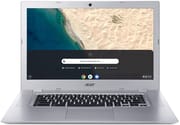 Acer Chromebook 15 CB315 (AMD) | Acer Chromebook 15 CB315 (AMD) | Acer Chromebook 15 CB315 (AMD) | Acer Chromebook 15 CB315 (AMD) | |
| Price | List Price: $349.99 Amazon Prices: | List Price: $279.99 Amazon Prices: | List Price: $299.99 Amazon Prices: | List Price: Amazon Prices: Loading prices... |
| Model number | CB315-2H-68E6 / NX.H8SAA.002 | CB315-2H-25TX / NX.H8SAA.001 | CB315-2H-455L / NX.H8SAA.007 | CB315-2HT-47WG |
| Performance Rating | 2.5 | 2.3 | 2.3 | 2.3 |
| Chromebook Plus | No | No | No | No |
| Processor | Dual-core 1.80 Ghz (max 2.70 Ghz) AMD A6-9220C APU with Radeon R5 Graphics | Dual-core 1.60 Ghz (max 2.40 Ghz) AMD A4-9120C APU with Radeon R4 Graphics | Dual-core 1.60 Ghz (max 2.40 Ghz) AMD A4-9120C APU with Radeon R4 Graphics | Dual-core 1.60 Ghz (max 2.40 Ghz) AMD A4-9120C APU with Radeon R4 Graphics |
| RAM | 4 GB | 4 GB | 4 GB | 4 GB |
| Internal Storage | 32 GB eMMC | 32 GB eMMC | 32 GB eMMC | 32 GB eMMC |
| Screen Size | 15.6" | 15.6" | 15.6" | 15.6" |
| Screen Resolution | 1920x1080 | 1366x768 | 1920x1080 | 1920x1080 |
| Screen Type | IPS | ComfyView | IPS | IPS |
| Touch Screen | No | No | No | Yes |
| Stylus / Pen | No Stylus Support | No Stylus Support | No Stylus Support | No Stylus Support |
| Dimensions width x length x thickness | 15 x 10.1 x 0.8 inches (381 x 256.54 x 20.32 mm) | 15 x 10.1 x 0.8 inches (381 x 256.54 x 20.32 mm) | 15 x 10.1 x 0.8 inches (381 x 256.54 x 20.32 mm) | 15 x 10.1 x 0.8 inches (381 x 256.54 x 20.32 mm) |
| Weight | 3.97 lbs (1.8 kg) | 3.97 lbs (1.8 kg) | 3.97 lbs (1.8 kg) | 3.97 lbs (1.8 kg) |
| Backlit Keyboard | No | No | No | No |
| Webcam | 1280x720 | 1280x720 | 1280x720 | 1280x720 |
| WiFi | 802.11 a/b/g/n/ac | 802.11 a/b/g/n/ac | 802.11 a/b/g/n/ac | 802.11 a/b/g/n/ac |
| Bluetooth | Bluetooth 4.0 | Bluetooth 4.0 | Bluetooth 4.0 | Bluetooth 4.0 |
| Ethernet | No | No | No | No |
| Cellular Modem | No | No | No | No |
| HDMI | No HDMI | No HDMI | No HDMI | No HDMI |
| USB Ports | 2 USB 3, 2 USB-C (with DisplayPort and charging) | 2 USB 3, 2 USB-C (with DisplayPort and charging) | 2 USB 3, 2 USB-C (with DisplayPort and charging) | 2 USB 3, 2 USB-C (with DisplayPort and charging) |
| Thunderbolt Ports | No | No | No | No |
| Card Reader | microSD Card Reader | microSD Card Reader | microSD Card Reader | microSD Card Reader |
| Battery | 3 cell, 4670 mAh, Lithium Ion | 3 cell, 4670 mAh, Lithium Ion | 3 cell, 4670 mAh, Lithium Ion | 3 cell, 4670 mAh, Lithium Ion |
| Battery Life | 10.0 hours | 10.0 hours | 10.0 hours | 10.0 hours |
| Fanless | Yes | Yes | Yes | Yes |
| Auto Update Expiration Date | June, 2029 | June, 2029 | June, 2029 | June, 2029 |
Related Chromebooks
-
 Acer Chromebook 315The Acer Chromebook 315 shines with its vivid 15.6-inch FHD IPS display, 10-hour battery life, and…
 -
 Acer Chromebook 715The Acer Chromebook 715 boasts a 15.6-inch full-HD IPS display, a backlit keyboard, and up to 11…
 -
 ASUS Chromebook C523The ASUS Chromebook C523 brings a 15.6” anti-glare display, robust connectivity with 802.11ac Wi-Fi…
 -
 HP Chromebook 15 (15a-na2)The HP Chromebook 15a-na2 delivers a spacious 15.6-inch screen with a full numeric keypad at an…
 -
 Samsung Chromebook 4+The Samsung Chromebook 4+ offers a vivid 15.6" FHD LED display, 10.5 hours of battery life, fanless…
 -
 ASUS Chromebook C423The ASUS Chromebook C423 packs a 14-inch HD display, Intel Celeron power, and 10-hour battery life…
Pros and Cons of the Acer Chromebook 15 CB315 (AMD)
| Pros | Cons |
|---|---|
| Large 15.6-inch display in a sub-$350 ChromeOS device | Base 1366x768 ComfyView panel measured only 230 cd/m² and 59.1% sRGB |
| Fanless cooling means zero fan noise under load | AMD A4-9120C / A6-9220C struggle once you push past basic tabs |
| Two USB-C ports with DisplayPort and charging on either side | No HDMI output and no ethernet jack; both require a USB adapter |
| ChromeOS auto-update support guaranteed through June 2029 | Reviewers flagged a “spongy” keyboard with an unreliable spacebar on early units |
| FHD IPS option (CB315-2H-455L) and touchscreen 2HT variants are available | Real-world battery measured 5 to 8 hours, well short of Acer’s 10-hour claim |
| Fully passive thermal design suits classroom / kiosk deployments | New listings have thinned out; most surviving SKUs are marketplace-only |
Variant Map: 2H vs 2HT
Acer shipped this generation of the Chromebook 15 under two parallel model prefixes that share the same chassis. The CB315-2H variants are clamshell, non-touch, and ship with either the budget 1366x768 ComfyView TN panel or a 1920x1080 IPS panel depending on SKU. The CB315-2HT variants add a touchscreen layer over the Full HD IPS panel. All CB315-2H/2HT SKUs share the same fanless body, the same two USB-C ports with DisplayPort and charging, the same two USB-A 3.0 ports, the same microSD reader, and the same 4670 mAh three-cell battery. The differences readers care about are panel type, touch, and which AMD APU is inside, which is why the comparison chart above is the right place to start before buying.
The CB315-2H-25TX (the $279.99 “base” SKU) is what most reviewers tested in 2019: AMD A4-9120C, 4GB LPDDR4, 32GB eMMC, and the HD ComfyView panel. The CB315-2H-455L stepped that up to a 1920x1080 IPS panel at $299.99 while keeping the A4-9120C. The CB315-2H-68E6 swapped in the slightly faster AMD A6-9220C and added the FHD IPS panel at $349.99. The CB315-2HT-47WG is the touchscreen FHD IPS configuration on the A4-9120C, and is the only one of the four that still shows up as a new-condition listing on Amazon today (B0855MFBQZ); the other three SKUs are largely marketplace-only at this point. If you find a current listing for one of those three, double-check that it is not a “Renewed” or “Used” badge before buying.
Detailed Insights
For connectivity, the CB315 leans almost entirely on USB-C. Two USB-C 3.1 ports flank the chassis, both wired with DisplayPort output and either capable of charging the laptop. Two USB-A 3.0 ports cover legacy peripherals, a microSD reader handles cheap storage expansion, and the headphone jack is the usual 3.5mm combo. There is no HDMI port, no SD (full-size) reader, and no ethernet jack, so wired networking needs a USB ethernet dongle. Wireless is Wi-Fi 5 (802.11ac, 2x2 MIMO) plus Bluetooth 4.0, which is exactly what you would expect from a 2018 design and is enough for browsing and video calls but does not match the Wi-Fi 6 found on this product’s successor, the Intel-powered CB315-3H.
The fanless chassis is the headline feature of the AMD CB315. The A4-9120C is a 6W dual-core APU with Radeon R4 graphics, and the A6-9220C bumps that to a slightly higher boost clock with Radeon R5 graphics. Both run cool enough that Acer did not need active cooling at all, which means zero fan noise during long Docs sessions or video playback. The tradeoff shows up under bursty load: Lon.TV’s testing measured Speedometer at 24.1 on the FHD touch variant, and Chrome Unboxed characterized the AMD chips as offering only a slight speed boost over previous Apollo Lake Celerons. For the kind of work this device is positioned for (single-tab Docs, classroom assignments, casual web browsing), that is enough. Push past six or eight tabs, or try 60fps YouTube, and the limits show.
Battery life is the spec where Acer’s marketing and reality diverge the most. The official figure is “up to 10 hours” from the 4670 mAh, 3-cell pack. Real-world testing came in lower: Tech Advisor measured 7 hours 38 minutes, and Expert Reviews recorded 5 hours 33 minutes under their workload. The takeaway: plan on a real-world day of 6 to 8 hours of mixed use, not a full 10. USB-C charging means any 45W USB-C PD brick can top it back up, which is one of the unsung quality-of-life wins of this generation.
Reviewer Insights
Lon.TV
Lon.TV reviewed the 1080p IPS touchscreen variant (CB315-2HT) and summed up the value proposition this way: “it’s kind of unusual to get a really nice big 1080p touch display for under 300 bucks and get a working computer attached to it.” His Speedometer 2 score on the AMD A4-9120C was 24.1, and his battery testing came in at “about seven to” eight hours against Acer’s 10-hour claim. He demonstrated the AMD A4-9120C processor struggling with 1080p 60fps YouTube playback in the browser, which is consistent with the dual-core, two-thread silicon at that 6W TDP.
Gadget News & Review
Gadget News & Review tested the HD TN configuration (A4-9120C, 4GB, 64GB, 1366x768) and recorded Jetstream 2 at 38.08 and Basemark 3.0 at 294.48, putting it “in the lower half of Chromebooks that we’ve tested so far.” On the keyboard: “typing on the keyboard [is] a spongy experience and we found the space bar regularly failed to register a press.” Their HD video loop drained the battery in 7 hours 38 minutes against Acer’s 10-hour claim, their meter measured the panel at 207 cd/m² peak brightness, and they captured the value verdict in one closing line: “the CB315 is cheap and that’s the main reason to buy it.”
Expert Reviews
Alan Martin at Expert Reviews gave the CB315-2H a 2 out of 5 rating, citing keyboard issues and weak display metrics: 230 cd/m² peak brightness and 59.1% sRGB coverage on the base panel. His battery testing recorded 5 hours 33 minutes. His recommendation was to save up for a better device rather than buy the base CB315-2H. The review pre-dates the FHD IPS and touch variants becoming widely available, so the verdict is harshest on the spec that most readers would now find on the used market.
Tech Advisor
Martyn Casserly at Tech Advisor was slightly kinder, giving it 3 out of 5. The line that captures his take: “for working on Google Docs, Google Sheets, or similar productivity apps everything is fine.” He measured battery at 7 hours 38 minutes. His framing is the one to keep in mind if you are choosing this device for a specific narrow workload (cloud office work plus the browser) rather than as a do-everything machine.
Customer Reception
Amazon customers gave the CB315 (B07NQ5KPKG) an average rating of 4.0 stars across 417 reviews while it was actively sold as new. Positive reviews praised the value, quick startup, USB-C charging, and the large 15.6-inch screen at the price. Critical reviews flagged sluggishness once multiple tabs were open and the dim, washed-out HD panel on the base SKU. The pattern owners describe matches the reviewer takeaway: people who bought the budget HD configuration for casual browsing and ChromeOS basics tended to be happy with what they got for the money, and people who tried to use it as a primary work machine wanted more.
Is It Worth Buying in 2026?
Today, on a 2026 calendar, the AMD CB315 is a narrow recommendation. The ChromeOS auto-update guarantee runs through June 2029, so a unit picked up cheaply has three more years of supported life ahead of it, and that is a longer runway than most other 2019 Chromebooks still have. The fanless body and USB-C charging continue to age well. But the 4GB of RAM, the dual-core AMD APU, and the basic Wi-Fi 5 / Bluetooth 4.0 stack are visibly behind anything new on the market. If a working CB315 lands in your lap (a school surplus, a hand-me-down, a $50 marketplace find), it is a viable second device, a kid’s homework machine, or a kitchen browsing laptop until 2029. If you are buying new today and the only listing available is the touchscreen CB315-2HT-47WG, you are paying inflated post-discontinuation pricing for older silicon; the current Acer Chromebook 315 (CB315-4H) or any modern N100 Chromebook will outrun it for similar money and ship with a much longer AUE window.
For a broader view of what is available today, the Chromebook Comparison Chart lets you sort and filter the full catalog by screen size, AUE date, and price.
Frequently Asked Questions
When does the Acer Chromebook 15 CB315 (AMD) stop receiving ChromeOS updates?
Google’s Chrome Enterprise auto-update expiration (AUE) page lists the Chromebook 315 (CB315-2H, CB315-2HT) as supported through June 2029. Until that date the device continues to receive ChromeOS security and feature updates.
What is the difference between the CB315-2H and CB315-2HT?
The CB315-2H is the non-touch clamshell. It ships with either a 1366x768 ComfyView TN panel or a 1920x1080 IPS panel depending on SKU. The CB315-2HT adds a touchscreen layer to the Full HD IPS panel. Everything else (chassis, fanless cooling, ports, battery) is shared between the two.
Which processor is inside, the AMD A4-9120C or the A6-9220C?
Most CB315-2H and CB315-2HT SKUs ship with the dual-core AMD A4-9120C with Radeon R4 graphics. The CB315-2H-68E6 SKU steps up to the slightly faster AMD A6-9220C with Radeon R5 graphics. Both are 7th-gen 6W APUs.
Can I upgrade the RAM or storage in the Acer Chromebook 15 CB315?
No. The 4GB of LPDDR4 RAM and the 32GB of eMMC storage are both soldered to the motherboard and cannot be upgraded. The microSD slot can be used to expand file storage but cannot be used as system storage.
Does the Acer Chromebook 15 CB315 have an HDMI port or ethernet jack?
No HDMI port and no ethernet jack. External display output runs through either of the two USB-C 3.1 ports, which support DisplayPort alt-mode. Wired networking needs a USB-to-ethernet adapter.
How long does the battery actually last?
Acer rates the 4670 mAh, 3-cell battery at up to 10 hours. Reviewer testing came in lower in practice: Tech Advisor measured 7 hours 38 minutes and Expert Reviews measured 5 hours 33 minutes. Plan on roughly 6 to 8 hours of mixed real-world use.
Is the Acer Chromebook 15 CB315 still worth buying new in 2026?
Only as a hand-me-down or a cheap secondary device that needs to last until June 2029. For new purchases today the current Acer Chromebook 315 (CB315-4H) or any modern N100 Chromebook delivers better performance and a longer AUE window for similar money.