
ASUS Chromebook Flip C302CA
Updated on

Archived: This page is kept as a historical reference. The C302CA’s Auto Update Expiration date was June 2023, so it no longer receives Chrome OS updates or security patches. ASUS no longer manufactures the C302CA, and the few remaining new-condition listings rotate in and out without notice; we have removed the live buy links from this page. The MSRP figures in the comparison chart below stay on the page as a spec reference for owners researching the hardware they already have. If you are shopping for a new ASUS convertible, see the ASUS Chromebook Flip CX5 or ASUS Chromebook Plus CX34.
The ASUS Chromebook Flip C302CA represented ASUS’s most ambitious Chromebook when it launched in 2017. With its premium aluminum construction, Intel Core M processor, and 360-degree convertible hinge, the C302CA targeted users who wanted a MacBook-like experience in Chrome OS form. Multiple professional reviewers declared it the best Chromebook available at its release, praising its build quality, keyboard, and performance. The fanless design meant completely silent operation, while the 12.5-inch 1080p touchscreen struck a balance between portability and usability.
| Pros | Cons |
|---|---|
| Premium all-aluminum construction rivaling MacBooks | Display panel quality mediocre for price class |
| Excellent keyboard with 6-stage backlight | Limited ports: USB-C only, no HDMI or USB-A |
| Core m3 delivers smooth, lag-free performance | 16:9 aspect ratio awkward in tablet mode |
| Completely silent fanless operation | No stylus support despite touchscreen |
| 8-10 hours battery life | Some units exhibited coil whine in quiet rooms |
| 360-degree hinge enables multiple use modes | Heavier at 2.65 lbs for tablet use |
Related Videos
ASUS Chromebook Flip C302CA Comparison Chart
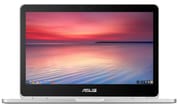 ASUS Chromebook Flip C302CA | ASUS Chromebook Flip C302CA | ASUS Chromebook Flip C302CA | |
| Price | List Price: $649.00 Amazon Prices: | List Price: $499.00 Amazon Prices: | List Price: $999.00 Amazon Prices: |
| Model number | C302CA-DH54 | C302CA-DHM4 | C302CA-DH75-G |
| Performance Rating | 2.9 | 2.7 | 4.8 |
| Chromebook Plus | No | No | No |
| Processor | Dual-core 1.10 Ghz (max 2.70 Ghz) Intel Core m5-6Y54 Processor | Dual-core 0.90 Ghz (max 2.20 Ghz) Intel Core m3-6Y30 Processor | Dual-core 1.20 Ghz (max 3.10 Ghz) Intel Core m7-6Y75 Processor |
| RAM | 4 GB | 4 GB | 16 GB |
| Internal Storage | 64 GB eMMC | 64 GB eMMC | 64 GB eMMC |
| Screen Size | 12.5" | 12.5" | 12.5" |
| Screen Resolution | 1920x1080 | 1920x1080 | 1920x1080 |
| Screen Type | LED backlit with Gorilla Glass | LED backlit with Gorilla Glass | LED backlit with Gorilla Glass |
| Touch Screen | Yes | Yes | Yes |
| Stylus / Pen | No Stylus Support | No Stylus Support | No Stylus Support |
| Dimensions width x length x thickness | 11.9 x 8.3 x 0.59 inches (302.26 x 210.82 x 14.99 mm) | 11.9 x 8.3 x 0.59 inches (302.26 x 210.82 x 14.99 mm) | 11.9 x 8.3 x 0.59 inches (302.26 x 210.82 x 14.99 mm) |
| Weight | 2.65 lbs (1.2 kg) | 2.65 lbs (1.2 kg) | 2.65 lbs (1.2 kg) |
| Backlit Keyboard | Yes | Yes | Yes |
| Webcam | HD | HD | HD |
| WiFi | 802.11 b/g/n/ac dual band 2x2 | 802.11 b/g/n/ac dual band 2x2 | 802.11 b/g/n/ac dual band 2x2 |
| Bluetooth | Bluetooth 4.0 | Bluetooth 4.0 | Bluetooth 4.0 |
| Ethernet | No | No | No |
| Cellular Modem | No | No | No |
| HDMI | No HDMI | No HDMI | No HDMI |
| USB Ports | 2 USB-C (with DisplayPort support) | 2 USB-C (with DisplayPort support) | 2 USB-C (with DisplayPort support) |
| Thunderbolt Ports | No | No | No |
| Card Reader | microSD Card Reader | microSD Card Reader | microSD Card Reader |
| Battery | 2 cell, 39 WHrs, Li-ion Polymer | 2 cell, 39 WHrs, Li-ion Polymer | 2 cell, 39 WHrs, Li-ion Polymer |
| Battery Life | 10.0 hours | 10.0 hours | 10.0 hours |
| Fanless | Yes | Yes | Yes |
| Auto Update Expiration Date | June, 2023 | June, 2023 | June, 2023 |
Related Chromebooks
-
 ASUS Chromebook Flip C434The 2019 ASUS Chromebook Flip C434 is a 14-inch convertible with a slim-bezel FHD touchscreen, an…
 -
 Samsung Galaxy Chromebook 2 360A budget convertible with a sharp 2560x1600 display well above its price class, paired with…
 -
 ASUS Chromebook Flip C214The ASUS Chromebook Flip C214 is a rugged 11.6-inch education convertible with an Intel Celeron…
 -
 Lenovo 500e Yoga Chromebook (Gen 4)The Lenovo 500e Yoga Chromebook Gen 4 offers a versatile 12.2'' touch IPS display and a garaged USI…
 -
 Lenovo Flex 3i Chromebook 12.2"The Lenovo Flex 3i Chromebook 12.2 is a fanless 2-in-1 with a 12.2-inch 1920x1200 IPS touchscreen,…
 -
 Acer Chromebook 311An 11.6-inch Chromebook with an Intel Celeron N4000, 4GB of RAM, a fanless chassis, and up to 10…
Hardware and Build Quality
The ASUS Chromebook Flip C302CA immediately distinguishes itself through construction that reviewers consistently compared to Apple’s MacBook line. Ultrabookreview’s Andrei Girbea called it “one of the better-built laptops I’ve ever got my hands on,” noting the soft-touch aluminum chassis, rounded corners, and attention to detail throughout. At 2.65 pounds with a 0.59-inch profile, the C302CA was portable for a 12.5-inch convertible. The 360-degree hinge enables laptop, tent, stand, and tablet modes, though reviewers noted the weight makes extended tablet use uncomfortable.
The Intel Core m3-6Y30 processor delivered a meaningful performance upgrade over budget Chromebooks. Chrome Unboxed’s Robby Payne found that “with the m3 and 4GB of RAM, this thing flies,” reporting consistent Octane 2.0 scores between 22,000 and 23,000 compared to 14,000-15,000 on Pentium-based alternatives. This translated to responsive multitasking with numerous Chrome tabs, smooth Google Docs editing, and capable Android app performance once Google Play Store access arrived. The fanless design meant zero noise during operation, though Ultrabookreview noted some units exhibited slight coil whine audible in completely silent rooms.
Display and Input Experience
The 12.5-inch IPS touchscreen offered 1920x1080 resolution with Gorilla Glass protection. Chrome Unboxed measured 300 nits brightness with “wide viewing angles and punchy colors.” However, the display received mixed assessments depending on expectations. Ultrabookreview found the panel “mediocre for its price class,” noting competitors like the Samsung Chromebook Pro offered sharper 2400x1600 displays at similar price points. The 16:9 aspect ratio, while fine for video consumption, made the C302CA “too wide in landscape and too narrow in portrait” for tablet use according to Chrome Unboxed.
Keyboard quality emerged as a consistent strength across reviews. Chrome Unboxed declared it the “best keyboard we’ve reviewed so far,” praising the key travel, satisfying tactile feedback, and six-stage backlighting. Engadget’s Nathan Ingraham reported having “no qualms using this computer for hours on end every day.” The trackpad matched the keyboard’s quality, with Chrome Unboxed comparing it favorably to the Chromebook Pixel. Touch response on the screen remained accurate and responsive across all four usage modes.
Battery Life and Connectivity
Battery endurance proved respectable though not class-leading. Chrome Unboxed reported 8-10 hours depending on workload, while Engadget’s battery rundown test achieved 7 hours and 47 minutes, falling short of ASUS’s advertised runtime but still providing a full workday of use. Ultrabookreview observed 5-6 hours of demanding daily use and 7-8 hours of YouTube streaming. The 39Wh battery charged via either USB-C port, eliminating the need to orient the laptop for charging.
Connectivity represented the C302CA’s most significant limitation. Two USB-C ports with DisplayPort support provided the sole physical connections beyond a microSD card reader and headphone jack. No USB-A ports meant adapters for existing peripherals, and the absence of HDMI required USB-C dongles for presentations. This forward-looking approach enabled the thin design but frustrated users with legacy devices. The 802.11ac 2x2 WiFi delivered fast wireless performance, and Bluetooth 4.0 handled peripherals adequately.
Reviewer Insights
Professional reviews from 2017 painted a consistent picture of the C302CA as the premium Chromebook to beat.
Ultrabookreview
Andrei Girbea’s comprehensive technical review awarded the C302CA 4 out of 5 stars. His testing revealed Octane scores of 21,574, confirming strong JavaScript performance for Chrome OS tasks. Thermal testing showed the fanless design maintained temperatures in the “high 30s Celsius,” remaining comfortable during extended use. The review praised build quality extensively but cautioned that the display “doesn’t stand up well when compared to similarly priced ultrabooks” and noted coil whine as a potential quality control concern.
Chrome Unboxed
Robby Payne’s enthusiastic review after six months of following the C302CA’s development declared it “my favorite Chromebook on the market.” The review highlighted value at $499 for the Core m3/4GB/64GB configuration, excellent keyboard and trackpad quality, and performance that “exceeds every expectation.” The main criticisms focused on the 16:9 aspect ratio making tablet mode awkward and the lower resolution compared to Samsung’s 3:2 displays.
Engadget
Nathan Ingraham’s 86/100 review called the C302CA “probably the best Chromebook for most people” and declared it “very close to perfect.” At $470, the combination of build quality, performance, and features represented the best value in the Chromebook market. Criticisms included speakers that were “even worse than I would have expected” and the 2.65-pound weight making tablet use impractical. The review concluded that “at this point many people will be able to get by easily with just a Chromebook.”
Who Should Consider This Chromebook
Because the C302CA is past its Auto Update Expiration, it is no longer a reasonable primary machine in 2026: Chrome OS will not patch new browser vulnerabilities on it, which rules out anything sensitive (banking, work accounts, school portals that enforce a supported-OS check). The hardware itself, though, has aged well. Existing owners can still get useful service from a C302CA as a writing or media-consumption device, especially on a home network where the security trade-off is smaller. The aluminum build, keyboard, and 12.5-inch 1080p touchscreen are still pleasant to use, and a reflashed Linux install is the other common way to keep this chassis productive past AUE.
If you are shopping for a new convertible Chromebook from ASUS, two current models continue the C302CA’s design lineage: the ASUS Chromebook Flip CX5 with a larger 15.6-inch display, and the ASUS Chromebook Plus CX34 for Chromebook Plus features and a modern Intel Core processor. Both ship with several more years of guaranteed Chrome OS updates than the C302CA has left. To weigh those options alongside other current models, the Chromebook Comparison Chart puts specs side by side in one place.
Frequently Asked Questions
Q: Is the ASUS Chromebook Flip C302CA still worth buying in 2026?
A: We do not recommend buying a C302CA new in 2026. ASUS no longer manufactures it, and its June 2023 Auto Update Expiration means Chrome OS will not patch new security issues. Existing owners can still get useful work out of one as a secondary writing or media device, but it is not appropriate for online banking, work accounts, or any school portal that enforces a supported-OS check.
Q: What is the difference between the C302CA-DH54 and C302CA-DHM4 models?
A: Both models feature identical specifications with 4GB RAM and 64GB storage. The DH54 model originally launched at $649 while the DHM4 represented a lower $499 price point, likely representing different retail channels or promotional configurations rather than hardware differences.
Q: Can I connect external monitors to the C302CA?
A: Yes, both USB-C ports support DisplayPort output for external monitors. However, you will need a USB-C to HDMI or USB-C to DisplayPort adapter since the C302CA lacks dedicated video outputs. Most USB-C hubs with HDMI will work with the C302CA.
Q: Does the ASUS Chromebook Flip C302CA support Android apps?
A: The C302CA received Google Play Store support in 2017, enabling Android app installation. However, with the expired AUE status, Play Store access and app compatibility may become unreliable as apps update to require newer Chrome OS versions.
Q: How does battery life compare to newer Chromebooks?
A: The C302CA delivers 7-10 hours depending on usage, which remains competitive with modern Chromebooks. The fanless Intel Core m3 processor proved efficient for its time. Newer Chromebook Plus models with Intel Core Ultra processors may achieve longer runtimes while offering better performance.
Q: Is the C302CA good for students?
A: The excellent keyboard and build quality made the C302CA popular for note-taking and writing. However, the expired security updates mean schools requiring secure browsing for testing or accessing student portals should consider newer options with active software support.