
ASUS Chromebook C403
Updated on

The ASUS Chromebook C403 is a rugged, education-focused laptop designed to withstand the rigors of classroom use while delivering reliable Chrome OS performance. Built around Intel’s Celeron N3350 processor with 4GB of RAM and 32GB of eMMC storage, this 14-inch Chromebook emphasizes durability over raw power, featuring MIL-STD-810G certification and a spill-resistant keyboard. It represents ASUS’s commitment to creating devices that can handle the drops, bumps, and spills common in K-12 environments while still providing students with a functional computing experience for web browsing, document editing, and educational apps.
| Pros | Cons |
|---|---|
| MIL-STD-810G rugged certification handles drops and bumps | Intel Celeron N3350 limits multitasking with many tabs |
| Spill-resistant keyboard survives up to 66cc liquid spills | Only 32GB eMMC storage fills up quickly |
| Impressive 12-hour battery life for all-day use | 1366x768 resolution appears dated on 14” display |
| Large 14” anti-glare display reduces eye strain | No touchscreen limits Chrome OS gesture features |
| Fanless design runs completely silent | 3.75 lbs is heavy for students to carry |
| 180-degree lay-flat hinge for collaborative viewing | No keyboard backlight for low-light use |
Related Videos
ASUS Chromebook C403 Comparison Chart
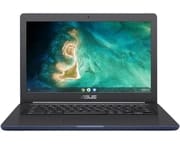 ASUS Chromebook C403 | |
| Price | List Price: $154.99 Amazon Prices: Loading prices... |
| Model number | C403NA-WS42-BL |
| Performance Rating | 2.8 |
| Chromebook Plus | No |
| Processor | Dual-core 1.10 Ghz (max 2.40 Ghz) Intel Celeron N3350 |
| RAM | 4 GB |
| Internal Storage | 32 GB eMMC |
| Screen Size | 14" |
| Screen Resolution | 1366x768 |
| Screen Type | Anti-glare LED backlit, 220nits |
| Touch Screen | No |
| Stylus / Pen | No Stylus Support |
| Dimensions width x length x thickness | 13.5 x 9.17 x 0.81 inches (342.9 x 232.92 x 20.57 mm) |
| Weight | 3.75 lbs (1.7 kg) |
| Backlit Keyboard | No |
| Webcam | 720p HD |
| WiFi | Wi-Fi 5 (802.11ac) |
| Bluetooth | Bluetooth 4.2 |
| Ethernet | No |
| Cellular Modem | No |
| HDMI | No HDMI |
| USB Ports | 2 USB 3, 2 USB-C |
| Thunderbolt Ports | No |
| Card Reader | microSD Card Reader |
| Battery | 4 cell, 46WHrs, Li-ion |
| Battery Life | 12.0 hours |
| Fanless | Yes |
| Auto Update Expiration Date | June, 2027 |
Related Chromebooks
-
 ASUS Chromebook CX1 (CX1400)The ASUS Chromebook CX1 combines a 14-inch anti-glare FHD display, 12-hour battery life, and…
 -
 ASUS Chromebook C423The ASUS Chromebook C423 packs a 14-inch HD display, Intel Celeron power, and 10-hour battery life…
 -
 HP Chromebook 14The HP Chromebook 14 was a popular budget Chromebook known for its WLED-backlit display,…
 -
 HP Chromebook 14 (AMD)The HP Chromebook 14 combines a 14-inch WLED-backlit display, TrueVision HD webcam, and fanless…
 -
 Acer Chromebook 514The Acer Chromebook 514 shines with its Full HD IPS touch display, fanless design for silent…
 -
 Acer Chromebook 314The Acer Chromebook 314 offers a crisp 14-inch FHD IPS display, 12.5 hours of battery life, and a…
Detailed Insights into the ASUS Chromebook C403

The ASUS Chromebook C403 prioritizes durability and practicality over cutting-edge specifications, making it an ideal choice for educational institutions and families seeking a device that can survive daily student use. The chassis features a distinctive 3D-textured finish that resists fingerprints and scratches, while rubber bumpers along the edges provide protection against accidental drops. ASUS specifically designed this Chromebook to meet MIL-STD-810G military-grade standards, meaning it has been tested against vibration, temperature extremes, humidity, and mechanical shock. The spill-resistant keyboard can handle up to 66cc of liquid, giving students enough time to flip the device over and prevent permanent damage.
The 14-inch display uses a standard HD resolution of 1366x768 pixels, which some may find limiting compared to modern FHD panels. However, the anti-glare coating proves particularly valuable in classroom environments with fluorescent lighting or windows, reducing reflections that can cause eye strain during extended use. The 220-nit brightness is adequate for indoor use, though the panel struggles to remain visible in direct sunlight. The 180-degree hinge allows the screen to fold completely flat, enabling students to share their screens with classmates or teachers during collaborative activities without passing the entire laptop around.
Performance comes from Intel’s Celeron N3350 dual-core processor, which provides enough power for basic Chrome OS tasks like web browsing, Google Docs, and educational web apps. The 4GB of LPDDR4 RAM handles typical student workloads, though users will notice slowdowns when keeping more than 10-15 browser tabs open simultaneously. Storage is limited to 32GB of eMMC, which fills quickly if students try to keep many Android apps or offline files downloaded. ASUS compensates with a microSD card slot for expanded storage and the expectation that most work will be saved to Google Drive. There is no built-in Ethernet, but the USB-C ports support a USB Ethernet adapter for wired networking in testing labs. The fanless thermal design ensures completely silent operation, eliminating the distraction of fan noise in quiet classrooms or libraries.
Customer Reviews of the ASUS Chromebook C403
Amazon customers have given the ASUS Chromebook C403 a 4.2-star rating based on 244 reviews, indicating generally positive reception among education users and budget-conscious buyers. Reviewers consistently praise the device’s build quality and durability, with several teachers noting it has survived semester after semester of student use. The 12-hour battery life receives particular appreciation from users who value all-day computing without searching for outlets. Multiple reviewers mention successfully using the Chromebook for basic productivity, video streaming, and video conferencing.
Common complaints center around the limitations expected in this price range. Several reviewers express frustration with the 32GB storage filling up quickly, especially when using Android apps. Others note the display resolution feels dated and wish the panel were brighter for outdoor use. The weight of 3.75 pounds draws criticism from some reviewers who expected a lighter device, though others consider it reasonable given the rugged construction. A few reviews mention the non-backlit keyboard makes typing difficult in darker environments. Performance criticism remains relatively mild, with most users acknowledging the Celeron processor handles basic tasks adequately for the price point.
Conclusion
The ASUS Chromebook C403 delivers exactly what education environments demand: a durable, reliable laptop that can survive the chaos of classroom life while providing students with the tools they need for learning. The MIL-STD-810G certification and spill-resistant keyboard justify the slightly higher weight, while the 12-hour battery ensures the device lasts through a full school day. The Intel Celeron N3350 processor and 4GB RAM handle Chrome OS basics competently, though power users should look elsewhere. With an Auto Update Expiration date of June 2027, the C403 still has life left in it for families seeking an affordable entry into Chrome OS computing. For those prioritizing durability over display quality or storage capacity, the ASUS Chromebook C403 remains a sensible choice for education and casual home use.
Frequently Asked Questions
Can you upgrade the RAM or storage on the ASUS Chromebook C403?
No, the ASUS Chromebook C403 does not support hardware upgrades. The 4GB LPDDR4 RAM is soldered directly to the motherboard, and the 32GB eMMC storage is integrated. However, you can expand storage capacity using the microSD card slot, which supports cards up to 2TB for storing files, photos, and offline content.
How durable is the ASUS Chromebook C403 for school use?
The ASUS Chromebook C403 is exceptionally durable, meeting MIL-STD-810G military-grade standards for shock, vibration, and environmental resistance. The spill-resistant keyboard can handle up to 66cc of liquid without damage, and the rubberized edges protect against drops from desk height. Teachers and school administrators report high survival rates over multiple school years.
Does the ASUS Chromebook C403 have a touchscreen?
No, the ASUS Chromebook C403 does not have a touchscreen. It uses a standard anti-glare LED backlit display without touch capability. Users interact with Chrome OS through the traditional keyboard and trackpad. If you need touchscreen functionality, consider the ASUS Chromebook Flip C214 or newer education models.
How long will the ASUS Chromebook C403 receive Chrome OS updates?
The ASUS Chromebook C403 has an Auto Update Expiration (AUE) date of June 2027. Until that date, the device will continue receiving Chrome OS updates including security patches and new features. After the AUE date, the Chromebook will still function but will no longer receive updates, making it less secure for tasks involving sensitive information.
Can the ASUS Chromebook C403 run Android apps?
Yes, the ASUS Chromebook C403 supports Android apps through the Google Play Store. However, keep in mind that the 32GB storage fills up quickly when installing multiple Android apps. The lack of touchscreen also means some touch-optimized apps feel awkward to use with a trackpad. Basic apps for productivity, education, and entertainment work well, but graphics-intensive games may struggle on the Celeron N3350 processor.
What ports does the ASUS Chromebook C403 have?
The ASUS Chromebook C403 includes two USB-C ports (supporting charging and display output), two USB 3.1 Type-A ports, a microSD card reader, and a 3.5mm combo headphone/microphone jack. There is no HDMI port, but you can connect to external displays using a USB-C to HDMI adapter. The USB-C ports also handle power delivery for charging the device.