
ASUS Chromebook CX1 (CX1400)
Updated on

The ASUS Chromebook CX1 (CX1400) is a budget 14-inch clamshell that has been on shelves since mid-2021 in two flavors: the older CX1400CNA with an Intel Celeron N3350, and the newer CX1400CKA with an Intel Celeron N4500. Both share the same fanless aluminum-and-plastic chassis, the same 14-inch Full HD anti-glare panel, the same 64GB eMMC, and 4GB of soldered RAM. ASUS aims it at students, at parents shopping for a first laptop, and at anyone who needs a web browsing machine for under $300.
Choose the CKA variant if you can find it. The N4500 (Intel Jasper Lake, 2021) is a generational step up from the N3350 (Apollo Lake, 2016), and it carries a much longer ChromeOS support window (June 2031 vs June 2027). The CKA is also the unit most current reviewers are testing, so the coverage is fresher. Neither chip is quick; both are built for browsing and documents rather than sustained work.
| Pros | Cons |
|---|---|
| 14-inch FHD anti-glare panel, 93% sRGB and 250 nits on the CKA | Only 4GB of RAM, soldered, no upgrade path |
| Around 12 hours of battery in light use, matching the ASUS rating | 64GB eMMC fills up quickly once you sideload Android apps or Linux |
| Fanless and quiet at 3.2 lb, easy to carry in a school bag | The older CNA variant loses ChromeOS updates in June 2027 |
| Two USB-C ports (both support DisplayPort and charging) plus two USB-A | No backlit keyboard and no HDMI output |
| MIL-STD-810H drop-tested chassis | HD (720p) webcam looks washed-out in video calls |
| microSD slot for swappable extra storage | WiFi 5 and Bluetooth 4.2, no WiFi 6 |
Related Videos
ASUS Chromebook CX1 (CX1400) Comparison Chart
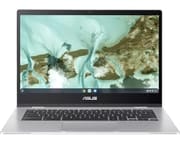 ASUS Chromebook CX1 (CX1400) | ASUS Chromebook CX1 (CX1400) | ASUS Chromebook CX1 (CX1400) | |
| Price | List Price: $279.99 Amazon Prices: Loading prices... | List Price: $269.99 Amazon Prices: Loading prices... | List Price: $209.99 Amazon Prices: Loading prices... |
| Model number | CX1400CNA-AS44FV | CX1400CNA-AS44F | CX1400CKA-AS44F |
| Performance Rating | 2.3 | 2.3 | 2.6 |
| Chromebook Plus | No | No | No |
| Processor | Dual-core 1.10 Ghz (max 2.40 Ghz) Intel Celeron N3350 | Dual-core 1.10 Ghz (max 2.40 Ghz) Intel Celeron N3350 | Dual-core 1.10 Ghz (max 2.80 Ghz) Intel Celeron Processor N4500 |
| RAM | 4 GB | 4 GB | 4 GB |
| Internal Storage | 64 GB eMMC | 64 GB eMMC | 64 GB eMMC |
| Screen Size | 14" | 14" | 14" |
| Screen Resolution | 1920x1080 | 1920x1080 | 1920x1080 |
| Screen Type | Anti-glare | Anti-glare | Anti-glare |
| Touch Screen | No | No | No |
| Stylus / Pen | No Stylus Support | No Stylus Support | No Stylus Support |
| Dimensions width x length x thickness | 12.85 x 9 x 0.74 inches (326.39 x 228.6 x 18.8 mm) | 12.85 x 9 x 0.74 inches (326.39 x 228.6 x 18.8 mm) | 12.85 x 9 x 0.74 inches (326.39 x 228.6 x 18.8 mm) |
| Weight | 3.2 lbs (1.45 kg) | 3.2 lbs (1.45 kg) | 3.2 lbs (1.45 kg) |
| Backlit Keyboard | No | No | No |
| Webcam | HD | HD | HD |
| WiFi | WiFi 5 (802.11 ac) | WiFi 5 (802.11 ac) | WiFi 5 (802.11 ac) |
| Bluetooth | Bluetooth 4.2 | Bluetooth 4.2 | Bluetooth 4.2 |
| Ethernet | No | No | No |
| Cellular Modem | No | No | No |
| HDMI | No HDMI | No HDMI | No HDMI |
| USB Ports | 2 USB 3, 2 USB-C (USB-C supports DisplayPort and charging) | 2 USB 3, 2 USB-C (USB-C supports DisplayPort and charging) | 2 USB 3, 2 USB-C (USB-C supports DisplayPort and charging) |
| Thunderbolt Ports | No | No | No |
| Card Reader | microSD Card Reader | microSD Card Reader | microSD Card Reader |
| Battery | 2 cell, 38WHrs, Li-ion | 2 cell, 38WHrs, Li-ion | 2 cell, 38WHrs, Li-ion |
| Battery Life | 12.0 hours | 12.0 hours | 12.0 hours |
| Fanless | Yes | Yes | Yes |
| Auto Update Expiration Date | June, 2027 | June, 2027 | June, 2031 |
Related Chromebooks
-
 ASUS Chromebook C403The ASUS Chromebook C403 is a fanless 14-inch education Chromebook with an anti-glare 1366x768…
 -
 ASUS Chromebook C423The ASUS Chromebook C423 pairs a 14-inch 1366x768 display with a dual-core Celeron N3350, 4GB of…
 -
 HP Chromebook 14 (AMD)The HP Chromebook 14 (AMD) is a fanless 14-inch Chromebook built on the AMD A4-9120C APU with…
 -
 Acer Chromebook 514The Acer Chromebook 514 (CB514-1H and 1HT) is a fanless 14-inch ChromeOS laptop sold with Celeron…
 -
 Acer Chromebook 314The Acer Chromebook 314 (CB314) is a fanless 14-inch laptop with an Intel Celeron N4000, sold in…
 -
 HP Chromebook 14 G7The HP Chromebook 14 G7 packs a 14-inch anti-glare WLED screen, Wi-Fi 6, a 720p HD webcam, and…
The 4GB ceiling limits an otherwise well-equipped 14-inch machine
The panel is a 14-inch Full HD (1920x1080) IPS-style anti-glare display. PC Varge’s hands-on review of the CX1400CKA measured it at 93% sRGB coverage and roughly 250 nits of brightness. That is enough for streaming and documents indoors and workable outdoors in shade, though not bright enough to fight direct sunlight on a patio. The anti-glare coating helps in fluorescent-lit classrooms and offices, where glossy panels pick up every overhead bulb.
The chassis is the same on both processor variants: 12.85 x 9 x 0.74 inches and 3.2 pounds. ASUS specifies a MIL-STD-810H rating, which in practice means the lid hinge survives drops from desk height and the corners can take a knock without shattering. There is no fan, so nothing gathers dust or fails in year three and the laptop stays silent at every workload. The trade-off is that the N3350 and N4500 both throttle under sustained heavy load, such as long video exports or heavy multi-tab Linux use. For web, docs, video, and light Android apps the thermal ceiling never gets in the way.
WiFi 5 (802.11ac) and Bluetooth 4.2 are both a generation behind what 2026 Chromebooks ship with. WiFi 5 is fine on most home networks but delivers lower throughput than a WiFi 6 router can, and Bluetooth 4.2 means slightly more pairing friction and shorter range with earbuds. The wired ports are current. Two USB-C ports both carry DisplayPort and Power Delivery, and they sit alongside two USB-A 3.2 ports, microSD, and a combo headphone jack. There is no HDMI, but a $10 USB-C to HDMI dongle gets you to any external display. For wired internet, a USB-to-Ethernet adapter plugs into either USB-A or USB-C port.
The original CX1400CNA ships with the Intel Celeron N3350, a 2016-era Apollo Lake dual-core that is showing its age. The newer CX1400CKA ships with the Intel Celeron N4500, a 2021 Jasper Lake dual-core that is roughly 1.6x faster on multi-thread CPU benchmarks and noticeably snappier in the ChromeOS shell. Both pair with 4GB of soldered LPDDR4X RAM. Open more than a dozen Chrome tabs alongside an Android app or a Linux terminal and the system starts swapping aggressively. If you live in tabs, the Lenovo Slim 3 Chromebook or any 8GB CX5/Plus model will feel meaningfully less constrained.
Reviewer Insights
In his CX1400CKA review, Allan Smith at PC Varge tested the N4500 SKU and gave it 3.8 out of 5. On battery, his write-up says, “you’re getting up to 12 hours of battery life on a single charge, which is double what you’re getting with budget Windows laptops.” On multitasking he writes, “Don’t be surprised when this Chromebook fires a dozen Chrome tabs and streams a 1080p HD video in the background.” He adds that the N4500 starts to lag once you push past that point or layer in heavier Android apps. He also measured the keyboard at 1.4mm key travel and 71 grams of actuation force, which is slightly shallower than his preferred 1.5 to 2mm range but reasonable for the price, and the 4.1 x 2.4-inch touchpad as “responsive” and larger than most budget Windows machines.
On YouTube, Fix IT Ken’s 2025 hands-on of the CX1400CKA calls it a “budget king” for students and casual users, with the soldered 4GB or 8GB RAM and the weak HD webcam as the standout limitations. He confirms the WiFi 6 radio on the newest CKA stock, an upgrade ASUS rolled out partway through the production run, and notes that older CKA units shipped with WiFi 5. He also praises the dual USB-C charging flexibility, since the included charger goes into either side of the laptop.
The CNA variant dates to 2021. Its Celeron N3350 was already two ChromeOS generations behind when the laptop launched, which puts it at the floor of usable ChromeOS performance. A deeply discounted CNA today comes with an AUE date of June 2027 and a processor that handles email and YouTube but not much beyond.
A 38Wh pack lasts a school day and charges from either side
ASUS rates the two-cell battery at 12 hours, and PC Varge’s testing landed in the same range. That fits how little power Apollo Lake and Jasper Lake Celerons draw in light workloads.
Charging is over USB-C, with both ports accepting power. The included charger is a 45W USB-C brick, and the laptop will take any reputable 30W or higher USB-C PD charger; a phone charger trickle-charges but will not keep up with active use. For travel, one USB-C charger can cover the Chromebook, a phone, and, with the right brick, most USB-C laptops in a household.
The chassis carries an ASUS MIL-STD-810H certification, which covers drop, shock, and vibration testing meant for military gear. In normal use that translates to a laptop you can hand to a 7th grader without flinching, and a hinge that does not get loose after a year of daily open-close cycles. The keyboard deck flexes a little if you press hard in the middle, which is normal at this price.
Update support ends in 2027 on the CNA and 2031 on the CKA
Any used or open-box listing needs a model-number check before you pay. The CX1400CNA (the N3350 variants) has an Auto Update Expiration date of June 2027, per Google’s official AUE list. Google extended the original 2025 AUE on this model as part of its 2023 Chromebook longevity update, so the device gets two more years of security patches than originally promised. After June 2027 it keeps booting and running installed apps and websites, but Chrome stops getting updates and it becomes an offline or limited-use machine.
The CX1400CKA (the N4500 variants) carries an AUE of June 2031, which is the larger reason to favor it. A 2026 buyer gets five more years of full ChromeOS updates on the CKA than on the CNA, for roughly the same retail price. If a listing does not specify the model number, look for “CKA” in the model number string (CX1400CKA-AS44F) and confirm the processor is the Celeron N4500, not the older N3350.
Suited to school work and couch browsing
A household that wants a cheap, drop-tolerant Chromebook to leave on the kitchen counter is the other good fit. The Full HD anti-glare panel and the June 2031 AUE make it a stable five-year purchase at the budget price point.
Skip it if you regularly run more than ten Chrome tabs or rely on Android apps for productivity, because the 4GB ceiling will hurt. The HD webcam is the weakest part of the laptop, so anyone who takes a lot of video calls should look elsewhere, and the eMMC storage and 4GB RAM are too constraining for a light Linux dev box. The next step up the ladder is a Chromebook Plus model, which gets you 8GB of RAM, a faster processor, and a longer AUE for roughly $150 to $200 more. The Lenovo Slim 3 Chromebook and Acer Chromebook Plus 514 are common starting points there.
The Starry Hope Chromebook Comparison Tool filters by AUE date, RAM, processor, and price, so you can line this one up against other budget Chromebooks before you decide.
Frequently asked questions
Q: What is the difference between the CX1400CNA and CX1400CKA? A: The CX1400CNA uses the older Intel Celeron N3350 (2016 Apollo Lake) and loses ChromeOS updates in June 2027. The CX1400CKA uses the newer Intel Celeron N4500 (2021 Jasper Lake) and gets updates until June 2031. Both share the same chassis, 14-inch FHD display, 4GB RAM, and 64GB eMMC storage. The CKA is faster in everyday use, and the longer support window makes it the better value even at the same price.
Q: Can I upgrade the RAM or storage on the ASUS Chromebook CX1? A: No. Both the 4GB of LPDDR4X RAM and the 64GB eMMC are soldered to the motherboard. You can expand storage with a microSD card or an external USB-C SSD, but the internal storage and RAM are fixed for the life of the device.
Q: Does the ASUS Chromebook CX1 have a touchscreen? A: The 14-inch Full HD anti-glare display is a standard non-touch panel. If you want a touchscreen Chromebook in the same price range, look at the Lenovo Chromebook Duet (detachable, smaller screen) or step up to a Chromebook Plus convertible.
Q: How long does the battery last? A: ASUS rates the 38Wh battery at 12 hours, and independent testing from PC Varge confirmed that figure on the N4500 variant under mixed Chrome and streaming use. Heavier loads such as Linux, many Android apps, and high screen brightness cut into that.
Q: Does the ASUS Chromebook CX1 support external displays? A: Yes. Both USB-C ports carry DisplayPort signal and Power Delivery, so a USB-C to HDMI or USB-C to DisplayPort dongle drives an external monitor. There is no built-in HDMI port. Charging the laptop while driving an external display works fine: plug power into one USB-C and the display dongle into the other.
Q: Is the keyboard backlit? A: The CX1400 does not have a backlit keyboard. The keys are a standard light gray on dark gray, which is readable in normal room lighting but harder to see in a dim airplane cabin or a bedside reading light. PC Varge measured the keys at 1.4mm of travel and 71 grams of actuation force, which is slightly shallow but acceptable at this price.
Q: Does the ASUS Chromebook CX1 have a fan? A: There is no fan, so the laptop is silent under any load and nothing can gather dust or fail over time. The trade-off is that both the N3350 and N4500 will throttle slightly under sustained heavy loads, such as long video calls in a hot room, but for normal Chromebook use the thermals never get in the way.
Q: What kind of connectivity does it offer? A: WiFi 5 (802.11ac) and Bluetooth 4.2 on every build listed on this page. Wired ports include two USB-C (DisplayPort and PD on both), two USB-A 3.2, microSD, and a combo headphone/microphone jack. There is no Ethernet port and no HDMI port.
Q: Is this Chromebook good for gaming? A: Only for casual and cloud gaming. The integrated Intel UHD graphics handle 2D casual games and browser-based games (Krunker, Slither, etc.), and cloud gaming through GeForce NOW or Xbox Cloud Gaming works well on a fast network, but native Android games above the casual tier will struggle. For a more capable gaming Chromebook, see the Acer Chromebook Plus 516 GE or any other Chromebook with Steam support.
Q: When will the CX1400 stop getting ChromeOS updates? A: The CX1400CNA (N3350) loses ChromeOS updates in June 2027. The CX1400CKA (N4500) loses ChromeOS updates in June 2031. After AUE, the laptop keeps working but stops receiving security patches and new browser features.