
Lenovo Chromebook Duet
Updated on

The Lenovo Chromebook Duet broke the curse of Chrome OS tablets when it launched in May 2020, delivering a proper 2-in-1 tablet experience that finally made sense for everyday users. At $279 with both keyboard and kickstand included in the box, this 10.1-inch tablet offered a bundle that competitors like Apple and Samsung simply could not match without hundreds of dollars in additional accessories. The MediaTek Helio P60T processor paired with 4GB RAM handles basic computing tasks admirably, while the battery life lasting nearly 24 hours on video playback made it a favorite among students, remote workers, and anyone seeking a lightweight computing companion. The device received Chrome OS updates through June 2030, giving buyers over ten years of software support from launch. For those seeking the latest Lenovo tablet Chromebook experience, check out the Lenovo Chromebook Duet Gen 9 with its improved MediaTek Kompanio 838 processor and 11-inch display.
| Pros | Cons |
|---|---|
| $279 with keyboard and kickstand included | Cramped keyboard with difficult punctuation keys |
| Long battery life (nearly 24 hours video playback) | Only 4GB RAM limits multitasking to 2-4 tabs |
| Bright 428-nit IPS display with accurate colors | Single USB-C port shared for charging and headphones |
| Lightweight 0.99 lb tablet with premium aluminum build | Cannot be used comfortably on lap |
| Chrome OS updates guaranteed through June 2030 | MediaTek P60T from 2018 struggles with heavy tasks |
| USI stylus support for note-taking and drawing | Sluggish 10W charger requires 3+ hours for full charge |
Related Videos
Lenovo Chromebook Duet Comparison Chart
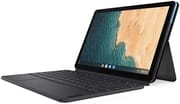 Lenovo Chromebook Duet | Lenovo Chromebook Duet | Lenovo Chromebook Duet | |
| Price | List Price: $269.00 Amazon Prices: Loading prices... | List Price: $339.99 Amazon Prices: Loading prices... | List Price: $299.00 Amazon Prices: |
| Model number | ZA6F0031US | ZA6F0075US | ZA6F0016US / CT-X636F |
| Performance Rating | 3.8 | 3.8 | 3.8 |
| Chromebook Plus | No | No | No |
| Processor | Octa-core 2.00 Ghz (max 0.00 Ghz) MediaTek P60T | Octa-core 2.00 Ghz (max 0.00 Ghz) MediaTek P60T | Octa-core 2.00 Ghz (max 0.00 Ghz) MediaTek P60T |
| RAM | 4 GB | 4 GB | 4 GB |
| Internal Storage | 64 GB eMCP | 128 GB eMCP | 128 GB eMCP |
| Screen Size | 10.1" | 10.1" | 10.1" |
| Screen Resolution | 1920x1200 | 1920x1200 | 1920x1200 |
| Screen Type | IPS | IPS | IPS |
| Touch Screen | Yes | Yes | Yes |
| Stylus / Pen | Supported | Supported | Supported |
| Dimensions width x length x thickness | 9.44 x 6.29 x 0.28 inches (239.78 x 159.77 x 7.11 mm) | 9.44 x 6.29 x 0.28 inches (239.78 x 159.77 x 7.11 mm) | 9.44 x 6.29 x 0.28 inches (239.78 x 159.77 x 7.11 mm) |
| Weight | 0.99 lbs (0.45 kg) | 0.99 lbs (0.45 kg) | 0.99 lbs (0.45 kg) |
| Backlit Keyboard | No | No | No |
| Webcam | Front 2 MP / Rear 8 MP | Front 2 MP / Rear 8 MP | Front 2 MP / Rear 8 MP |
| WiFi | 802.11 a/b/g/n/ac, 2x2, MIMO, 2.4 GHz / 5 GHz Wi-Fi Dual Bands | 802.11 a/b/g/n/ac, 2x2, MIMO, 2.4 GHz / 5 GHz Wi-Fi Dual Bands | 802.11 a/b/g/n/ac, 2x2, MIMO, 2.4 GHz / 5 GHz Wi-Fi Dual Bands |
| Bluetooth | Bluetooth 4.2 | Bluetooth 4.2 | Bluetooth 4.2 |
| Ethernet | No | No | No |
| Cellular Modem | No | No | No |
| HDMI | No HDMI | No HDMI | No HDMI |
| USB Ports | 1 USB-C (power, data, DisplayPort, and audio w/ adapter) | 1 USB-C (power, data, DisplayPort, and audio w/ adapter) | 1 USB-C (power, data, DisplayPort, and audio w/ adapter) |
| Thunderbolt Ports | No | No | No |
| Card Reader | No Card Reader | No Card Reader | No Card Reader |
| Battery | 27.6 WHr, Lithium-ion | 27.6 WHr, Lithium-ion | 27.6 WHr, Lithium-ion |
| Battery Life | 10.0 hours | 10.0 hours | 10.0 hours |
| Fanless | Yes | Yes | Yes |
| Auto Update Expiration Date | June, 2030 | June, 2030 | June, 2030 |
Related Chromebooks
-
 Lenovo Flex 5 ChromebookThe Lenovo Flex 5 Chromebook is a 2020 convertible with a 13.3-inch FHD IPS touchscreen, Intel Core…
 -
 ASUS Chromebook Detachable CM3 (CM3000)The ASUS Chromebook Detachable CM3 is a 10.5-inch tablet (1.12 pounds alone, about 2 pounds with…
 -
 Lenovo Chromebook Duet 11" (2024)
 -
 ASUS Chromebook Flip CX5 (CX5400)The ASUS Chromebook Flip CX5 (CX5400) is a fanless 14-inch aluminum convertible sold with an Intel…
 -
 Acer Chromebook Spin 713The Acer Chromebook Spin 713 boasts a vivid 13.5-inch 2256x1504 IPS touch display, versatile 2-in-1…
 -
 Acer Chromebook Spin 314The Acer Chromebook Spin 314 is a budget 14-inch convertible Chromebook with a 360-degree hinge, a…
Detailed Insights into the Lenovo Chromebook Duet

The Lenovo Chromebook Duet features a clever three-part design that combines an aluminum tablet with a soft-touch blue accent, a magnetic kickstand with sophisticated fabric texture, and a detachable keyboard dock. This approach delivers the flexibility users actually need without the bulk of traditional laptops. The 10.1-inch Full HD IPS display reaches 428 nits of brightness for comfortable viewing in various lighting conditions, while the color accuracy with an average deltaE of 2.8 supports photo editing and media consumption. The screen’s 16:10 aspect ratio provides extra vertical space that proves particularly useful for web browsing and document editing.
Build quality balances cost-cutting and durability in a way that impressed reviewers given the $279 price point. The aluminum tablet portion feels premium in hand, though the magnetic keyboard attachment can occasionally pop off during normal use according to some reviews. Weight comes in at just 0.99 pounds for the tablet alone or 2.03 pounds with the keyboard and kickstand attached, making it portable for all-day carry and a natural fit for budget Chromebook travel. The fanless design keeps the device silent during operation, which suits quiet environments like libraries and meetings.
The single USB-C port handles charging, data transfer, DisplayPort output, and headphone audio via adapter, which requires some planning for users who need to charge while using accessories. Lenovo does include a USB-C to 3.5mm headphone adapter in the box, though many users may prefer Bluetooth headphones to avoid this limitation. The front-facing 2MP camera handles video calls adequately while the rear 8MP autofocus camera can capture documents and whiteboard notes when needed. DisplayPort output supports external displays, though reviewers noted subHD resolution limitations when connecting to larger monitors.
Performance from the MediaTek Helio P60T processor proves adequate for the Duet’s intended use cases but shows its 2018-era origins when pushed harder. The octa-core chip pairs four Cortex-A73 performance cores with four Cortex-A53 efficiency cores, all running at 2.0 GHz, and integrates a Mali-G72 MP3 GPU clocked at 800 MHz. Chrome OS boots in approximately 8 seconds, and typical web browsing feels responsive with 2-4 tabs open. Push beyond that, however, and the 4GB of LPDDR4X RAM becomes the bottleneck, causing slowdowns and occasional stuttering. Cloud gaming services like Xbox Cloud Gaming and GeForce NOW worked surprisingly well according to reviewers, making the Duet a budget cloud gaming option.
Reviewer Insights on the Lenovo Chromebook Duet

Ben Schoon’s Perspective (9to5Google)
Ben Schoon’s comprehensive review called the Chromebook Duet “the first Chrome OS tablet worth your attention,” praising its battery life lasting 2-3 days with mixed use. He found performance adequate for typical tasks but noted the device works best with 2-4 browser tabs plus light background apps. Schoon particularly praised the value, stating “At $279, the value isn’t really at question. A capable tablet with a keyboard and kickstand included is just a great deal.” His main criticisms focused on Chrome OS tablet optimizations needing work, including a cluttered homescreen and confusing multiple settings menus.
Ara Wagoner’s Perspective (Android Central)
Ara Wagoner from Android Central awarded the Duet 4.5 out of 5 stars and called it “hands-down the best Chromebook tablet available” and her favorite tech purchase of 2020. She positioned it as “the perfect couch companion for some casual research, reading, and Reddit.” Her review emphasized that at $279-$299 depending on storage, it was one of the few budget Chromebooks that remained widely available during the 2020 shortage. She praised the “unbelievable battery life” and the fact that everything needed comes in the box, though she noted the keyboard feels floppy and lacks stability compared to premium alternatives.
John Loeffler’s Perspective (TechRadar)
TechRadar’s John Loeffler also gave the Duet 4.5 out of 5 stars, calling it “everything that netbooks should have been.” He conducted battery testing that showed the device lasting “nearly an entire day of looped HD video,” which he described as “an actual, fully-rotate-the-entire-frickin-planet-on-its-axis kind of day.” His review highlighted the huge library of available software via Google Play while noting the tiny keyboard and finicky trackpad as primary drawbacks.
GSMArena’s Technical Analysis
GSMArena’s detailed technical review provided comprehensive testing data, calling it “a no-brainer when it comes to buying a computer for one of the kids to use for school.” Their testing showed the 428-nit screen brightness and respectable 1.3mm keyboard travel. They noted real-world battery life of 12-13 hours of continuous browsing and the device’s 8-second boot time. The review found the MediaTek Helio P60T adequate for web browsing but noted some Android apps freeze when launched in windowed mode.
Henry T. Casey’s Take (Tom’s Guide)
Tom’s Guide reviewer Henry T. Casey awarded 4 out of 5 stars and emphasized the “remarkable value with tons of battery life and its included keyboard.” He praised the sharp, colorful screen and Chrome OS tablet optimizations but cautioned that the cramped keyboard and flimsy hinge limit extended productivity sessions.
Customer Reviews of the Lenovo Chromebook Duet
Across 1,360 ratings on Amazon, the Lenovo Chromebook Duet averages 4.4 stars, with 67% leaving five stars and 18% leaving four. The recurring theme among the positive reviews is value for a budget 2-in-1: buyers repeatedly call out the bright screen, the long battery life, the included detachable keyboard, and the fact that Chrome OS runs Android apps and Linux on such a small device. A verified buyer named PJ wrote “You are definitely getting a lot from what you paid for,” and praised the battery, noting hours of browsing still left “around 50% of the battery left.” Wayne, also a verified purchaser, valued the openness compared to a tablet: “You get proper file support and you can open any file type without issue unlike iOS.” Several reviewers (Kelly, Bonnie Bartsch) bought it as a first computer or starter device and were happy with the size and the attaching keyboard.
The criticisms are real and worth weighing. Chip, a verified buyer who gave it four stars, flagged two limits: “There is only one usb-c type port on the entire rig,” and that it is “not a true laptop as putting it in one’s lap is a bit problematic.” A few owners noted the screen “scratches really easily” (The J’s). The most pointed complaint came from a verified buyer posting as Amazon Customer, who dropped to three stars over reliability: “this thing just constantly freezes, restarts itself, etc. making it completely unreliable (I’m talking multiple times PER DAY).” That experience is not the norm in this set of reviews, but it sits behind the 8% of ratings at one or two stars, so a freeze-prone unit is a possibility to keep in mind.
Read more owner reviews on Amazon.
Conclusion
The Lenovo Chromebook Duet established itself as the Chrome OS tablet that finally delivered on the promise of a versatile, affordable 2-in-1 device. Its combination of long battery life, included accessories, bright display, and eight years of software updates created a package that redefined value in the budget Chromebook segment. While the cramped keyboard, single port, and 4GB RAM limit its appeal for power users and heavy multitaskers, the Duet excels at its intended purpose: a lightweight computing companion for web browsing, media consumption, note-taking, and casual productivity. For users seeking these capabilities at under $300, the original Duet remains an affordable choice, though those wanting more performance should consider the newer Lenovo Chromebook Duet Gen 9 with its upgraded processor and larger display. To see how the Duet stacks up against other models, visit the Chromebook Comparison Chart to sort and filter by specs and price.
Frequently Asked Questions
Can you use the Lenovo Chromebook Duet without the keyboard?
Yes, the Duet works as a standalone tablet without the keyboard attached. The tablet portion weighs just 0.99 lbs and runs the full Chrome OS with touch-optimized controls. Chrome OS includes an on-screen keyboard for typing when needed, making it practical for media consumption, reading, and light browsing in tablet mode.
How long will the Lenovo Chromebook Duet receive software updates?
Google guarantees Chrome OS updates for the Lenovo Chromebook Duet through June 2030. This means the device will continue receiving security patches, new features, and performance improvements for approximately 10 years from its 2020 launch, which is significantly longer than most Android tablets receive support.
Can the Lenovo Chromebook Duet run Android apps?
Yes, the Duet supports Android apps through the Google Play Store. Most apps work well, though reviewers noted some Android apps may freeze when launched in windowed mode. Netflix is limited to SD quality on the Android app. For best results, use apps in full-screen tablet mode rather than windowed laptop mode.
Does the Lenovo Chromebook Duet have a headphone jack?
No, the Duet does not have a traditional 3.5mm headphone jack. Audio output is available through the single USB-C port using the included USB-C to 3.5mm adapter, or through Bluetooth headphones. This design choice means you cannot charge and use wired headphones simultaneously without an additional adapter.
Is the Lenovo Chromebook Duet good for students?
Reviewers consistently praised the Duet as excellent for students, calling it “a no-brainer for school use.” It handles note-taking, writing papers, Zoom meetings, and email effectively. The long battery life means it lasts full school days without charging. USI stylus support allows handwritten notes. However, students needing to run demanding applications or heavy multitasking may find the 4GB RAM limiting.
What’s the difference between the 64GB and 128GB Lenovo Chromebook Duet models?
The only difference is storage capacity. Both models have identical processors, RAM (4GB), displays, and features. The 128GB model is better for users who plan to store offline content, install many Android apps, or keep media files locally. Both models use non-upgradeable eMMC storage, so choose based on your anticipated storage needs.