
ASUS Chromebook CM14 (CM1405)
Published on

The ASUS Chromebook CM14 (CM1405) is an education-focused laptop designed to withstand the rigors of student life while providing reliable performance for everyday tasks. Powered by the MediaTek Kompanio 540 processor, this 14-inch Chromebook delivers the balance of efficiency and capability that students and educators need. The device meets MIL-STD 810H military-grade durability standards, ensuring it can handle drops, bumps, and the general chaos of a classroom environment. With a 180-degree hinge that allows the screen to lay flat, sharing content with classmates or teachers becomes effortless. WiFi 6E connectivity ensures fast and reliable wireless performance, while the fanless design keeps the classroom quiet.
Pros and Cons of the ASUS Chromebook CM14
| Pros | Cons |
|---|---|
| MIL-STD 810H military-grade durability | No backlit keyboard |
| Fanless silent operation | HD webcam on base models (1080p only on touch variant) |
| 180-degree lay-flat hinge for sharing | eMMC storage instead of faster SSD |
| WiFi 6E and Bluetooth 5.4 connectivity | Not Chromebook Plus certified |
| Long support until June 2034 AUE date | Non-upgradeable storage and RAM |
| Full-size HDMI port for presentations | Limited to 8GB RAM maximum |
Related Videos
ASUS Chromebook CM14 (CM1405) Comparison Chart
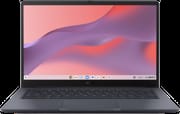 ASUS Chromebook CM14 (CM1405) | ASUS Chromebook CM14 (CM1405) | ASUS Chromebook CM14 (CM1405) | ASUS Chromebook CM14 (CM1405) | ASUS Chromebook CM14 (CM1405) | |
| Price | List Price: Amazon Prices: | List Price: Amazon Prices: | List Price: Amazon Prices: | List Price: Amazon Prices: | List Price: Amazon Prices: |
| Model number | CM1405CM4A | CM1405CM4A | CM1405CM4A | CM1405CM4A | CM1405CM4A |
| Performance Rating | 2.3 | 2.3 | 3.6 | 3.6 | 3.6 |
| Chromebook Plus | No | No | No | No | No |
| Processor | Octa-core 2.00 Ghz (max 2.60 Ghz) MediaTek Kompanio 540 | Octa-core 2.00 Ghz (max 2.60 Ghz) MediaTek Kompanio 540 | Octa-core 2.00 Ghz (max 2.60 Ghz) MediaTek Kompanio 540 | Octa-core 2.00 Ghz (max 2.60 Ghz) MediaTek Kompanio 540 | Octa-core 2.00 Ghz (max 2.60 Ghz) MediaTek Kompanio 540 |
| RAM | 4 GB | 4 GB | 8 GB | 8 GB | 8 GB |
| Internal Storage | 64 GB eMMC | 128 GB eMMC | 64 GB eMMC | 128 GB eMMC | 128 GB eMMC |
| Screen Size | 14.0" | 14.0" | 14.0" | 14.0" | 14.0" |
| Screen Resolution | 1920x1080 | 1920x1080 | 1920x1080 | 1920x1080 | 1920x1080 |
| Screen Type | IPS | IPS | IPS | IPS | IPS |
| Touch Screen | No | No | No | No | Yes |
| Stylus / Pen | No Stylus Support | No Stylus Support | No Stylus Support | No Stylus Support | No Stylus Support |
| Dimensions width x length x thickness | 12.78 x 8.44 x 0.78 inches (324.61 x 214.38 x 19.81 mm) | 12.78 x 8.44 x 0.78 inches (324.61 x 214.38 x 19.81 mm) | 12.78 x 8.44 x 0.78 inches (324.61 x 214.38 x 19.81 mm) | 12.78 x 8.44 x 0.78 inches (324.61 x 214.38 x 19.81 mm) | 12.78 x 8.44 x 0.78 inches (324.61 x 214.38 x 19.81 mm) |
| Weight | 2.98 lbs (1.35 kg) | 2.98 lbs (1.35 kg) | 2.98 lbs (1.35 kg) | 2.98 lbs (1.35 kg) | 2.98 lbs (1.35 kg) |
| Backlit Keyboard | No | No | No | No | No |
| Webcam | HD | HD | HD | HD | 1080p |
| WiFi | Wi-Fi 6E (802.11ax) | Wi-Fi 6E (802.11ax) | Wi-Fi 6E (802.11ax) | Wi-Fi 6E (802.11ax) | Wi-Fi 6E (802.11ax) |
| Bluetooth | Bluetooth 5.4 | Bluetooth 5.4 | Bluetooth 5.4 | Bluetooth 5.4 | Bluetooth 5.4 |
| Ethernet | No | No | No | No | No |
| Cellular Modem | No | No | No | No | No |
| HDMI | Full-Size HDMI | Full-Size HDMI | Full-Size HDMI | Full-Size HDMI | Full-Size HDMI |
| USB Ports | 1 USB 3, 2 USB-C 2x USB-C 3.2 with DisplayPort and Power Delivery, 1x USB-A 3.2 Gen 1, 1x HDMI | 1 USB 3, 2 USB-C 2x USB-C 3.2 with DisplayPort and Power Delivery, 1x USB-A 3.2 Gen 1, 1x HDMI | 1 USB 3, 2 USB-C 2x USB-C 3.2 with DisplayPort and Power Delivery, 1x USB-A 3.2 Gen 1, 1x HDMI | 1 USB 3, 2 USB-C 2x USB-C 3.2 with DisplayPort and Power Delivery, 1x USB-A 3.2 Gen 1, 1x HDMI | 1 USB 3, 2 USB-C 2x USB-C 3.2 with DisplayPort and Power Delivery, 1x USB-A 3.2 Gen 1, 1x HDMI |
| Thunderbolt Ports | No | No | No | No | No |
| Card Reader | No Card Reader | No Card Reader | No Card Reader | No Card Reader | No Card Reader |
| Battery | 42Wh | 42Wh | 42Wh | 42Wh | 42Wh |
| Battery Life | Unknown | Unknown | Unknown | Unknown | Unknown |
| Fanless | Yes | Yes | Yes | Yes | Yes |
| Auto Update Expiration Date | June, 2034 | June, 2034 | June, 2034 | June, 2034 | June, 2034 |
Related Chromebooks
-
 Acer Chromebook 314The Acer Chromebook 314 offers a crisp 14-inch FHD IPS display, 12.5 hours of battery life, and a…
 -
 ASUS Chromebook C403The ASUS Chromebook C403 shines with a 14-inch anti-glare display, robust 12-hour battery life, and…
 -
 ASUS Chromebook C423The ASUS Chromebook C423 packs a 14-inch HD display, Intel Celeron power, and 10-hour battery life…
 -
 HP Chromebook 14 (AMD)The HP Chromebook 14 combines a 14-inch WLED-backlit display, TrueVision HD webcam, and fanless…
 -
 HP Chromebook 14The HP Chromebook 14 was a popular budget Chromebook known for its WLED-backlit display,…
 -
 Acer Chromebook 314 (CB314-4H/4HT)A budget-friendly 14-inch Chromebook with Intel Alder Lake-N processors, WiFi 6E, and software…
Detailed Insights into the ASUS Chromebook CM14
The ASUS Chromebook CM14 measures 12.78 x 8.44 x 0.78 inches and weighs 2.98 pounds (1.35 kg), making it portable enough for students to carry between classes. The build is designed with durability in mind, featuring reinforced corners and a spill-resistant keyboard that can handle accidental liquid spills up to 330cc. The anti-glare IPS display with 86% screen-to-body ratio provides comfortable viewing even in brightly lit classrooms. The 180-degree hinge allows the laptop to open completely flat, which is particularly useful for group work or when a teacher needs to view the screen. Available colors include Pure Grey, Fabric Blue, Quiet Blue, and Misty Grey, offering some personalization options for students.
At the heart of this Chromebook is the MediaTek Kompanio 540 processor, an 8-core ARM-based chip with two Cortex-A78 performance cores running at up to 2.6 GHz and six Cortex-A55 efficiency cores at 2.0 GHz. This processor is optimized for Chromebook workloads, handling web browsing, document editing, video streaming, and Android apps with ease. The fanless design means completely silent operation, which is essential in quiet study environments and classrooms. With up to 8GB of LPDDR5x memory available, the system can handle multiple browser tabs and light multitasking without slowdowns.
Connectivity options are solid for an education-focused device. The Chromebook includes WiFi 6E (802.11ax) for fast wireless networking and Bluetooth 5.4 for connecting peripherals like mice, headphones, or styluses. The port selection includes two USB-C 3.2 ports with DisplayPort and Power Delivery support, one USB-A 3.2 Gen 1 port, a full-size HDMI port for connecting to external displays or projectors, and a 3.5mm audio combo jack. Schools that need wired network access can connect a USB Ethernet adapter to the USB-A port. The inclusion of HDMI is particularly useful in educational settings where students frequently connect to projectors or classroom displays.
What to Expect from the ASUS Chromebook CM14
This Chromebook was announced at CES 2026 and is not yet available for purchase. Based on the specifications, it positions itself as a reliable education-focused device rather than a premium productivity machine. The MediaTek Kompanio 540 processor should provide adequate performance for typical student workloads including web-based learning platforms, Google Workspace applications, and streaming educational content.
The base configurations with 4GB RAM and 64GB eMMC storage will suit basic users, while the 8GB RAM with 128GB storage variants offer more headroom for students who need to run multiple Android apps or keep more files locally. The touch-enabled variant upgrades the webcam to 1080p Full HD, making it a better choice for video calls and remote learning scenarios.
Conclusion
The ASUS Chromebook CM14 (CM1405) targets the education market with its rugged build quality, silent fanless operation, and practical feature set. Its MIL-STD 810H certification and spill-resistant keyboard make it well-suited for the unpredictable environment of classrooms and student dorm rooms. The 180-degree hinge and full-size HDMI port add practical value for collaborative learning.
However, this is not a Chromebook Plus device, so it lacks the premium features like higher-resolution displays or enhanced AI capabilities found in that certification tier. Users who need more performance or premium features should consider Chromebook Plus alternatives. The June 2034 Auto Update Expiration date ensures this device will receive ChromeOS updates and security patches for years to come.
For those comparing options, see our Chromebook Comparison Chart to find the best match for your needs.
Frequently Asked Questions
What processor does the ASUS Chromebook CM14 use?
The ASUS Chromebook CM14 is powered by the MediaTek Kompanio 540 processor, featuring 8 cores (2 performance + 6 efficiency) with a maximum clock speed of 2.6 GHz. This ARM-based chip is designed specifically for Chromebooks and provides efficient performance for everyday computing tasks.
Can I upgrade the RAM in the ASUS Chromebook CM14?
No, the ASUS Chromebook CM14 uses soldered LPDDR5x memory that cannot be upgraded after purchase. The device is available in 4GB and 8GB configurations, so choose the RAM amount that meets your needs at the time of purchase.
What ports does the ASUS Chromebook CM14 have?
The ASUS Chromebook CM14 includes 2x USB-C 3.2 ports with DisplayPort and Power Delivery support, 1x USB-A 3.2 Gen 1 port, 1x full-size HDMI port for external displays, and a 3.5mm audio combo jack for headphones and microphones.
Is the ASUS Chromebook CM14 durable enough for students?
Yes, the ASUS Chromebook CM14 is designed for durability with MIL-STD 810H military-grade certification. It features a spill-resistant keyboard that can handle up to 330cc of liquid, reinforced corners, and a rubber-wrapped chassis to protect against drops and impacts common in educational environments.
When does the ASUS Chromebook CM14 stop receiving updates?
The ASUS Chromebook CM14 has an Auto Update Expiration (AUE) date of June 2034. This means it will receive ChromeOS updates, security patches, and new features until that date, providing over 8 years of software support from its 2026 launch.
Is the ASUS Chromebook CM14 a Chromebook Plus device?
No, the ASUS Chromebook CM14 is not Chromebook Plus certified. It is positioned as an education-focused device rather than a premium productivity Chromebook. If you need Chromebook Plus features like enhanced AI capabilities and premium specifications, consider looking at ASUS’s Chromebook Plus lineup.