
ASUS Chromebook Flip C101PA
Updated on

Note: This Chromebook’s Auto Update Expiration date was August 2023, meaning it no longer receives Chrome OS updates or security patches. The information below is kept for historical reference.
The ASUS Chromebook Flip C101PA arrived in late 2017 as a compact, convertible companion for users who prioritized portability above all else. Weighing just under two pounds with a 10.1-inch touchscreen and 360-degree hinge, the C101PA represented ASUS’s vision of a Chromebook that doubled as an Android tablet. The Rockchip OP1 processor (the same chip found in Samsung’s $450 Chromebook Plus) delivered respectable performance for basic tasks, while the aluminum and glass construction gave it a premium feel unusual at the $299 price point.
| Pros | Cons |
|---|---|
| Weighs just 1.9 lbs with excellent portability | Display resolution inadequate at 1280x800 |
| Solid aluminum and glass construction | Keyboard cramped for adult-sized hands |
| Dual USB-C ports with charging flexibility | Limited 16GB storage for Android apps |
| All-day battery life (8-12 hours tested) | No keyboard backlight |
| Completely silent fanless operation | Touchscreen response frustrating at times |
| 360-degree hinge enables tablet mode | Too small for extended productivity work |
Related Videos
ASUS Chromebook Flip C101PA Comparison Chart
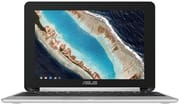 ASUS Chromebook Flip C101PA | |
| Price | List Price: $299.00 Amazon Prices: |
| Model number | C101PA-DB02 |
| Performance Rating | 2.5 |
| Chromebook Plus | No |
| Processor | Hexa-core 1.60 Ghz (max 2.00 Ghz) OP1 |
| RAM | 4 GB |
| Internal Storage | 16 GB eMMC |
| Screen Size | 10.1" |
| Screen Resolution | 1280x800 |
| Screen Type | LED backlit |
| Touch Screen | Yes |
| Stylus / Pen | No Stylus Support |
| Dimensions width x length x thickness | 7.2 x 10.4 x 0.6 inches (182.88 x 264.16 x 15.24 mm) |
| Weight | 2 lbs (0.91 kg) |
| Backlit Keyboard | No |
| Webcam | 1280x720 |
| WiFi | 802.11 a/b/g/n/ac |
| Bluetooth | Bluetooth 4.0 |
| Ethernet | No |
| Cellular Modem | No |
| HDMI | No HDMI |
| USB Ports | 1 USB 2.0, 2 USB-C (Type C ports are USB3.0 [USB3.1 GEN1] and support display and power delivery) |
| Thunderbolt Ports | No |
| Card Reader | microSD Card Reader |
| Battery | 2 cell, 38 Whrs, Polymer |
| Battery Life | 9.0 hours |
| Fanless | Yes |
| Auto Update Expiration Date | August, 2023 |
Related Chromebooks
-
 ASUS Chromebook C423The ASUS Chromebook C423 pairs a 14-inch 1366x768 display with a dual-core Celeron N3350, 4GB of…
 -
 ASUS Chromebook C523The ASUS Chromebook C523 brings a 15.6” anti-glare display, robust connectivity with 802.11ac Wi-Fi…
 -
 Samsung Chromebook Plus v2The Samsung Chromebook Plus v2 is a fanless 12.2-inch convertible Chromebook with an Intel Celeron…
 -
 Acer Chromebook Spin 11 CP311The Acer Chromebook Spin 11 combines functionality and portability with its 11.6-inch touch IPS…
 -
 Lenovo Flex 3 ChromebookThe Lenovo Flex 3 Chromebook hits the sweet spot with its 11.6-inch IPS touchscreen, 4GB RAM, and…
 -
 Acer Chromebook 15The Acer Chromebook 15 stands out with a 15.6" FHD IPS touch display, backlit keyboard, and up to…
Hardware and Build Quality
The ASUS Chromebook Flip C101PA distinguished itself through construction quality that belied its budget price. The aluminum chassis and glass display gave it a premium feel that reviewers compared favorably to devices costing twice as much. Android Police’s Ryne Hager called it “probably the best 10-inch Chromebook you can buy” and noted the solid build throughout. At just 1.9 pounds with a 0.6-inch profile, the C101PA was light for a convertible device. The 360-degree hinge enabled laptop, tent, stand, and tablet modes.
The Rockchip OP1 processor (RK3399) featured a big.LITTLE architecture with dual Cortex-A72 performance cores and quad Cortex-A53 efficiency cores. ASUS upgraded the RAM to 4GB from the 2GB in the previous C100PA model, which Laptop Mag’s Helena Stone noted “made a significant difference, with browsing being quite fast.” Android Police observed that “the OP1 SoC in the C101 is the same processor used in the $450 Samsung Chromebook Plus, but here it’s driving one-quarter as many pixels,” resulting in snappier performance despite the lower price. The fanless design meant completely silent operation during use.
Display and Input Experience
The 10.1-inch IPS touchscreen offered 1280x800 resolution with wide viewing angles. However, the display received consistent criticism across reviews for its low pixel density. At 150 PPI, Android Police reported that “the visual experience is a bit compromised” and “the resolution makes reading text an unpleasant experience.” TechRadar’s Jacob Grana similarly noted the screen “isn’t sharp or particularly bright.” For media consumption the display proved adequate, but text-heavy tasks revealed the limitations of 2017 budget display technology.
The keyboard emerged as a divisive point among reviewers. ASUS claimed “97% full-size” keys, but Android Police found the keyboard “cramped” with an “undersized” touchpad. Laptop Mag explicitly stated that “adults with regular-size hands may not want to use this device regularly,” positioning the C101PA as better suited for children or users with smaller hands. TechRadar described the keys as “small and mushy” without the firmness expected from a quality keyboard. The absence of backlit keys made typing in dim environments challenging.
Battery Life and Connectivity
Battery endurance represented one of the C101PA’s strongest attributes. TechRadar’s movie playback test achieved 12 hours and 7 minutes, while Laptop Mag’s continuous web surfing test recorded 8 hours and 56 minutes. Real-world usage typically fell in the 8-10 hour range depending on workload, delivering genuine all-day battery life. The 38Wh polymer battery charged via either USB-C port, providing flexibility in how you orient the device while charging.
Connectivity proved adequate for the size class. Two USB-C ports (USB 3.1 Gen 1) supported both data transfer and DisplayPort output, allowing external monitor connections with appropriate adapters. A single USB 2.0 Type-A port handled legacy peripherals. The microSD card reader enabled storage expansion beyond the limited 16GB internal eMMC, which Android Police noted as particularly valuable for storing Android apps. 802.11ac WiFi and Bluetooth 4.0 handled wireless connectivity competently, though users needing wired networking would need a USB Ethernet adapter.
Reviewer Insights
Professional reviews from 2017-2018 painted a consistent picture of the C101PA as an excellent portable companion with specific use-case limitations.
Android Police
Ryne Hager’s comprehensive review positioned the C101PA as succeeding where similar devices often fail. His testing found the Rockchip OP1 delivered “significantly faster” performance than the previous C100PA generation, handling Chrome OS and Android apps competently. The review praised the dual USB-C ports enabling “charging plus microSD expansion” simultaneously, the aluminum and glass construction, and the competitive $299 pricing. However, Hager was direct about the display limitations: “At 150 PPI, the visual experience is a bit compromised.” The verdict declared it “probably the best 10-inch Chromebook you can buy right now, and with Android apps, it’s even a pretty decent tablet.”
TechRadar
Jacob Grana’s review awarded the C101PA 3 out of 5 stars with the verdict that “this Chromebook is nothing to flip over.” His benchmark testing revealed Octane 2.0 scores of 9,603 and Kraken times of 4,125ms, placing the device in the middle of the pack for budget Chromebooks. The review praised the sub-two-pound weight, construction, and battery life. However, Grana criticized the “small, mushy” keyboard keys, frustrating touchscreen response, and dim display. The conclusion acknowledged the C101PA “does what Chromebooks are expected to do: provide a solid device for light media and Internet browsing” but without enthusiasm.
Laptop Mag
Helena Stone’s review awarded 4 out of 5 stars while explicitly targeting the C101PA at younger users. The review highlighted the “sleek, lightweight design” and “MacBook Pro-inspired” aluminum chassis, calling it “one of the smallest and lightest Chromebooks available.” Battery testing recorded 8 hours and 56 minutes on continuous web surfing. The main criticism centered on size: “The $299 ASUS Chromebook Flip C101PA is a sleek 2-in-1 Chromebook that is ideally suited for grade-school students” rather than adults. Stone noted that “parents may find that the combination of a Chromebook and an Android tablet experience offers compelling value for their children.”
Who Should Have Considered This Chromebook
The ASUS Chromebook Flip C101PA served a specific niche: users who needed maximum portability in a Chromebook that could double as an Android tablet. Its 1.9-pound weight, all-day battery life, and 360-degree hinge enabled travel, couch computing, or use as a child’s first laptop. The premium construction at the $299 price point represented genuine value. However, the cramped keyboard, low-resolution display, and limited storage made it poorly suited for users who needed a primary productivity device.
With the August 2023 Auto Update Expiration, the C101PA no longer receives security updates. For buyers seeking similar ultra-portable convertibles with current software support, consider modern detachable Chromebooks which offer updated processors and extended update timelines in similar compact form factors. To compare specs across the current Chromebook lineup, the Chromebook Comparison Chart is a useful starting point.
Frequently Asked Questions
Q: Is the ASUS Chromebook Flip C101PA still usable in 2026?
A: The C101PA can still function for basic tasks, but its August 2023 Auto Update Expiration means it no longer receives Chrome OS security updates. This makes it unsuitable for sensitive activities like online banking or accessing personal accounts. It may serve as an offline media player or basic browsing device on trusted networks.
Q: What processor does the ASUS Chromebook Flip C101PA use?
A: The C101PA uses the Rockchip OP1 (RK3399) processor, an ARM-based chip featuring dual Cortex-A72 performance cores and quad Cortex-A53 efficiency cores. This is the same processor found in the Samsung Chromebook Plus, though the C101PA drives fewer pixels, resulting in smoother performance at the lower resolution.
Q: Can I expand the storage on the C101PA?
A: Yes, the C101PA includes a microSD card slot for storage expansion. The internal 16GB eMMC storage fills quickly with Android apps, so reviewers recommended using a microSD card for app storage and media files. The card slot is accessible when using the device in laptop mode.
Q: Is the C101PA good for kids?
A: Multiple reviewers specifically recommended the C101PA for children. Laptop Mag called it “ideally suited for grade-school students” due to its small keyboard that fits smaller hands, lightweight construction that is easy to carry, and durable aluminum build. However, the expired security updates make it less suitable for school-managed environments.
Q: How long does the C101PA battery last?
A: Battery life was a strength of the C101PA. TechRadar measured over 12 hours in movie playback testing, while Laptop Mag recorded nearly 9 hours of continuous web surfing. Real-world usage typically delivered 8-10 hours depending on workload, providing genuine all-day battery life for mobile use.
Q: Does the C101PA support Android apps?
A: The C101PA received Google Play Store support, enabling Android app installation. Reviewers noted that the ARM-based OP1 processor offered better Android app compatibility than Intel-based Chromebooks of the era. However, with expired software support, Play Store access and app compatibility may become unreliable over time.
Q: What are the main differences between the C101PA and C100PA?
A: The C101PA upgraded from the C100PA with double the RAM (4GB vs 2GB), a faster Rockchip OP1 processor replacing the original Rockchip RK3288, USB-C ports instead of micro-USB, and refined aluminum construction. Reviewers noted significantly improved performance and build quality in the newer model.