
ASUS Chromebook Flip C436
Updated on

Note: This Chromebook has been discontinued and is no longer available for purchase new. However, it retains software support until its Auto Update Expiration date of June 2030. For users who find one on the secondary market, the C436 remains a capable device with several years of updates remaining.
The ASUS Chromebook Flip C436 represented ASUS’s flagship Chromebook when it debuted at CES 2020. Building on the popular C434 formula, the C436 brought 10th-generation Intel processors, Wi-Fi 6 connectivity, and a thinner magnesium alloy chassis to the premium convertible category. At just 2.4 pounds and 13.7mm thick, ASUS positioned it against Samsung’s Galaxy Chromebook and Google’s Pixelbook Go. Multiple professional reviewers found it a capable performer that fell short of its ambitious pricing due to disappointing battery life and an audible cooling fan that contradicted ASUS’s premium aspirations.
| Pros | Cons |
|---|---|
| Lightweight design at 2.4 lbs with magnesium alloy construction | Fan noise audible under load, surprising for premium price |
| Excellent keyboard with 1.2mm travel and six-stage backlighting | Battery life disappointing (6-10 hours vs. 12-hour claims) |
| First Chrome OS device with built-in fingerprint scanner | Display brightness measured at 220-300 nits, insufficient for flagship pricing |
| Wi-Fi 6 and Bluetooth 5.0 | Only USB-C ports, no USB-A support |
| Smooth 360-degree ErgoLift hinge with one-finger opening | Speakers rattle at higher volumes, quality below expectations |
| NVMe SSD storage delivers fast performance | Premium pricing ($799-$999) not fully justified by compromises |
Related Videos
ASUS Chromebook Flip C436 Comparison Chart
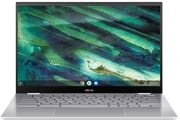 ASUS Chromebook Flip C436 | ASUS Chromebook Flip C436 | |
| Price | List Price: $999.99 Amazon Prices: | List Price: $799.99 Amazon Prices: |
| Model number | C436FA-DS599T-W | C436FA-DS388T |
| Performance Rating | 6.7 | 5.5 |
| Chromebook Plus | No | No |
| Processor | Quad-core 1.60 Ghz (max 4.20 Ghz) Intel Core i5-10210U Processor | Dual-core 2.10 Ghz (max 4.10 Ghz) Intel Core i3-10110U Processor |
| RAM | 16 GB | 8 GB |
| Internal Storage | 512 GB PCIe NVMe M.2 SSD | 128 GB PCIe NVMe M.2 SSD |
| Screen Size | 14" | 14" |
| Screen Resolution | 1920x1080 | 1920x1080 |
| Screen Type | LED-backlit, 100% sRGB color gamut | LED-backlit, 100% sRGB color gamut |
| Touch Screen | Yes | Yes |
| Stylus / Pen | No Stylus Support | No Stylus Support |
| Dimensions width x length x thickness | 8.08 x 12.57 x 0.53 inches (205.23 x 319.28 x 13.46 mm) | 8.08 x 12.57 x 0.53 inches (205.23 x 319.28 x 13.46 mm) |
| Weight | 2.58 lbs (1.17 kg) | 2.58 lbs (1.17 kg) |
| Backlit Keyboard | Yes | Yes |
| Webcam | HD | HD |
| WiFi | Intel Wi-Fi 6 (802.11ax) | Intel Wi-Fi 6 (802.11ax) |
| Bluetooth | Bluetooth 5.0 | Bluetooth 5.0 |
| Ethernet | No | No |
| Cellular Modem | No | No |
| HDMI | No HDMI | No HDMI |
| USB Ports | 2 USB-C (USB 3.2 Gen 1 Type-C Up to 5Gbps, supporting display and power delivery) | 2 USB-C (USB 3.2 Gen 1 Type-C Up to 5Gbps, supporting display and power delivery) |
| Thunderbolt Ports | No | No |
| Card Reader | microSD Card Reader | microSD Card Reader |
| Battery | 3 cell, 42 Whrs, lithium-polymer | 3 cell, 42 Whrs, lithium-polymer |
| Battery Life | 12.0 hours | 12.0 hours |
| Fanless | No | No |
| Auto Update Expiration Date | June, 2030 | June, 2030 |
Related Chromebooks
-
 ASUS Chromebook Flip CX5 (CX5400)The ASUS Chromebook Flip CX5 (CX5400) is a fanless 14-inch aluminum convertible sold with an Intel…
 -
 ASUS Chromebook Flip CX1 (Touchscreen)The ASUS Chromebook Flip CX1 is a 14-inch Full HD convertible with a 360-degree touchscreen, an…
 -
 Acer Chromebook Spin 314The Acer Chromebook Spin 314 is a budget 14-inch convertible Chromebook with a 360-degree hinge, a…
 -
 HP Chromebook x360 14aThe HP Chromebook x360 14a is a 14-inch convertible Chromebook with an Intel Celeron N4020, a…
 -
 HP Chromebook x360 14bThe HP Chromebook x360 14b is a 14-inch convertible Chromebook with an Intel Celeron N4000, 4GB of…
 -
 Acer Chromebook Spin 713The Acer Chromebook Spin 713 boasts a vivid 13.5-inch 2256x1504 IPS touch display, versatile 2-in-1…
Design and Build Quality
The ASUS Chromebook Flip C436 made an immediate impression through its lightweight magnesium alloy construction. At 2.4 pounds and 13.7mm thick, it represented a meaningful slimming from the C434’s 3.2-pound aluminum frame. Chrome Unboxed’s Robby Payne noted that despite the material change, the chassis exhibited “noticeable flex in the keyboard deck” that felt “a tad bit cheap despite the magnesium alloy construction.” This presented a curious contradiction for a device approaching $1,000.
The 360-degree ErgoLift hinge enabled laptop, tent, stand, and tablet configurations while elevating the rear chassis for improved airflow and typing angle. Android Authority’s Eric Zeman praised the “strong convertible hinge with one-handed opening” though noted the 2.4-pound weight still made extended tablet use impractical. Available in Aerogel White and Transparent Silver finishes, the C436 brought a design sophistication that distinguished it from plastic-bodied alternatives.
ASUS integrated a fingerprint scanner into the keyboard, a first for Chrome OS devices at launch. Android Authority found it “works flawlessly” for authentication, eliminating password entry after the initial unlock. The inclusion reflected ASUS’s attempt to match premium Windows ultrabooks feature-for-feature.
Performance and Cooling
The Intel Core i3-10110U processor delivered smooth performance for Chrome OS workflows. Engadget’s Nathan Ingraham tested the $999 Core i5/16GB configuration and found it “had no problem keeping up with my workflow” with multiple browser windows containing “six to 10 tabs in each.” Android Authority measured GeekBench scores of 966 single-core and 3,060 multi-core, confirming capable JavaScript performance for Chrome OS tasks.
Chrome Unboxed reported the C436 “flies; this thing never so much as stuttered under the stress of my normal workflow with multiple tabs and apps running across multiple displays.” The NVMe SSD storage contributed to snappy application launches and file operations, a notable upgrade from the eMMC storage in budget Chromebooks.
However, the active cooling system drew consistent criticism. Unlike the fanless C302CA that preceded it, the C436 employed a fan that reviewers found surprisingly intrusive. Android Authority noted “fan noise loud even during simple tasks,” while MobileTechReview’s Lisa Gade confirmed audible operation during moderate workloads. For a device priced against the silent Pixelbook Go, this represented a significant compromise.
Display and Audio
The 14-inch 1920x1080 IPS touchscreen offered adequate quality. Chrome Unboxed measured just 220 nits brightness and criticized the panel as “acceptable on a $400 Chromebook, but not on one that will approach $1000.” Android Authority found it “solid for video” but noted “colors run warm.” At similar pricing, Samsung’s Galaxy Chromebook offered a 4K AMOLED display that made the C436’s panel feel dated.
The Harman Kardon-tuned four-speaker system delivered mixed results. Engadget praised “strong audio with good stereo separation,” but Chrome Unboxed reported “speaker rattle at 80% volume.” The downward-firing drivers provided less direct sound than competitors with upward-facing speakers.
Keyboard and Input
Keyboard quality emerged as a genuine strength across all reviews. The backlit keys offered 1.2mm travel with satisfying tactile feedback. Engadget reported “deep travel and comfortable typing” suitable for “hours on end every day.” However, Chrome Unboxed criticized the key legends as “difficult to read” with “gray on gray” coloring even with backlighting enabled.
The glass trackpad represented an upgrade from the C434’s plastic surface. Chrome Unboxed called it a “major improvement,” though Android Authority noted the “cursor prone to jumping around” despite palm rejection features. Engadget found the trackpad “cramped with insufficient vertical space.”
Battery Life and Connectivity
Battery performance represented the C436’s most significant disappointment. ASUS claimed 12 hours of use, but real-world testing consistently fell short. Engadget measured approximately 6 hours in regular use and 7 hours 55 minutes in video playback testing, substantially worse than the 9 hours achieved by the older C434. Chrome Unboxed reported 8-10 hours while Android Authority initially saw just 6-9 hours, improving to 10-11 hours after software updates.
Android Authority summarized the consensus: “Ten hours should be a baseline for all Chromebooks, and they should reach it without problem.” The approximately 3-hour charging time added frustration for users seeking all-day productivity.
Connectivity featured two USB-C 3.2 Gen 1 ports with DisplayPort support and power delivery, a microSD card reader supporting up to 2TB, and a 3.5mm headphone jack. Wi-Fi 6 (802.11ax) and Bluetooth 5.0 provided modern wireless connectivity. However, the absence of USB-A ports required adapters for legacy peripherals like a USB ethernet adapter for wired networking, mirroring the C302CA’s forward-looking but occasionally inconvenient approach.
Reviewer Insights
Professional reviews from 2020 painted a consistent picture of capable hardware undermined by pricing and battery compromises.
Chrome Unboxed
Robby Payne’s launch review expressed measured enthusiasm tempered by concerns. While praising the glass trackpad and performance, he advised readers to “see what else comes out in a similar price range and then make your move.” The review highlighted the build quality concerns and display brightness limitations as reasons the C436 didn’t earn an unreserved recommendation at its $799-$999 pricing.
Android Authority
Eric Zeman called the C436 “an attractive, powerful machine that might give Google and Samsung a run for their money.” His testing revealed solid benchmark performance and praised the fingerprint scanner integration. However, he concluded it suits buyers “who stay near power outlets and prioritize aesthetics,” directly acknowledging the battery life compromise.
Engadget
Nathan Ingraham’s review determined “ASUS didn’t quite hit the spot this time.” Despite praising the keyboard and construction, he noted the C436 “addresses previous generation complaints” but created new ones, primarily the battery regression from the C434. His conclusion that “most potential buyers will be better off with a cheaper alternative” reflected the premium pricing’s inability to overcome the compromises.
MobileTechReview
Lisa Gade’s comprehensive video review provided the most detailed technical assessment. She confirmed the thin-and-light achievements while documenting the fan noise under moderate loads and battery life falling below claims. Her testing validated the performance capability while highlighting the gap between marketing promises and real-world experience.
Who Should Consider This Chromebook
The ASUS Chromebook Flip C436 suits users who prioritize lightweight portability and premium construction over all-day battery life. With Chrome OS support extending through June 2030, the C436 remains viable for several more years of secure updates. The typing experience and trackpad quality make it well-suited for writing and productivity tasks, while the 360-degree hinge enables flexible media consumption in tent and tablet modes.
Users who frequently work away from power outlets should consider alternatives with proven 10+ hour battery life. The fan noise also makes it less suitable for quiet environments like libraries or coffee shops. For those who found a C436 on the secondary market at a significant discount from its original $799-$999 pricing, the value improves considerably.
For buyers seeking similar premium convertible experiences with current availability, consider the ASUS Chromebook Flip CX5 which continues ASUS’s flagship convertible tradition with Intel Core processors and extended update timelines.
To see how the C436 stacks up against other Chromebooks on specs and features, the Chromebook Comparison Chart puts them side by side.
Frequently Asked Questions
Q: Is the ASUS Chromebook Flip C436 still worth buying in 2026?
A: For secondary market buyers who find one at a significant discount, the C436 remains capable with Chrome OS support until June 2030. The lightweight design, good keyboard, and fingerprint scanner continue to offer value, though buyers should expect 6-10 hours of battery life rather than the advertised 12 hours.
Q: What is the difference between the C436FA-DS599T and C436FA-DS388T models?
A: The DS599T model features 16GB RAM and 512GB NVMe storage at $999, while the DS388T offers 8GB RAM and 128GB storage at $799. Both use the same Intel Core i3-10110U processor, display, and chassis. The higher configuration benefits users running many Android apps or Chrome tabs simultaneously.
Q: Does the ASUS Chromebook Flip C436 have a fan?
A: Yes, unlike the fanless C302CA and some competitors, the C436 uses an active cooling fan. Multiple reviewers noted audible fan noise during moderate workloads, which may be noticeable in quiet environments. This was a common criticism given the premium pricing.
Q: Can I use a stylus with the C436?
A: The C436 supports USI (Universal Stylus Initiative) pens, though no stylus is included. Compatible USI styluses enable drawing and handwriting on the touchscreen in tablet mode. Check for USI certification when purchasing a stylus separately.
Q: How does battery life compare to the older C434?
A: The C436 delivers approximately 6-10 hours depending on usage, compared to around 9 hours for the C434. Despite the newer processor and larger battery capacity, the active cooling fan and brighter display settings contributed to the regression. Software updates improved some users’ experience to 10-11 hours.
Q: What ports does the C436 have?
A: The C436 includes two USB-C 3.2 Gen 1 ports (5Gbps with DisplayPort and power delivery), a microSD card reader supporting up to 2TB, and a 3.5mm headphone/microphone combo jack. There are no USB-A ports, so adapters are needed for legacy peripherals.
Q: Is the C436 good for students?
A: The excellent keyboard and lightweight design suit note-taking and writing assignments. The 360-degree hinge enables flexible viewing in class. However, the 6-10 hour battery may not last a full school day, and the fan noise could be distracting in quiet lecture halls.