
ASUS Chromebox 5a
Published on

The ASUS Chromebox 5a brings 13th Generation Intel Core processors to the compact Chromebox form factor, offering a desktop Chrome OS experience for businesses, schools, and home users. With support for up to four 4K displays through its combination of dual HDMI, DisplayPort, and USB-C outputs, this mini desktop handles multi-monitor workflows with ease. The device supports Chrome OS updates through June 2032, providing nearly a decade of security patches and feature improvements from the 2024 launch date. Available in configurations ranging from the entry-level Intel Celeron 7305 to the capable Core i7-1355U, the Chromebox 5a addresses a range of computing needs while maintaining the simplicity and security of Chrome OS.
Pros and Cons of the ASUS Chromebox 5a
| Pros | Cons |
|---|---|
| Supports up to four 4K displays simultaneously | Lost Thunderbolt 4 present on predecessor |
| WiFi 6E for fast wireless connectivity | Ethernet downgraded to 1Gbps from 2.5Gbps |
| Chrome OS updates through June 2032 | Base 4GB RAM limits heavy multitasking |
| Seven USB ports including USB-C with DisplayPort | U-series chips have lower multi-core than P-series predecessor |
| Compact design with VESA mounting support | No webcam or microphone included |
| User-upgradeable M.2 NVMe storage | Core i3+ models use DDR5, Celeron uses DDR4 |
ASUS Chromebox 5a Comparison Chart
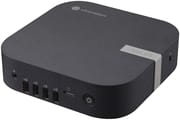 ASUS Chromebox 5a | ASUS Chromebox 5a | ASUS Chromebox 5a | ASUS Chromebox 5a | ASUS Chromebox 5a | ASUS Chromebox 5a | ASUS Chromebox 5a | |
| Price | List Price: $339 Amazon Prices: Loading prices... | List Price: Amazon Prices: Loading prices... | List Price: Amazon Prices: Loading prices... | List Price: Amazon Prices: Loading prices... | List Price: Amazon Prices: | List Price: Amazon Prices: | List Price: Amazon Prices: |
| Model number | CN67 S-1 | CN67 S-1 | CN67 S-1 | CN67 S-1 | --- | --- | --- |
| Perfomance Rating | 3.8 | 5.1 | 8.9 | 9.0 | 9.0 | 9.9 | 10.5 |
| Chromebook Plus | No | No | No | No | No | No | No |
| Processor | 5-core 0.90 Ghz (max 1.10 Ghz) Intel Celeron Processor 7305 | 5-core 0.90 Ghz (max 1.10 Ghz) Intel Celeron Processor 7305 | Hexa-core 1.20 Ghz (max 4.50 Ghz) Intel Core i3-1315U | Deca-core 3.40 Ghz (max 4.60 Ghz) Intel Core i5-1335U | Deca-core 3.40 Ghz (max 4.60 Ghz) Intel Core i5-1335U | Deca-core 3.40 Ghz (max 4.60 Ghz) Intel Core i5-1335U | Deca-core 3.70 Ghz (max 5.00 Ghz) Intel Core i7-1355U |
| RAM | 4 GB | 8 GB | 8 GB | 8 GB | 8 GB | 16 GB | 16 GB |
| Internal Storage | 128 GB NVMe SSD (upgradable) | 128 GB NVMe SSD (upgradable) | 128 GB NVMe SSD (upgradable) | 128 GB NVMe SSD (upgradable) | 256 GB NVMe SSD (upgradable) | 256 GB NVMe SSD (upgradable) | 256 GB NVMe SSD (upgradable) |
| Screen Size | No Screen | No Screen | No Screen | No Screen | No Screen | No Screen | No Screen |
| Screen Resolution | No Screen | No Screen | No Screen | No Screen | No Screen | No Screen | No Screen |
| Screen Type | No Screen | No Screen | No Screen | No Screen | No Screen | No Screen | No Screen |
| Touch Screen | No | No | No | No | No | No | No |
| Stylus / Pen | No Stylus Support | No Stylus Support | No Stylus Support | No Stylus Support | No Stylus Support | No Stylus Support | No Stylus Support |
| Dimensions width x length x thickness | 6.56 x 6.53 x 1.81 inches (166.62 x 165.86 x 45.97 mm) | 6.56 x 6.53 x 1.81 inches (166.62 x 165.86 x 45.97 mm) | 6.56 x 6.53 x 1.81 inches (166.62 x 165.86 x 45.97 mm) | 6.56 x 6.53 x 1.81 inches (166.62 x 165.86 x 45.97 mm) | 6.56 x 6.53 x 1.81 inches (166.62 x 165.86 x 45.97 mm) | 6.56 x 6.53 x 1.81 inches (166.62 x 165.86 x 45.97 mm) | 6.56 x 6.53 x 1.81 inches (166.62 x 165.86 x 45.97 mm) |
| Weight | 1.76 lbs (0.8 kg) | 1.76 lbs (0.8 kg) | 1.76 lbs (0.8 kg) | 1.76 lbs (0.8 kg) | 1.76 lbs (0.8 kg) | 1.76 lbs (0.8 kg) | 1.76 lbs (0.8 kg) |
| Backlit Keyboard | No | No | No | No | No | No | No |
| Webcam | No Webcam | No Webcam | No Webcam | No Webcam | No Webcam | No Webcam | No Webcam |
| WiFi | Wi-Fi 6E (802.11ax) | Wi-Fi 6E (802.11ax) | Wi-Fi 6E (802.11ax) | Wi-Fi 6E (802.11ax) | Wi-Fi 6E (802.11ax) | Wi-Fi 6E (802.11ax) | Wi-Fi 6E (802.11ax) |
| Bluetooth | Bluetooth 5.3 | Bluetooth 5.3 | Bluetooth 5.3 | Bluetooth 5.3 | Bluetooth 5.3 | Bluetooth 5.3 | Bluetooth 5.3 |
| Ethernet | Yes | Yes | Yes | Yes | Yes | Yes | Yes |
| Cellular Modem | No | No | No | No | No | No | No |
| HDMI | Full-Size HDMI | Full-Size HDMI | Full-Size HDMI | Full-Size HDMI | Full-Size HDMI | Full-Size HDMI | Full-Size HDMI |
| USB Ports | 6 USB 3, 1 USB-C Front: 1x USB 3.2 Gen 2 Type-A, 3x USB 3.2 Gen 1 Type-A; Back: 2x USB 3.2 Gen 2 Type-A, 1x USB 3.2 Gen 2 Type-C (supports DisplayPort 1.4 and Power Delivery input) | 6 USB 3, 1 USB-C Front: 1x USB 3.2 Gen 2 Type-A, 3x USB 3.2 Gen 1 Type-A; Back: 2x USB 3.2 Gen 2 Type-A, 1x USB 3.2 Gen 2 Type-C (supports DisplayPort 1.4 and Power Delivery input) | 6 USB 3, 1 USB-C Front: 1x USB 3.2 Gen 2 Type-A, 3x USB 3.2 Gen 1 Type-A; Back: 2x USB 3.2 Gen 2 Type-A, 1x USB 3.2 Gen 2 Type-C (supports DisplayPort 1.4 and Power Delivery input) | 6 USB 3, 1 USB-C Front: 1x USB 3.2 Gen 2 Type-A, 3x USB 3.2 Gen 1 Type-A; Back: 2x USB 3.2 Gen 2 Type-A, 1x USB 3.2 Gen 2 Type-C (supports DisplayPort 1.4 and Power Delivery input) | 6 USB 3, 1 USB-C Front: 1x USB 3.2 Gen 2 Type-A, 3x USB 3.2 Gen 1 Type-A; Back: 2x USB 3.2 Gen 2 Type-A, 1x USB 3.2 Gen 2 Type-C (supports DisplayPort 1.4 and Power Delivery input) | 6 USB 3, 1 USB-C Front: 1x USB 3.2 Gen 2 Type-A, 3x USB 3.2 Gen 1 Type-A; Back: 2x USB 3.2 Gen 2 Type-A, 1x USB 3.2 Gen 2 Type-C (supports DisplayPort 1.4 and Power Delivery input) | 6 USB 3, 1 USB-C Front: 1x USB 3.2 Gen 2 Type-A, 3x USB 3.2 Gen 1 Type-A; Back: 2x USB 3.2 Gen 2 Type-A, 1x USB 3.2 Gen 2 Type-C (supports DisplayPort 1.4 and Power Delivery input) |
| Thunderbolt Ports | No | No | No | No | No | No | No |
| Card Reader | microSD Card Reader | microSD Card Reader | microSD Card Reader | microSD Card Reader | microSD Card Reader | microSD Card Reader | microSD Card Reader |
| Battery | No Battery | No Battery | No Battery | No Battery | No Battery | No Battery | No Battery |
| Battery Life | Unknown | Unknown | Unknown | Unknown | Unknown | Unknown | Unknown |
| Fanless | No | No | No | No | No | No | No |
| Auto Update Expiration Date | June, 2032 | June, 2032 | June, 2032 | June, 2032 | June, 2032 | June, 2032 | June, 2032 |
Related Chromebooks
-
 ASUS Chromebox 5The ASUS Chromebox 5 delivers modern desktop Chrome OS performance with 12th-gen Intel processors,…
 -
 Acer Chromebox CXI5A compact Chrome OS desktop with 12th Gen Intel processors, USB4 connectivity, and support through…
 -
 Lenovo ThinkCentre M60q ChromeboxLenovo's first Chromebox in seven years delivers 12th-gen Intel power in a compact 1-liter desktop…
 -
 Acer Chromebox Mini CXM1The Acer Chromebox Mini CXM1 delivers enterprise-grade digital signage in an ultra-compact fanless…
 -
 ASUS Chromebook C424The ASUS Chromebook C424 boasts a crisp 14-inch FHD anti-glare display, durable spill-resistant…
 -
 Lenovo Chromebox MicroAn ultra-compact, fanless Chromebox designed for digital signage and specialized deployments,…
Detailed Insights into the ASUS Chromebox 5a
The ASUS Chromebox 5a measures 6.56 x 6.53 x 1.81 inches and weighs just 1.76 pounds, making it compact enough to mount behind a monitor using the included VESA bracket. The front panel provides quick access to one USB 3.2 Gen 2 Type-A port, three USB 3.2 Gen 1 Type-A ports, a 3.5mm combo audio jack, and a microSD card reader. The rear offers two additional USB 3.2 Gen 2 Type-A ports, one USB 3.2 Gen 2 Type-C port with DisplayPort 1.4 and power delivery support, dual HDMI 2.1 ports, one DisplayPort 1.4 output, and Gigabit Ethernet. This port selection enables up to four 4K displays while providing ample USB connectivity for peripherals.
Performance scales significantly across the configuration options. The entry-level Intel Celeron 7305 with its single Performance core and four Efficiency cores handles basic web browsing and Google Workspace tasks adequately but shows its limitations with heavy tab loads or Android applications. The Core i3-1315U offers a substantial performance jump with six cores and eight threads, making it suitable for educational deployments and general office work. The Core i5-1335U and Core i7-1355U variants push into power user territory with ten cores and twelve threads, handling Linux development environments, music production through web-based DAWs, and more demanding Chrome OS workloads.
Connectivity includes WiFi 6E (802.11ax) for wireless networking with support for the 6GHz band, along with Bluetooth 5.3 for peripherals. The Gigabit Ethernet port provides wired connectivity, though this represents a downgrade from the 2.5GbE port on the Chromebox 5 predecessor. Storage uses PCIe Gen 4 x4 NVMe SSDs ranging from 128GB to 512GB depending on configuration, and the M.2 2280 slot allows user upgrades. RAM configurations span from 4GB to 16GB, with the Core i3 and higher models using DDR5 memory while the Celeron model uses DDR4.
Tech Press Coverage of the ASUS Chromebox 5a
Liliputing
Brad Linder at Liliputing provided detailed analysis comparing the Chromebox 5a to its predecessor when ASUS quietly launched the device in June 2024. His coverage highlighted the trade-offs inherent in the refresh: while the 13th-gen U-series processors offer better single-core performance than the 12th-gen P-series chips in the Chromebox 5, the lower power envelope means multi-core performance may actually be lower in some scenarios.
Linder noted the connectivity changes directly: “Another change that’s more of a lateral move than a straightforward upgrade? The Chromebox 5a has more USB ports… but the fastest of them tops out at USB 3.2 Gen 2 speeds (10 Gbps). The older Chromebox 5 has a Thunderbolt 4 port with support for 40 Gbps data transfer speeds.” He also documented the Ethernet downgrade from 2.5GbE to Gigabit speeds. At a starting price of $294, the Chromebox 5a costs slightly less than the $309 starting price of its predecessor.
NotebookCheck
NotebookCheck’s coverage characterized the Chromebox 5a as “a minor refresh with some compromises.” The review emphasized that while newer processors deliver improved single-core performance, users considering an upgrade from the Chromebox 5 should weigh the lost connectivity features. The publication noted that USB 3.2 Gen 2 ports provide respectable 10Gbps transfer speeds, though the absence of Thunderbolt 4 limits high-bandwidth peripheral options.
Industry Recognition
Android Central recommends the Chromebox 5a as their top pick among efficient and affordable mini PCs running Chrome OS. Reviews highlight the quad-display support as a standout feature, making the device suitable for digital signage, multi-monitor productivity setups, and conference room deployments. The solid metal chassis provides durability for commercial environments, while the VESA mounting capability enables clean installations behind displays.
Who Should Consider the ASUS Chromebox 5a
The Chromebox 5a fits several distinct use cases depending on the configuration chosen. The Celeron variant suits basic deployments: point-of-sale terminals, digital signage, reception desk computers, and educational lab machines where users primarily access web applications. Schools deploying Chromebooks often pair them with Chromeboxes for shared workspaces, taking advantage of Chrome OS’s centralized management and security features.
The Core i3 configuration represents the sweet spot for most business and educational deployments, offering enough performance for Google Workspace, web-based applications, and moderate multitasking without the premium pricing of higher-tier processors. The Core i5 and i7 variants serve power users who need Linux development containers, run demanding Android applications, or simply want headroom for future Chrome OS feature additions.
The ten-year update commitment through June 2032 provides exceptional longevity for enterprise deployments concerned about security patch availability. Organizations replacing aging Windows desktops with Chrome OS can amortize the hardware cost over nearly a decade of supported use, making the total cost of ownership attractive despite the upfront investment.
Conclusion
The ASUS Chromebox 5a delivers a capable Chrome OS desktop experience with notable strengths in multi-display support, build quality, and long-term software updates. Its seven USB ports and quad 4K display capability address common desktop connectivity needs, while configurations ranging from Celeron to Core i7 scale across budget and performance requirements. The WiFi 6E support and compact VESA-mountable design add flexibility for various deployment scenarios.
That said, buyers upgrading from the Chromebox 5 should note the lost Thunderbolt 4 port and reduced Ethernet speed. Users requiring high-bandwidth peripheral connections or network transfers exceeding Gigabit speeds may find these compromises significant. The base 4GB RAM configuration also limits the Celeron variant’s practical utility for anything beyond the lightest workloads.
For those comparing options, see our Chromebook Comparison Chart to find the best match for your needs.
Frequently Asked Questions
What processor options are available for the ASUS Chromebox 5a?
The ASUS Chromebox 5a is available with Intel Celeron 7305, Core i3-1315U, Core i5-1335U, and Core i7-1355U processors. The Celeron 7305 features 5 cores and 5 threads at 1.10 GHz base clock with a PassMark score around 2,501. The Core i7-1355U at the high end provides 10 cores and 12 threads with boost speeds up to 5.0 GHz and a PassMark score over 13,000.
Can I upgrade the RAM and storage in the ASUS Chromebox 5a?
Yes, the ASUS Chromebox 5a supports both RAM and storage upgrades. It has two DDR4 SO-DIMM slots (DDR5 on Core i3 and higher models) supporting up to 32GB total. Storage can be upgraded via the M.2 2280 slot, which accepts PCIe Gen 4 x4 NVMe SSDs. The microSD card reader provides additional expansion for media storage.
How many displays can the ASUS Chromebox 5a support?
The ASUS Chromebox 5a supports up to four 4K displays simultaneously using its combination of dual HDMI 2.1 ports, one DisplayPort 1.4 port, and one USB-C port with DisplayPort 1.4 Alt Mode. This makes it well-suited for multi-monitor workstations, digital signage applications, and conference room setups.
What ports does the ASUS Chromebox 5a have?
The ASUS Chromebox 5a includes seven USB ports total: one USB 3.2 Gen 2 Type-A and three USB 3.2 Gen 1 Type-A ports on the front, plus two USB 3.2 Gen 2 Type-A and one USB 3.2 Gen 2 Type-C on the back. Additional connectivity includes dual HDMI 2.1, DisplayPort 1.4, Gigabit Ethernet, 3.5mm combo audio jack, and a microSD card reader.
When will the ASUS Chromebox 5a stop receiving Chrome OS updates?
The ASUS Chromebox 5a will receive Chrome OS updates through June 2032, providing approximately eight years of security patches and feature updates from the 2024 launch date. This Auto Update Expiration (AUE) date represents Google’s commitment to maintaining the device’s security and functionality.
Does the ASUS Chromebox 5a support Android and Linux apps?
Yes, the ASUS Chromebox 5a supports both Android apps through the Google Play Store and Linux applications via the Crostini container. This enables running productivity apps, development tools, and a wide range of software beyond traditional web applications. The Core i3 and higher configurations handle Linux development environments particularly well.
Can the ASUS Chromebox 5a be mounted behind a monitor?
Yes, the ASUS Chromebox 5a supports VESA mounting using the included mounting bracket. The compact 6.56 x 6.53 x 1.81-inch dimensions and 1.76-pound weight make it easy to attach behind VESA-compatible monitors, creating a clean, space-saving desktop setup with all cables hidden behind the display.