
Dell Chromebook 11
Updated on

Note: The Dell Chromebook 11 (3120) is no longer available for purchase and reached its Auto Update Expiration in September 2021.
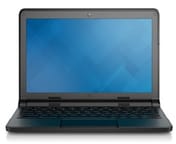
Dell built the Chromebook 11-3120 for school districts, favoring durability and portability over premium materials. Released in 2015, the 11.6-inch clamshell became a fixture in K-12 classrooms across North America on the strength of its rugged construction, manageable weight, and long battery life. The Intel Celeron N2840 processor handled basic web browsing and educational applications, and the sealed, impact-resistant body absorbed the daily wear of student use. At 2.74 pounds a student could carry it between classes, and the claimed 10-hour battery covered a full school day without a charger.
| Pros | Cons |
|---|---|
| Excellent battery life: nearly 9.5 hours in independent testing | Display contrast below average for its class (364:1) |
| Rugged construction designed for classroom abuse | Limited storage with only 9GB available after Chrome OS |
| Silent operation with minimal heat generation (max 33.9°C) | Non-upgradeable RAM limits long-term usefulness |
| Matte display eliminates glare in bright classrooms | Basic TN panel with modest viewing angles |
| Quality keyboard with good tactile feedback | Only one-year warranty despite education focus |
| Lightweight at 2.74 lbs for easy student transport | Chrome OS updates ended in September 2021 |
Related Videos
Dell Chromebook 11 Comparison Chart
 Dell Chromebook 11 | Dell Chromebook 11 | Dell Chromebook 11 | Dell Chromebook 11 | |
| Price | List Price: $312.85 Amazon Prices: | List Price: $341.00 Amazon Prices: | List Price: $355.71 Amazon Prices: | List Price: $427.14 Amazon Prices: |
| Model number | 3120-1667 | XDGJH | DNCWYUE02S | DNCWY03TS |
| Performance Rating | 1.6 | 2.0 | 2.0 | 2.0 |
| Chromebook Plus | No | No | No | No |
| Processor | Dual-core 2.16 Ghz (max 2.58 Ghz) Intel Celeron N2840 | Dual-core 2.16 Ghz (max 2.58 Ghz) Intel Celeron N2840 | Dual-core 2.16 Ghz (max 2.58 Ghz) Intel Celeron N2840 | Dual-core 2.16 Ghz (max 2.58 Ghz) Intel Celeron N2840 |
| RAM | 2 GB | 4 GB | 4 GB | 4 GB |
| Internal Storage | 16 GB eMMC | 16 GB eMMC | 16 GB eMMC | 16 GB eMMC |
| Screen Size | 11.6" | 11.6" | 11.6" | 11.6" |
| Screen Resolution | 1366x768 | 1366x768 | 1366x768 | 1366x768 |
| Screen Type | TN LCD | TN LCD | TN LCD | TN LCD |
| Touch Screen | No | No | No | Yes |
| Stylus / Pen | No Stylus Support | No Stylus Support | No Stylus Support | No Stylus Support |
| Dimensions width x length x thickness | 11.69 x 8.57 x 0.83 inches (296.93 x 217.68 x 21.08 mm) | 11.69 x 8.57 x 0.83 inches (296.93 x 217.68 x 21.08 mm) | 11.69 x 8.57 x 0.83 inches (296.93 x 217.68 x 21.08 mm) | 11.69 x 8.57 x 0.83 inches (296.93 x 217.68 x 21.08 mm) |
| Weight | 2.74 lbs (1.25 kg) | 2.74 lbs (1.25 kg) | 2.74 lbs (1.25 kg) | 2.74 lbs (1.25 kg) |
| Backlit Keyboard | No | No | No | No |
| Webcam | No Webcam | No Webcam | No Webcam | No Webcam |
| WiFi | Intel Dual Band Wireless-AC 7260 | Intel Dual Band Wireless-AC 7260 | Intel Dual Band Wireless-AC 7260 | Intel Dual Band Wireless-AC 7260 |
| Bluetooth | 4.0 LE | 4.0 LE | 4.0 LE | 4.0 LE |
| Ethernet | No | No | No | No |
| Cellular Modem | No | No | No | No |
| HDMI | Full-Size HDMI | Full-Size HDMI | Full-Size HDMI | Full-Size HDMI |
| USB Ports | 1 USB 2.0, 1 USB 3 | 1 USB 2.0, 1 USB 3 | 1 USB 2.0, 1 USB 3 | 1 USB 2.0, 1 USB 3 |
| Thunderbolt Ports | No | No | No | No |
| Card Reader | SD | SD | SD | SD |
| Battery | 3 cell, 43 WHr, Lithium-ion | 3 cell, 43 WHr, Lithium-ion | 3 cell, 43 WHr, Lithium-ion | 3 cell, 43 WHr, Lithium-ion |
| Battery Life | 10.0 hours | 10.0 hours | 10.0 hours | 10.0 hours |
| Fanless | Yes | Yes | Yes | Yes |
| Auto Update Expiration Date | September, 2021 | September, 2021 | September, 2021 | September, 2021 |
Related Chromebooks
-
 Dell Chromebook 3120The Dell Chromebook 3120 is a fanless 11.6-inch education Chromebook with an Intel N100, sold in…
 -
 Dell Chromebook 11 (3100)The Dell Chromebook 11 (3100) is a ruggedized 11.6-inch education Chromebook with rubber bumpers, a…
 -
 Acer Chromebook 311 (AMD)The Acer Chromebook 311 (CB311-10H) is an 11.6-inch ChromeOS laptop on an AMD A4-9120C with 4GB of…
 -
 ASUS Chromebook C203XAThe ASUS Chromebook C203XA is a rugged 11.6-inch education laptop with a MediaTek MT8173C, an…
 -
 Acer Chromebook Spin 11 CP311The Acer Chromebook Spin 11 combines functionality and portability with its 11.6-inch touch IPS…
 -
 Lenovo Flex 3 ChromebookThe Lenovo Flex 3 Chromebook is a fanless 11.6-inch convertible with an IPS touchscreen, a MediaTek…
A sealed chassis around a dual-core Celeron and a matte TN panel
Rubberized edges and reinforced corners protect the 3120 against drops and bumps, and a sealed keyboard keeps spills away from the internals. Dell aimed that design at school districts running one-to-one device programs. The body measures 0.83 inches thick and 11.69 inches wide, and the edges carry HDMI, one USB 3.0 port, one USB 2.0 port, an SD card reader, and a combo headphone jack.
Inside is an Intel Celeron N2840 Bay Trail processor running at 2.16GHz base with turbo up to 2.58GHz. This dual-core chip was modest even by 2015 standards, but it proved adequate for Chrome OS workloads, and the integrated Intel HD Graphics handled basic graphics tasks without issue. Configurations shipped with either 2GB or 4GB of DDR3L RAM, and the 4GB option multitasks more comfortably. The 16GB eMMC storage was typical for Chromebooks of this era, though users received only about 9GB of usable space after Chrome OS installation.
The 11.6-inch display uses a TN LCD panel at 1366x768, the standard for budget Chromebooks at the time. Its matte finish suppresses the reflections that glossy screens throw back under fluorescent lighting. NotebookCheck’s testing measured the display at 258 cd/m² brightness and a contrast ratio of 364:1, both below average for the category. Viewing angles were limited, as expected from a TN panel, though single-student, straight-on viewing rarely exposes that.
NotebookCheck scored it 81% with the screen as the one complaint
NotebookCheck’s comprehensive review by Sascha Mölck awarded the device an 81% score, praising its reliability and battery performance while acknowledging the mediocre display. Their testing measured excellent thermals with a maximum surface temperature of just 33.9°C under load, and the Chromebook remained comfortable to use on a lap even during extended sessions. Power consumption ranged from 3-4.6W at idle to 9.6-10.2W under load, contributing to the battery endurance.
The NotebookCheck review praised the keyboard, noting that “the roughened keys have a short drop and pleasant resistance” and that “the keyboard does not yield while typing on it,” concluding it “conveys a pleasing typing experience and is suitable for prolonged typing sessions.” Wired networking required a USB Ethernet adapter. The reviewer’s overall verdict was that “apart from the screen, the laptop does not have any real points of criticism. Therefore, it can be said that Dell’s Chromebook is overall successful.”
NotebookCheck recorded 9 hours and 26 minutes of continuous Wi-Fi web browsing, approaching Dell’s 10-hour claim. Browser performance benchmarks showed the Celeron N2840 scoring 8,229 points on Octane V2. That is enough for Google Docs, educational web apps, and research browsing, and short of anything that leans on the processor.
Durability and quiet operation kept it in service
The build is where the budget went. Reinforced corners and rubberized edges take the drops, and the spill-resistant keyboard keeps liquid off the board, so devices came back from students dented and scratched and still working.
Silence was the other practical benefit. With no fan noise, a room full of these machines stayed quiet, and the low surface temperatures meant students could work with one on a desk or a lap without discomfort.
School IT departments got straightforward fleet deployment and policy enforcement through the Google Admin Console. The standard Chrome OS update schedule kept the machines patched for as long as Google supported the board.
Chromebooks took over K-12 while this model was on sale
Low upfront costs, centralized management, automatic updates, and built-in security moved Chromebooks from a curiosity to a common sight in American K-12 schools between 2014 and 2016, and the 3120 arrived in the middle of that shift as Dell’s education entry.
Chrome OS support ended in September 2021. Many education devices stayed in classroom use past that date, running fine but no longer receiving security patches, which is the state any surviving unit is in today.
If you are considering a replacement, our Chromebook Comparison Chart lets you filter and compare current models by specs, price, and features.
Frequently Asked Questions
Is the Dell Chromebook 11 (3120) still safe to use?
Not for anything sensitive. The machine reached its Auto Update Expiration in September 2021 and no longer receives security updates from Google. It still boots and browses, so light home use with caution is possible, but banking, email, and work belong on a supported device.
Can I upgrade the RAM or storage?
No. Both the RAM and the 16GB eMMC storage are soldered to the motherboard. The SD card slot adds room for files, though it does nothing for system performance, so more capability means a different machine.
How long did the battery last in testing?
Independent testing by NotebookCheck measured 9 hours and 26 minutes of continuous Wi-Fi browsing, which closely matched Dell’s 10-hour claim.
What processor does the 3120 have?
An Intel Celeron N2840 on the Bay Trail architecture. The dual-core chip runs at 2.16GHz base with burst speeds up to 2.58GHz, which was adequate for Chrome OS classroom tasks when the device was current and is basic by modern standards.
Was this model designed for schools?
Yes. Dell gave it rubberized edges, reinforced corners, a sealed keyboard that resists spills, and a matte display that cuts glare from overhead classroom lighting. Long battery life and Google Admin Console management made it easy for school IT departments to run in quantity.
What can I do with an old 3120?
Offline work suits it best: video playback, or children’s educational games that need no internet connection. For anything done online securely, move to a current Chromebook that still receives updates.