
Dell Chromebook 13
Updated on

Note: This product has been discontinued. It reached its Auto Update Expiration date in June 2021 and is no longer available for purchase new. The information below is kept for historical reference.
The Dell Chromebook 13 7310 arrived in late 2015 as a revelation for Chrome OS enthusiasts who had long wished for a premium Chromebook worthy of professional use. Before this machine, most Chromebooks were cheap plastic devices aimed squarely at students and budget-conscious buyers. Dell’s entry changed that perception entirely, wrapping the lightweight Chrome OS in a magnesium alloy chassis with a soft-touch carbon fiber lid that rivaled the build quality of high-end Windows ultrabooks and even the MacBook Air. At $429 for the base Celeron model and up to $1,079 for the Core i5 configuration with 8GB RAM, the Chromebook 13 made a bold statement: Chrome OS was ready for business.
| Pros | Cons |
|---|---|
| Premium magnesium alloy and carbon fiber construction rivaled ultrabooks | Higher price ($429-$1,079) than typical 2015 Chromebooks |
| 10+ hour battery life with fast charging (35% in 30 min) | MicroSD card slot instead of full-size SD |
| Sharp 13.3-inch 1080p IPS display with excellent viewing angles | Stiff display hinge with no lift cutout (9to5Google) |
| Backlit keyboard with quality chiclet keys and good travel | Chrome OS app limitations of the 2015 era |
| Available with Intel Celeron, Core i3, or Core i5 processors | Heavy at 3.23 lbs compared to modern ultrabooks |
| Upgradeable M.2 SSD storage for user expansion | Reached end of life in June 2021 |
Related Videos
Dell Chromebook 13 Comparison Chart
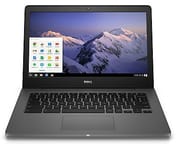 Dell Chromebook 13 | Dell Chromebook 13 | Dell Chromebook 13 | Dell Chromebook 13 | |
| Price | List Price: $927.14 Amazon Prices: | List Price: $612.86 Amazon Prices: | List Price: $755.71 Amazon Prices: | List Price: $898.57 Amazon Prices: |
| Model number | BTO005C731013US | SS0010C731013US | SS0011C731013US | BTO004C731013US |
| Performance Rating | 3.7 | 2.2 | 2.5 | 2.5 |
| Chromebook Plus | No | No | No | No |
| Processor | Dual-core 2.00 Ghz Intel Core i3-5005U | Dual-core 1.50 Ghz Intel Celeron 3205U | Dual-core 2.00 Ghz Intel Core i3-5005U | Dual-core 2.00 Ghz Intel Core i3-5005U |
| RAM | 8 GB | 4 GB | 4 GB | 4 GB |
| Internal Storage | 32 GB SSD (upgradable) | 16 GB SSD (upgradable) | 16 GB SSD (upgradable) | 32 GB SSD (upgradable) |
| Screen Size | 13.3" | 13.3" | 13.3" | 13.3" |
| Screen Resolution | 1920x1080 | 1920x1080 | 1920x1080 | 1920x1080 |
| Screen Type | IPS | IPS | IPS | IPS |
| Touch Screen | No | No | No | Yes |
| Stylus / Pen | No Stylus Support | No Stylus Support | No Stylus Support | No Stylus Support |
| Dimensions width x length x thickness | 12.93 x 9.03 x 0.66 inches (328.42 x 229.36 x 16.76 mm) | 12.93 x 9.03 x 0.66 inches (328.42 x 229.36 x 16.76 mm) | 12.93 x 9.03 x 0.66 inches (328.42 x 229.36 x 16.76 mm) | 12.93 x 9.03 x 0.66 inches (328.42 x 229.36 x 16.76 mm) |
| Weight | 3.23 lbs (1.47 kg) | 3.23 lbs (1.47 kg) | 3.23 lbs (1.47 kg) | 3.56 lbs (1.62 kg) |
| Backlit Keyboard | Yes | Yes | Yes | Yes |
| Webcam | 720p HD | 720p HD | 720p HD | 720p HD |
| WiFi | Intel Dual Band Wireless-AC | Intel Dual Band Wireless-AC | Intel Dual Band Wireless-AC | Intel Dual Band Wireless-AC |
| Bluetooth | 4.0 LE | 4.0 LE | 4.0 LE | 4.0 LE |
| Ethernet | No | No | No | No |
| Cellular Modem | No | No | No | No |
| HDMI | Full-Size HDMI | Full-Size HDMI | Full-Size HDMI | Full-Size HDMI |
| USB Ports | 1 USB 2.0, 1 USB 3 | 1 USB 2.0, 1 USB 3 | 1 USB 2.0, 1 USB 3 | 1 USB 2.0, 1 USB 3 |
| Thunderbolt Ports | No | No | No | No |
| Card Reader | MicroSD | MicroSD | MicroSD | MicroSD |
| Battery | 6 cell, 67 WHr, Lithium-ion | 6 cell, 67 WHr, Lithium-ion | 6 cell, 67 WHr, Lithium-ion | 6 cell, 67 WHr, Lithium-ion |
| Battery Life | 12.0 hours | 12.0 hours | 12.0 hours | 12.0 hours |
| Fanless | No | No | No | No |
| Auto Update Expiration Date | June, 2021 | June, 2021 | June, 2021 | June, 2021 |
Related Chromebooks
-
 ASUS Chromebook C403The ASUS Chromebook C403 is a fanless 14-inch education Chromebook with an anti-glare 1366x768…
 -
 ASUS Chromebook CX1 (CX1400)The ASUS Chromebook CX1 (CX1400) is a fanless 14-inch 1920x1080 ChromeOS laptop sold on Celeron…
 -
 HP Chromebook 14a (14a-nf series)The HP Chromebook 14a (14a-nf series) spans two tiers of the same chassis: an Amazon-exclusive…
 -
 Samsung Galaxy Chromebook Go 14"The Samsung Galaxy Chromebook Go 14 is a budget 14-inch Chromebook with an Intel Celeron N4500, a…
 -
 Samsung Galaxy Chromebook 2The Samsung Galaxy Chromebook 2 is a 13.3-inch 2-in-1 with a vivid 1080p QLED touchscreen, an…
 -
 Acer Chromebook 311 (AMD)The Acer Chromebook 311 (CB311-10H) is an 11.6-inch ChromeOS laptop on an AMD A4-9120C with 4GB of…
A Look Back at the Dell Chromebook 13 7310
The Dell Chromebook 13 7310 broke the mold for what a Chromebook could be in 2015. While competitors offered plastic shells that creaked and flexed, Dell delivered a machine that felt premium from the moment you picked it up. The magnesium alloy body provided rigid structural integrity, and the soft-touch carbon fiber finish on the lid added a sophisticated touch that resisted fingerprints while providing excellent grip. At 0.66 inches thick and 3.23 pounds, it was thicker and heavier than today’s ultrabooks, but for 2015, the dimensions were competitive with premium Windows laptops of the era.
The 13.3-inch Full HD IPS display impressed reviewers across the board, offering vibrant colors, excellent viewing angles, and sharp 1920x1080 resolution at a time when many Chromebooks still shipped with 768p panels. Engadget praised the screen as one that “finally offers up a decent-size workspace on a Chromebook,” while 9to5Google noted the screen was “great for watching movies on” thanks to its color reproduction and contrast. The display hinge allowed the screen to open to a flat 180 degrees, which proved useful for sharing content in meetings or collaborative settings.
Connectivity options were comprehensive for a Chromebook of its era. Dell included a full-size HDMI 1.4 port for presentations without needing dongles, one USB 3.0 port, one USB 2.0 port, a microSD card reader, and a combination headphone/microphone jack. The lack of USB-C reflected the technology of 2015; Type-C ports wouldn’t become standard on Chromebooks until several years later. Intel Dual Band Wireless-AC provided reliable Wi-Fi connectivity, and Bluetooth 4.0 LE handled peripheral connections. Without Ethernet, users who needed a wired network relied on a USB Ethernet adapter connected to the USB-A port. The backlit keyboard illuminated evenly across all keys, making typing in dim environments comfortable.
What Reviewers Said About the Dell Chromebook 13
Engadget’s Assessment
Nathan Ingraham at Engadget declared the Dell Chromebook 13 “the best Chromebook I’ve used” in their October 2015 review. His testing measured 10 hours and 25 minutes of runtime during HD video playback at 65% brightness. He praised the carbon fiber construction as feeling “like a solid, time-tested design” rather than the experimental plasticky builds common to Chromebooks of the time. The keyboard earned particular praise for its comfortable travel and responsive feel. Perhaps most significantly, Ingraham found performance remained smooth even with many browser tabs open, concluding that “there’s just no compromise to speak of here” for users whose computing needs centered on the browser.
9to5Google’s Perspective
Cam Bunton at 9to5Google reviewed the high-end Core i5 configuration with 8GB RAM and 32GB storage, experiencing the Chromebook 13 at its full potential. He was struck by the build quality, writing that “it’s hard to imagine that there’s a better all-round Chrome OS notebook out there than the 13-inch model from Dell.” The touchscreen variant he tested featured Corning Gorilla Glass and delivered vibrant, punchy colors that enhanced both productivity and media consumption. While he noted battery life of 6-8 hours on the more power-hungry Core i5 model fell below the Celeron’s longevity, the smoother multitasking experience justified the trade-off for power users. His main criticism focused on the display hinge: although it moved smoothly, he found it “a little stiff,” with “no cutout lip on the base, or overlap when it’s shut to make it easier to lift,” which he called a minor complaint.
Trusted Reviews’ Take
Andy Vandervell at Trusted Reviews provided a more measured assessment, awarding 3.5 out of 5 stars. His UK-focused review highlighted the steeper pricing in that market, with the Celeron model starting at £615 including VAT, roughly £200 more than he felt the hardware justified compared to alternatives like the Acer Chromebook 14. Real-world battery testing yielded 7-9 hours at 50% brightness, falling short of the claimed 12 hours but still enough for an active computing day. He acknowledged the premium build quality, writing that “anyone who is switching from, say, a MacBook Air, will feel comfortable with the quality” on offer, while criticizing the 2.17kg weight as heavy for a 13-inch machine. He concluded the Dell Chromebook 13 “isn’t refined enough to justify the asking price” in markets where Chromebook competition was fierce.
Performance and Daily Use
The Dell Chromebook 13 7310 shipped with three processor options to suit different budgets and workloads. The base Intel Celeron 3205U ran at 1.5GHz with two cores and two threads, providing adequate performance for typical Chromebook tasks like web browsing, document editing, and video streaming. Mid-range buyers could opt for the Intel Core i3-5005U at 2.0GHz, while professionals seeking the best performance chose the Core i5-5300U with its 2.3GHz base clock and 2.9GHz turbo boost. All processors came from Intel’s 5th-generation Broadwell architecture, which delivered improved power efficiency compared to earlier generations.
RAM configurations ranged from 4GB to 8GB of DDR3L memory, a choice that meaningfully impacted multitasking capability. The 4GB models handled casual browsing with a dozen or so tabs comfortably, while the 8GB configuration permitted more ambitious workflows with numerous tabs, extensions, and Android apps running simultaneously. Storage options included 16GB and 32GB M.2 SATA SSDs, and crucially, Dell designed the storage as user-upgradeable. Tech-savvy owners could swap in larger M.2 drives, a rare feature that extended the useful life of many Chromebook 13 units well beyond their software support period.
Battery life stood out as one of the Dell Chromebook 13’s defining features. The 67 WHr battery pack was unusually large for a Chromebook of its era, and Dell’s power management squeezed longevity from it. Engadget’s testing exceeded 10 hours during video playback, while real-world mixed usage typically delivered 8-10 hours depending on screen brightness and workload. The included fast-charging capability could replenish 35% of the battery in just 30 minutes, making midday top-ups practical for road warriors.
Historical Significance
The Dell Chromebook 13 7310 arrived at an important time for Chrome OS. In 2015, many questioned whether a browser-based operating system could satisfy serious productivity needs, and most Chromebooks reinforced that skepticism with cheap construction and limited capabilities. Dell’s premium offering demonstrated that Chrome OS deserved hardware as refined as any Windows ultrabook or MacBook. The carbon fiber and magnesium alloy chassis, backlit keyboard, and sharp IPS display proved that the operating system’s simplicity didn’t require settling for inferior hardware.
This Chromebook influenced the entire category. Following its success, other manufacturers began taking premium Chromebook design more seriously, eventually leading to devices like the Google Pixelbook and HP Elite Dragonfly Chromebook. The Dell Chromebook 13 showed enterprise buyers that Chromebooks could deploy in professional environments without embarrassment, paving the way for Chrome OS’s expansion into business markets.
With its Auto Update Expiration date of June 2021 now long past, the Dell Chromebook 13 7310 no longer receives Chrome OS updates or security patches. Units still function for basic tasks, but they’re unsuitable for environments requiring current security. The machine remains a touchstone in Chromebook history, remembered as the device that elevated Chrome OS expectations and proved that Google’s lightweight operating system could deliver a premium experience.
If you are shopping for a current Chromebook, the Chromebook Comparison Chart lets you sort and filter today’s models by specs, price, and features side by side.
Frequently Asked Questions
Was the Dell Chromebook 13 7310 good for business use?
Yes, the Dell Chromebook 13 7310 was specifically designed for business and education environments. Its premium magnesium alloy construction, backlit keyboard, and full HDMI port made it suitable for professional settings. The Core i3 and Core i5 configurations provided enough processing power for productivity tasks, and the long battery life supported full workdays without charging.
Could you upgrade the storage on the Dell Chromebook 13?
Yes, the Dell Chromebook 13 7310 featured user-upgradeable M.2 SATA SSD storage, which was unusual for Chromebooks of its era. The base configurations shipped with 16GB or 32GB drives, but owners could replace these with larger M.2 drives. This upgradeability extended the useful life of many units beyond their Chrome OS support period.
What battery life did the Dell Chromebook 13 7310 achieve?
The Dell Chromebook 13 7310 delivered long battery life for its time. Engadget’s testing measured over 10 hours during video playback at 65% brightness, while typical mixed usage yielded 8-10 hours depending on workload. The Celeron model achieved longer battery life than the more power-hungry Core i3 and i5 variants. Fast charging could replenish 35% in 30 minutes.
Is the Dell Chromebook 13 7310 still receiving updates?
No. The Dell Chromebook 13 7310 reached its Auto Update Expiration (AUE) date in June 2021. The device no longer receives Chrome OS updates or security patches. While it continues to function for basic tasks, it’s no longer suitable for environments requiring up-to-date security protections.
Did the Dell Chromebook 13 have a touchscreen?
Some configurations of the Dell Chromebook 13 7310 included a touchscreen option with Corning Gorilla Glass protection. The base models shipped with a non-touch IPS display. Both panel types featured 1920x1080 Full HD resolution and excellent viewing angles.
What processor options were available in the Dell Chromebook 13?
The Dell Chromebook 13 7310 offered three Intel 5th-generation Broadwell processor options: the Intel Celeron 3205U (1.5GHz, 2 cores) for budget configurations, the Intel Core i3-5005U (2.0GHz) for mid-range performance, and the Intel Core i5-5300U (2.3-2.9GHz) for maximum processing power. All variants supported 4GB or 8GB RAM configurations.
How did the Dell Chromebook 13 compare to the Chromebook Pixel?
The Dell Chromebook 13 7310 and Google Chromebook Pixel (2015) both targeted the premium Chromebook market but with different approaches. The Pixel featured a higher-resolution 2560x1700 display and more powerful Core i5/i7 processors, while the Dell offered longer battery life, a lighter design, and significantly lower pricing. The Dell was more practical for everyday business use, while the Pixel served as Google’s showcase for Chrome OS capabilities.
What made the Dell Chromebook 13 build quality special?
The Dell Chromebook 13 7310 featured a magnesium alloy body with a soft-touch carbon fiber lid, materials typically reserved for premium Windows ultrabooks and MacBooks. Reviewers consistently compared its construction quality to the MacBook Air. This premium build was revolutionary for Chromebooks in 2015, when most Chrome OS devices used plastic shells that felt cheap and flexed under pressure.