
Framework Laptop Chromebook Edition
Published on

The Framework Laptop Chromebook Edition holds a unique place in ChromeOS history as the only modular, fully upgradeable Chromebook ever produced. Built on the same 13.5-inch chassis as Framework’s popular Windows and Linux laptops, this device brought something genuinely new to the Chromebook world: user-swappable ports, socketed RAM upgradeable to 64GB, and a replaceable NVMe SSD. Powered by Intel’s 12th Gen Core i5-1240P with 12 cores and 16 threads, it delivered workstation-class performance wrapped in a premium aluminum body that could be disassembled with a single included screwdriver. Framework announced the Chromebook Edition as a device built to last, and the concept resonated deeply with ChromeOS enthusiasts even if the price tag gave others pause. The device was discontinued in August 2024, but it remains a landmark product that proved Chromebooks could be built for longevity rather than disposability.
Pros and Cons of the Framework Laptop Chromebook Edition
| Pros | Cons |
|---|---|
| Fully modular and repairable with a single screwdriver | No touchscreen support |
| RAM upgradeable to 64GB via two SO-DIMM slots | No fingerprint reader |
| Swappable Expansion Cards for customizable port selection | Higher price than most Chromebooks at launch |
| Excellent 13.5-inch 3:2 display at 2256x1504 with 400 nits | Battery life only average (6-10 hours depending on use) |
| Physical hardware privacy switches for webcam and microphone | Expansion cards can sometimes pull out when disconnecting cables |
| Premium aluminum chassis with outstanding keyboard | Speakers sound flat and lack depth for music |
Related Videos
Framework Laptop Chromebook Edition Comparison Chart
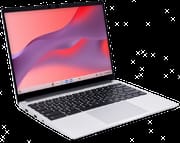 Framework Laptop Chromebook Edition | |
| Price | List Price: $999 Amazon Prices: |
| Model number | --- |
| Performance Rating | 4.1 |
| Chromebook Plus | No |
| Processor | Twelve-core 1.70 Ghz (max 4.40 Ghz) Intel Core i5-1240P |
| RAM | 8 GB |
| Internal Storage | 256 GB NVMe SSD (upgradable) |
| Screen Size | 13.5" |
| Screen Resolution | 2256x1504 |
| Screen Type | IPS |
| Touch Screen | No |
| Stylus / Pen | No Stylus Support |
| Dimensions width x length x thickness | 11.68 x 9.01 x 0.62 inches (296.67 x 228.85 x 15.75 mm) |
| Weight | 2.87 lbs (1.3 kg) |
| Backlit Keyboard | Yes |
| Webcam | 1080p |
| WiFi | Wi-Fi 6E (802.11ax) |
| Bluetooth | Bluetooth 5.3 |
| Ethernet | No |
| Cellular Modem | No |
| HDMI | No HDMI |
| USB Ports | 4x Expansion Card bays (Thunderbolt 4 internally) supporting swappable USB-C, USB-A, HDMI, DisplayPort, MicroSD, and Ethernet modules. 1x 3.5mm combo audio jack built-in. |
| Thunderbolt Ports | 4 |
| Card Reader | No Card Reader |
| Battery | 55Wh |
| Battery Life | 8 hours |
| Fanless | No |
| Auto Update Expiration Date | June, 2032 |
Related Chromebooks
-
 Acer Chromebook 314 (CB314-4H/4HT)A budget-friendly 14-inch Chromebook with Intel Alder Lake-N processors, WiFi 6E, and software…
 -
 Acer Chromebook 314The Acer Chromebook 314 combines a crisp 1920x1080 IPS display with a robust 12.5-hour battery life…
 -
 ASUS Chromebook C424The ASUS Chromebook C424 boasts a crisp 14-inch FHD anti-glare display, durable spill-resistant…
 -
 ASUS Chromebook CM14The ASUS Chromebook CM14 stands out with a MediaTek Kompanio 520 processor for smooth multitasking,…
 -
 HP Chromebook 14a (2022)The HP Chromebook 14a offers a 14-inch anti-glare display, a Quad-core Intel Celeron N4120, 4GB…
 -
 HP Chromebook 14a (2023)The HP Chromebook 14a balances performance and portability with its 14-inch display, 47 Wh battery…
Detailed Insights into the Framework Laptop Chromebook Edition

The Framework Laptop Chromebook Edition measures 11.68 x 9.01 x 0.62 inches and weighs just 2.87 pounds, making it compact and portable despite its 13.5-inch display. The chassis is constructed from 50% post-consumer recycled aluminum that resists fingerprints well, and reviewers consistently praised the build quality as premium. The magnetic bezels snap on and off for easy replacement or color customization, and the entire machine can be opened and serviced using only the included Torx T5 screwdriver. The interior reveals two SO-DIMM RAM slots, a standard M.2 2280 NVMe SSD slot, and a modular mainboard that Framework has confirmed is compatible with future upgrades.
The 13.5-inch IPS display is a standout feature with its 2256x1504 resolution and productivity-friendly 3:2 aspect ratio that provides extra vertical space for documents and web browsing. At 400 nits of brightness, it handles indoor use comfortably and can manage some outdoor situations. The Intel Core i5-1240P brings serious processing power with its hybrid architecture of 4 Performance cores and 8 Efficient cores, totaling 12 cores and 16 threads. This processor scores approximately 16,180 on PassMark’s CPU benchmark, placing it well above typical Chromebook silicon and enabling smooth multitasking, Linux app development, and even Steam gaming through Google’s beta program.
The defining feature of the Framework Chromebook is its four Expansion Card bays, each connected internally via Thunderbolt 4. Users can hot-swap modules including USB-C, USB-A, HDMI, DisplayPort, MicroSD, and Ethernet to customize their port selection on the fly. Wireless connectivity comes via WiFi 6E (802.11ax) with Intel AX211 across 2.4GHz, 5GHz, and 6GHz bands, paired with Bluetooth 5.3 for peripherals. The only permanently built-in port is the 3.5mm combo audio jack, which keeps the design clean while the expansion system handles everything else.
Reviewer Insights on the Framework Laptop Chromebook Edition

Lon Seidman’s Perspective
Lon Seidman provided a comprehensive hands-on review that included a full teardown of the Framework Chromebook. He was particularly impressed by the internal accessibility, noting that “you can even swap out the main board if you want… over time you can upgrade this machine and add more to it.” His review demonstrated the modular expansion card system in action and tested Steam gaming on ChromeOS, finding that the integrated Iris Xe graphics handled several titles surprisingly well for a Chromebook.
Lon highlighted the physical privacy switches for the webcam and microphone as thoughtful additions, and praised the ease of RAM and storage upgrades. His main criticisms centered on the keyboard flex and speaker quality, observing that the speakers sound flat and lack depth for music, though the powerful processor handles music production DAWs well despite the modest speaker output. He also noted that the ChromeOS experience is more locked down compared to Framework’s Windows and Linux models, limiting some of the tinkering potential that enthusiasts might expect.
Engadget
Engadget’s review focused on the practical value proposition of a repairable Chromebook. The reviewer praised the excellent keyboard with 1.5mm of travel and the high-resolution 3:2 display, calling the Framework Chromebook “extremely repairable for ordinary humans while still keeping a relatively small and light frame.” They highlighted the ability to upgrade RAM to 64GB as especially unusual for a Chromebook, noting “I can’t remember the last time I’ve been able to upgrade my laptop’s RAM like this.”
However, battery life emerged as the main disappointment, with the reviewer reporting only about six hours during a normal work routine. They concluded that “it’s a lot of money for a Chromebook but if it can last you five years or more it might be worth the cost,” framing the investment as a long-term play rather than a traditional Chromebook purchase.
Chrome Unboxed
Chrome Unboxed delivered an enthusiastic review that praised the premium build quality and input experience. They called the backlit keyboard’s travel and click “a complete joy” for extended typing sessions, and highlighted the 13.5-inch 3:2 display’s 400-plus nit brightness as excellent. The reviewer noted that “most times I totally forgot the fact that I was using a laptop that could come apart with ease and simply got lost in all the standard stuff this Chromebook does so well.”
At the same time, they were honest about the trade-offs at the price point, stating that “at 999 dollars we have to be picky, modularity comes at a bit of a price on some parts of this experience.” The webcam quality was singled out as disappointing with grainy output and poor dynamic range, and they noted that expansion cards could occasionally pull out when disconnecting cables. Despite these issues, their overall assessment was strongly positive, emphasizing the device’s long-term value through AUE support and hardware upgradeability.
TechRadar
According to TechRadar’s Mark Knapp, the Framework Chromebook earned 4.5 out of 5 stars as “the most exciting Chromebook to come along in years.” The review praised the unparalleled repairability, high-resolution display, and the fact that “Framework has proven that you can have a thin, light, and powerful laptop that isn’t a disposable piece of consumer electronics.” The keyboard and trackpad received particular acclaim, and the Thunderbolt 4 expansion card system was highlighted as genuinely innovative.
Android Central
Android Central’s Jerry Hildenbrand awarded 4 out of 5 stars, calling it “a laptop for people who want to own their hardware, not just use it until it breaks.” The review acknowledged the premium price but argued the long-term value through upgradeability and repairability justified the investment for the right buyer. Criticisms focused on average battery life compared to ARM-based competitors and the somewhat lackluster speakers.
9to5Google
Kyle Bradshaw at 9to5Google described it as “a device unlike any other, tailor-made for the ChromeOS enthusiast, but a hard sell for anyone else.” He praised the unboxing experience as “the best unboxing experience of any Chromebook I’ve ever seen” and highlighted the 60W GaN power adapter’s clever design. The review emphasized that Framework sells replacement parts with full repair instructions, making this a device built for genuine long-term ownership. The main reservation was the price-to-feature ratio for non-enthusiasts, particularly the absence of a touchscreen and fingerprint sensor at the $999 price point.
Across all reviews, the consensus is clear: the Framework Chromebook excels at modularity, build quality, display quality, and keyboard experience, while the price, lack of touchscreen, average battery life, and mediocre speakers are consistent points of criticism. Every reviewer acknowledged that this device serves a specific audience rather than the mainstream Chromebook market.
Conclusion
The Framework Laptop Chromebook Edition stands as a landmark device in ChromeOS history, proving that a Chromebook could be built with the same commitment to longevity and repairability as any premium laptop. Its combination of the Intel Core i5-1240P, upgradeable RAM and storage, swappable expansion card ports, and a beautiful 13.5-inch 3:2 display made it the most capable and forward-thinking Chromebook ever produced. For ChromeOS enthusiasts, educators planning long-term device deployments, and anyone who believes hardware should be repairable rather than replaceable, the Framework Chromebook was exactly the device they had been waiting for.
That said, the device was discontinued in August 2024, and finding one now requires the secondary market. Users who need a touchscreen, fingerprint authentication, or simply want the most affordable Chromebook for basic tasks should explore current alternatives. The Framework Chromebook was never meant to compete on price - it competed on principle, and for many in the ChromeOS community, it remains the gold standard for what a Chromebook could be.
For those comparing options, Starry Hope’s Chromebook Comparison Chart provides a valuable resource for finding the best match for your specific requirements.
Frequently Asked Questions
What processor does the Framework Laptop Chromebook Edition use?
The Framework Laptop Chromebook Edition is powered by the Intel Core i5-1240P, a 12th Gen hybrid processor featuring 4 Performance cores and 8 Efficient cores for a total of 12 cores and 16 threads. It runs at a base clock of 1.7 GHz and boosts up to 4.4 GHz, scoring approximately 16,180 on PassMark’s CPU benchmark. This places it well above typical Chromebook processors and enables demanding workloads including Linux app development and Steam gaming.
Can I upgrade the RAM in the Framework Laptop Chromebook Edition?
Yes, the Framework Laptop Chromebook Edition uses two SO-DIMM DDR4 RAM slots, making it the only Chromebook with user-upgradeable memory. It ships with 8GB but supports up to 64GB of RAM. Upgrading requires only the included Torx T5 screwdriver to open the laptop, and Framework provides full instructions on their support site.
What ports does the Framework Laptop Chromebook Edition have?
The Framework Chromebook features four Expansion Card bays connected via Thunderbolt 4, allowing users to choose and hot-swap their port configuration. Available expansion card modules include USB-C, USB-A, HDMI, DisplayPort, MicroSD, and Ethernet. The only permanently built-in port is a 3.5mm combo audio jack. The base configuration does not include any expansion cards; they must be purchased separately.
Is the Framework Laptop Chromebook Edition still available?
No, Framework discontinued the Chromebook Edition in August 2024. While the device is no longer available new from Framework, it may occasionally appear on the secondary market or through Framework’s refurbished marketplace. The existing chassis is compatible with Framework’s Windows and Linux mainboards, so owners can repurpose their hardware if desired.
How long will the Framework Chromebook receive updates?
Google has set the Auto Update Expiration date for June 2032, meaning the Framework Chromebook will continue receiving ChromeOS updates, security patches, and new features until then. This extended support period, combined with the upgradeable hardware, makes it one of the longest-lasting Chromebooks ever produced.
Does the Framework Chromebook have a touchscreen?
No, the Framework Laptop Chromebook Edition does not include a touchscreen. This is a simple clamshell design without touch or stylus support. The lack of a touchscreen means Android apps from the Google Play Store are less convenient to use, as they must be navigated entirely with the keyboard and trackpad.
Can the Framework Chromebook run Steam games?
Yes, the Framework Chromebook supports Steam on ChromeOS through Google’s beta program. The Intel Core i5-1240P with Iris Xe integrated graphics provides enough power to run many games at moderate settings. However, local gaming performance is limited compared to dedicated gaming hardware, and cloud gaming services like NVIDIA GeForce NOW offer a better experience for demanding titles.