
HP Chromebook 11 (G5)
Updated on

Note: This Chromebook reached its Auto Update Expiration in June 2022 and no longer receives Chrome OS security updates. It is no longer recommended for purchase.
The HP Chromebook 11 G5 represented HP’s fifth iteration of their compact 11-inch Chromebook line, released in mid-2016 when the Chromebook market was still establishing itself in education and consumer spaces. Built around Intel’s entry-level Celeron N3050 dual-core processor, this device was designed for budget-conscious buyers who prioritized portability and battery life over raw performance. With HP’s claimed 12.5-hour battery life and a starting price under $200, it targeted students and traveling professionals who needed a lightweight machine for web-based work.
| Pros | Cons |
|---|---|
| 12.5-hour battery life for all-day use | Chrome OS support ended June 2022 (no longer receiving updates) |
| Lightweight and compact design at 11.25 x 8.07 x 0.72 inches | Intel Celeron N3050 is underpowered by modern standards |
| Spill-resistant keyboard suitable for education environments | Limited to 2-4GB RAM which restricts multitasking |
| Full-size HDMI port for direct monitor connection | Non-touch TN panel with limited viewing angles |
| MicroSD card reader expands storage options | Only 16GB eMMC storage fills quickly |
| Dual-band 802.11ac WiFi and Bluetooth 4.2 | No keyboard backlight for typing in dim conditions |
Related Videos
HP Chromebook 11 (G5) Comparison Chart
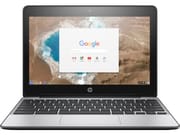 HP Chromebook 11 (G5) | HP Chromebook 11 (G5) | HP Chromebook 11 (G5) | |
| Price | List Price: $189.00 Amazon Prices: | List Price: $209.00 Amazon Prices: | List Price: $199.99 Amazon Prices: |
| Model number | X9U01UT | X9U02UT | 11-v010nr / X7T64UA |
| Performance Rating | 1.6 | 2.0 | 2.0 |
| Chromebook Plus | No | No | No |
| Processor | Dual-core 1.60 Ghz (max 2.16 Ghz) Intel Celeron N3050 | Dual-core 1.60 Ghz (max 2.48 Ghz) Intel Celeron Processor N3060 | Dual-core 1.60 Ghz (max 2.48 Ghz) Intel Celeron Processor N3060 |
| RAM | 2 GB | 4 GB | 4 GB |
| Internal Storage | 16 GB eMMC | 16 GB eMMC | 16 GB eMMC |
| Screen Size | 11.6" | 11.6" | 11.6" |
| Screen Resolution | 1366x768 | 1366x768 | 1366x768 |
| Screen Type | HD SVA eDP WLED anti-glare | HD SVA eDP WLED anti-glare | HD SVA anti-glare WLED-backlit |
| Touch Screen | No | No | No |
| Stylus / Pen | No Stylus Support | No Stylus Support | No Stylus Support |
| Dimensions width x length x thickness | 11.25 x 8.07 x 0.72 inches (285.75 x 204.98 x 18.29 mm) | 11.25 x 8.07 x 0.72 inches (285.75 x 204.98 x 18.29 mm) | 11.25 x 8.07 x 0.72 inches (285.75 x 204.98 x 18.29 mm) |
| Weight | 2.51 lbs (1.14 kg) | 2.51 lbs (1.14 kg) | 2.54 lbs (1.15 kg) |
| Backlit Keyboard | No | No | No |
| Webcam | 1280x720 | 1280x720 | 1280x720 |
| WiFi | 802.11 a/b/g/n/ac | 802.11 a/b/g/n/ac | 802.11 a/b/g/n/ac (2x2) |
| Bluetooth | Bluetooth 4.2 | Bluetooth 4.2 | Bluetooth 4.0 |
| Ethernet | No | No | No |
| Cellular Modem | No | No | No |
| HDMI | Full-Size HDMI | Full-Size HDMI | Full-Size HDMI |
| USB Ports | 2 USB 3 | 2 USB 3 | 2 USB 3 |
| Thunderbolt Ports | No | No | No |
| Card Reader | microSD Card Reader | microSD Card Reader | microSD Card Reader |
| Battery | 2 cell, 43.7 WHr, Long Life Li-ion polymer | 2 cell, 43.7 WHr, Long Life Li-ion polymer | 2 cell, 43.7 WHr, Long Life Li-ion polymer |
| Battery Life | 12.5 hours | 12.5 hours | 12.5 hours |
| Fanless | No | No | No |
| Auto Update Expiration Date | June, 2022 | June, 2022 | June, 2022 |
Related Chromebooks
-
 Acer Chromebook 311 (AMD)The Acer Chromebook 311 (CB311-10H) is an 11.6-inch ChromeOS laptop on an AMD A4-9120C with 4GB of…
 -
 ASUS Chromebook C203XAThe ASUS Chromebook C203XA is a rugged 11.6-inch education laptop with a MediaTek MT8173C, an…
 -
 HP Chromebook 11a (ARM)The HP Chromebook 11a offers an 11.6-inch anti-glare display, 720p HD webcam, and up to 15 hours 45…
 -
 ASUS Chromebook Flip CR1The ASUS Chromebook Flip CR1 (CR1100FKA) is a rugged 11.6-inch education convertible on an Intel…
 -
 HP Chromebook 14a (14a-nf series)The HP Chromebook 14a (14a-nf series) spans two tiers of the same chassis: an Amazon-exclusive…
 -
 Samsung Chromebook 4The Samsung Chromebook 4 is an 11.6-inch Celeron N4000 or N4020 Chromebook with 4GB of RAM, a…
A budget classroom machine from the Chrome OS school boom
In 2016, Chromebooks were gaining traction in K-12 education for their low cost, easy management, and resistance to malware. HP positioned the G5 as an evolutionary update to their popular 11-inch line, refining the design while keeping the entry-level pricing that made Chromebooks attractive to schools and budget shoppers.
The Intel Celeron N3050 processor at the heart of the G5 offered modest performance suitable for basic web browsing, Google Docs, and simple Android apps (which had just started rolling out to select Chromebooks in 2016). With a base clock of 1.6 GHz across two cores and no hyperthreading, the N3050 delivered passable performance for its era but would feel sluggish by today’s standards. The 2GB RAM configuration was tight even in 2016, making the 4GB variant a much better choice for anyone planning to keep more than a handful of tabs open.
HP engineered the G5 with durability in mind, including a spill-resistant keyboard that could handle minor liquid accidents without damaging internal components. This feature made it particularly appealing for education deployments where accidents are inevitable. The plastic chassis felt reasonably solid, and the 11.6-inch form factor made it easy to toss in a backpack.
A basic 1366x768 panel, full-size HDMI, and a 43.7 Wh battery
The 11.6-inch display used a 1366x768 TN panel, which was standard for budget Chromebooks of the era. TN technology meant color accuracy and viewing angles were limited, requiring users to view the screen head-on for the best picture. HP specified an anti-glare coating on these models, which cuts reflections under classroom lighting, and the display performed adequately for document work and casual video streaming.
Two USB 3.0 ports handled peripherals, while the full-size HDMI port allowed direct connection to monitors and projectors without adapters. The microSD card slot provided expansion beyond the limited 16GB internal storage. Dual-band 802.11ac WiFi and Bluetooth 4.2 kept the G5 competitive with other mid-2016 Chromebooks. Schools that needed wired network access could connect a USB Ethernet adapter to one of the USB 3.0 ports.
HP rated the G5 for up to 12.5 hours on a single charge, achieved through the efficient Celeron processor and the 43.7 Wh two-cell battery. Real-world testing by reviewers often showed 8-10 hours of mixed usage, which still made it possible to use the device throughout a full school or work day without charging.
Reviewer Insights from 2016
Chrome Unboxed’s Assessment
Chrome Unboxed’s review of the related touchscreen variant found that the G5 line delivered solid performance at a budget price. Robby Payne noted the device “feels, looks and performs much better than you’d expect for a couple hundred dollars.” The review highlighted the IPS display option on certain variants, responsive touchscreen interaction, and surprisingly good bottom-firing speakers. However, Payne criticized the overly clicky keyboard with slightly wobbly keys, and the trackpad click mechanism required excessive pressure. In Octane benchmarks, the device scored around 9,000, which was respectable for a budget Celeron Chromebook in 2016.
LaptopSuggest’s Perspective
LaptopSuggest’s review characterized the G5 as “adequate, inexpensive and friendly” while cautioning that it wasn’t for power users. Emil Stefansson praised the portability at 2.6 pounds and the 12.5-hour battery endurance. The review noted that the Celeron processor “is well adapted to perform everyday tasks” but emphasized that buyers should keep expectations aligned with the budget price. Common criticisms included limited 16GB storage requiring cloud dependency, non-upgradeable RAM soldered to the motherboard, and sparse port selection.
Chromebooks for Schools on the G4-to-G5 changes
Richard of the UK reseller Chromebooks for Schools walked through what changed from the G4. By his account the G5 is about 10 percent lighter and slightly smaller, moves from the Celeron N2840 to the N3050 with twice the cache, replaces the G4’s USB 2.0 and 3.0 mix with two USB 3.0 ports that support HP’s USB Boost charging, and adds a touchscreen option. He described the 1366x768 panel as the same anti-glare WLED screen as the G4 and quoted about 12 and a half hours of battery, roughly three hours more than its predecessor.
Updates ended in June 2022, and the hardware aged out with them
Google stopped providing Chrome OS security patches and feature updates for it in June 2022. Running an unsupported Chromebook exposes users to potential security vulnerabilities and prevents access to new Chrome OS features. While the hardware may still function, using it for tasks involving sensitive data or accounts is not advisable.
Beyond software support, the hardware specifications have not aged well. The Intel Celeron N3050 struggles with modern websites that rely heavily on JavaScript, and the 2-4GB RAM configurations cannot handle today’s more memory-intensive Chrome browser and Android apps. Users looking for a budget 11-inch Chromebook should consider currently supported options that offer better processors, more RAM, and several years of remaining updates. To see how current models stack up side by side, the Chromebook Comparison Chart lets you filter and sort by the specs that matter most.
Frequently Asked Questions
When did the HP Chromebook 11 G5 stop receiving updates?
Its Auto Update Expiration date was June 2022. Since then it has received no Chrome OS security updates, feature updates, or bug fixes from Google.
Is the HP Chromebook 11 G5 safe to use in 2024 and beyond?
With security updates finished, using it for sensitive tasks like online banking, shopping, or accessing accounts with personal information is not recommended. The device may still work for offline tasks or as a media player, but it should not be trusted for secure web browsing.
What was the difference between the HP Chromebook 11 G5 variants?
The X9U01UT (v1) featured 2GB RAM, while the X9U02UT (v2) included 4GB RAM. The consumer variant (11-v010nr) also offered 4GB RAM. Some variants included a touchscreen IPS display, while others had a standard non-touch TN panel. The 2GB X9U01UT used the Intel Celeron N3050, while the 4GB X9U02UT and the consumer 11-v010nr stepped up to the slightly faster Celeron N3060; all versions shared 16GB eMMC storage.
Can I upgrade the RAM or storage on the HP Chromebook 11 G5?
No. Both the RAM and the eMMC storage are soldered to the motherboard and cannot be upgraded. The microSD card slot can be used to expand storage for files and media, but it won’t increase the available space for Chrome OS or Android apps.
What are modern alternatives to the HP Chromebook 11 G5?
For buyers seeking a budget 11-inch Chromebook with long battery life, consider current-generation options with Chrome OS support through 2030 or later. Look for devices with Intel N-series processors (N100, N200), at least 4GB RAM, and 64GB or more storage. The best Chromebooks under $200 offer significantly better performance while maintaining affordable pricing.
How long did the HP Chromebook 11 G5 battery last in real use?
HP rated it for up to 12.5 hours of battery life. Real-world testing by reviewers typically showed 8-10 hours of mixed usage at moderate screen brightness.