
Lenovo IdeaPad N20P Chromebook
Updated on

Note: This product has been discontinued and is no longer available for purchase new. The information below is preserved for historical reference.
The Lenovo IdeaPad N20P arrived in 2014 as the first convertible Chromebook on the market, bringing a 300-degree rotating hinge design to Chrome OS. At its $329 launch price, the N20P targeted budget-conscious buyers who wanted touchscreen flexibility without paying premium prices. The 11.6-inch device could fold into tent mode for media viewing or stand mode for touch-heavy apps.
Pros and Cons
| Pros | Cons |
|---|---|
| First convertible Chromebook with 300° hinge | Dim display (218 cd/m²) with poor outdoor visibility |
| 8-9 hour battery life | Performance slower than competing Chromebooks |
| Passively cooled for silent operation | Only 2GB RAM causes slowdowns with many tabs |
| Quality Intel AC 7260 wireless card | Keyboard requires dead-center key pressing (per Expert Reviews) |
| Sturdy plastic construction | Glossy panel shows digitizer grid in bright light |
| Full-size SD card reader | No upgrade options; battery requires 17 screws to access |
Related Videos
Lenovo IdeaPad N20P Chromebook Comparison Chart
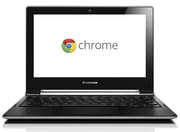 Lenovo IdeaPad N20P Chromebook | |
| Price | List Price: $329.99 Amazon Prices: |
| Model number | --- |
| Performance Rating | 1.5 |
| Chromebook Plus | No |
| Processor | Dual-core 2.16 Ghz (max 2.41 Ghz) Intel Celeron N2830 |
| RAM | 2 GB |
| Internal Storage | 16 GB SSD |
| Screen Size | 11.6" |
| Screen Resolution | 1366x768 |
| Screen Type | LED |
| Touch Screen | Yes |
| Stylus / Pen | No Stylus Support |
| Dimensions width x length x thickness | 8.35 x 11.61 x 0.71 inches (212.09 x 294.89 x 18.03 mm) |
| Weight | 2.8 lbs (1.27 kg) |
| Backlit Keyboard | No |
| Webcam | 1280x720 |
| WiFi | 802.11 a/b/g/n/ac |
| Bluetooth | Bluetooth 4.0 |
| Ethernet | No |
| Cellular Modem | No |
| HDMI | Mini HDMI |
| USB Ports | 1 USB 2.0, 1 USB 3 |
| Thunderbolt Ports | No |
| Card Reader | SD |
| Battery | 6 cell, 4700 mAh, Lithium-ion |
| Battery Life | 8.0 hours |
| Fanless | Yes |
| Auto Update Expiration Date | June, 2021 |
Related Chromebooks
-
 Lenovo Flex 3 ChromebookThe Lenovo Flex 3 Chromebook is a fanless 11.6-inch convertible with an IPS touchscreen, a MediaTek…
 -
 Lenovo 300e Yoga Chromebook Gen 4The Lenovo 300e Yoga Chromebook Gen 4 is a rugged 11.6-inch education convertible with a MediaTek…
 -
 Acer Chromebook Spin 11 CP311The Acer Chromebook Spin 11 combines functionality and portability with its 11.6-inch touch IPS…
 -
 ASUS Chromebook Flip CR1The ASUS Chromebook Flip CR1 (CR1100FKA) is a rugged 11.6-inch education convertible on an Intel…
 -
 Samsung Chromebook Plus v2The Samsung Chromebook Plus v2 is a fanless 12.2-inch convertible Chromebook with an Intel Celeron…
 -
 Acer Chromebook 311An 11.6-inch Chromebook with an Intel Celeron N4000, 4GB of RAM, a fanless chassis, and up to 10…
Design and Build Quality
The N20P’s convertible design set it apart from the rigid Chromebook landscape of 2014. Lenovo’s 300-degree hinge mechanism allowed the screen to fold back into tent or stand positions, similar to the approach used in their larger Windows-based Flex notebooks. NotebookCheck’s testing found the plastic construction offered sturdy build quality with minimal chassis flex, though they noted the display lid had weaker torsion resistance than the base unit.
At 1.284 kg (about 2.8 lbs), the N20P stayed lightweight for a convertible of its time. The 0.71-inch thickness kept it reasonably portable for students or commuters. Lenovo used a fanless thermal design, so the N20P operated in complete silence during normal use, a welcome trait for library sessions or quiet environments.
Display and Touch Experience
The 11.6-inch 1366×768 TN panel delivered mixed results. The 10-point multitouch screen responded accurately for web navigation and app selection, but image quality suffered from typical budget panel limitations. NotebookCheck measured peak brightness at just 218 cd/m², making outdoor use difficult. Expert Reviews recorded 64.5% sRGB color coverage and a 298:1 contrast ratio, adequate for web browsing but weak for photo editing or media consumption.
The glossy panel coating created noticeable glare issues, and under certain lighting conditions, the digitizer grid became visible beneath the glass. These display limitations were common among budget Chromebooks in 2014, but they remain worth noting for anyone considering used units today.
Keyboard and Trackpad
Reviewer opinions split on the N20P’s keyboard. Notebooks.com praised the “excellent roomy keyboard compared to other 11-inch Chromebooks,” finding the key spacing comfortable for touch typing. However, Expert Reviews offered a stark warning: “Unless you hit the keys dead centre, they won’t register your press, which means missed keystrokes will be a frustratingly regular occurrence.” They strongly recommended trying the keyboard in person before purchasing.
The trackpad received more consistent praise, with reviewers noting its smooth surface and reliable gesture support for Chrome OS.
Performance and Battery
The Intel Celeron N2830 dual-core processor ran at 2.16 GHz, paired with just 2GB of RAM and 16GB of eMMC storage. By 2014 standards, this configuration handled basic web browsing and document work, but showed its limits when juggling multiple tabs. NotebookCheck noted the N20P ran “noticeably slower than competing Chromebooks” in their benchmarks.
Battery life was the N20P’s standout feature. NotebookCheck measured 9 hours 37 minutes during WiFi surfing tests, while Expert Reviews recorded 8 hours 55 minutes, the best among all Chromebooks they had tested at the time. For students spending long days on campus, this endurance made the N20P practical despite its performance constraints.
Connectivity
The N20P included Intel’s Dual Band Wireless-AC 7260 card for fast WiFi performance, supporting 802.11ac and Bluetooth 4.0. Port selection covered the basics: one USB 3.0 port, one USB 2.0 port, micro-HDMI output, a full-size SD card reader, and a combo headphone/microphone jack. The micro-HDMI choice required an adapter for most external displays, and wired networking required a USB Ethernet adapter, minor inconveniences that Notebooks.com specifically called out as drawbacks.
Reviewer Insights
NotebookCheck
Steve Schardein’s comprehensive review awarded the N20P a 74% score, praising its position as the first convertible Chromebook while acknowledging its compromises. The review included detailed display calibration, thermal measurements, and battery testing that set the benchmark for N20P coverage.
“The N20p isn’t the best notebook around, but for the price, it might make sense to the right consumer,” Schardein concluded, noting that Chrome OS’s lightweight nature helped offset the modest hardware.
Expert Reviews
Michael Passingham’s 3-out-of-5 star review focused heavily on the keyboard issues, calling it “the rest of the device is fairly impressive” while warning potential buyers about the typing experience. The review highlighted the N20P’s record-setting battery performance among tested Chromebooks.
Notebooks.com
Kevin Purcell’s review took a more positive view of the keyboard, finding it spacious for an 11-inch device. His testing revealed some quirks with screen rotation when switching between modes, though this was likely addressed in later software updates.
Android Authority
Android Authority put the IdeaPad N20p’s party trick, its 300-degree hinge for stand and tent modes, to the test and found it more novelty than necessity. They liked the thin, light build and the comfortable full-size keyboard, and noted the physical keys deactivate in stand and tent modes to avoid accidental presses. The sticking points were the screen and touch: viewing angles fall off quickly off-axis, and because Chrome OS was poorly optimized for touch at the time, the on-screen keyboard lagged the moment you tried to type quickly.
FAQ
When did the Lenovo IdeaPad N20P reach end of life?
The Lenovo IdeaPad N20P reached its Chrome OS Auto Update Expiration (AUE) in June 2021, meaning it no longer receives security updates or new Chrome OS features.
Can the Lenovo N20P still be used safely?
While the N20P still functions, it no longer receives security patches since June 2021. Using it for sensitive tasks like banking or storing personal data is not recommended. It may still work for basic offline tasks or educational purposes where security is less critical.
Was the Lenovo N20P the first convertible Chromebook?
Yes, the Lenovo IdeaPad N20P was the first convertible Chromebook, featuring a 300-degree rotating hinge that allowed tent mode and stand mode configurations. This design pioneered convertible form factors that became common in later Chromebooks.
How long does the Lenovo N20P battery last?
Professional reviews measured battery life between 8 hours 55 minutes (Expert Reviews) and 9 hours 37 minutes (NotebookCheck) during WiFi browsing tests. Real-world usage typically delivered 6-7 hours depending on brightness and workload.
Can you upgrade the RAM or storage on the Lenovo N20P?
No, the Lenovo N20P has soldered RAM (2GB) and fixed 16GB eMMC storage. Neither component can be upgraded. The sealed design also makes battery replacement difficult, requiring removal of 17 screws.
What processor does the Lenovo N20P use?
The Lenovo N20P uses an Intel Celeron N2830 dual-core processor running at 2.16 GHz. This Bay Trail architecture chip provided adequate performance for basic Chrome OS tasks in 2014 but is significantly underpowered by modern standards.