
Lenovo N22 Chromebook
Updated on

Note: This product has been discontinued. It reached its Chrome OS Auto Update Expiration (AUE) date in June 2021 and is no longer available for purchase new. The information below is kept for historical reference.
The Lenovo N22 Chromebook launched in early 2016 as an education-focused device built to withstand the rigors of classroom use. Powered by an Intel Celeron N3050 processor with 4GB of RAM and 16GB of eMMC storage, this 11.6-inch Chromebook prioritized durability and battery life over raw performance. At its original price point of around $200, it targeted students, educators, and budget-conscious users who needed a reliable web browsing machine rather than a powerhouse.
Lenovo designed the N22 with several practical features that set it apart from typical budget Chromebooks. The chassis incorporates rubber bumpers on the corners, a spill-resistant keyboard that can handle up to 330ml of liquid, and mechanically anchored keys that resist student attempts to pry them off. A built-in carrying handle on the back edge made it easy for students to transport between classes without needing a separate bag.
| Pros | Cons |
|---|---|
| Exceptional battery life (10-12 hours real-world) | Limited performance with multiple tabs open |
| Rugged, spill-resistant construction | Plastic chassis feels cheap and flexible |
| Light and portable at 2.8 lbs | No keyboard backlight |
| Built-in carrying handle | Only 16GB storage |
| 180-degree rotating webcam | Reached end of support in June 2021 |
| Affordable original price under $200 | Screen quality typical of budget Chromebooks |
Lenovo N22 Chromebook Comparison Chart
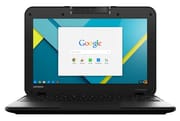 Lenovo N22 Chromebook | |
| Price | List Price: $199.00 Amazon Prices: |
| Model number | 80SF0001US |
| Performance Rating | 2.3 |
| Chromebook Plus | No |
| Processor | Dual-core 1.60 Ghz (max 2.16 Ghz) Intel Celeron N3050 |
| RAM | 4 GB |
| Internal Storage | 16 GB SSD |
| Screen Size | 11.6" |
| Screen Resolution | 1366x768 |
| Screen Type | TN |
| Touch Screen | No |
| Stylus / Pen | No Stylus Support |
| Dimensions width x length x thickness | 8.5 x 11.8 x 0.88 inches (215.9 x 299.72 x 22.35 mm) |
| Weight | 2.8 lbs (1.27 kg) |
| Backlit Keyboard | No |
| Webcam | No Webcam |
| WiFi | Dual Band 802.11 a/b/g/n/ac |
| Bluetooth | Bluetooth 4.0 |
| Ethernet | No |
| Cellular Modem | No |
| HDMI | Full-Size HDMI |
| USB Ports | 1 USB 2.0, 1 USB 3 |
| Thunderbolt Ports | No |
| Card Reader | SD |
| Battery | 3 cell, 38 Wh, Lithium-ion |
| Battery Life | 10.0 hours |
| Fanless | No |
| Auto Update Expiration Date | June, 2021 |
Related Chromebooks
-
 Lenovo Flex 3 ChromebookThe Lenovo Flex 3 Chromebook hits the sweet spot with its 11.6-inch IPS touchscreen, 4GB RAM, and…
 -
 Acer Chromebook 311 (AMD)The Acer Chromebook 311 combines an 11.6-inch ComfyView screen, robust AMD processing, and 10-hour…
 -
 ASUS Chromebook C203XAThe ASUS Chromebook C203XA shines with military-grade durability, an 11.6-inch anti-glare HD…
 -
 Lenovo Chromebook 3 11"Get to know the Lenovo Chromebook 3: lightweight, affordable, and designed for basic tasks. It…
 -
 Acer Gateway Chromebook 311Compact, efficient, and budget-friendly, the Acer Gateway Chromebook 311 offers 10-hour battery…
 -
 ASUS Chromebook Flip CR1The ASUS Chromebook Flip CR1 combines rugged durability with educational versatility, featuring…
Detailed Insights
The N22’s 11.6-inch display uses a TN panel at 1366x768 resolution with an anti-glare coating. While the viewing angles and color reproduction are modest compared to IPS panels, the matte finish helps reduce reflections in bright classroom environments. The display is adequate for document work, web browsing, and video playback, though photo editing or design work would benefit from a more capable screen.
Connectivity options include one USB 3.0 port, one USB 2.0 port, full-size HDMI output, a combination headphone/microphone jack, and an SD card reader. The dual-band 802.11ac Wi-Fi and Bluetooth 4.0 handle wireless connectivity, providing reliable connections for streaming and general web use. The rotating webcam can flip 180 degrees, allowing students to capture images of classroom materials or switch between video conferencing and documenting physical objects.
The Intel Celeron N3050 processor operates at a base frequency of 1.6GHz with burst speeds up to 2.16GHz. This dual-core chip handles basic tasks competently but struggles when pushed beyond light workloads. The 4GB of RAM helps with multitasking, though opening many browser tabs simultaneously causes noticeable slowdowns. For its intended use case of educational web apps, document editing, and video streaming, the performance is generally sufficient.
Reviewer Insights
Techaeris
Justin Jelinek’s testing of the N22 Touch variant (with a touchscreen) found the device exceeded expectations for its price category. Battery life proved particularly impressive, with real-world usage regularly hitting 10-12 hours per charge during mixed use of web browsing, document editing, and video streaming. This exceeded Lenovo’s official estimates and made the device practical for full school days without needing a charger.
The rugged design elements held up well during testing. Jelinek noted the reinforced corners, water-resistant keyboard, and overall solid construction made the N22 feel more durable than its plastic exterior might suggest. The reviewer awarded it a 9.2 out of 10, concluding: “If you’re looking for a rugged, spill-resistant Chromebook with good battery life and a touchscreen, you shouldn’t have to look too much further.”
Android Authority
Bogdan Petrovan’s review highlighted the keyboard as an unexpected strength, praising its generous key travel and comfortable typing experience despite the budget price point. However, he noted the keyboard exhibited flex under heavy typing pressure, which aligned with the overall lightweight plastic construction.
The review documented some performance limitations during heavier use. With multiple tabs open, the Celeron processor caused stuttering, and Petrovan experienced one complete freeze requiring a forced restart. Despite these issues, the 8.7 out of 10 score reflected the overall value proposition: “Lacks a bit in the build quality department, but makes up for it with portability, great battery life, and a fantastic keyboard. Coming in at under $200, this is a no brainer for those looking to surf the web.”
Frequently Asked Questions
Is the Lenovo N22 Chromebook still supported?
No, the Lenovo N22 Chromebook reached its Auto Update Expiration (AUE) date in June 2021. It no longer receives Chrome OS updates, security patches, or new features from Google. While the device may still function for basic tasks, using an unsupported device for sensitive activities is not recommended.
Can you upgrade the RAM or storage on the Lenovo N22?
No, the Lenovo N22 Chromebook uses soldered RAM and eMMC storage that cannot be upgraded. The 4GB of RAM and 16GB of storage are fixed. You can expand storage using the SD card slot or USB drives, but internal upgrades are not possible.
How long does the Lenovo N22 battery last?
The Lenovo N22 Chromebook delivers excellent battery life for its class. Lenovo rated it at 10 hours, and real-world testing by reviewers found 10-12 hours of mixed use was achievable. This made it practical for full school days without needing to recharge.
Is the Lenovo N22 Chromebook touchscreen?
The base Lenovo N22 Chromebook (80SF0001US) does not have a touchscreen. Lenovo offered a separate N22 Touch variant with touchscreen capability. Both models share similar specifications otherwise, including the same processor, RAM, and storage options.
What is the Lenovo N22 Chromebook good for?
The Lenovo N22 was designed for education and light productivity. Its strengths included durability (spill-resistant keyboard, reinforced corners), exceptional battery life, and portability. It handled web browsing, Google Workspace applications, video streaming, and basic school tasks well. It struggled with heavy multitasking or demanding web applications.
Does the Lenovo N22 have a backlit keyboard?
No, the Lenovo N22 Chromebook does not have a backlit keyboard. This was typical of budget Chromebooks in its price range. The keyboard does feature spill resistance and mechanically anchored keys designed to resist tampering.