
Samsung Chromebook Plus
Updated on

Note: This product has been discontinued and is no longer available for purchase new. Information below is preserved for historical reference and for those who own or are considering purchasing this device secondhand.
The Samsung Chromebook Plus represented a turning point in Chromebook design when it launched in February 2017. At a time when most Chromebooks were plasticky budget machines aimed at education markets, Samsung delivered a premium convertible with a display that rivaled devices costing twice as much. The 12.3-inch Quad HD screen with its unusual 3:2 aspect ratio made this one of the first Chromebooks that felt designed for productivity rather than just web browsing.
Related Videos
Samsung Chromebook Plus Comparison Chart
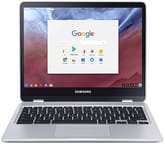 Samsung Chromebook Plus | |
| Price | List Price: $449.99 Amazon Prices: |
| Model number | XE513C24-K01US |
| Performance Rating | 2.1 |
| Chromebook Plus | No |
| Processor | Hexa-core 1.60 Ghz (max 2.00 Ghz) OP1 |
| RAM | 4 GB |
| Internal Storage | 32 GB eMMC |
| Screen Size | 12.3" |
| Screen Resolution | 2400x1600 |
| Screen Type | Quad HD display with Gorilla Glass 3 |
| Touch Screen | Yes |
| Stylus / Pen | Supported |
| Dimensions width x length x thickness | 8.7 x 11 x 0.5 inches (220.98 x 279.4 x 12.7 mm) |
| Weight | 2.38 lbs (1.08 kg) |
| Backlit Keyboard | No |
| Webcam | 1280×720 |
| WiFi | 802.11 a/b/g/n/ac 2x2 MU-MIMO (Marvell 88W8997) |
| Bluetooth | Bluetooth 4.2 |
| Ethernet | No |
| Cellular Modem | No |
| HDMI | No HDMI |
| USB Ports | 2 USB-C (up to 5Gbps, 4K display out with optional adapter) |
| Thunderbolt Ports | No |
| Card Reader | microSD Card Reader |
| Battery | 2 cell, 5140 mAh / 39 Wh, Li-Ion |
| Battery Life | 10.0 hours |
| Fanless | Yes |
| Auto Update Expiration Date | August, 2023 |
Related Chromebooks
-
 Samsung Chromebook Plus v2The Samsung Chromebook Plus v2 is a fanless 12.2-inch convertible Chromebook with an Intel Celeron…
 -
 Acer Chromebook Spin 11 CP311The Acer Chromebook Spin 11 combines functionality and portability with its 11.6-inch touch IPS…
 -
 Lenovo Flex 3 ChromebookThe Lenovo Flex 3 Chromebook is a fanless 11.6-inch convertible with an IPS touchscreen, a MediaTek…
 -
 Samsung Galaxy Chromebook 2 360A budget convertible with a sharp 2560x1600 display well above its price class, paired with…
 -
 Lenovo 500e Yoga Chromebook (Gen 4)The Lenovo 500e Yoga Chromebook Gen 4 offers a versatile 12.2'' touch IPS display and a garaged USI…
 -
 Samsung Chromebook 4+The Samsung Chromebook 4+ is a fanless 15.6-inch FHD Chromebook with an Intel Celeron N4000, dual…
Display Excellence
The standout feature of the Chromebook Plus was undeniably its display. Moor Insights & Strategy’s Patrick Moorhead called it “the best display I’ve used in a Chromebook” during his two-week review period. The 2400x1600 resolution across 12.3 inches delivered 234 pixels per inch, making text crisp and images vibrant. The 3:2 aspect ratio provided more vertical space than the typical 16:9 widescreen, which proved especially useful for document editing, web browsing, and reading.
9to5Google’s Ben Schoon noted that the display was “sharp, has solid colors, and is one of the brightest I’ve seen.” The inclusion of Gorilla Glass 3 protected the touchscreen from scratches while maintaining the smooth touch response needed for both finger navigation and stylus input. For users transitioning from tablets or who valued visual quality, the Chromebook Plus set a new standard for what a sub-$500 Chromebook could offer.
Design and Build Quality
Samsung constructed the Chromebook Plus with an all-metal magnesium alloy chassis, a significant departure from the plastic builds common in its price range. At just 0.5 inches thick and weighing 2.38 pounds, it remained portable enough for daily carry. The convertible design allowed the screen to rotate 360 degrees, transforming the laptop into a tablet for media consumption or stylus-based work.
Patrick Moorhead specifically praised the build quality, noting that the thin construction showed no bending issues despite the lightweight materials. The two USB-C ports provided modern connectivity, though some users lamented the lack of USB-A ports for legacy peripherals. A microSD card reader allowed storage expansion beyond the standard 32GB eMMC, which proved necessary given the limited internal capacity.
The OP1 Processor Dilemma
The Samsung Chromebook Plus ran on the OP1 processor, a custom ARM-based chip built on the Rockchip RK3399 platform. This created a mixed user experience that divided reviewers. The ARM architecture delivered power efficiency, with battery life consistently exceeding 10 hours in real-world use. The fanless operation meant silent computing regardless of workload.
However, the OP1 struggled when pushed beyond basic tasks. Ben Schoon observed that the high-resolution display taxed the processor, causing stuttering when scrolling through complex web pages or running multiple applications. Patrick Moorhead similarly reported that “the system bogs down with more than 10 web tabs open,” limiting the device’s multitasking capabilities. Users expecting to run demanding Android apps or maintain many open tabs found the OP1 became a bottleneck.
Included Stylus and Pen Support
One feature that set the Chromebook Plus apart was its included S-Pen stylus, which slid into a slot on the device’s body. Unlike devices that required purchasing a stylus separately, Samsung built pen support into the base price. The stylus enabled handwriting recognition in Google Keep, precise sketching, and easier screenshot annotation.
Moorhead tested the pen extensively and found it responsive with minimal lag, though Chrome OS at the time lacked the pen-optimized applications available on dedicated drawing tablets. The stylus proved most useful for quick note-taking and document markup rather than professional illustration work.
Keyboard and Trackpad Experience
The full-size keyboard included dedicated multitasking, volume, and display brightness keys along the top row. Ben Schoon described the typing experience as having “curved keys and good tactility,” though he noted the smaller outer keys like backspace and tab required an adjustment period and occasionally caused typing errors.
The trackpad received more criticism. Schoon found it performed poorly compared to competing Chromebooks, describing it as “sticky when dragging.” This frustration was particularly noticeable for users accustomed to the smooth trackpads on higher-end laptops. The lack of a physical right-click button also bothered some users transitioning from Windows machines.
Android App Growing Pains
The Samsung Chromebook Plus launched as one of the first Chromebooks to support Android applications through the Google Play Store. This was marketed as a feature that would finally give Chrome OS access to the mobile app ecosystem. In practice, the implementation disappointed many reviewers.
Ben Schoon acknowledged that “Android apps on Chrome OS make it a viable competitor to the desktop OS duopoly,” but found the experience still in beta with reliability issues. Moorhead discovered missing critical productivity apps like Office 365 for Android, delayed notifications that required apps to remain open, and a general sense that “the Android app experience did not feel entirely fluid or fully connected yet.” Over subsequent Chrome OS updates, these issues improved significantly, though the OP1’s limited power continued to constrain demanding app performance.
Pros and Cons
| Pros | Cons |
|---|---|
| 12.3” Quad HD display with 234 PPI | ARM processor stutters with demanding workloads |
| Premium all-metal construction at 0.5” thin | Only 32GB storage, no keyboard backlight |
| Included S-Pen stylus with embedded storage | Trackpad quality below expectations |
| 10+ hour battery life with fanless operation | Small outer keys cause typing errors |
| Full convertible design with 360° hinge | Limited to 4GB RAM with no upgrade path |
| 3:2 aspect ratio for productivity | Android app integration was rough at launch |
Reviewer Insights on the Samsung Chromebook Plus
Lon.TV rated the high-resolution 2400x1600 3:2 display as the standout, comparing it favorably to the 12-inch MacBook’s screen at a much lower price, with the caveat that 3:2 letterboxes widescreen video. He flagged this as one of the first Chromebooks on Rockchip’s OP1 ARM chip, a real step up from earlier ARM Chromebooks and capable with Android apps, and liked the lightweight metal build and the pressure-sensitive built-in stylus. His one real knock was the speakers, which he called lousy and tinny, alongside a slightly cramped, non-backlit keyboard.
Legacy and Historical Significance
The Samsung Chromebook Plus reached its Chrome OS end-of-life in August 2023, meaning it no longer receives security updates. For users still operating this device, transitioning to a newer Chromebook is recommended for security reasons, though the hardware itself may continue functioning indefinitely for offline tasks.
The Chromebook Plus, alongside its Intel-powered sibling the Chromebook Pro, demonstrated that the Chromebook form factor could appeal to buyers beyond education and budget markets. Samsung proved that premium materials, high-resolution displays, and thoughtful design could coexist with Chrome OS. Many features pioneered or popularized by this device, including high-resolution displays, convertible hinges, and stylus support, became standard in later Chromebook Plus branded devices and high-end Chromebooks from other manufacturers.
For those considering a secondhand purchase, the Chromebook Plus can still serve basic web browsing and media consumption needs, though its lack of security updates and aging processor make it unsuitable as a primary computing device in 2026. The display still holds up even by current standards, and the build quality means well-maintained units should continue operating reliably for light use.
To see how this device stacks up against current options, the Chromebook Comparison Chart covers the full range of models side by side.
Frequently Asked Questions
Is the Samsung Chromebook Plus still safe to use?
The Samsung Chromebook Plus reached its Chrome OS end-of-life in August 2023 and no longer receives security updates. While it still functions, using it for sensitive tasks like online banking or storing personal data is not recommended without security updates.
What is the difference between the Samsung Chromebook Plus and Pro?
The Chromebook Plus uses an ARM-based OP1 processor (Rockchip RK3399) priced at $449, while the Chromebook Pro uses an Intel Core m3 processor with better performance at $549. Both share the same display, build quality, and design, but the Pro offers noticeably snappier performance for demanding tasks.
Can the Samsung Chromebook Plus run Android apps?
Yes, the Chromebook Plus was one of the first Chromebooks to support Android apps through Google Play. However, the ARM processor and 4GB RAM limit performance with demanding apps, and Android app support has improved significantly on newer devices.
Why does the Samsung Chromebook Plus have a 3:2 display?
The 3:2 aspect ratio provides more vertical screen space than typical 16:9 widescreen displays. This benefits productivity tasks like document editing, web browsing, and reading by showing more content without scrolling. Samsung chose this ratio to differentiate the Chromebook Plus as a productivity-focused device.
Is the Samsung Chromebook Plus stylus replaceable?
Yes, the Samsung S-Pen stylus can be replaced if lost or damaged. Compatible replacement pens are available from Samsung and third-party manufacturers. The stylus uses Wacom EMR technology and does not require battery charging.
How long does the Samsung Chromebook Plus battery last?
The Chromebook Plus consistently delivers 10+ hours of battery life under normal use thanks to its efficient ARM processor and 39Wh battery. Actual runtime varies based on screen brightness and workload, but users regularly reported all-day battery life in reviews.