
MINISFORUM MS-A1
Published on

The MINISFORUM MS-A1 breaks the mold of what a mini PC can be by packing a full desktop-class AMD AM5 socket into a chassis barely larger than a hardcover book. Unlike the mobile processors found in nearly every other mini PC on the market, the MS-A1 uses a socketed AMD Ryzen 7 8700G desktop APU, which means you can actually swap the CPU yourself and upgrade to faster chips down the road. That alone sets it apart from the competition. Add in four M.2 NVMe storage slots, an OCuLink port for external GPU connectivity, and dual 2.5GbE networking, and you have a machine that punches well above its size class. Whether you’re building a home lab, running virtual machines, or assembling a compact workstation with eGPU potential, the MS-A1 delivers a rare combination of power and upgradeability.
Pros and Cons of the MINISFORUM MS-A1
| Pros | Cons |
|---|---|
| Socketed AM5 desktop CPU is user-replaceable and upgradeable | Larger footprint than typical mini PCs at 7.46 x 7.32 inches |
| Four M.2 NVMe slots with up to 27TB total storage capacity | Bulky 240W external power brick required |
| OCuLink port for high-bandwidth external GPU connectivity | RAM speed locked at 5200MHz in BIOS |
| Dual 2.5GbE Ethernet with link aggregation support | One M.2 slot limited to PCIe 4.0 x1 speeds |
| Up to 96GB DDR5 RAM across two SODIMM slots | Networking downgraded from 10GbE (vs. Intel MS-01) |
| Effective dual-fan cooling handles 65W TDP without throttling | Tedious disassembly requires removing six screws |
Related Videos
MINISFORUM MS-A1 Comparison Chart
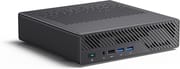 MINISFORUM MS-A1 | MINISFORUM MS-A1 | MINISFORUM MS-A1 | MINISFORUM MS-A1 | MINISFORUM MS-A1 | MINISFORUM MS-A1 | |
| Price | List Price: Amazon Prices: Loading prices... | List Price: Amazon Prices: | List Price: Amazon Prices: | List Price: Amazon Prices: Loading prices... | List Price: Amazon Prices: | List Price: Amazon Prices: |
| Version | Barebone / Ryzen 7 8700G / No RAM / No SSD | 32GB/1TB/Ryzen 7 8700G | 64GB/2TB/Ryzen 7 8700G | Barebone / Ryzen 9 9950X / No RAM / No SSD | 32GB/1TB/Ryzen 9 9950X | 64GB/2TB/Ryzen 9 9950X |
| Perfomance Rating | 8.7 | 9.4 | 9.6 | 8.7 | 9.4 | 9.6 |
| Operating System | Windows 11 Pro | Windows 11 Pro | Windows 11 Pro | Windows 11 Pro | Windows 11 Pro | Windows 11 Pro |
| Processor | Octa-core 4.20 Ghz (max 5.10 Ghz) AMD Ryzen 7 8700G | Octa-core 4.20 Ghz (max 5.10 Ghz) AMD Ryzen 7 8700G | Octa-core 4.20 Ghz (max 5.10 Ghz) AMD Ryzen 7 8700G | Octa-core 4.20 Ghz (max 5.10 Ghz) AMD Ryzen 7 8700G | Octa-core 4.20 Ghz (max 5.10 Ghz) AMD Ryzen 7 8700G | Octa-core 4.20 Ghz (max 5.10 Ghz) AMD Ryzen 7 8700G |
| GPU | Integrated AMD Radeon 780M | Integrated AMD Radeon 780M | Integrated AMD Radeon 780M | Integrated AMD Radeon 780M | Integrated AMD Radeon 780M | Integrated AMD Radeon 780M |
| RAM | 0 GB DDR5 SO-DIMM (Two DDR5-5200 SODIMM slots, up to 96GB total (2x 48GB).) | 32 GB DDR5 SO-DIMM (Dual-channel DDR5-5200) | 64 GB DDR5 SO-DIMM (Dual-channel DDR5-5200) | 0 GB DDR5 SO-DIMM (Two DDR5-5200 SODIMM slots, up to 96GB total (2x 48GB).) | 32 GB DDR5 SO-DIMM (Dual-channel DDR5-5200) | 64 GB DDR5 SO-DIMM (Dual-channel DDR5-5200) |
| Internal Storage | 0 GB NVMe SSD | 1 TB NVMe SSD | 2 TB NVMe SSD | 0 GB NVMe SSD | 1 TB NVMe SSD | 2 TB NVMe SSD |
| Dimensions width x length x thickness | 7.46 x 7.32 x 1.89 inches (189.48 x 185.93 x 48.01 mm) | 7.46 x 7.32 x 1.89 inches (189.48 x 185.93 x 48.01 mm) | 7.46 x 7.32 x 1.89 inches (189.48 x 185.93 x 48.01 mm) | 7.46 x 7.32 x 1.89 inches (189.48 x 185.93 x 48.01 mm) | 7.46 x 7.32 x 1.89 inches (189.48 x 185.93 x 48.01 mm) | 7.46 x 7.32 x 1.89 inches (189.48 x 185.93 x 48.01 mm) |
| Weight | 3.97 lbs (1.8 kg) | 3.97 lbs (1.8 kg) | 3.97 lbs (1.8 kg) | 3.97 lbs (1.8 kg) | 3.97 lbs (1.8 kg) | 3.97 lbs (1.8 kg) |
| WiFi | Wi-Fi 6E (802.11ax) | Wi-Fi 6E (802.11ax) | Wi-Fi 6E (802.11ax) | Wi-Fi 6E (802.11ax) | Wi-Fi 6E (802.11ax) | Wi-Fi 6E (802.11ax) |
| Bluetooth | Bluetooth 5.2 | Bluetooth 5.2 | Bluetooth 5.2 | Bluetooth 5.2 | Bluetooth 5.2 | Bluetooth 5.2 |
| Ethernet | 2 Ethernet ports at 2.5 Gbps | 2 Ethernet ports at 2.5 Gbps | 2 Ethernet ports at 2.5 Gbps | 2 Ethernet ports at 2.5 Gbps | 2 Ethernet ports at 2.5 Gbps | 2 Ethernet ports at 2.5 Gbps |
| HDMI | 1 Full-Size HDMI Port | 1 Full-Size HDMI Port | 1 Full-Size HDMI Port | 1 Full-Size HDMI Port | 1 Full-Size HDMI Port | 1 Full-Size HDMI Port |
| DisplayPort | 1 DisplayPort (DisplayPort 2.0, supports 4K at 144Hz) | 1 DisplayPort (DisplayPort 2.0, supports 4K at 144Hz) | 1 DisplayPort (DisplayPort 2.0, supports 4K at 144Hz) | 1 DisplayPort (DisplayPort 2.0, supports 4K at 144Hz) | 1 DisplayPort (DisplayPort 2.0, supports 4K at 144Hz) | 1 DisplayPort (DisplayPort 2.0, supports 4K at 144Hz) |
| VGA | No VGA Ports | No VGA Ports | No VGA Ports | No VGA Ports | No VGA Ports | No VGA Ports |
| USB Ports | 2 USB 2.0, 3 USB 3, 1 USB 4, 1 USB-C | 2 USB 2.0, 3 USB 3, 1 USB 4, 1 USB-C | 2 USB 2.0, 3 USB 3, 1 USB 4, 1 USB-C | 2 USB 2.0, 3 USB 3, 1 USB 4, 1 USB-C | 2 USB 2.0, 3 USB 3, 1 USB 4, 1 USB-C | 2 USB 2.0, 3 USB 3, 1 USB 4, 1 USB-C |
| Thunderbolt Ports | No | No | No | No | No | No |
| Internal SATA Ports | No SATA ports | No SATA ports | No SATA ports | No SATA ports | No SATA ports | No SATA ports |
| Card Reader | No Card Reader | No Card Reader | No Card Reader | No Card Reader | No Card Reader | No Card Reader |
| Headphone Jack | combo | combo | combo | combo | combo | combo |
| Fanless | No | No | No | No | No | No |
| VESA Mount | No | No | No | No | No | No |
| In the Box | MS-A1 main unit, 240W external power supply, HDMI cable, M.2 to U.2 conversion plate, opening tool, user manual. | MS-A1 main unit, 240W external power supply, HDMI cable, M.2 to U.2 conversion plate, opening tool, user manual. | MS-A1 main unit, 240W external power supply, HDMI cable, M.2 to U.2 conversion plate, opening tool, user manual. | MS-A1 main unit, 240W external power supply, HDMI cable, M.2 to U.2 conversion plate, opening tool, user manual. | MS-A1 main unit, 240W external power supply, HDMI cable, M.2 to U.2 conversion plate, opening tool, user manual. | MS-A1 main unit, 240W external power supply, HDMI cable, M.2 to U.2 conversion plate, opening tool, user manual. |
| Expandability | Socketed AMD AM5 CPU (user-replaceable, supports Ryzen 7000/8000/9000 series up to 65W TDP), 2x DDR5-5200 SODIMM slots (up to 96GB), 4x M.2 NVMe SSD slots, OCuLink port for external GPU expansion. | Socketed AMD AM5 CPU (user-replaceable, supports Ryzen 7000/8000/9000 series up to 65W TDP), 2x DDR5-5200 SODIMM slots (up to 96GB), 4x M.2 NVMe SSD slots, OCuLink port for external GPU expansion. | Socketed AMD AM5 CPU (user-replaceable, supports Ryzen 7000/8000/9000 series up to 65W TDP), 2x DDR5-5200 SODIMM slots (up to 96GB), 4x M.2 NVMe SSD slots, OCuLink port for external GPU expansion. | Socketed AMD AM5 CPU (user-replaceable, supports Ryzen 7000/8000/9000 series up to 65W TDP), 2x DDR5-5200 SODIMM slots (up to 96GB), 4x M.2 NVMe SSD slots, OCuLink port for external GPU expansion. | Socketed AMD AM5 CPU (user-replaceable, supports Ryzen 7000/8000/9000 series up to 65W TDP), 2x DDR5-5200 SODIMM slots (up to 96GB), 4x M.2 NVMe SSD slots, OCuLink port for external GPU expansion. | Socketed AMD AM5 CPU (user-replaceable, supports Ryzen 7000/8000/9000 series up to 65W TDP), 2x DDR5-5200 SODIMM slots (up to 96GB), 4x M.2 NVMe SSD slots, OCuLink port for external GPU expansion. |
Related Mini PCs
-
 MINISFORUM UN1290The MINISFORUM UN1290 delivers desktop-class Intel Core i9-12900HK performance in a compact 0.9L…
 -
 MINISFORUM Venus UN1265Introducing the MINISFORUM Venus UN1265 Mini PC: a powerhouse in a pint-sized package. Equipped…
 -
 Reatan X7A compact gaming-ready mini PC with AMD Ryzen 7 255/8745HS processor, OCuLink for external GPUs,…
 -
 Minisforum AtomMan X7 TiThe Minisforum AtomMan X7 Ti is a premium mini PC featuring the Intel Core Ultra 9 185H processor,…
 -
 BOSGAME P2 LiteCompact yet powerful, the BOSGAME P2 Lite features Intel Iris Xe Graphics, dual 4K monitor support,…
 -
 BOSGAME P3Compact yet powerful, the BOSGAME P3 Mini PC features an AMD Ryzen 9 6900HX processor, Radeon 680M…
Detailed Insights into the MINISFORUM MS-A1

The MINISFORUM MS-A1 measures 7.46 x 7.32 x 1.89 inches and weighs 3.97 pounds, making it noticeably larger than ultracompact mini PCs but still far smaller than any traditional desktop. The chassis uses a sturdy aluminum construction with the Minisforum “Coldwave Pro” cooling system, featuring dual fans and four heat pipes that keep the desktop-class processor running comfortably at its 65W power envelope. The front panel provides two USB 3.2 Gen 1 ports, one USB 2.0 port, and a 3.5mm combo audio jack, while the rear is packed with one HDMI port (4K@60Hz), one DisplayPort 2.0 (4K@144Hz), one USB4 port (40Gbps), one USB 3.2 Gen 2 port, one USB 2.0 port, dual 2.5GbE Ethernet jacks, and the distinctive OCuLink port. This triple-display setup supports up to 8K output through the USB4 and DisplayPort connections.
At the heart of the MS-A1 lies the AMD Ryzen 7 8700G, a desktop APU with 8 cores and 16 threads running at a base clock of 4.2GHz and boosting up to 5.1GHz. With a PassMark CPU Mark score of approximately 31,671, it delivers serious multi-threaded performance that outclasses the mobile Intel Core i9-13900H found in the sibling MINISFORUM MS-01. The integrated Radeon 780M GPU handles 1080p gaming at playable framerates and provides capable hardware acceleration for media transcoding. Because the MS-A1 uses a standard AM5 socket, ambitious users can swap in processors from the Ryzen 7000, 8000, or 9000 series, including chips like the 16-core Ryzen 9 9950X, though the BIOS limits TDP to 65W regardless of which CPU you install.
Connectivity options include WiFi 6E (802.11ax) wireless, Bluetooth 5.2, and dual 2.5GbE Ethernet ports with Realtek controllers supporting link aggregation. The USB4 port provides 40Gbps bandwidth when used with the Ryzen 8000G series processors, though it drops to 10Gbps USB 3.2 speeds if you swap in a non-Phoenix architecture CPU from the Ryzen 7000 or 9000 lines. Storage expansion is exceptional, with four M.2 2280 NVMe slots that accept drives up to the maximum 4TB capacity each, plus a M.2 to U.2 conversion plate for enterprise-grade storage. The four slots run at different speeds depending on your CPU: with the 8700G you get two PCIe 4.0 x4 slots, one PCIe 3.0 x4 slot, and one PCIe 4.0 x1 slot, so plan your drive placement accordingly.
Reviewer Insights on the MINISFORUM MS-A1

ETA PRIME’s Perspective
ETA PRIME tested the MS-A1 with a focus on its gaming capabilities and OCuLink eGPU potential. He found the Radeon 780M integrated graphics handled 1080p gaming “respectably” on its own, but the real excitement came from connecting an external GPU through the OCuLink port. He noted that “with this mini PC we can get a lot more out of it because we’ve got that OCuLink port around back,” demonstrating impressive performance gains with a GPD G1 eGPU dock. His main criticism was the BIOS-locked RAM speed: “RAM is locked at 5200 MHz, really no way to change it from within here, kind of wish it was at least at 56.”
The Phawx’s Perspective
The Phawx delivered an enthusiastic technical breakdown, calling the MS-A1 a revolutionary product. He demonstrated the CPU upgrade path by swapping in a Ryzen 9 7950X 16-core processor, finding the cooling system handled it impressively: “The cooling I’m super happy with — in a mini PC like that we’re pulling 65 watts, we’re not thermally throttling.” He praised the engineering, saying “to make something like that is absolutely genius… the design is absolutely fantastic.” His concerns centered on the networking downgrade from 10GbE to dual 2.5GbE compared to the MS-01, and the difficulty of removing RAM due to thick thermal pads.
Hardware Canucks’ Perspective
Hardware Canucks provided thorough benchmarks and thermal testing, noting the 8700G’s impressive single-core performance and calling it “entirely overkill for general computing on its own.” They appreciated the easy disassembly for upgrades, the strong thermal management, and the versatile I/O including USB4 and DisplayPort 2.0. However, they pointed out the larger physical footprint compared to competing mini PCs, the bulky external power brick, and the confusing documentation regarding M.2 slot speeds, noting the asymmetric bandwidth allocation across the four slots.
NASCompares’ Perspective
NASCompares compared the MS-A1 directly against the Intel-based MS-01, concluding that the AMD model’s desktop architecture gives it a clear advantage in compute and graphical benchmarks. They highlighted the “full AM5 desktop socket along with an AMD Ryzen 7 8700G 8-core CPU” and praised the support for high-capacity U.2 enterprise drives. Their main criticism was the more complicated disassembly process compared to the MS-01’s tool-less design, and they noted that Radeon integrated graphics are less compatible with certain server applications like Plex hardware transcoding compared to Intel QuickSync.
XDA Developers
According to XDA Developers, the MS-A1 is “less so a mini PC and more of a very compact PC,” rating it 8 out of 10. Reviewer João Carrasqueira praised its “great all-around performance for different kinds of workloads” and the ample upgrade headroom, while noting it sits in “an awkward middle ground” between a true mini PC and a full desktop. The review flagged the absence of an SD card reader and the 240W external PSU that limits CPU choices to 100W models.
Virtualization Howto
Virtualization Howto reviewer Brandon Lee evaluated the MS-A1 specifically as a home server platform. He praised the AMD Ryzen 8700G’s uniform core architecture as better suited for virtualization than Intel’s hybrid approach: “I really like the uniform Ryzen processors over the Intel hybrid core processors for home lab workloads.” However, he called the networking “the big disappointment,” noting the Realtek 2.5GbE adapters lack native VMware ESXi compatibility, making the MS-A1 better suited as a Proxmox host.
Across multiple reviews, the consensus points to the upgradeable AM5 socket and quad M.2 storage as the primary strengths, while the networking downgrade from 10GbE and the bulky external power supply appear consistently as areas for improvement. Reviewers generally agree this is an excellent platform for home labs and workstation use, though opinions differ on whether the larger chassis is a fair tradeoff for the desktop-class CPU.
Customer Reviews of the MINISFORUM MS-A1
Amazon customers have rated the MS-A1 between 4.3 and 4.4 out of 5 stars across its various configurations. The most praised aspects include the OCuLink port for eGPU expansion, the ease of assembling the barebone unit, and the impressive performance from the desktop-class processor. One buyer successfully paired theirs with a Ryzen 9 7950X and 96GB of RAM, reporting “impressively fast boot times and stable thermals” while calling the OCuLink eGPU experience “plug and play.”
However, some customers report issues with fan reliability, with one noting the main fan intermittently stops working and requires a full system restart. Others have found the system louder than expected under heavy CPU load, and a few experienced stability issues that Minisforum customer service was slow to address. The barebone version receives particular praise for its reasonable total build cost, though buyers should factor in the price of a CPU, RAM, and storage.
Overall, customer sentiment is positive, with most buyers finding the MS-A1 delivers exceptional value for home lab, virtualization, and compact workstation use cases. The ability to choose your own components with the barebone model and upgrade the CPU over time resonates strongly with the enthusiast audience this product targets.
Conclusion
The MINISFORUM MS-A1 stands out as a genuinely unique product in the mini PC landscape, offering desktop-class CPU power and upgradeability in a form factor that fits on any desk. Its combination of a socketed AM5 processor, four M.2 storage slots, OCuLink eGPU support, and dual 2.5GbE networking makes it particularly well-suited for home lab enthusiasts, Proxmox and virtualization users, and anyone who wants a compact workstation they can grow with over time. The Ryzen 7 8700G delivers strong performance out of the box, and the ability to upgrade to faster AM5 processors adds long-term value that no other mini PC in this class can match.
That said, users who need 10GbE networking for VMware ESXi or high-speed NAS connectivity should look at the Intel-based MINISFORUM MS-01 or consider the newer MINISFORUM MS-A2 which adds SFP+ ports. Those who prioritize a truly compact footprint may find the MS-A1’s 7.46 x 7.32-inch chassis and external power brick larger than expected. And while the OCuLink eGPU option is compelling, bandwidth limitations mean it won’t fully replace a dedicated desktop GPU for serious gaming or professional rendering.
For those comparing options, see our Mini PC Comparison Chart to find the best match for your needs.
Frequently Asked Questions
What processor does the MINISFORUM MS-A1 use?
The MINISFORUM MS-A1 comes with the AMD Ryzen 7 8700G desktop processor, featuring 8 cores and 16 threads with a base clock of 4.2GHz and boost up to 5.1GHz. It scores approximately 31,671 on PassMark’s CPU benchmark. A Ryzen 9 9950X configuration with 16 cores and 32 threads is also available. Because the MS-A1 uses a standard AM5 socket, you can swap in any compatible Ryzen 7000, 8000, or 9000 series desktop processor up to 65W TDP.
Can I upgrade the RAM in the MINISFORUM MS-A1?
Yes, the MINISFORUM MS-A1 supports RAM upgrades via two DDR5-5200 SODIMM slots, with a maximum capacity of 96GB (2x 48GB modules). The barebone model ships without RAM, so you can install your own from the start. Note that the BIOS currently locks RAM speed at 5200MHz regardless of the modules installed.
What ports does the MINISFORUM MS-A1 have?
The MINISFORUM MS-A1 includes a comprehensive port selection. The front panel has two USB 3.2 Gen 1 ports, one USB 2.0 port, and a 3.5mm combo audio jack. The rear provides one HDMI port (4K@60Hz), one DisplayPort 2.0 (4K@144Hz), one USB4 port (40Gbps), one USB 3.2 Gen 2 port, one USB 2.0 port, dual 2.5GbE Ethernet jacks, and an OCuLink port for external GPU connectivity.
What’s included in the box with the MINISFORUM MS-A1?
The MINISFORUM MS-A1 comes with the main unit, a 240W external power supply, an HDMI cable, an M.2 to U.2 conversion plate for enterprise NVMe drives, an opening tool for the chassis, and a user manual. The barebone version does not include a CPU, RAM, storage, or operating system — you’ll need to supply those separately.
Can I use an external GPU with the MINISFORUM MS-A1?
Yes, the MINISFORUM MS-A1 includes a dedicated OCuLink port on the rear panel that provides PCIe 4.0 x4 bandwidth (approximately 63Gbps) for connecting an external GPU enclosure. Reviewers have tested it successfully with eGPU docks like the GPD G1, finding plug-and-play compatibility with significant gaming performance improvements over the integrated Radeon 780M graphics.
How many storage drives can the MINISFORUM MS-A1 hold?
The MINISFORUM MS-A1 supports four M.2 2280 NVMe SSDs, which is more storage slots than many full-size desktops offer. With the Ryzen 7 8700G, two slots run at PCIe 4.0 x4, one at PCIe 3.0 x4, and one at PCIe 4.0 x1 speeds. It also includes an M.2 to U.2 conversion plate that lets you install a 2.5-inch enterprise NVMe drive in place of one M.2 slot.
Is the MINISFORUM MS-A1 good for virtualization and home labs?
The MS-A1 is well-suited for virtualization with its 8-core/16-thread desktop processor, support for up to 96GB RAM, and four NVMe storage slots. It works particularly well with Proxmox, as the AMD Ryzen 8700G’s uniform core architecture avoids the scheduling complexities of Intel’s hybrid designs. However, the Realtek 2.5GbE network adapters lack native VMware ESXi support, so VMware users may need additional network adapters or should consider the Intel-based MS-01 instead.