
Minisforum AtomMan X7 Ti
Updated on

The Minisforum AtomMan X7 Ti puts an Intel Core Ultra 9 185H, a 4-inch touchscreen, and a 1080P webcam into an aluminium chassis. The webcam supports Windows Hello facial recognition and has a physical privacy shutter, and there is a fingerprint reader on the chassis as well. An OCuLink port handles external GPU expansion, while dual 5GbE Ethernet and WiFi 7 cover the wired and wireless sides. The mix targets people editing 4K video, running local AI workloads, or building a home office that doubles as a video conferencing station.
Pros and Cons
| Pros | Cons |
|---|---|
| Built-in 4-inch touchscreen for real-time system monitoring and power mode switching | Difficult to disassemble for upgrades (glued rubber feet, many screws) |
| Integrated 1080P webcam with Windows Hello and physical privacy shutter | Fan noise becomes noticeable under heavy load, especially in performance mode |
| OCuLink port carries PCIe 4.0 x4 bandwidth of about 63Gbps in theory, ahead of USB4 for an eGPU | Takes real desk space at 5.71 x 5.71 x 1.91 inches |
| Dual 5GbE Ethernet with link aggregation up to 10Gbps | Intel Arc integrated graphics still have driver issues in some games |
| WiFi 7 and Bluetooth 5.4 wireless connectivity | Touchscreen software customization options are limited |
| Fingerprint reader and dual microphones built into the chassis | SD card slot limited to UHS-I speeds |
Related Videos
Minisforum AtomMan X7 Ti Comparison Chart
 Minisforum AtomMan X7 Ti | Minisforum AtomMan X7 Ti | |
| Price | List Price: Amazon Prices: | List Price: Amazon Prices: |
| Version | Barebone | 32GB/1TB |
| Performance Rating | 5.5 | 5.9 |
| Operating System | Windows 11 Pro | Windows 11 Pro |
| Processor | Sixteen-core 2.30 Ghz (max 5.10 Ghz) Intel Core Ultra 9 Processor 185H | Sixteen-core 2.30 Ghz (max 5.10 Ghz) Intel Core Ultra 9 Processor 185H |
| GPU | Integrated Intel Arc graphics | Integrated Intel Arc graphics |
| RAM | 0 GB DDR5 SO-DIMM | 32 GB DDR5 SO-DIMM, 2-channel (Dual-channel DDR5-5600) |
| Internal Storage | 0 GB | 1 TB NVMe PCIe 4.0 |
| Dimensions width x length x thickness | 5.71 x 5.71 x 1.91 inches (145.03 x 145.03 x 48.51 mm) | 5.71 x 5.71 x 1.91 inches (145.03 x 145.03 x 48.51 mm) |
| Weight | 1.9 lbs (0.86 kg) | 1.9 lbs (0.86 kg) |
| WiFi | Wi-Fi 7 (802.11be) | Wi-Fi 7 (802.11be) |
| Bluetooth | Bluetooth 5.4 | Bluetooth 5.4 |
| Ethernet | 2 Ethernet ports at 5 Gbps | 2 Ethernet ports at 5 Gbps |
| HDMI | 1 Full-Size HDMI Port | 1 Full-Size HDMI Port |
| DisplayPort | 1 DisplayPort | 1 DisplayPort |
| VGA | No VGA Ports | No VGA Ports |
| USB Ports | 1 USB 2.0, 3 USB 3, 2 USB-C (2 USB4) Front: 2x USB 3.2 Gen 2 Type-A, 1x USB4 (DP Alt Mode + PD), 1x 3.5mm combo jack. Rear: 1x USB4, 1x USB 3.2 Gen 1 Type-A, 1x USB 2.0 Type-A, 1x OCuLink (PCIe 4.0 x4) | 1 USB 2.0, 3 USB 3, 2 USB-C (2 USB4) Front: 2x USB 3.2 Gen 2 Type-A, 1x USB4 (DP Alt Mode + PD), 1x 3.5mm combo jack. Rear: 1x USB4, 1x USB 3.2 Gen 1 Type-A, 1x USB 2.0 Type-A, 1x OCuLink (PCIe 4.0 x4) |
| Thunderbolt Ports | No | No |
| OCuLink | PCIe 4.0 x4 for eGPU | PCIe 4.0 x4 for eGPU |
| Internal SATA Ports | No SATA ports | No SATA ports |
| Card Reader | SD Card Reader | SD Card Reader |
| Headphone Jack | combo | combo |
| Fanless | No | No |
| VESA Mount | Yes | Yes |
| In the Box | AtomMan X7 Ti Mini PC, 120W power adapter, vertical stand, HDMI cable, user manual | AtomMan X7 Ti Mini PC, 120W power adapter, vertical stand, HDMI cable, user manual |
| Expandability | RAM upgradeable to 96GB via 2x DDR5 SO-DIMM slots (DDR5-5600), dual M.2 PCIe 4.0 NVMe slots, OCuLink port for external GPU expansion | RAM upgradeable to 96GB via 2x DDR5 SO-DIMM slots (DDR5-5600), dual M.2 PCIe 4.0 NVMe slots, OCuLink port for external GPU expansion |
Related Mini PCs
-
 AOOSTAR GEM12 MAXThe AOOSTAR GEM12 MAX is a 5.12-inch AMD Ryzen 7 8745HS mini PC with an OCuLink port for an…
 -
 Reatan X7The Reatan X7 is a compact all-metal mini PC sold with an AMD Ryzen 7 H 255 or Ryzen 7 8745HS,…
 -
 ASUS NUC 15 Pro+The ASUS NUC 15 Pro+ is a 0.7-liter toolless mini PC with Intel Arrow Lake Core Ultra processors,…
 -
 ASUS NUC 15 ProThe ASUS NUC 15 Pro is the mainstream Cyber Canyon NUC, sold as slim or tall barebones kits across…
 -
 GMKtec NucBox M3 ProA compact office and home-server box for three-monitor desks and small Linux setups; its 2023 Core…
 -
 MINISFORUM M2-356HThe MINISFORUM M2-356H puts Intel's Panther Lake Core Ultra 7 356H in a 520-gram box with two DDR5…
A front touchscreen, an OCuLink port, and dual 5GbE

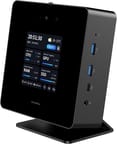
The machine measures 5.71 x 5.71 x 1.91 inches and weighs 1.9 pounds, so it sits on a desk rather than hiding behind a monitor. The aluminium front panel houses the 4-inch touchscreen, two USB 3.2 Gen 2 Type-A ports, one USB4 port with DisplayPort Alt Mode, a 3.5mm combo audio jack, and the 1080P camera flanked by dual microphones. Around back are a second USB4 port, USB 3.2 Gen 1 Type-A, USB 2.0, HDMI 2.1, DisplayPort 2.0, dual 5GbE Ethernet, and the OCuLink expansion port. The included vertical stand props the unit at an angle that points the camera at the user and opens up the top-mounted exhaust vents.
The Intel Core Ultra 9 185H runs 16 cores and 22 threads, boosts to 5.1GHz, and takes a configurable TDP up to 65 watts. It scored approximately 29,402 on PassMark’s CPU benchmark, in the upper tier of mobile processors. In real-world testing, reviewers found the system runs at a sustained 65 watts without thermal throttling when properly ventilated, which covers video editing, 3D rendering, and productivity workloads. The Intel Arc integrated graphics handle 4K video editing with hardware-accelerated Quick Sync encoding. A triple copper heat pipe cooling system manages thermals, though the fans spin up audibly under sustained heavy loads.
WiFi 7 (802.11be) delivers wireless speeds up to 5.8Gbps with 320MHz channel support, and Bluetooth 5.4 handles peripherals. The two 5GbE Ethernet ports support link aggregation for up to 10Gbps of wired throughput. Storage expansion comes via two M.2 PCIe 4.0 NVMe slots (one 2280 and one 2230), and the system supports up to 96GB of DDR5-5600 RAM through dual SO-DIMM slots. The full-size SD card reader is limited to UHS-I speeds according to reviewer testing.
Reviewers’ verdict on the touchscreen, OCuLink, and the fan noise

From the video channels
One video reviewer called the AtomMan X7 Ti “one of the most interesting AI mini PCs” they’ve ever tested, praising the built-in touchscreen and biometric security features as standout innovations. Their hands-on testing revealed one of the fastest Windows Hello sign-in experiences they’d encountered, noting that “sometimes even the laptops don’t open as fast.” The teardown revealed a thoughtfully engineered interior with a triple copper heat pipe cooling system, though the reviewer expressed concern about thermal throttling observed at relatively low temperatures during certain workloads. They particularly valued the dual 5Gbps Ethernet ports supporting link aggregation and the WiFi 7 support for wireless connectivity.
Another channel used the machine as a daily driver. The OCuLink port earned praise as “a straight PCIe connection which is pretty nice” for external GPU setups, offering significant bandwidth advantages over USB4. However, the reviewer noted disappointment with the noise levels, suggesting that “if this was sitting on my desk next to my monitor I think it would get annoying” during performance mode operation. The physical disassembly revealed that maintenance is difficult, with rubber feet that must be peeled off and complex internal layering that makes accessing the CMOS battery and WiFi card challenging.
A benchmarking channel ran eGPU tests through the OCuLink port. They confirmed the system “will run at 65 Watts all day without thermal throttling” in its performance profile, and praised the three switchable power modes accessible directly from the touchscreen. Their eGPU testing demonstrated that OCuLink provides approximately 60Gbps of bandwidth, delivering measurably better performance than USB4 or Thunderbolt 4 connections. The reviewer noted that while Intel Arc integrated graphics still struggle with driver optimization in certain titles like Cyberpunk 2077, the system excels at video editing workloads.
An RTX 4090 pairing test over OCuLink measured large performance gains. The reviewer highlighted that 4K video editing was “very quick to export” with Intel Arc graphics handling hardware acceleration efficiently. They confirmed the VESA mount capability and documented the triple heat pipe cooling system, though they noted that the rubber feet are “a pain to remove” for internal access and the secondary M.2 slot is a less common 2230 size.
A fifth channel described the AtomMan X7 Ti as having “a unique gimmick that’s well implemented” while also documenting practical concerns. Gaming benchmarks showed strong performance in most titles, though DX11 titles like League of Legends exposed weaknesses in Intel Arc’s driver stack. The reviewer praised the metal construction, comprehensive port selection, and reliable WiFi 7 and Bluetooth performance. Their disassembly revealed fragile internal ribbon cables, warning users to “watch out for the ribbon cable, which is impossible to put back in” when attempting upgrades.
TechRadar
According to TechRadar, the AtomMan X7 Ti is “a gorgeously made machine” with a powerful Ultra 9 processor, though the review noted that the performance gap between the Ultra 9 and Ultra 7 variants is modest. Writer Mark Pickavance praised the aluminium case construction, WiFi 7 support, dual M.2 slots, and dual 5GbE LAN as standout features. The review highlighted some practical limitations including the need to remove the feet for internal access, the absence of Thunderbolt ports, and display software that needs additional polish.
XDA Developers
XDA Developers called the AtomMan X7 Ti “my new favorite mini PC,” with reviewer Joao Carrasqueira declaring it “absolutely the PC I want to have at my desk now.” The review praised the performance, thoughtful design with the integrated webcam and Windows Hello support, and the comprehensive port selection including dual 5Gbps Ethernet. The reviewer noted the larger size compared to other mini PCs and suggested the built-in screen could be more useful with additional software customization options.
Customer Reviews split between speed and hardware failures
Across 9 ratings on Amazon, the AtomMan X7 Ti averages 4 stars. 59% of raters gave it five stars and 26% gave it one or two. The positive reviews lean on raw performance and the space it saves on a desk. Brad, a verified buyer, wrote “Been using for over a year and really love it. Very fast and sure opens up the desk space.” A verified buyer in Mexico, Javier Israel Martinez Mendieta, gave it five stars and titled his review simply “Lo recomiendo” (I recommend it).
The low ratings name reliability rather than speed. A verified buyer posting as seek11 left two stars and wrote: “It’s a very powerful mini PC yet it has many tech issues happened even after the 2nd replacement. If not, it’s an amazing machine!” When the hardware works, owners are enthusiastic about the speed and the AI-capable I/O; the unit that goes wrong appears to go wrong badly enough to need replacement. With only nine ratings, this is early-owner feedback rather than a settled track record.
Read more owner reviews on Amazon.
Buy it for the touchscreen and OCuLink, not for easy upgrades
The Core Ultra 9 185H, the 4-inch monitoring touchscreen, the 1080P webcam with Windows Hello, and the OCuLink port are what the price buys. Content creators working with 4K video, professionals who want a compact video conferencing workstation, and enthusiasts who want eGPU expansion get the most out of that combination.
Upgrades are where it costs you. The glued rubber feet and the layered interior turn RAM and SSD work into a long job, and the fan noise in performance mode carries across a desk. If neither the touchscreen nor the webcam matters to you, weigh it against simpler designs from other manufacturers.
In a 5.71-inch square chassis it works as a home office hub for video calls and content creation, with light gaming on the side. For a side-by-side against other models, see our Mini PC Comparison Chart.
Frequently Asked Questions
What processor does the Minisforum AtomMan X7 Ti use?
The Intel Core Ultra 9 185H, with 16 cores (6 Performance, 8 Efficiency, 2 Low-Power) and 22 threads, a base clock of 2.3GHz, and boost up to 5.1GHz. The Meteor Lake chip scores approximately 29,402 on PassMark’s CPU benchmark. Its configurable TDP ranges from 45W to 65W depending on the selected performance profile.
Can I upgrade the RAM in the AtomMan X7 Ti?
Yes, through two DDR5 SO-DIMM slots with a maximum capacity of 96GB at DDR5-5600 speeds. Getting to them requires removing glued rubber feet and numerous small screws, which multiple reviewers described as a difficult and time-consuming process. If you buy the barebone version, you install your own RAM and SSD before first use.
What ports does the Minisforum AtomMan X7 Ti have?
The front panel includes two USB 3.2 Gen 2 Type-A ports, one USB4 port with DisplayPort Alt Mode and Power Delivery, and a 3.5mm combo audio jack. The rear provides one USB4 port, one USB 3.2 Gen 1 Type-A, one USB 2.0, HDMI 2.1, DisplayPort 2.0, dual 5GbE Ethernet, and an OCuLink (PCIe 4.0 x4) expansion port. A full-size SD card reader is also included.
What’s included in the box with the AtomMan X7 Ti?
The mini PC unit, a 120W power adapter, a vertical display stand that angles the unit toward the user for camera and screen visibility, an HDMI cable, and a user manual. The barebone version does not include RAM, storage, or an operating system, which must be purchased separately.
What is OCuLink and how does it work on the AtomMan X7 Ti?
OCuLink (Optical Copper Link) is a high-speed interconnect that provides PCIe 4.0 x4 bandwidth of approximately 63Gbps, faster than USB4 or Thunderbolt 4. The rear OCuLink port connects an external GPU enclosure. Reviewers demonstrated that pairing the system with a high-end GPU like the RTX 4090 via OCuLink delivers measurably better performance than using USB4 for gaming or GPU-accelerated workloads.
What does the built-in touchscreen on the AtomMan X7 Ti do?
The 4-inch 480P touchscreen displays real-time system information including CPU usage, GPU usage, RAM utilization, SSD capacity, fan speed, and system temperatures. You can also use it to switch between three performance profiles (Energy Saving at 45W, Balanced, and Performance at 65W) without opening any software. The screen operates independently and does not require additional drivers or applications to function.
How many displays can the AtomMan X7 Ti support?
Up to four external displays at once, through the HDMI 2.1 port, the DisplayPort 2.0 port, and two USB4 ports that support DisplayPort Alt Mode. It supports multi-monitor productivity setups. The built-in 4-inch status screen operates independently and does not count against the external display limit.