
ASUS NUC 15 Pro
Updated on

The ASUS NUC 15 Pro (codename Cyber Canyon) is the mainstream tier of ASUS’s 2025 NUC lineup, sitting below the premium ASUS NUC 15 Pro+. Where the Pro+ is a single flagship built around Intel’s Core Ultra 9, the standard Pro is a range: it ships in two chassis heights (a slim kit and a taller kit that accepts expansion accessories) and spans a wide processor ladder, from the entry Intel Core 3 100U through the Core 5 210H and Core 7 240H up to the Arrow Lake Core Ultra 5 225H and Core Ultra 7 255H at the top. Almost all of these are sold as barebones kits, meaning you bring your own memory, SSD, and operating system, which is the classic NUC formula that made the ASUS NUC 14 Pro so flexible.
Strengths and tradeoffs across the kit range
| Pros | Cons |
|---|---|
| Wide CPU range, from a budget Core 3 up to the Arrow Lake Core Ultra 7 255H | Premium pricing versus generic mini PCs on the same chips |
| Dual Thunderbolt 4 with DP 2.1 drives up to four 4K displays | No 3.5mm combo audio jack on the chassis |
| Wi-Fi 7 and Bluetooth 5.4 on every configuration | PCIe 5.0 primary storage only on the Core Ultra tiers, not the Core chips |
| Toolless chassis for screwdriver-free RAM and SSD upgrades | Second onboard M.2 slot is the shorter 2242 length |
| Tall kit accepts a second 2280 SSD and a second 2.5GbE port | Fan noise and CPU temperatures climb under sustained load |
| Barebones pricing lets you supply your own RAM, drive, and OS | Not a Copilot+ PC; the NPU is below Microsoft’s 40 TOPS bar |
ASUS NUC 15 Pro Comparison Chart
 ASUS NUC 15 Pro | ASUS NUC 15 Pro | ASUS NUC 15 Pro | ASUS NUC 15 Pro | ASUS NUC 15 Pro | ASUS NUC 15 Pro | ASUS NUC 15 Pro | ASUS NUC 15 Pro | ASUS NUC 15 Pro | |
| Price | List Price: $369.03 Amazon Prices: | List Price: $631.72 Amazon Prices: Loading prices... | List Price: $615.99 Amazon Prices: | List Price: $540.00 Amazon Prices: Loading prices... | List Price: $634.29 Amazon Prices: Loading prices... | List Price: $412.49 Amazon Prices: Loading prices... | List Price: $527.59 Amazon Prices: Loading prices... | List Price: $515.00 Amazon Prices: Loading prices... | List Price: $650.98 Amazon Prices: Loading prices... |
| Version | Barebones Slim/Core 3 100U | Barebones Slim/Core 5 210H | Barebones Slim/Core 7 240H | Barebones Slim/Core Ultra 5 225H | Barebones Slim/Core Ultra 7 255H | Barebones Tall/Core 3 100U | Barebones Tall/Core Ultra 5 225H | Barebones Tall/Core 7 240H | Barebones Tall/Core Ultra 7 255H |
| Performance Rating | 3.8 | 4.4 | 4.9 | 5.3 | 5.4 | 3.8 | 5.3 | 4.9 | 5.4 |
| Operating System | No OS | No OS | No OS | No OS | No OS | No OS | No OS | No OS | No OS |
| Processor | Hexa-core 1.20 Ghz (max 4.70 Ghz) Intel Core 3 100U | Octa-core 2.20 Ghz (max 4.80 Ghz) Intel Core 5 210H | Deca-core 2.50 Ghz (max 5.20 Ghz) Intel Core 7 240H | Fourteen-core 1.70 Ghz (max 4.90 Ghz) Intel Core Ultra 5 225H | Sixteen-core 2.00 Ghz (max 5.10 Ghz) Intel Core Ultra 7 255H | Hexa-core 1.20 Ghz (max 4.70 Ghz) Intel Core 3 100U | Fourteen-core 1.70 Ghz (max 4.90 Ghz) Intel Core Ultra 5 225H | Deca-core 2.50 Ghz (max 5.20 Ghz) Intel Core 7 240H | Sixteen-core 2.00 Ghz (max 5.10 Ghz) Intel Core Ultra 7 255H |
| GPU | Integrated Intel UHD Graphics | Integrated Intel UHD Graphics | Integrated Intel UHD Graphics | Integrated Intel Arc 130T | Integrated Intel Arc 140T | Integrated Intel UHD Graphics | Integrated Intel Arc 130T | Integrated Intel UHD Graphics | Integrated Intel Arc 140T |
| RAM | 0 GB DDR5 SO-DIMM, 2-channel (Up to 96GB DDR5-6400) | 0 GB DDR5 SO-DIMM, 2-channel (Up to 96GB DDR5-6400) | 0 GB DDR5 SO-DIMM, 2-channel (Up to 96GB DDR5-6400) | 0 GB DDR5 SO-DIMM, 2-channel (Up to 96GB DDR5-6400) | 0 GB DDR5 SO-DIMM, 2-channel (Up to 96GB DDR5-6400) | 0 GB DDR5 SO-DIMM, 2-channel (Up to 96GB DDR5-6400) | 0 GB DDR5 SO-DIMM, 2-channel (Up to 96GB DDR5-6400) | 0 GB DDR5 SO-DIMM, 2-channel (Up to 96GB DDR5-6400) | 0 GB DDR5 SO-DIMM, 2-channel (Up to 96GB DDR5-6400) |
| Internal Storage | 0 GB None (Barebones) | 0 GB None (Barebones) | 0 GB None (Barebones) | 0 GB None (Barebones) | 0 GB None (Barebones) | 0 GB None (Barebones) | 0 GB None (Barebones) | 0 GB None (Barebones) | 0 GB None (Barebones) |
| Dimensions width x length x thickness | 4.41 x 4.61 x 1.46 inches (112.01 x 117.09 x 37.08 mm) | 4.41 x 4.61 x 1.46 inches (112.01 x 117.09 x 37.08 mm) | 4.41 x 4.61 x 1.46 inches (112.01 x 117.09 x 37.08 mm) | 4.41 x 4.61 x 1.46 inches (112.01 x 117.09 x 37.08 mm) | 4.41 x 4.61 x 1.46 inches (112.01 x 117.09 x 37.08 mm) | 4.41 x 4.61 x 2.13 inches (112.01 x 117.09 x 54.1 mm) | 4.41 x 4.61 x 2.13 inches (112.01 x 117.09 x 54.1 mm) | 4.41 x 4.61 x 2.13 inches (112.01 x 117.09 x 54.1 mm) | 4.41 x 4.61 x 2.13 inches (112.01 x 117.09 x 54.1 mm) |
| Weight | 1.32 lbs (0.6 kg) | 1.32 lbs (0.6 kg) | 1.32 lbs (0.6 kg) | 1.32 lbs (0.6 kg) | 1.32 lbs (0.6 kg) | 1.32 lbs (0.6 kg) | 1.32 lbs (0.6 kg) | 1.32 lbs (0.6 kg) | 1.32 lbs (0.6 kg) |
| WiFi | Wi-Fi 7 (802.11be) | Wi-Fi 7 (802.11be) | Wi-Fi 7 (802.11be) | Wi-Fi 7 (802.11be) | Wi-Fi 7 (802.11be) | Wi-Fi 7 (802.11be) | Wi-Fi 7 (802.11be) | Wi-Fi 7 (802.11be) | Wi-Fi 7 (802.11be) |
| Bluetooth | Bluetooth 5.4 | Bluetooth 5.4 | Bluetooth 5.4 | Bluetooth 5.4 | Bluetooth 5.4 | Bluetooth 5.4 | Bluetooth 5.4 | Bluetooth 5.4 | Bluetooth 5.4 |
| Ethernet | 1 Ethernet port at 2.5 Gbps | 1 Ethernet port at 2.5 Gbps | 1 Ethernet port at 2.5 Gbps | 1 Ethernet port at 2.5 Gbps | 1 Ethernet port at 2.5 Gbps | 1 Ethernet port at 2.5 Gbps | 1 Ethernet port at 2.5 Gbps | 1 Ethernet port at 2.5 Gbps | 1 Ethernet port at 2.5 Gbps |
| HDMI | 2 Full-Size HDMI Ports | 2 Full-Size HDMI Ports | 2 Full-Size HDMI Ports | 2 Full-Size HDMI Ports | 2 Full-Size HDMI Ports | 2 Full-Size HDMI Ports | 2 Full-Size HDMI Ports | 2 Full-Size HDMI Ports | 2 Full-Size HDMI Ports |
| DisplayPort | DP 2.1 via Thunderbolt 4; up to 4x 4K displays | DP 2.1 via Thunderbolt 4; up to 4x 4K displays | DP 2.1 via Thunderbolt 4; up to 4x 4K displays | DP 2.1 via Thunderbolt 4; up to 4x 4K displays | DP 2.1 via Thunderbolt 4; up to 4x 4K displays | DP 2.1 via Thunderbolt 4; up to 4x 4K displays | DP 2.1 via Thunderbolt 4; up to 4x 4K displays | DP 2.1 via Thunderbolt 4; up to 4x 4K displays | DP 2.1 via Thunderbolt 4; up to 4x 4K displays |
| VGA | No VGA Ports | No VGA Ports | No VGA Ports | No VGA Ports | No VGA Ports | No VGA Ports | No VGA Ports | No VGA Ports | No VGA Ports |
| USB Ports | 1 USB 2.0, 3 USB 3, 3 USB-C (2 USB4) Front: 1x USB-C 20Gbps, 2x USB-A 10Gbps. Rear: 2x TB4, 1x USB-A 10Gbps, 1x USB 2.0 | 1 USB 2.0, 3 USB 3, 3 USB-C (2 USB4) Front: 1x USB-C 20Gbps, 2x USB-A 10Gbps. Rear: 2x TB4, 1x USB-A 10Gbps, 1x USB 2.0 | 1 USB 2.0, 3 USB 3, 3 USB-C (2 USB4) Front: 1x USB-C 20Gbps, 2x USB-A 10Gbps. Rear: 2x TB4, 1x USB-A 10Gbps, 1x USB 2.0 | 1 USB 2.0, 3 USB 3, 3 USB-C (2 USB4) Front: 1x USB-C 20Gbps, 2x USB-A 10Gbps. Rear: 2x TB4, 1x USB-A 10Gbps, 1x USB 2.0 | 1 USB 2.0, 3 USB 3, 3 USB-C (2 USB4) Front: 1x USB-C 20Gbps, 2x USB-A 10Gbps. Rear: 2x TB4, 1x USB-A 10Gbps, 1x USB 2.0 | 1 USB 2.0, 3 USB 3, 3 USB-C (2 USB4) Front: 1x USB-C 20Gbps, 2x USB-A 10Gbps. Rear: 2x TB4, 1x USB-A 10Gbps, 1x USB 2.0 | 1 USB 2.0, 3 USB 3, 3 USB-C (2 USB4) Front: 1x USB-C 20Gbps, 2x USB-A 10Gbps. Rear: 2x TB4, 1x USB-A 10Gbps, 1x USB 2.0 | 1 USB 2.0, 3 USB 3, 3 USB-C (2 USB4) Front: 1x USB-C 20Gbps, 2x USB-A 10Gbps. Rear: 2x TB4, 1x USB-A 10Gbps, 1x USB 2.0 | 1 USB 2.0, 3 USB 3, 3 USB-C (2 USB4) Front: 1x USB-C 20Gbps, 2x USB-A 10Gbps. Rear: 2x TB4, 1x USB-A 10Gbps, 1x USB 2.0 |
| Thunderbolt Ports | 2 | 2 | 2 | 2 | 2 | 2 | 2 | 2 | 2 |
| OCuLink | No | No | No | No | No | No | No | No | No |
| Internal SATA Ports | No SATA ports | No SATA ports | No SATA ports | No SATA ports | No SATA ports | No SATA ports | No SATA ports | No SATA ports | No SATA ports |
| Card Reader | No Card Reader | No Card Reader | No Card Reader | No Card Reader | No Card Reader | No Card Reader | No Card Reader | No Card Reader | No Card Reader |
| Headphone Jack | none | none | none | none | none | none | none | none | none |
| Fanless | No | No | No | No | No | No | No | No | No |
| VESA Mount | Yes | Yes | Yes | Yes | Yes | Yes | Yes | Yes | Yes |
| In the Box | Mini PC, 120W power adapter and cord, VESA bracket and screws, documentation | Mini PC, 120W power adapter and cord, VESA bracket and screws, documentation | Mini PC, 120W power adapter and cord, VESA bracket and screws, documentation | Mini PC, 120W power adapter and cord, VESA bracket and screws, documentation | Mini PC, 120W power adapter and cord, VESA bracket and screws, documentation | Mini PC, 120W power adapter and cord, VESA bracket and screws, documentation | Mini PC, 120W power adapter and cord, VESA bracket and screws, documentation | Mini PC, 120W power adapter and cord, VESA bracket and screws, documentation | Mini PC, 120W power adapter and cord, VESA bracket and screws, documentation |
| Expandability | Toolless chassis. 2x DDR5 SO-DIMM up to 96GB (5600/6400). M.2 2280 + 2242. Tall kits add 2nd 2280 SSD or 2nd 2.5GbE via accessory. | Toolless chassis. 2x DDR5 SO-DIMM up to 96GB (5600/6400). M.2 2280 + 2242. Tall kits add 2nd 2280 SSD or 2nd 2.5GbE via accessory. | Toolless chassis. 2x DDR5 SO-DIMM up to 96GB (5600/6400). M.2 2280 + 2242. Tall kits add 2nd 2280 SSD or 2nd 2.5GbE via accessory. | Toolless chassis. 2x DDR5 SO-DIMM up to 96GB (5600/6400). M.2 2280 + 2242. Tall kits add 2nd 2280 SSD or 2nd 2.5GbE via accessory. | Toolless chassis. 2x DDR5 SO-DIMM up to 96GB (5600/6400). M.2 2280 + 2242. Tall kits add 2nd 2280 SSD or 2nd 2.5GbE via accessory. | Toolless chassis. 2x DDR5 SO-DIMM up to 96GB (5600/6400). M.2 2280 + 2242. Tall kits add 2nd 2280 SSD or 2nd 2.5GbE via accessory. | Toolless chassis. 2x DDR5 SO-DIMM up to 96GB (5600/6400). M.2 2280 + 2242. Tall kits add 2nd 2280 SSD or 2nd 2.5GbE via accessory. | Toolless chassis. 2x DDR5 SO-DIMM up to 96GB (5600/6400). M.2 2280 + 2242. Tall kits add 2nd 2280 SSD or 2nd 2.5GbE via accessory. | Toolless chassis. 2x DDR5 SO-DIMM up to 96GB (5600/6400). M.2 2280 + 2242. Tall kits add 2nd 2280 SSD or 2nd 2.5GbE via accessory. |
Related Mini PCs
-
 ASUS NUC 16 ProThe ASUS NUC 16 Pro brings Intel's Panther Lake architecture to the iconic NUC form factor,…
 -
 ASUS NUC 14 ProThe ASUS NUC 14 Pro pairs Intel Core Ultra processors with a toolless chassis, two DDR5 SODIMM…
 -
 AOOSTAR GEM12 MAXThe AOOSTAR GEM12 MAX is a 5.12-inch AMD Ryzen 7 8745HS mini PC with an OCuLink port for an…
 -
 Minisforum AtomMan X7 TiThe Minisforum AtomMan X7 Ti pairs an Intel Core Ultra 9 185H with a built-in 4-inch touchscreen…
 -
 Reatan X7The Reatan X7 is a compact all-metal mini PC sold with an AMD Ryzen 7 H 255 or Ryzen 7 8745HS,…
 -
 ACEMAGIC K1 (Intel Core i5-12600H)The Intel version of ACEMAGIC's K1 pairs the 12-core Core i5-12600H with triple 4K output, seven…
A five-chip ladder in two chassis heights

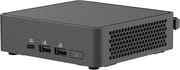
The slim kit measures 4.61 by 4.41 by 1.46 inches (117 by 112 by 37 mm), and the tall kit shares the same width and depth but stands 2.13 inches (54 mm) tall to make room for the expansion accessories described below. Both weigh 1.32 pounds (about 600 grams). The black chassis uses honeycomb venting along the sides, and a metal base cover pops off without tools for memory and storage swaps. The front panel carries one 20Gbps USB-C port (USB 3.2 Gen2x2), two 10Gbps USB-A ports, the power button, and a side Kensington lock slot. The rear adds two Thunderbolt 4 ports (which also carry DisplayPort 2.1 and USB4), one more 10Gbps USB-A, a USB 2.0 port, two HDMI 2.1 outputs, and a 2.5-gigabit Ethernet jack on Intel’s I226-V controller. As on the Pro+, there is no 3.5mm audio jack, so headphones and speakers connect over USB, HDMI, or Bluetooth.
Five processors span the line. At the entry point sits the Intel Core 3 100U, a 6-core, 8-thread Raptor Lake refresh part that scores around 12,600 on the PassMark CPU benchmark, followed by the 8-core Core 5 210H (about 18,300) and the 10-core Core 7 240H (about 24,200); these Core “Series” chips pair with Intel UHD Graphics and are aimed at thin-client, kiosk, and light-office duty. The two Core Ultra options move to Intel’s newer Arrow Lake architecture: the Core Ultra 5 225H (around 28,500) with Intel Arc 130T graphics, and the Core Ultra 7 255H (around 28,900) with Arc 140T and an NPU for on-device AI. The Core 3, 5, and 7 chips are a 2024 Raptor Lake refresh, while the Core Ultra 5 and 7 are current 2025 silicon with meaningfully better integrated graphics. None of the configurations clears Microsoft’s Copilot+ bar, since even the Core Ultra NPU lands below the required 40 TOPS.
Two DDR5 SO-DIMM slots take up to 96GB at DDR5-5600 or DDR5-6400, and the toolless base makes upgrades quick. The primary M.2 2280 slot runs at PCIe 5.0 x4 on the Core Ultra chips but drops to PCIe 4.0 x4 on the plain Core processors, and a second M.2 2242 slot runs at PCIe 4.0 x4 across the board. The tall kit accepts an optional second M.2 2280 SSD accessory and a second 2.5GbE LAN accessory (a combined version also adds an RS232 serial port), which makes the taller chassis the pick for anyone who wants extra storage or a second network drop. Wireless is handled by an Intel Wi-Fi 7 module with Bluetooth 5.4, and power comes from an external adapter rated up to 120 watts.
Reviewer Insights
Digital Citizen on power draw, single-thread speed, and heat
Codrut Neagu at Digital Citizen reviewed a tall-kit NUC 15 Pro built on the Core Ultra 7 255H with Arc 140T graphics and gave it a 4 out of 5. He wrote that “The ASUS NUC 15 Pro is surprisingly powerful for such a small computer. It offers excellent performance, plenty of ports, and a modular design that lets you upgrade key parts when needed.” He measured power at the wall: “Under full load, it drew just 90 watts from the wall, compared to 146 watts on the NUC 14 Pro+.” That newer, fewer-thread Arrow Lake chip does give up some multi-threaded headroom, but in the CPU-Z single-thread test “the Intel Core Ultra 7 255H inside the NUC 15 Pro actually scored 833 points, making it 6.5% faster than the Core Ultra 9 185H in the NUC 14 Pro+.”
Noise and thermals were the main reservations. In everyday work the machine stayed quiet, and even when it ramped up under video conversion Neagu measured it “At a maximum of about 45 decibels, it was more of a hum in the background.” Under sustained load, though, “the CPU inside the NUC 15 Pro can reach up to 105 degrees Celsius,” which sits inside the chip’s rated 110C ceiling but suggests the cooler is working hard in the compact enclosure. On graphics, the Arc 140T handled light gaming (running Stray at 1080p on low settings) where “Most of the time, it stayed between 50 and 60 frames per second.” He also flagged an AI caveat: “the ASUS NUC 15 Pro is not advertised as a Copilot+ PC,” because its NPU falls short of Microsoft’s 40 TOPS requirement.
Customer Reviews
Amazon feedback on the tall Core Ultra 7 255H barebones kit is limited but uniformly positive, at 5.0 stars across 8 ratings. Verified buyer OutbackDriver, who filled the machine with 96GB of Crucial DDR5 and a 4TB NVMe drive for AI model inference work, wrote “This little machine is a beast.” He did hit one assembly snag, noting that “The screw for the 2280 is a little small, and doesn’t fit properly without using the included plastic spacer,” and pointed out that getting PyTorch and OpenVINO working on Ubuntu 24.04 required the Hardware Enablement kernel before everything, including Thunderbolt and 2.5GbE, ran as expected.
Hypervisor support needed a workaround. Verified buyer Trevor ran it as a VMware ESXi host and warned that “Anyone looking to install ESXi will run into caveats due to the change in architecture,” a reference to a boot flag the newer CPU requires, after which it ran smoothly for him. Buyer Richard Hardman liked the taller chassis for its second-drive option but cautioned that “The tall case can hold a 2nd ssd, but requires a rather expensive adapter ($60),” a real cost to budget if bulk NVMe storage is the goal.
Match the chip to the budget, then build it out yourself
Buyers pick a chassis height, pick a chip anywhere from the budget Core 3 100U to the Arrow Lake Core Ultra 7 255H, and get the same connectivity at every tier. Home-lab builders, thin-client fleets, and developers running local workloads all land in that range, and the barebones format keeps the entry cost down for anyone who already has DDR5 sticks and an NVMe drive on the shelf.
You pay an ASUS premium over generic mini PCs on the same silicon, PCIe 5.0 storage is reserved for the Core Ultra tiers, there is no analog headphone jack, and Neagu measured both fan noise and CPU temperature climbing under sustained load. The Pro+ is the option for buyers who want the faster Core Ultra 9 and a PCIe 5.0 slot regardless of chip tier. Starry Hope’s Mini PC Comparison Chart lines this machine up against other mini PCs in its class.
Upgrades
Accessories that fit the ASUS NUC 15 Pro's USB4 or Thunderbolt ports.

Core X V2
A Thunderbolt 5 enclosure that Razer lists as working with Thunderbolt 4 and USB4 hosts; it fits a four-slot card and needs an ATX power supply.

DEG2 eGPU Dock
Connects over USB4 or Thunderbolt 5, with an OCuLink input behind a switch, and adds an M.2 slot; it needs an ATX or SFX power supply.

Breakaway Box 850 T5
Has an 850W power supply built in, so only the graphics card is extra, and works with Thunderbolt 4 and USB4 Windows PCs.

TS4 Thunderbolt 4 Dock
An 18-port dock that CalDigit lists for Thunderbolt 4 and USB4 hosts, with 2.5GbE and a DisplayPort 1.4 output.

TBT4-UD5 Thunderbolt 4 Dock
Two HDMI ports drive two 4K60 monitors from one Thunderbolt 4 or USB4 port on a Windows PC.

Revodok Max 208 Thunderbolt 4 Dock
Adds three Thunderbolt 4 ports for dual 4K60 displays plus gigabit Ethernet; it has no HDMI port, so monitors connect over USB-C or an adapter.
Frequently Asked Questions
What processors does the ASUS NUC 15 Pro use?
The Core “Series” tiers are the Intel Core 3 100U, Core 5 210H, and Core 7 240H, all Raptor Lake refresh chips with Intel UHD Graphics. The Core Ultra tiers move to Intel’s newer Arrow Lake architecture: the Core Ultra 5 225H with Arc 130T graphics and the Core Ultra 7 255H with Arc 140T graphics and an NPU. The NUC 15 Pro+ is a separate product using the higher-end Core Ultra 9 285H.
What is the difference between the NUC 15 Pro and the NUC 15 Pro+?
They are separate products with their own ASUS pages. The NUC 15 Pro+ is the premium model, built around the Core Ultra 9 285H with a PCIe 5.0 primary slot and Arc 140T graphics in a slim chassis. The standard NUC 15 Pro is the mainstream line, offered in slim and tall kits across a broader CPU range (Core 3 through Core Ultra 7 255H), where PCIe 5.0 storage is reserved for the Core Ultra tiers.
What is the difference between the slim and tall NUC 15 Pro kits?
The slim kit is 1.46 inches (37 mm) tall, while the tall kit is 2.13 inches (54 mm) tall to accommodate optional expansion accessories: a second M.2 2280 SSD, a second 2.5GbE LAN port, and a combined LAN-plus-RS232-serial option. If you want extra onboard storage or a second network drop, choose the tall kit.
Does the ASUS NUC 15 Pro have a headphone jack?
No. The NUC 15 Pro chassis does not include a 3.5mm combo audio jack, so audio has to travel over USB, HDMI, or Bluetooth. This matches the NUC 15 Pro+ and the earlier NUC 14 Pro, which also omitted the analog jack.
Can I upgrade the RAM and storage in the ASUS NUC 15 Pro?
Yes. The base cover opens without a screwdriver, giving access to two DDR5 SO-DIMM slots (up to 96GB at DDR5-5600 or DDR5-6400) and two M.2 slots. The primary M.2 2280 slot runs at PCIe 5.0 x4 on the Core Ultra chips and PCIe 4.0 x4 on the Core chips, and the secondary M.2 2242 slot runs at PCIe 4.0 x4. Most configurations are sold barebones, so you install your own memory, drive, and operating system.
Is the ASUS NUC 15 Pro a Copilot+ PC?
No. Even the Core Ultra configurations have an NPU below the 40 TOPS that Microsoft requires for the Copilot+ label, so the NUC 15 Pro is not marketed as a Copilot+ PC. You can still use the Windows 11 AI features that do not depend on that certification.