
ASUS NUC 16 Pro
Updated on

The ASUS NUC 16 Pro rebuilds Intel’s NUC mini PC line on the Panther Lake architecture. Configurations run from the Core Ultra 5 335 up to the flagship Core Ultra X9 388H with integrated Intel Arc B390 graphics, all inside a 0.7-liter chassis. The system supports WiFi 7, dual 2.5 Gigabit Ethernet, Thunderbolt 4, and PCIe Gen 5 storage. ASUS rates the platform at up to 180 platform TOPS across the CPU, GPU, and NPU, which clears the Copilot+ PC bar.
Pros and Cons
| Pros | Cons |
|---|---|
| Panther Lake processors with up to 180 platform TOPS for AI workloads | Slightly larger 5x4 inch chassis compared to classic 4x4 NUC design |
| WiFi 7 and Bluetooth 6.0 | No analog headphone jack (digital audio only via HDMI/Thunderbolt) |
| Dual 2.5 Gigabit Ethernet for reliable wired networking | Sold barebone or in mid-tier configs at US launch; the flagship X9 388H is not yet listed |
| PCIe Gen 5 x4 primary M.2 slot for fast storage | Top-tier X-series configs pair memory on-package (not user-upgradeable) |
| Two Thunderbolt 4 ports with DisplayPort 2.1 alt mode | Arc B390 integrated graphics still trails AMD’s Radeon 8060S |
| Tool-less chassis design for easy component access | No discrete GPU support due to compact form factor |
Related Videos
ASUS NUC 16 Pro Comparison Chart
 ASUS NUC 16 Pro | ASUS NUC 16 Pro | ASUS NUC 16 Pro | ASUS NUC 16 Pro | ASUS NUC 16 Pro | |
| Price | List Price: $999.00 Amazon Prices: Loading prices... | List Price: $1,559.00 Amazon Prices: Loading prices... | List Price: $1,659.00 Amazon Prices: Loading prices... | List Price: $1,879.00 Amazon Prices: Loading prices... | List Price: $1,999.00 Amazon Prices: Loading prices... |
| Version | Barebone/Core Ultra 7 356H | 16GB/512GB/Core Ultra 7 356H | 16GB/1TB/Core Ultra 7 356H | 32GB/1TB/Core Ultra 7 356H | 32GB/2TB/Core Ultra 7 356H |
| Performance Rating | 9.1 | 9.1 | 9.1 | 9.7 | 9.7 |
| Operating System | No OS | No OS | No OS | No OS | No OS |
| Processor | Sixteen-core 1.90 Ghz (max 4.70 Ghz) Intel Core Ultra 7 356H | Sixteen-core 1.90 Ghz (max 4.70 Ghz) Intel Core Ultra 7 356H | Sixteen-core 1.90 Ghz (max 4.70 Ghz) Intel Core Ultra 7 356H | Sixteen-core 1.90 Ghz (max 4.70 Ghz) Intel Core Ultra 7 356H | Sixteen-core 1.90 Ghz (max 4.70 Ghz) Intel Core Ultra 7 356H |
| GPU | Integrated Intel Arc graphics | Integrated Intel Arc graphics | Integrated Intel Arc graphics | Integrated Intel Arc graphics | Integrated Intel Arc graphics |
| RAM | 0 GB DDR5, 2-channel (Up to 128GB DDR5-7200) | 16 GB DDR5, 2-channel | 16 GB DDR5, 2-channel | 32 GB DDR5, 2-channel | 32 GB DDR5, 2-channel |
| Internal Storage | 0 GB None (Barebone) | 512 GB NVMe SSD | 1 TB NVMe SSD | 1 TB NVMe SSD | 2 TB NVMe SSD |
| Dimensions width x length x thickness | 5.67 x 4.61 x 1.65 inches (144.02 x 117.09 x 41.91 mm) | 5.67 x 4.61 x 1.65 inches (144.02 x 117.09 x 41.91 mm) | 5.67 x 4.61 x 1.65 inches (144.02 x 117.09 x 41.91 mm) | 5.67 x 4.61 x 1.65 inches (144.02 x 117.09 x 41.91 mm) | 5.67 x 4.61 x 1.65 inches (144.02 x 117.09 x 41.91 mm) |
| Weight | 2 lbs (0.91 kg) | 2 lbs (0.91 kg) | 2 lbs (0.91 kg) | 2 lbs (0.91 kg) | 2 lbs (0.91 kg) |
| WiFi | Wi-Fi 7 (802.11be) | Wi-Fi 7 (802.11be) | Wi-Fi 7 (802.11be) | Wi-Fi 7 (802.11be) | Wi-Fi 7 (802.11be) |
| Bluetooth | 6.0 | 6.0 | 6.0 | 6.0 | 6.0 |
| Ethernet | 2 Ethernet ports at 2.5 Gbps | 2 Ethernet ports at 2.5 Gbps | 2 Ethernet ports at 2.5 Gbps | 2 Ethernet ports at 2.5 Gbps | 2 Ethernet ports at 2.5 Gbps |
| HDMI | 2 Full-Size HDMI Ports | 2 Full-Size HDMI Ports | 2 Full-Size HDMI Ports | 2 Full-Size HDMI Ports | 2 Full-Size HDMI Ports |
| DisplayPort | DP 2.1 via Thunderbolt 4 | DP 2.1 via Thunderbolt 4 | DP 2.1 via Thunderbolt 4 | DP 2.1 via Thunderbolt 4 | DP 2.1 via Thunderbolt 4 |
| VGA | No VGA Ports | No VGA Ports | No VGA Ports | No VGA Ports | No VGA Ports |
| USB Ports | 1 USB 2.0, 3 USB 3, 1 USB-C 1x USB-C 3.2 Gen 2x2, 3x USB-A 3.2 Gen 2, 1x USB-A 2.0, 2x Thunderbolt 4 | 1 USB 2.0, 3 USB 3, 1 USB-C 1x USB-C 3.2 Gen 2x2, 3x USB-A 3.2 Gen 2, 1x USB-A 2.0, 2x Thunderbolt 4 | 1 USB 2.0, 3 USB 3, 1 USB-C 1x USB-C 3.2 Gen 2x2, 3x USB-A 3.2 Gen 2, 1x USB-A 2.0, 2x Thunderbolt 4 | 1 USB 2.0, 3 USB 3, 1 USB-C 1x USB-C 3.2 Gen 2x2, 3x USB-A 3.2 Gen 2, 1x USB-A 2.0, 2x Thunderbolt 4 | 1 USB 2.0, 3 USB 3, 1 USB-C 1x USB-C 3.2 Gen 2x2, 3x USB-A 3.2 Gen 2, 1x USB-A 2.0, 2x Thunderbolt 4 |
| Thunderbolt Ports | 2 | 2 | 2 | 2 | 2 |
| OCuLink | No | No | No | No | No |
| Internal SATA Ports | No SATA ports | No SATA ports | No SATA ports | No SATA ports | No SATA ports |
| Card Reader | No Card Reader | No Card Reader | No Card Reader | No Card Reader | No Card Reader |
| Headphone Jack | none | none | none | none | none |
| Fanless | No | No | No | No | No |
| VESA Mount | Yes | Yes | Yes | Yes | Yes |
| In the Box | AC adapter with power cord, VESA bracket and screws, cable clip, warranty card | AC adapter with power cord, VESA bracket and screws, cable clip, warranty card | AC adapter with power cord, VESA bracket and screws, cable clip, warranty card | AC adapter with power cord, VESA bracket and screws, cable clip, warranty card | AC adapter with power cord, VESA bracket and screws, cable clip, warranty card |
| Expandability | Up to 128GB DDR5-7200 (2x CSO-DIMM). 2x M.2: PCIe 5.0 x4 + PCIe 4.0 x4. Tool-less chassis. | Up to 128GB DDR5-7200 (2x CSO-DIMM). 2x M.2: PCIe 5.0 x4 + PCIe 4.0 x4. Tool-less chassis. | Up to 128GB DDR5-7200 (2x CSO-DIMM). 2x M.2: PCIe 5.0 x4 + PCIe 4.0 x4. Tool-less chassis. | Up to 128GB DDR5-7200 (2x CSO-DIMM). 2x M.2: PCIe 5.0 x4 + PCIe 4.0 x4. Tool-less chassis. | Up to 128GB DDR5-7200 (2x CSO-DIMM). 2x M.2: PCIe 5.0 x4 + PCIe 4.0 x4. Tool-less chassis. |
Related Mini PCs
-
 ASUS NUC 15 Pro+The ASUS NUC 15 Pro+ is a 0.7-liter toolless mini PC with Intel Arrow Lake Core Ultra processors,…
 -
 ASUS NUC 15 ProThe ASUS NUC 15 Pro is the mainstream Cyber Canyon NUC, sold as slim or tall barebones kits across…
 -
 MINISFORUM M2-356HThe MINISFORUM M2-356H puts Intel's Panther Lake Core Ultra 7 356H in a 520-gram box with two DDR5…
 -
 MINISFORUM UN1290The MINISFORUM UN1290 is a Core i9-12900HK mini PC in a 0.9-liter chassis with two DDR4 slots (64GB…
 -
 AOOSTAR GEM12 MAXThe AOOSTAR GEM12 MAX is a 5.12-inch AMD Ryzen 7 8745HS mini PC with an OCuLink port for an…
 -
 Minisforum AtomMan X7 TiThe Minisforum AtomMan X7 Ti pairs an Intel Core Ultra 9 185H with a built-in 4-inch touchscreen…
Panther Lake silicon in a tool-less 0.7-liter chassis

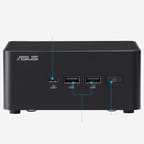
The chassis measures 5.67 x 4.61 x 1.65 inches and weighs approximately 2.0 pounds, a slightly larger footprint than the traditional 4x4 NUC form factor to accommodate the Panther Lake platform’s thermal requirements. It keeps the tool-less design ASUS introduced with the NUC 14 Pro, so the internals open without a screwdriver. The front panel houses a USB-C 3.2 Gen 2x2 port running at 20Gbps alongside two USB-A 3.2 Gen 2 ports, while the rear panel provides two Thunderbolt 4 ports, two full-size HDMI outputs, dual 2.5 Gigabit Ethernet ports, and additional USB-A ports. Cooling is active rather than passive, a necessary design choice given how much sustained power a Panther Lake H-class chip can draw. There is no analog headphone jack, so audio leaves the box digitally through HDMI or Thunderbolt.
The base configuration ships with the Intel Core Ultra 7 356H, a 16-core Panther Lake processor with four high-performance Cougar Cove P-cores boosting up to 4.7 GHz, eight efficient Darkmont E-cores, and four low-power E-cores. It scores approximately 32,113 on PassMark’s CPU Mark benchmark, a large step up from the Core Ultra 7 155H in the ASUS NUC 14 Pro. The flagship Core Ultra X9 388H variant adds a 5.1 GHz boost clock and the integrated Intel Arc B390 GPU with 12 Xe cores. TechRadar reports that the Arc B390 gives the NUC 16 Pro enough headroom for modern 1080p gaming without a discrete GPU, though it falls short of AMD’s Radeon 8060S found in competing Ryzen AI Max+ 395 platforms.
Wireless runs on WiFi 7 (802.11be) with Bluetooth 6.0, and the wired side pairs dual Intel I226-V/LM 2.5 Gigabit Ethernet controllers with two Thunderbolt 4 ports that support DisplayPort 2.1 alt mode. The combined HDMI and Thunderbolt outputs drive up to four 4K displays, or two 8K displays, at once. Storage expansion runs through two M.2 2280 slots, the primary at PCIe Gen 5 x4 and the secondary at PCIe Gen 4 x4. Digital Trends notes that the listed configurations support up to 128GB of DDR5 memory across two slots, which is unusually high for a system this small.
Reviewer Insights

The NUC 16 Pro launched at CES 2026, and most of the written coverage is still launch reporting rather than testing. Level1Techs is the exception: it put a retail unit through benchmarks, a BIOS tour, and Linux testing.
Level1Techs
Level1Techs tested a different chip from the Core Ultra 7 356H in every configuration listed on this page: a 358H part with Intel’s Arc B390 graphics, 64GB of soldered LPDDR5-8533, and a 1TB Samsung NVMe drive. “Panther Lake is probably one of the best CPUs that Intel has done in like three or four or five generations,” the review says, calling it very power efficient and very fast for what it is. The framing throughout is business hardware rather than a desktop replacement, because the line can be ordered with Intel vPro; “this is an actual business class machine.” That shapes how the review reads the graphics: “the B390 is easily the most impressive part of the platform because it is nice having GPU acceleration in a lot of business apps,” which matters more for how quickly everyday applications draw than for games. Gaming still gets tested, with Shadow of the Tomb Raider at “1080p high 70fps with 36 for our 1% lows” and a summary that you could play “some games on this, MOBAs, that sort of thing.”
The review tested Arch and Ubuntu 24.04 LTS and recommends a kernel 7 install (or the newer OEM kernel on the LTS release), noting that on kernel 6.19 sleep and resume did not seem to work quite right, while on kernel 7.0 sleep and wake were consistent on both distros. With that caveat, “it really is a first class Linux experience,” including working Wi-Fi 7 and an external RTX 6000 in a Thunderbolt enclosure that came up plug-and-play at the expected 40Gbit. On serviceability, the bottom opens tool-less on a hinge, and the M.2 heat sink releases itself as you open it. The review found one PCIe Gen 5 M.2 slot and one Gen 4, contradicting “some of the listings online, it says it’s dual Gen 5 M.2,” which matches the slot layout listed on this page. On memory, with RAM prices where they are, it calls 32GB “the sweet spot” and says it is “tough to recommend the 64 gig configuration” of the sort it was sent.
TechRadar
In its launch report, TechRadar’s Wayne Williams frames the NUC 16 Pro as a run at the fastest-mini-PC category on Intel’s new Panther Lake platform, focusing on the flagship X9 388H and its 180 TOPS of total AI compute (CPU plus GPU plus the NPU 5). On graphics, the writeup is measured: “The Arc B390 is impressive for an integrated solution, although it isn’t expected to outperform AMD’s Radeon 8060S iGPU found in the Ryzen AI Max+ 395.” The B390 handles light gaming and creative work; a discrete GPU is still faster.
Digital Trends
Digital Trends covered the US listing of the Core Ultra 7 356H barebone variant under the heading “serious hardware inside a tiny box.” It calls out the up-to-128GB DDR5 ceiling across two slots as unusually high for a system this small, and notes the two M.2 slots take up to 16TB of total storage (one PCIe Gen 5 x4, one PCIe Gen 4 x4). The piece is candid that this is a barebone unit listed at $999, so memory and storage are not included and the buyer supplies both.
Buy it barebone and bring your own memory and storage
The Core Ultra 7 356H barebone variant is the one to start from if you want to pick your own memory and storage, while the upcoming X9 388H model with Arc B390 graphics suits buyers who want AI compute and light gaming without a discrete GPU. Our overview of the Panther Lake NUCs and how the Arc B390 finally rivals discrete graphics puts this launch in context alongside the competing boxes.
If you need a ready-to-run system, wait for the pre-configured models to reach the US market; for raw GPU performance, AMD boxes with the Ryzen AI Max+ 395 and its Radeon 8060S graphics are faster. The missing headphone jack matters if you depend on analog audio output.
For those comparing options, see our Mini PC Comparison Chart to find the best match for your needs.
Frequently Asked Questions
Which processors does the NUC 16 Pro use?
Intel Panther Lake parts, ranging from the Core Ultra 5 335 (8 cores, up to 4.6 GHz) to the Core Ultra 7 356H (16 cores, up to 4.7 GHz) and the flagship Core Ultra X9 388H (16 cores, up to 5.1 GHz). The X9 388H also includes Intel Arc B390 integrated graphics with 12 Xe3 cores. All models include Intel’s NPU 5 with 50 TOPS of AI compute.
Can I upgrade the RAM?
Yes, on the configurations sold here. The Core Ultra 7 356H models use two DDR5 slots that support up to 128GB of memory, and the barebone variant ships with no memory installed at all, so you choose your own. Higher-end Core Ultra X-series configurations pair memory on-package and cannot be upgraded, but those are not the variants listed on this page.
What ports are on the front and rear panels?
The front panel includes one USB-C 3.2 Gen 2x2 (20Gbps) and two USB-A 3.2 Gen 2 (10Gbps) ports. The rear panel provides two Thunderbolt 4 ports (40Gbps with DisplayPort 2.1 alt mode), two full-size HDMI ports, dual 2.5 Gigabit Ethernet, one USB-A 3.2 Gen 2, one USB-A 2.0, and a DC power input. There is no headphone jack; audio is digital only through HDMI or Thunderbolt.
What comes in the box?
The barebone kit holds the mini PC unit, an AC adapter with power cord, a VESA mounting bracket with screws, a cable clip, and warranty documentation. RAM and storage are not included and must be purchased separately.
Is this mini PC good for gaming?
For casual gaming, yes, especially the flagship Core Ultra X9 388H variant with its Intel Arc B390 integrated graphics. ASUS and Intel claim it can deliver over 60 FPS at 1080p on high settings in many titles. The form factor rules out discrete graphics cards, so demanding AAA gaming at high resolutions is out of reach. For dedicated gaming mini PCs, consider systems with AMD Radeon 8060S integrated graphics or models with discrete GPU support.
How many displays can it drive at once?
Up to four 4K displays, or two 8K displays, through two full-size HDMI ports and two Thunderbolt 4 ports with DisplayPort 2.1 alt mode. That covers a multi-monitor workstation setup.
What storage does it take?
Two M.2 2280 slots for NVMe SSDs. The primary slot supports PCIe Gen 5 x4 and the secondary runs at PCIe Gen 4 x4, for up to 16TB of total storage. There are no SATA ports or 2.5-inch drive bays.