
Acer Chromebook 11 (C720)
Updated on

The Acer Chromebook 11 (C720) launched in October 2013 at $199-249 and became one of the best-selling Chromebooks of its generation. It was among the first to carry Intel’s Haswell-based Celeron processor, which paired responsive performance with all-day battery life. The Linux community adopted it for its user-upgradeable M.2 SSD and its compatibility with distributions like GalliumOS and Ubuntu via Crouton. Chrome OS support ended in June 2018, but the machine helped prove Chromebooks could be viable alternatives to traditional laptops for millions of users.
Related Videos
Acer Chromebook 11 (C720) Comparison Chart
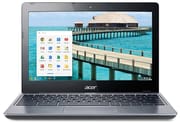 Acer Chromebook 11 (C720) | Acer Chromebook 11 (C720) | Acer Chromebook 11 (C720) | Acer Chromebook 11 (C720) | |
| Price | List Price: $199.99 Amazon Prices: | List Price: $229.99 Amazon Prices: | List Price: $349.99 Amazon Prices: | List Price: $379.99 Amazon Prices: |
| Model number | C720-2848 | C720-2420 | C720-3871 | C720-3404 |
| Performance Rating | 2.1 | 2.6 | 2.4 | 2.8 |
| Chromebook Plus | No | No | No | No |
| Processor | Dual-core 1.40 Ghz Intel Celeron 2955U | Dual-core 1.40 Ghz Intel Celeron 2955U | Dual-core 1.70 Ghz Intel Core i3-4005U | Dual-core 1.70 Ghz Intel Core i3-4005U |
| RAM | 2 GB | 4 GB | 2 GB | 4 GB |
| Internal Storage | 16 GB SSD (upgradable) | 32 GB SSD (upgradable) | 32 GB SSD (upgradable) | 32 GB SSD (upgradable) |
| Screen Size | 11.6" | 11.6" | 11.6" | 11.6" |
| Screen Resolution | 1366x768 | 1366x768 | 1366x768 | 1366x768 |
| Screen Type | LED | LED | LED | LED |
| Touch Screen | No | No | No | No |
| Stylus / Pen | No Stylus Support | No Stylus Support | No Stylus Support | No Stylus Support |
| Dimensions width x length x thickness | 11.34 x 8.03 x 0.78 inches (288.04 x 203.96 x 19.81 mm) | 11.34 x 8.03 x 0.78 inches (288.04 x 203.96 x 19.81 mm) | 11.34 x 8.03 x 0.78 inches (288.04 x 203.96 x 19.81 mm) | 11.34 x 8.03 x 0.78 inches (288.04 x 203.96 x 19.81 mm) |
| Weight | 2.98 lbs (1.35 kg) | 2.98 lbs (1.35 kg) | 2.98 lbs (1.35 kg) | 2.98 lbs (1.35 kg) |
| Backlit Keyboard | No | No | No | No |
| Webcam | 720p HD | 720p HD | 720p HD | 720p HD |
| WiFi | 802.11 a/b/g/n | 802.11 a/b/g/n | 802.11 a/b/g/n | 802.11 a/b/g/n |
| Bluetooth | Bluetooth 4.0 | Bluetooth 4.0 | Bluetooth 4.0 | Bluetooth 4.0 |
| Ethernet | No | No | No | No |
| Cellular Modem | No | No | No | No |
| HDMI | Full-Size HDMI | Full-Size HDMI | Full-Size HDMI | Full-Size HDMI |
| USB Ports | 1 USB 2.0, 1 USB 3 | 1 USB 2.0, 1 USB 3 | 1 USB 2.0, 1 USB 3 | 1 USB 2.0, 1 USB 3 |
| Thunderbolt Ports | No | No | No | No |
| Card Reader | SD | SD | SD | SD |
| Battery | 3 cell, Lithium-ion | 3 cell, Lithium-ion | 3 cell, Lithium-ion | 3 cell, Lithium-ion |
| Battery Life | 8.5 hours | 8.5 hours | 8.5 hours | 8.5 hours |
| Fanless | No | No | No | No |
| Auto Update Expiration Date | June, 2018 | June, 2018 | June, 2018 | June, 2018 |
Related Chromebooks
-
 Acer Chromebook 311 (AMD)The Acer Chromebook 311 (CB311-10H) is an 11.6-inch ChromeOS laptop on an AMD A4-9120C with 4GB of…
 -
 Acer Gateway Chromebook 311The Acer Gateway Chromebook 311 is an 11.6-inch 1366x768 ChromeOS laptop on an Intel Celeron N4500…
 -
 ASUS Chromebook C203XAThe ASUS Chromebook C203XA is a rugged 11.6-inch education laptop with a MediaTek MT8173C, an…
 -
 ASUS Chromebook Flip CR1The ASUS Chromebook Flip CR1 (CR1100FKA) is a rugged 11.6-inch education convertible on an Intel…
 -
 HP Chromebook 11a (ARM)The HP Chromebook 11a offers an 11.6-inch anti-glare display, 720p HD webcam, and up to 15 hours of…
 -
 Lenovo Flex 3 ChromebookThe Lenovo Flex 3 Chromebook is a fanless 11.6-inch convertible with an IPS touchscreen, a MediaTek…
Haswell speed in a plain plastic shell with a swappable SSD
Michael Larabel of Phoronix noted the “overall build quality…quite nice, especially considering its low price,” and the rugged construction made it popular in educational settings where durability matters more than aesthetics. The 11.6-inch form factor kept weight to under 3 pounds, making it portable for students and travelers. The all-plastic construction did flex in the palm rest during typing, a trade-off at the $199-249 price point.
The Intel Celeron 2955U (Haswell) processor held 7.5-8.5 hours of battery life on a single charge while staying quick under a browser load. Lisa Gade of MobileTechReview called it “basically the power user’s Chromebook,” noting that 4GB RAM (double the typical 2GB standard) and Haswell efficiency meant the C720 could handle multiple tabs and web applications without sluggishness. TechRadar awarded it 4.5 out of 5 stars, praising the “fast processor, light weight, very fast boot-up, good battery life.”
The port set dates to 2013: one USB 3.0 port, one USB 2.0 port, full-size HDMI for external displays, an SD card reader, and a combination headphone/microphone jack. WiFi runs 802.11 a/b/g/n dual-band with Bluetooth 4.0, and the 720p webcam served its purpose for video calls. The user-upgradeable M.2 2242 SATA SSD is the hardware feature owners still talk about, since it let them expand storage from the standard 16GB to 32GB, 64GB, or even 128GB using affordable third-party drives.
Reviewer Insights
Lisa Gade’s Perspective (MobileTechReview)
Lisa Gade’s MobileTechReview coverage treated the C720 as a productivity machine, and she wrote that “for $249, the C720 seems too good to be true.” Gade praised the sturdy build quality, good keyboard, reliable trackpad, and battery life, while noting the display’s mediocre TN panel as the primary compromise. On that panel she added, “you’re going to stare at the screen all day long, and I’d love to see manufacturers go with better displays.”
Ken Feinstein’s Analysis (TechRadar)
TechRadar’s review by Ken Feinstein awarded the C720 4.5 out of 5 stars, concluding that “Acer’s Chromebook balances power and price.” Feinstein credited the Haswell processor with delivering both speed and efficiency in a machine that stays portable. He also flagged a “mushy keyboard and trackpad” and “tinny underside speakers,” which he treated as minor at the price.
Michael Larabel’s Linux Testing (Phoronix)
Michael Larabel put the $199 model on Ubuntu 13.10 for his Phoronix Linux review. Larabel found that “installing Ubuntu 13.10 x86_64 to the Acer C720 was a breeze” and the “device ran without any other major problems.” The Intel Haswell processor and Qualcomm Atheros AR9462 WiFi card required no proprietary binary drivers, being fully supported by upstream Linux. That driver support is why a community grew around GalliumOS, Crouton, and various other Linux distributions tailored for Chromebook hardware.
Dana Wollman’s Core i3 Review (Engadget)
The Core i3 variant arrived in August 2014, making Acer the first manufacturer to release a Chromebook with an Intel Core i3 processor, and Dana Wollman covered it in her Engadget review. Wollman noted that “everything just feels slightly faster” with the Core i3, and browser games like “Plants vs. Zombies feel a tad more responsive.” That model sold at $350-380 depending on RAM configuration, with the plastic design carried over unchanged and still drawing criticism.
Steve Paine
Steve “Chippy” Paine approached the C720 as the netbook’s modern successor and tied the roughly eight-and-a-half-hour battery claim to the Haswell Celeron’s idle power management at the $199 price. He was upfront that the plastic chassis feels low-end, but praised the matte screen and a keyboard borrowed from Acer’s pricier V5 and V7 laptops. He also fitted a 128GB drive himself, showing that the upgradeable SSD opens the door to installing other operating systems on it.
A retired Chromebook that still runs Linux well
The Haswell chip, the upgradeable SSD, and the Linux compatibility that sold it at sub-$250 pricing are what keep the hardware usable today under GalliumOS or Ubuntu. Chrome OS support ended in June 2018 and the model is no longer available for purchase, so the remaining reason to own one is as a cheap Linux laptop with a drive you can swap. If you are shopping for a current model, our Chromebook Comparison Chart lets you sort and filter today’s lineup by specs, price, and features.
Frequently Asked Questions
Can the SSD be upgraded on the Acer Chromebook 11 (C720)?
Yes, the C720 was one of the few Chromebooks with a user-upgradeable M.2 2242 SATA SSD. The stock 16GB Kingston drive could be replaced with 32GB, 64GB, or 128GB third-party drives. The upgrade required removing 13 screws and took about 30 minutes, though it voided the warranty.
Can the Acer Chromebook C720 run Linux?
Yes, and its Linux compatibility is much of what the model is remembered for. Users could install Ubuntu, GalliumOS, or Arch Linux through developer mode and SeaBIOS legacy boot. The Intel Haswell processor and Atheros WiFi had full upstream Linux support without proprietary drivers, making installation straightforward.
What processor options were available for the Acer C720?
The C720 came in two processor variants: the Intel Celeron 2955U (1.4GHz dual-core Haswell) in the standard models priced at $199-249, and the Intel Core i3-4005U (1.7GHz dual-core Haswell) in the premium models priced at $350-380. Both ran around 8 hours on a charge.
Is the Acer Chromebook C720 still supported?
No, Chrome OS support for the C720 ended in June 2018 (Auto Update Expiration). The device no longer receives security updates from Google. However, users can install Linux distributions like GalliumOS or Arch Linux to continue using the hardware with modern software and security updates.
What is the difference between the C720 and C720P?
The C720P was the touchscreen variant of the C720, adding a touch-sensitive display while keeping most other specifications identical. The C720P was slightly heavier and more expensive than the standard C720 due to the touchscreen hardware. Both models shared the same processor options, ports, and battery life.
Can the RAM be upgraded on the Acer C720?
No, the RAM is soldered to the motherboard and cannot be upgraded. The C720 came in 2GB and 4GB RAM configurations that were fixed at purchase. For web browsing and basic tasks, 2GB was adequate, but the 4GB models held up better with multiple tabs open.