
Acer Chromebook 15 CB3-532
Updated on

Note: The Acer Chromebook 15 CB3-532 reached its Auto Update Expiration in June 2022 and no longer receives Chrome OS updates. While still functional for basic tasks, we recommend considering a newer Chromebook for continued security updates and feature improvements.
The Acer Chromebook 15 CB3-532 arrived in 2016 as one of the most affordable large-screen Chromebooks on the market, offering a 15.6-inch display at a remarkably low price point around $199. Built around Intel’s Celeron N3060 processor with 4GB of RAM, this Chromebook targeted users who prioritized screen real estate and all-day battery life over raw performance. For students, families, and basic home users who primarily needed a machine for web browsing, email, and document editing, the CB3-532 represented genuine value.
Related Videos
Acer Chromebook 15 CB3-532 Comparison Chart
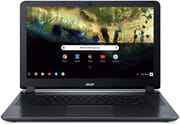 Acer Chromebook 15 CB3-532 | Acer Chromebook 15 CB3-532 | Acer Chromebook 15 CB3-532 | |
| Price | List Price: $229.99 Amazon Prices: | List Price: $229.99 Amazon Prices: | List Price: $229.99 Amazon Prices: |
| Model number | CB3-532-C4ZZ / NX.GHJAA.008 | CB3-532-108H / NX.GHJAA.016 | CB3-532-C42P / NX.GHJAA.004 |
| Performance Rating | 2.4 | 2.4 | 2.4 |
| Chromebook Plus | No | No | No |
| Processor | Dual-core 1.60 Ghz (max 2.48 Ghz) Intel Celeron Processor N3060 | Quad-core 1.04 Ghz (max 2.00 Ghz) Intel Atom x5-E8000 Processor | Dual-core 1.60 Ghz (max 2.48 Ghz) Intel Celeron Processor N3060 |
| RAM | 4 GB | 4 GB | 4 GB |
| Internal Storage | 32 GB eMMC | 16 GB eMMC | 16 GB eMMC |
| Screen Size | 15.6" | 15.6" | 15.6" |
| Screen Resolution | 1366x768 | 1366x768 | 1366x768 |
| Screen Type | LED-backlit | LED-backlit | LED-backlit |
| Touch Screen | No | No | No |
| Stylus / Pen | No Stylus Support | No Stylus Support | No Stylus Support |
| Dimensions width x length x thickness | 15.1 x 10.1 x 0.95 inches (383.54 x 256.54 x 24.13 mm) | 15.1 x 10.1 x 0.95 inches (383.54 x 256.54 x 24.13 mm) | 15.1 x 10.1 x 0.95 inches (383.54 x 256.54 x 24.13 mm) |
| Weight | 4.3 lbs (1.95 kg) | 4.3 lbs (1.95 kg) | 4.3 lbs (1.95 kg) |
| Backlit Keyboard | No | No | No |
| Webcam | 1280x720 | 1280x720 | 1280x720 |
| WiFi | 802.11 a/b/g/n/ac | 802.11 a/b/g/n/ac | 802.11 a/b/g/n/ac |
| Bluetooth | Bluetooth 4.2 | Bluetooth 4.2 | Bluetooth 4.2 |
| Ethernet | No | No | No |
| Cellular Modem | No | No | No |
| HDMI | Full-Size HDMI | Full-Size HDMI | Full-Size HDMI |
| USB Ports | 2 USB 3 | 2 USB 3 | 2 USB 3 |
| Thunderbolt Ports | No | No | No |
| Card Reader | SD/SDXC | SD/SDXC | SD/SDXC |
| Battery | 3 cell, 3950 mAh, Li-Polymer | 3 cell, 3950 mAh, Li-Polymer | 3 cell, 3950 mAh, Li-Polymer |
| Battery Life | 12.0 hours | 12.0 hours | 12.0 hours |
| Fanless | No | No | No |
| Auto Update Expiration Date | June, 2022 | June, 2022 | June, 2022 |
Related Chromebooks
-
 Acer Chromebook 315 (CB315-5H/5HT)A budget-friendly 15.6-inch Chromebook with Intel N100 processor, FHD IPS display, WiFi 6E, and…
 -
 Acer Chromebook 315The Acer Chromebook 315 shines with its vivid 15.6-inch FHD IPS display, 10-hour battery life, and…
 -
 ASUS Chromebook C523The ASUS Chromebook C523 brings a 15.6” anti-glare display, robust connectivity with 802.11ac Wi-Fi…
 -
 ASUS Chromebook CX1 (CX1500)The ASUS Chromebook CX1 (CX1500) boasts a full HD display, long-lasting battery, and peppy…
 -
 Lenovo 3i ChromebookThe Lenovo 3i Chromebook offers a large 15.6-inch anti-glare FHD display with a numeric keypad,…
 -
 Lenovo IdeaPad 3i ChromebookA budget-friendly 15.6" Chromebook featuring a Full HD display, Intel Celeron N4500 processor, and…
Detailed Insights into the Acer Chromebook 15 CB3-532
The CB3-532’s design prioritizes practicality over premium aesthetics. The granite gray chassis features a woven, textured finish that provides better grip than glossy alternatives and does a reasonable job of hiding fingerprints. At 4.3 pounds and 0.95 inches thick, this is a substantial machine that feels more at home on a desk than in a backpack. The build quality is adequate for the price point, with no alarming flex in the keyboard deck or display lid, though it certainly doesn’t feel as premium as Acer’s higher-end Chromebook 14. The port selection includes USB 3.0, HDMI, and an SD card reader, though users who needed wired internet had to connect a USB Ethernet adapter.
Performance tells the story of a budget-focused device. The Intel Celeron N3060 dual-core processor handles basic tasks like email, Google Docs, and light web browsing without issue, but starts to struggle when you open more than a few browser tabs or try to multitask. 9to5Google noted that “scrolling around pages is noticeably slower than other Chromebooks,” and Technically Well found that “performance can stutter even when loading just one ad- and javascript-heavy website.” The 16GB or 32GB of eMMC storage fills up quickly with offline files, though the 100GB of Google Drive storage included helps offset this limitation.
The 15.6-inch display is simultaneously this Chromebook’s greatest asset and most significant weakness. The large screen makes spreadsheets, documents, and web pages easier to read, particularly for users with vision concerns. However, the 1366x768 resolution means text and images appear less sharp than on higher-resolution displays, and the TN panel offers limited viewing angles. 9to5Google found the display “way too dim at 50% brightness,” requiring higher brightness settings for comfortable indoor use. That said, TechRadar described the display as “absolutely radiant,” suggesting that expectations and use cases vary considerably.
Battery life is where the CB3-532 genuinely excels. Acer advertises 12 hours of runtime, and real-world testing by reviewers consistently found 8-12 hours of actual use depending on brightness settings and workload. This makes it genuinely possible to work all day without reaching for a charger, a significant advantage for students or anyone who values portability despite the laptop’s size and weight.
Reviewer Insights on the Acer Chromebook 15 CB3-532
Dr Earbuds’ Perspective
Dr Earbuds / Tech 4 Networkers offered a strongly negative assessment of the CB3-532, advising viewers not to purchase it even on sale. In his hands-on review, he characterized it as a “15.6 inch behemoth” that feels outdated, stating that “this screen puts you back where Chromebooks first came out. That’s a problem; the screen is an issue.” He praised the keyboard as decent and noted the attractive design, but found the trackpad mushy, the speakers hollow, and the overall package too heavy for practical use. His verdict was clear: “Don’t buy this Acer Chromebook 15. I don’t even care if they have a sale… this Chromebook is… a couple of years behind.”
BlogTechTips’ Perspective
BlogTechTips provided a more balanced overview, explaining Chrome OS fundamentals for newcomers while honestly acknowledging the device’s limitations. He noted that “Chrome OS is quite fast” and highlighted the 12-hour battery life as a genuine strength. However, he warned that “16 gigabytes is used up very, very fast” and that the device is heavily dependent on internet connectivity. His ultimate advice: “If you know what it is and know its limitations you’ll be fine.” This makes the CB3-532 suitable for users who understand they’re buying a web-focused device, not a traditional laptop replacement.
NotebookCheck and Computer Shopper
NotebookCheck rated the CB3-532 at 80%, praising it as an exceptional value proposition. Their review emphasized that “you might be giving up style, but in return you’ll get a bigger screen and absurdly long battery life—while only paying $200.” Computer Shopper agreed with the same score, noting that “for $199, we’re happy to live with its shortcomings in order to be able to afford one (or even two) extra Internet devices.” Both publications acknowledged the limitations but recognized the genuine value for budget-conscious buyers.
9to5Google’s Assessment
9to5Google provided perhaps the most practical assessment, describing the CB3-532 as “a big, but not so powerful Chromebook aimed at those who need a large, affordable machine.” The reviewer ultimately gifted the device to his parents, identifying them as the ideal target market: basic users comfortable with web browsing, email, and light document creation who prioritize screen size and affordability over performance. The review praised the keyboard and trackpad for typing tasks while noting the dim display and slow scrolling as significant drawbacks.
The consensus across reviewers is clear: the CB3-532 serves a specific niche of budget-conscious users who prioritize screen size and battery life over performance and display quality. It’s not for power users or multitaskers, but for basic web tasks and document work, it delivers genuine value at its price point.
Customer Reviews of the Acer Chromebook 15 CB3-532
Amazon customers largely echo the professional reviewers’ assessments. Many praise the CB3-532 for its value, noting that it handles basic tasks like email, web browsing, and streaming video without issue. The keyboard receives frequent positive mentions as comfortable for extended typing sessions, and the battery life consistently impresses users who can work all day without charging.
Common complaints center on the limited storage, with 16GB filling up quickly even with minimal offline files. Several reviewers note sluggishness when too many browser tabs are open, and the display brightness and viewing angles receive mixed feedback. The weight is another recurring concern, with users noting it’s heavier than expected for a Chromebook.
For users with appropriate expectations, particularly those replacing an aging laptop for a parent or student who primarily needs web access and Google Workspace, the CB3-532 earns positive marks. Those expecting laptop-level performance or planning to multitask heavily report disappointment. The key to satisfaction with this device is understanding its budget-focused design philosophy.
Conclusion
The Acer Chromebook 15 CB3-532 represented a specific value proposition when it launched: the largest affordable screen possible with all-day battery life, at the cost of performance and display quality. For its target market of basic users, students, and budget-conscious families, it delivered on that promise. The 15.6-inch display made documents easier to read, the 12-hour battery life enabled true all-day productivity, and the sub-$250 price point made it accessible to nearly everyone.
However, with its June 2022 Auto Update Expiration now passed, the CB3-532 is no longer receiving Chrome OS security updates. While it continues to function for basic tasks, users concerned about security or wanting the latest Chrome OS features should consider newer alternatives. The Chromebook market has evolved significantly since 2016, with modern devices offering better processors, higher-resolution displays, and longer support windows at similar or only slightly higher price points. For those still using a functional CB3-532, it remains a capable basic productivity tool, but new buyers should look to current-generation Chromebooks that will receive updates for years to come.