
Acer Chromebox CXI3
Updated on

Note on availability: The Acer Chromebox CXI3 is still a supported ChromeOS device through its Auto Update Expiration date of June 2028 per Google’s official AUE schedule. New-stock retail availability has tapered: as of mid-2026 the only Amazon US listing is a Renewed (refurbished) unit, so most readers picking one up today will be buying secondhand or fleet-pull stock.
Acer launched this Chromebox in 2018 as a compact, cheap desktop for people who did not want a Windows tower. It shipped in configurations running from a budget Celeron up to Core i3, i5, and i7 parts, all in the same 5.8 x 5.9 x 1.6-inch chassis. Google’s AUE schedule still lists it (and its enterprise twin) as receiving ChromeOS updates through June 2028, which keeps it in scope for fleet refurbishers and for owners running one as a daily desktop or a low-power home server.
Pros and cons
| Pros | Cons |
|---|---|
| Compact 5.8 x 5.9 x 1.6 inch chassis with VESA mount and vertical stand included | New retail stock has tapered; mostly available refurbished or fleet-pull today |
| Dual SO-DIMM slots and an M.2 slot for user-accessible RAM and storage upgrades | No webcam or microphone built in (external accessories required for video calls) |
| Three USB 3.0 and two USB 2.0 ports plus USB-C and microSD | HDMI 1.4b caps 4K output to 30Hz |
| Gigabit Ethernet, Wi-Fi 5 (802.11ac), Bluetooth 4.2 | No Wi-Fi 6 (the device dates to 2018) |
| ChromeOS updates supported through June 2028 per Google’s AUE schedule | ChromeOS’s no-x86-Windows-binaries limit applies (Crostini Linux container fills part of the gap) |
| Quiet, low-power chassis suitable for 24/7 server / signage duty | Higher-spec Core i5 / i7 SKUs were expensive at launch ($519 to $759 MSRP) |
Related Videos
Acer Chromebox CXI3 Comparison Chart
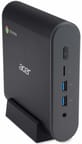 Acer Chromebox CXI3 | Acer Chromebox CXI3 | Acer Chromebox CXI3 | Acer Chromebox CXI3 | |
| Price | List Price: $249.99 Amazon Prices: | List Price: $569.99 Amazon Prices: | List Price: $749.99 Amazon Prices: | List Price: $439.99 Amazon Prices: |
| Model number | CXI3-4GKM / DT.Z0NAA.001 | CXI3-I58GKM / DT.Z0SAA.001 | CXI3-I716GKM / DT.Z0TAA.001 | CXI3-I38GKM2 / DT.Z0UAA.001 |
| Performance Rating | 2.6 | 6.0 | 6.9 | 4.9 |
| Chromebook Plus | No | No | No | No |
| Processor | Dual-core 1.80 Ghz Intel Celeron 3865U | Quad-core 1.60 Ghz (max 3.40 Ghz) Intel Core i5-8250U | Quad-core 1.80 Ghz (max 4.00 Ghz) Intel Core i7-8550U | Dual-core 2.20 Ghz (max 3.40 Ghz) Intel Core i3-8130U |
| RAM | 4 GB | 8 GB | 16 GB | 8 GB |
| Internal Storage | 32 GB SSD | 64 GB SSD | 64 GB SSD | 64 GB SSD |
| Screen Size | No Screen | No Screen | No Screen | No Screen |
| Screen Resolution | No Screen | No Screen | No Screen | No Screen |
| Screen Type | No Screen | No Screen | No Screen | No Screen |
| Touch Screen | No | No | No | No |
| Stylus / Pen | No Stylus Support | No Stylus Support | No Stylus Support | No Stylus Support |
| Dimensions width x length x thickness | 5.8 x 5.9 x 1.6 inches (147.32 x 149.86 x 40.64 mm) | 5.8 x 5.9 x 1.6 inches (147.32 x 149.86 x 40.64 mm) | 5.8 x 5.9 x 1.6 inches (147.32 x 149.86 x 40.64 mm) | 5.8 x 5.9 x 1.6 inches (147.32 x 149.86 x 40.64 mm) |
| Weight | 1.2 lbs (0.55 kg) | 1.2 lbs (0.55 kg) | 1.2 lbs (0.55 kg) | 1.2 lbs (0.55 kg) |
| Backlit Keyboard | No | No | No | No |
| Webcam | No Webcam | No Webcam | No Webcam | No Webcam |
| WiFi | 802.11 b/g/n/ac | 802.11 b/g/n/ac | 802.11 b/g/n/ac | 802.11 b/g/n/ac |
| Bluetooth | 4.2 + LE | 4.2 + LE | 4.2 + LE | 4.2 + LE |
| Ethernet | Yes | Yes | Yes | Yes |
| Cellular Modem | No | No | No | No |
| HDMI | Full-Size HDMI | Full-Size HDMI | Full-Size HDMI | Full-Size HDMI |
| USB Ports | 2 USB 2.0, 3 USB 3, 1 USB-C | 2 USB 2.0, 3 USB 3, 1 USB-C | 2 USB 2.0, 3 USB 3, 1 USB-C | 2 USB 2.0, 3 USB 3, 1 USB-C |
| Thunderbolt Ports | No | No | No | No |
| Card Reader | microSD Card Reader | microSD Card Reader | microSD Card Reader | microSD Card Reader |
| Battery | No Battery | No Battery | No Battery | No Battery |
| Battery Life | 0.0 hours | 0.0 hours | 0.0 hours | 0.0 hours |
| Fanless | No | No | No | No |
| Auto Update Expiration Date | June, 2028 | June, 2028 | June, 2028 | June, 2028 |
Related Chromebooks
-
 Acer Chromebox CXI5A compact Chrome OS desktop with 12th Gen Intel processors, USB-C with DisplayPort output, and…
 -
 Acer Chromebook 311 (AMD)The Acer Chromebook 311 (CB311-10H) is an 11.6-inch ChromeOS laptop on an AMD A4-9120C with 4GB of…
 -
 ASUS Chromebox 5The ASUS Chromebox 5 is a Chrome OS desktop with 12th Gen Intel processors, Thunderbolt 4, Wi-Fi…
 -
 Lenovo Chromebox MicroThe Lenovo Chromebox Micro is a fanless 6.4 x 3.1 x 0.8 inch ChromeOS desktop built on the Intel…
 -
 ASUS Chromebook C203XAThe ASUS Chromebook C203XA is a rugged 11.6-inch education laptop with a MediaTek MT8173C, an…
 -
 CTL Chromebox CBx3The CTL Chromebox CBx3 is a Chrome OS desktop built on 13th Gen Intel processors, with Wi-Fi 6E,…
The port selection outclasses the 2018 wireless
The plastic enclosure measures 5.8 x 5.9 x 1.6 inches and weighs 1.2 pounds, so the bundled VESA bracket can hang it off the back of most monitors without stressing the mount. It also sits flat on a desk or stands upright on the included stand. Acer optimized the build for cost and utility, and the finish shows that. The unit runs cool and quiet, with reviewers at Android Authority noting the near-silent operation during typical use.
Three USB 3.0 and two USB 2.0 ports (two on the front, three on the rear), one USB-C port, full-size HDMI output, Gigabit Ethernet, and a microSD card slot cover most desktop setups with no adapter in the way. Wi-Fi 5 (802.11ac) and Bluetooth 4.2 handle the radios, and there is no Wi-Fi 6. The HDMI 1.4b port caps 4K output at 30Hz, which suits productivity and limits media playback.
Configuration decides how much the box holds open at once. The base Intel Celeron 3865U with 4GB of RAM handles web browsing, Google Workspace applications, and Android apps from the Play Store without drama. Corbin Davenport at Android Police tested the Core i5-8250U model with around 20 Chrome tabs and multiple web apps running simultaneously, and his review reports that “the CXI3 handles all of that just fine, I never noticed a slowdown.” Android Authority’s benchmarks of the same Core i5 variant scored 4,393 on Geekbench single-core and 11,155 on multi-core. The port count and processing power on the higher-spec builds also made them workable for music production on Chrome OS using web-based DAWs. The dual RAM slots and the M.2 storage slot mean memory and the SSD can be swapped later, which is why hobbyists buy these cheaply and repurpose them as Linux servers or home automation hubs.
Reviewer Insights
Hardware Haven: 1.5 watts at idle as a Proxmox host
Hardware Haven flashed custom UEFI firmware onto the box to run Linux and Windows. Their testing measured an idle draw of just 1.5 watts: “getting into sub-Raspberry Pi territory,” as they put it. They successfully deployed the Chromebox as a Proxmox virtualization server, Jellyfin media server, and even a Minecraft game server after installing Linux. “This little mini PC really surprised me, especially because it’s not really a normal mini PC, it’s actually a Chromebox,” they noted, ultimately concluding that for less than $40 on the used market, it absolutely makes sense for server projects.
The Breakdown With Luke framed it as a cheap family desktop
The Breakdown With Luke reviewed it as a parent setting up a basic ChromeOS desktop for someone else in the household. His unit shipped with a keyboard, a mouse, the VESA bracket, and a vertical stand. On the chassis itself he frames it bluntly: “is it a high-end apple computer no it’s a plastic basic cheap computer which is perfect.” He signs off with “two huge thumbs up really do like it for the prices is excellent.”
Tom’s Guide: an Editor’s Choice with a price reservation
Tom’s Guide gave the CXI3 their Editor’s Choice award and headlined the review “The best Chrome desktop yet.” The Pros list in that review reads “Compact design can be mounted or stashed out of sight,” “Includes plenty of ports,” “Has excellent performance,” and “Runs cool”; the Cons list is “Limitations of Chrome OS” and “High price.” Their criticisms centered on the inherent limitations of ChromeOS as a platform and the relatively high original price point, particularly for the Core i5 and i7 configurations.
Android Police on the 2018 ChromeOS desktop field
Android Police described the CXI3 as “probably the best Chrome OS desktop you can buy, even if it’s a little pricey.” Corbin Davenport noted that the Core i5 model “handles all of that just fine, with no noticeable slowdown” when pushing it with heavy multitasking. The comprehensive connectivity and VESA mounting option impressed him, though the $519 MSRP for the Core i5 variant felt expensive for a ChromeOS device at the time.
Android Authority: a Windows replacement, with Android app caveats
Android Authority recommended the CXI3 as a Windows replacement, noting it was “zippy and highly responsive” with “plenty of power under its hood.” They praised the silent operation, extensive connectivity options, fast SSD storage, and absence of bloatware. However, they cautioned that Android app compatibility remained inconsistent on Chrome OS, and gaming support varied significantly by title.
A cheap second desktop, and a cheaper Linux server
The base Celeron build suits web browsing, streaming, and basic productivity, and the Core i5 and i7 builds hold more open at once. ChromeOS updates continue until June 2028, which is enough runway for a school IT department running one as a kiosk endpoint or a household replacing a creaking older Windows desktop.
For anyone buying used in 2026, the Hardware Haven team demonstrated that fleet-pull units can be picked up for around the price of a new mid-range single-board computer and repurposed as home servers drawing just 1.5 watts at idle once Proxmox or another mainline Linux distribution is flashed onto the device. Left on stock ChromeOS, the same hardware still gives you the port selection, the upgrade path through the dual RAM slots and M.2 storage, and a footprint small enough for a secondary desk or a machine tucked behind a monitor.
The Chromebook Comparison Chart sorts the full catalog by spec if you want to line this one up against newer ChromeOS options.
Frequently Asked Questions
Is the Acer Chromebox CXI3 still supported by Google?
Yes. The CXI3 (and its enterprise-branded twin) is on Google’s official Auto Update Expiration schedule with an AUE date of June 2028, so it continues to receive ChromeOS feature updates and security patches through that date.
Can I still buy the Acer Chromebox CXI3 new?
New retail stock is hard to find. As of mid-2026, the only Amazon US listing for the CXI3 is a Renewed (refurbished) unit, so most buyers picking one up today will be getting fleet-pull, refurbished, or used inventory. For a brand-new ChromeOS desktop, look at Acer’s newer CXI4 successor or comparable current Chromeboxes.
Can I upgrade the RAM and storage on the CXI3?
Both are user-serviceable. The box has two SO-DIMM RAM slots and an M.2 storage slot behind the bottom panel, and swapping in more memory or a larger NVMe SSD is one of the reasons hobbyists buy these units cheaply on the second-hand market.
Does the Acer Chromebox CXI3 include a keyboard and mouse?
It does. The Breakdown With Luke’s review unit and Tom’s Guide’s review confirm the CXI3 ships with a keyboard, a mouse, a vertical-orientation stand, and a VESA mount for attaching it to the back of a monitor.
Can the Acer Chromebox CXI3 run Linux or Windows?
The CXI3 ships running ChromeOS and supports the built-in Linux (Crostini) container for running standard Linux applications. For full Linux distributions like Proxmox, or for Windows, the device’s firmware can be replaced via the Mr Chromebox script, as the Hardware Haven video on this page demonstrates with a Proxmox install. Doing so voids the warranty and is hobbyist territory.