
Acer Chromebox CXI5
Published on

The Acer Chromebox CXI5 brings modern computing to the desktop Chrome OS experience with 12th Gen Intel processors and contemporary connectivity options. This compact unit measures just 7.3 x 7.3 x 1.4 inches and weighs 2.2 pounds, making it easy to tuck behind a monitor using the included VESA mount adapter. Available configurations range from the budget-friendly Intel Celeron 7305 to the powerful Core i7-1270P, allowing buyers to match performance to their needs. The CXI5 distinguishes itself with USB4 ports capable of 40 Gbps transfers and DisplayPort output, WiFi 6E wireless, and user-upgradeable RAM and storage. For home offices, digital signage, or anyone seeking a streamlined Chrome OS desktop experience, the CXI5 offers a compelling package with software support through June 2032.
Pros and Cons of the Acer Chromebox CXI5
| Pros | Cons |
|---|---|
| USB4 ports with 40 Gbps speeds and DisplayPort | Requires separate monitor, keyboard, and mouse |
| User-upgradeable RAM and storage | Base model limited to 4GB RAM and 32GB eMMC |
| Compact form factor with included VESA mount | Some configurations difficult to find in stock |
| WiFi 6E and 2.5GbE Ethernet (i7 model) | External audio has occasional quirks |
| Chrome OS updates until June 2032 | Cannot handle demanding games or creative apps |
| Multiple display outputs (2x HDMI + DisplayPort via USB-C) | Celeron models limited to 1GbE Ethernet |
Acer Chromebox CXI5 Comparison Chart
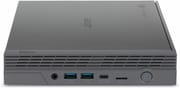 Acer Chromebox CXI5 | Acer Chromebox CXI5 | Acer Chromebox CXI5 | |
| Price | List Price: $899.99 Amazon Prices: | List Price: $359.99 Amazon Prices: | List Price: $329.99 Amazon Prices: Loading prices... |
| Model number | DT.Z2NAA.001 | DT.Z2JAA.002 | DT.Z2JAA.001 |
| Performance Rating | 5.0 | 5.1 | 3.8 |
| Chromebook Plus | No | No | No |
| Processor | Twelve-core 2.20 Ghz (max 4.80 Ghz) Intel Core i7-1270P | 5-core 0.90 Ghz (max 1.10 Ghz) Intel Celeron Processor 7305 | 5-core 0.90 Ghz (max 1.10 Ghz) Intel Celeron Processor 7305 |
| RAM | 16 GB | 8 GB | 4 GB |
| Internal Storage | 256 GB NVMe SSD (upgradable) | 64 GB eMMC (upgradable) | 32 GB eMMC (upgradable) |
| Screen Size | No Screen | No Screen | No Screen |
| Screen Resolution | No Screen | No Screen | No Screen |
| Screen Type | No Screen | No Screen | No Screen |
| Touch Screen | No | No | No |
| Stylus / Pen | No Stylus Support | No Stylus Support | No Stylus Support |
| Dimensions width x length x thickness | 7.3 x 7.3 x 1.4 inches (185.42 x 185.42 x 35.56 mm) | 7.3 x 7.3 x 1.4 inches (185.42 x 185.42 x 35.56 mm) | 7.3 x 7.3 x 1.4 inches (185.42 x 185.42 x 35.56 mm) |
| Weight | 2.2 lbs (1 kg) | 2.2 lbs (1 kg) | 2.2 lbs (1 kg) |
| Backlit Keyboard | No | No | No |
| Webcam | No Webcam | No Webcam | No Webcam |
| WiFi | Wi-Fi 6E (802.11ax) | Wi-Fi 6E (802.11ax) | Wi-Fi 6E (802.11ax) |
| Bluetooth | Bluetooth 5.0 | Bluetooth 5.0 | Bluetooth 5.0 |
| Ethernet | Yes | Yes | Yes |
| Cellular Modem | No | No | No |
| HDMI | Full-Size HDMI | Full-Size HDMI | Full-Size HDMI |
| USB Ports | 4 USB 3, 2 USB 4, 2 USB-C 4x USB 3.2 Gen 2 Type-A, 2x USB4/USB-C (40 Gbps, DisplayPort) | 4 USB 3, 2 USB 4, 2 USB-C 4x USB 3.2 Gen 2 Type-A, 2x USB4/USB-C (40 Gbps, DisplayPort) | 4 USB 3, 2 USB 4, 2 USB-C 4x USB 3.2 Gen 2 Type-A, 2x USB4/USB-C (40 Gbps, DisplayPort) |
| Thunderbolt Ports | No | No | No |
| Card Reader | microSD Card Reader | microSD Card Reader | microSD Card Reader |
| Battery | No Battery | No Battery | No Battery |
| Battery Life | Unknown | Unknown | Unknown |
| Fanless | No | No | No |
| Auto Update Expiration Date | June, 2032 | June, 2032 | June, 2032 |
Related Chromebooks
-
 Acer Chromebox Mini CXM1The Acer Chromebox Mini CXM1 delivers enterprise-grade digital signage in an ultra-compact fanless…
 -
 ASUS Chromebox 5The ASUS Chromebox 5 delivers modern desktop Chrome OS performance with 12th-gen Intel processors,…
 -
 Lenovo ThinkCentre M60q ChromeboxLenovo's first Chromebox in seven years delivers 12th-gen Intel power in a compact 1-liter desktop…
 -
 ASUS Chromebox 5aThe ASUS Chromebox 5a delivers 13th Gen Intel power in a compact desktop package, supporting up to…
 -
 Acer Chromebook 314 (CB314-4H/4HT)A budget-friendly 14-inch Chromebook with Intel Alder Lake-N processors, WiFi 6E, and software…
 -
 Lenovo Chromebox MicroAn ultra-compact, fanless Chromebox designed for digital signage and specialized deployments,…
Detailed Insights into the Acer Chromebox CXI5

The Acer Chromebox CXI5 maintains Acer’s tradition of compact, functional Chromebox design. At 7.3 x 7.3 x 1.4 inches and 2.2 pounds, it occupies minimal desk space and can be mounted behind a monitor using the included VESA adapter. The front panel provides two USB 3.2 Type-A ports, a USB-C port, and a headphone/microphone combo jack for easy access. The rear houses two HDMI 2.1 ports, two additional USB 3.2 Type-A ports, another USB-C port, Ethernet, and a microSD card slot. Active cooling keeps the system running quietly during typical desktop workloads.
Performance varies significantly between configurations. The entry-level Intel Celeron 7305 with its 5 cores delivers a PassMark score around 2,500, suitable for web browsing, document editing, and video conferencing. The flagship Core i7-1270P variant jumps to a PassMark score of approximately 16,500 with its 12 cores and 16 threads, handling multitasking and more demanding Chrome OS workloads with ease. Both processors support Android apps and Linux containers, expanding the software options available to users. Reviewers consistently note smooth everyday performance across configurations.
Connectivity options position the CXI5 well for modern workflows. WiFi 6E (802.11ax) provides the latest wireless standards, while Bluetooth 5.0 handles peripheral connections. The i7 model includes 2.5 Gigabit Ethernet for wired networks, though Celeron variants use standard Gigabit Ethernet. Unlike most Chromebooks, which lack built-in Ethernet and require a USB Ethernet adapter, the CXI5 provides a dedicated wired networking port on every configuration. The two USB4 ports support 40 Gbps data transfer and can drive external displays via DisplayPort Alt Mode, adding flexibility beyond the dual HDMI outputs. Storage expansion is straightforward with accessible M.2 and RAM slots, a feature particularly appreciated by users who want to upgrade over time.
Reviewer Insights on the Acer Chromebox CXI5

Android Central
Android Central awarded the CXI5 4 out of 5 stars, calling it “a long overdue upgrade” from the previous CXI4. The review praised the comprehensive port selection and the included VESA mount adapter for decluttering desk setups. The ability to upgrade RAM and storage earned particular mention as a key advantage for users wanting to customize their system over time.
However, the review noted that buyers need to budget separately for a monitor, keyboard, and mouse since the Chromebox is a barebones desktop unit. Additionally, finding specific configurations in stock can prove challenging depending on the variant desired.
Android Police
Android Police gave the CXI5 a 9 out of 10 and an Editor’s Choice award, highlighting the “impressive performance in a compact and affordable package.” The review specifically praised the premium design aesthetic, comprehensive port selection, and Linux app support. Testing revealed excellent everyday performance and capable casual gaming through Android apps and web-based games.
The review identified limited storage capacity as the primary weakness, particularly on lower-end configurations. Account switching proved less smooth than on some competitors, and external audio functionality occasionally exhibited quirks. Despite these minor issues, the overall verdict emphasized excellent value with fast performance and solid feature set for home and office use.
Across both reviews, the consensus points to the CXI5’s connectivity options and upgradeable internals as standout strengths. The compact form factor with VESA mounting capability consistently earned praise. The main criticisms centered on base storage limitations and the need for buyers to account for peripheral costs when budgeting.
Conclusion
The Acer Chromebox CXI5 represents a well-executed Chrome OS desktop for users who prefer a compact, dedicated workstation over a laptop. Its combination of modern USB4 connectivity, WiFi 6E wireless, and user-upgradeable components makes it adaptable to various home office and business scenarios. The Core i7 variant handles demanding multitasking, while the Celeron models provide entry-level Chrome OS desktop computing.
That said, buyers seeking an all-in-one solution or those who need powerful graphics processing should consider alternatives. The base Celeron configuration with 4GB RAM and 32GB storage works for basic tasks but may feel constrained for power users. Anyone choosing a Chromebox should factor in the cost of monitor, keyboard, and mouse when comparing to Chromebook laptops.
For those comparing options, see our Chromebook Comparison Chart to find the best match for your needs.
Frequently Asked Questions
What processors are available in the Acer Chromebox CXI5?
The Acer Chromebox CXI5 is available with either the Intel Celeron 7305 (5 cores, 5 threads, up to 1.1 GHz) or the Intel Core i7-1270P (12 cores, 16 threads, up to 4.8 GHz). The Celeron handles basic Chrome OS tasks efficiently with a PassMark score around 2,500, while the Core i7 delivers significantly more power with a score around 16,500 for demanding multitasking.
Can I upgrade the RAM and storage in the Acer Chromebox CXI5?
Yes, the Acer Chromebox CXI5 supports user-upgradeable RAM and storage. The system uses accessible SO-DIMM slots for RAM and includes an M.2 slot for NVMe SSD storage. This makes it straightforward to expand beyond the stock configuration if your needs grow over time.
What ports does the Acer Chromebox CXI5 have?
The CXI5 includes four USB 3.2 Gen 2 Type-A ports, two USB4/USB-C ports (supporting 40 Gbps data transfer and DisplayPort output), two HDMI 2.1 ports, Gigabit or 2.5 Gigabit Ethernet (depending on configuration), a microSD card slot, and a headphone/microphone combo jack. The dual HDMI plus USB-C DisplayPort support enables up to three simultaneous displays.
When does the Acer Chromebox CXI5 stop receiving updates?
The Acer Chromebox CXI5 will receive Chrome OS automatic updates through June 2032, according to Google’s Auto Update Policy. This provides approximately 6 years of software support from the current date, ensuring security patches and new features throughout the device’s useful life.
Does the Acer Chromebox CXI5 support Android and Linux apps?
Yes, the CXI5 fully supports both Android apps through the Google Play Store and Linux applications via the built-in Linux container (Crostini). This expands the available software beyond web apps to include productivity tools, development environments, and mobile apps adapted for the desktop.
Can the Acer Chromebox CXI5 be mounted behind a monitor?
Yes, the Acer Chromebox CXI5 includes a VESA mount adapter in the box. This allows you to attach the Chromebox to the back of any VESA-compatible monitor, creating a cleaner desk setup and effectively turning your display into an all-in-one computer.