
ASUS Chromebook C300
Updated on

Note: This Chromebook has been discontinued. Its Auto Update Expiration date was September 2021, so it no longer receives Chrome OS updates or security patches.
The ASUS Chromebook C300 put a 13.3-inch screen on the same Intel Celeron N2830 Bay Trail processor ASUS used in the 11.6-inch C200. It arrived in 2014 starting at $219, and the larger panel came with a fanless chassis and all-day battery life.
| Pros | Cons |
|---|---|
| 10-14 hour battery life | Extremely poor vertical viewing angles |
| No fan, so no fan noise on any workload | RAM and eMMC soldered, so no upgrades |
| Starts at $219 and tops out at $279 | Faint CPU whine audible during operation |
| 13.3-inch panel in a 3.08-pound body | Chassis flexes under pressure |
| Bright matte screen (276 cd/m²) | Sluggish performance for demanding tasks |
| Dual-band 802.11ac at 867 Mbps | Inaccurate color representation |
Related Videos
ASUS Chromebook C300 Comparison Chart
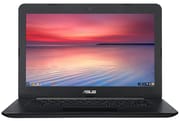 ASUS Chromebook C300 | ASUS Chromebook C300 | ASUS Chromebook C300 | ASUS Chromebook C300 | ASUS Chromebook C300 | ASUS Chromebook C300 | |
| Price | List Price: $279.00 Amazon Prices: | List Price: $229.00 Amazon Prices: | List Price: $329.00 Amazon Prices: | List Price: $389.00 Amazon Prices: | List Price: $229.00 Amazon Prices: | List Price: $229.00 Amazon Prices: |
| Model number | C300MA-DH02 | C300MA-DB01 | C300MA-EDU | C300MA-DH02-LTE | C300MA-DH01-RD | C300MA-DH01-LB |
| Performance Rating | 2.3 | 1.8 | 2.3 | 2.3 | 1.8 | 1.8 |
| Chromebook Plus | No | No | No | No | No | No |
| Processor | Dual-core 2.16 Ghz (max 2.41 Ghz) Intel Celeron N2830 | Dual-core 2.16 Ghz (max 2.41 Ghz) Intel Celeron N2830 | Dual-core 2.16 Ghz (max 2.41 Ghz) Intel Celeron N2830 | Dual-core 2.16 Ghz (max 2.41 Ghz) Intel Celeron N2830 | Dual-core 2.16 Ghz (max 2.41 Ghz) Intel Celeron N2830 | Dual-core 2.16 Ghz (max 2.41 Ghz) Intel Celeron N2830 |
| RAM | 4 GB | 2 GB | 4 GB | 4 GB | 2 GB | 2 GB |
| Internal Storage | 16 GB eMMC | 16 GB eMMC | 32 GB eMMC | 16 GB eMMC | 16 GB eMMC | 16 GB eMMC |
| Screen Size | 13.3" | 13.3" | 13.3" | 13.3" | 13.3" | 13.3" |
| Screen Resolution | 1366x768 | 1366x768 | 1366x768 | 1366x768 | 1366x768 | 1366x768 |
| Screen Type | Matte TN LCD | Matte TN LCD | Matte TN LCD | Matte TN LCD | Matte TN LCD | Matte TN LCD |
| Touch Screen | No | No | No | No | No | No |
| Stylus / Pen | No Stylus Support | No Stylus Support | No Stylus Support | No Stylus Support | No Stylus Support | No Stylus Support |
| Dimensions width x length x thickness | 13 x 9.1 x 0.9 inches (330.2 x 231.14 x 22.86 mm) | 13 x 9.1 x 0.9 inches (330.2 x 231.14 x 22.86 mm) | 13 x 9.1 x 0.9 inches (330.2 x 231.14 x 22.86 mm) | 13 x 9.1 x 0.9 inches (330.2 x 231.14 x 22.86 mm) | 13 x 9.1 x 0.9 inches (330.2 x 231.14 x 22.86 mm) | 13 x 9.1 x 0.9 inches (330.2 x 231.14 x 22.86 mm) |
| Weight | 3.08 lbs (1.4 kg) | 3.08 lbs (1.4 kg) | 3.08 lbs (1.4 kg) | 3.08 lbs (1.4 kg) | 3.08 lbs (1.4 kg) | 3.08 lbs (1.4 kg) |
| Backlit Keyboard | No | No | No | No | No | No |
| Webcam | HD | HD | HD | HD | HD | HD |
| WiFi | 802.11 a/b/g/n/ac | 802.11 a/b/g/n/ac | 802.11 a/b/g/n/ac | 802.11 a/b/g/n/ac | 802.11 a/b/g/n/ac | 802.11 a/b/g/n/ac |
| Bluetooth | Bluetooth 4.0 | Bluetooth 4.0 | Bluetooth 4.0 | Bluetooth 4.0 | Bluetooth 4.0 | Bluetooth 4.0 |
| Ethernet | No | No | No | No | No | No |
| Cellular Modem | No | No | No | Verizon LTE | No | No |
| HDMI | Full-Size HDMI | Full-Size HDMI | Full-Size HDMI | Full-Size HDMI | Full-Size HDMI | Full-Size HDMI |
| USB Ports | 1 USB 2.0, 1 USB 3 | 1 USB 2.0, 1 USB 3 | 1 USB 2.0, 1 USB 3 | 1 USB 2.0, 1 USB 3 | 1 USB 2.0, 1 USB 3 | 1 USB 2.0, 1 USB 3 |
| Thunderbolt Ports | No | No | No | No | No | No |
| Card Reader | SD | SD | SD | SD | SD | SD |
| Battery | 3 cell, 48 Whrs, Lithium-ion | 3 cell, 48 Whrs, Lithium-ion | 3 cell, 48 Whrs, Lithium-ion | 3 cell, 48 Whrs, Lithium-ion | 3 cell, 48 Whrs, Lithium-ion | 3 cell, 48 Whrs, Lithium-ion |
| Battery Life | 10.0 hours | 10.0 hours | 10.0 hours | 10.0 hours | 10.0 hours | 10.0 hours |
| Fanless | Yes | Yes | Yes | Yes | Yes | Yes |
| Auto Update Expiration Date | September, 2021 | September, 2021 | September, 2021 | September, 2021 | September, 2021 | September, 2021 |
Related Chromebooks
-
 ASUS Chromebook C423The ASUS Chromebook C423 pairs a 14-inch 1366x768 display with a dual-core Celeron N3350, 4GB of…
 -
 ASUS Chromebook C523The ASUS Chromebook C523 is a fanless 15.6-inch Chromebook with an anti-glare display, an Intel…
 -
 HP Chromebook 14 (AMD)The HP Chromebook 14 (AMD) is a fanless 14-inch Chromebook built on the AMD A4-9120C APU with…
 -
 Acer Chromebook 315The Acer Chromebook 315 (CB315-4H) is a fanless 15.6-inch FHD IPS Chromebook with an Intel Celeron…
 -
 Acer Chromebook 15 CB315 (AMD)The Acer Chromebook 15 CB315 (AMD) is a 15.6-inch budget Chromebook built around AMD's 7th-gen…
 -
 Lenovo Flex 3 ChromebookThe Lenovo Flex 3 Chromebook is a fanless 11.6-inch convertible with an IPS touchscreen, a MediaTek…
A 2.16 GHz dual-core that trades speed for endurance
The Intel Celeron N2830 is a dual-core Bay Trail processor clocked at 2.16 GHz with burst speeds up to 2.41 GHz. NotebookCheck’s testing measured JavaScript scores of 6,606 in Octane V2 and 1,580 in Peacekeeper. That is enough for web browsing, email, and document editing. Open a stack of tabs or a heavy web application and the Bay Trail architecture runs out of room, as it already did against 2014 expectations.
NotebookCheck recorded 14 hours and 4 minutes of web browsing on a single charge, stretching past 22 hours at idle. Small Business Computing’s testing landed at nearly 10 hours of mixed business use. There is no fan, so no workload produces fan noise, though NotebookCheck heard a faint CPU whine in quiet rooms.
Wireless runs through the Intel Dual-Band AC 7260 adapter, which gives the C300 dual-band 802.11ac at theoretical speeds up to 867 Mbps. Bluetooth 4.0 covers mice and headsets.
Bright and matte, with vertical angles that collapse
NotebookCheck measured 276 cd/m² on the 13.3-inch panel with reasonably even distribution, which is enough brightness for indoor rooms. The matte finish keeps reflections off the screen, a sensible choice for a machine meant for work.
The TN panel is the weak point. NotebookCheck called the vertical viewing angles extremely poor: tilt the lid a few degrees and the image washes out. That rules out awkward seating positions and makes the screen hard to share with a second person. Color accuracy falls short as well, which counts for less on the document and browser work the machine was sold for.
A 3.08-pound plastic shell with a full-size keyboard
The chassis measures 13.0 x 9.1 x 0.9 inches and weighs 3.08 pounds, light enough to carry daily despite the 13.3-inch footprint. Small Business Computing noted that “the solid build quality compares favorably to premium ultraportables” while acknowledging the plastic construction attracted fingerprints.
ASUS fitted a full-size layout with dedicated Chrome OS action keys across the top row, and the key pitch leaves room for long typing sessions. The touchpad is large, so cursor work does not feel cramped, though multi-finger gestures register inconsistently.
Ports come to one USB 3.0, one USB 2.0, full-size HDMI for presentations, an SD card reader, and a combo headphone/microphone jack. Small Business Computing called the stereo speakers “decent,” which covers a video call or sharing a clip with a couple of people.
Reviewer Insights
NotebookCheck
Steve Schardein’s February 2015 review awarded the C300 a 78% rating (“Good”), calling it “one of the best-balanced Chromebooks we’ve had the pleasure of reviewing” as a companion device. His testing recorded 14+ hours of web browsing battery life and surface temperatures that remained comfortable during extended use thanks to the fanless design. The review cautioned that “sluggish performance for demanding tasks” and “extremely poor vertical viewing angles” were significant compromises buyers needed to accept.
Small Business Computing
Small Business Computing’s August 2014 review positioned the C300 as “practical hardware for cloud-dependent business users.” Testing confirmed nearly 10 hours of real-world battery life and praised the keyboard as “legitimate full-size” with the same quality as more expensive ASUS ultrabooks. The review highlighted that the C300 “bridges the gap between tablets and traditional laptops” at its $249 price point, though it acknowledged Chrome OS limitations meant it “will not fully replace desktop computing for many businesses.”
Configurations ran from $229 to $389
The C300MA-DB01 opened the line at $229 with 2GB of RAM and 16GB of storage, and the C300MA-DH02 doubled the RAM to 4GB for $279. Schools bought the C300MA-EDU, which carried 4GB and 32GB at $329. The C300MA-DH02-LTE added Verizon cellular for $389. Shells came in black, red, and light blue.
Every configuration shipped with 100GB of Google Drive storage free for two years, an offset for local storage that tops out at 32GB.
The HP Chromebook 14 and Samsung Chromebook 2 were the alternatives
The HP Chromebook 14 offered similar specs at a higher price, while the Samsung Chromebook 2 was smaller and faster on its Exynos processor. ASUS kept building large-screen Chromebooks around battery life and price after the C300, and the Chromebook C523 and Chromebook Flip C434 carried the formula forward with better displays and newer processors.
For a side-by-side look at how the C300 stacked up against other Chromebooks from that era, the Chromebook Comparison Chart puts specs in context.
Frequently Asked Questions
Q: Can I still use the ASUS Chromebook C300 in 2026?
A: It still powers on, but Chrome OS updates stopped in September 2021. No security patches arrive, no new features land, and sites built to newer web standards may misbehave. Keep it away from online banking and anything else sensitive.
Q: What was the battery life of the ASUS Chromebook C300?
A: NotebookCheck measured 14 hours and 4 minutes of web browsing on a single charge. Small Business Computing achieved nearly 10 hours of real-world mixed business use.
Q: What was the difference between the ASUS C200 and C300?
A: Size, mostly. Both run the same Intel Celeron N2830 processor and share most of their specifications. The C300 carries a 13.3-inch display against the C200’s 11.6-inch screen and weighs 3.08 pounds to the C200’s 2.5 pounds.
Q: Could you upgrade the RAM or storage in the ASUS Chromebook C300?
A: No. Both the RAM and the eMMC storage were soldered to the motherboard. NotebookCheck noted the “limited upgradability” as a weakness, so buyers picked the configuration they wanted at purchase.
Q: Was the ASUS Chromebook C300 fanless?
A: Yes. There is no fan, so the machine stays silent under every workload. NotebookCheck praised the “cool, completely silent operation” though they did note a faint CPU whine that could be audible in very quiet environments.