
ASUS Chromebook C200
Updated on

Note: This Chromebook has been discontinued and is no longer available for purchase new. Its Auto Update Expiration date was September 2021 (per Google’s published AUE schedule), meaning it no longer receives ChromeOS updates or security patches. The information below is kept for historical reference and for owners who still have one tucked in a drawer.
The ASUS Chromebook C200 holds a special place in Chromebook history as ASUS’s inaugural entry into the Chrome OS market. Released in 2014, this 11.6-inch clamshell laptop represented the company’s first attempt to translate their netbook expertise into the Chromebook category. Built around Intel’s Bay Trail architecture with the Celeron N2830 processor, the C200 made a deliberate tradeoff: it sacrificed processing power in favor of exceptional battery life and silent operation. This strategic choice defined both its strengths and limitations.
| Pros | Cons |
|---|---|
| Exceptional 11+ hour battery life | Noticeably slower than Haswell-based competitors |
| Completely silent fanless operation | Poor viewing angles on TN display |
| Lightweight at 2.5 pounds | No keyboard backlighting |
| Comfortable keyboard with good key travel | Performance struggles with multitasking |
| Fast boot times under 8 seconds | Limited to 2-4GB non-upgradeable RAM |
| Includes 802.11ac WiFi | 1366x768 resolution dated even for 2014 |
Related Videos
ASUS Chromebook C200 Comparison Chart
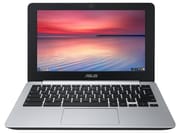 ASUS Chromebook C200 | ASUS Chromebook C200 | ASUS Chromebook C200 | |
| Price | List Price: $249.00 Amazon Prices: | List Price: $219.00 Amazon Prices: | List Price: $329.00 Amazon Prices: |
| Model number | C200MA-DS01 | C200MA-DS02 | C200MA-EDU-4GB |
| Performance Rating | 1.8 | 2.4 | 2.3 |
| Chromebook Plus | No | No | No |
| Processor | Dual-core 2.16 Ghz (max 2.41 Ghz) Intel Celeron N2830 | Dual-core 2.16 Ghz (max 2.58 Ghz) Intel Celeron N2840 | Dual-core 2.16 Ghz (max 2.41 Ghz) Intel Celeron N2830 |
| RAM | 2 GB | 4 GB | 4 GB |
| Internal Storage | 16 GB eMMC | 16 GB eMMC | 32 GB eMMC |
| Screen Size | 11.6" | 11.6" | 11.6" |
| Screen Resolution | 1366x768 | 1366x768 | 1366x768 |
| Screen Type | LED Backlit TN | LED Backlit TN | LED Backlit TN |
| Touch Screen | No | No | No |
| Stylus / Pen | No Stylus Support | No Stylus Support | No Stylus Support |
| Dimensions width x length x thickness | 12 x 7.8 x 0.8 inches (304.8 x 198.12 x 20.32 mm) | 12 x 7.8 x 0.8 inches (304.8 x 198.12 x 20.32 mm) | 12 x 7.8 x 0.8 inches (304.8 x 198.12 x 20.32 mm) |
| Weight | 2.5 lbs (1.14 kg) | 2.5 lbs (1.14 kg) | 2.5 lbs (1.14 kg) |
| Backlit Keyboard | No | No | No |
| Webcam | 720p HD | 720p HD | 720p HD |
| WiFi | 802.11 a/b/g/n/ac | 802.11 a/b/g/n/ac | 802.11 a/b/g/n/ac |
| Bluetooth | Bluetooth 4.0 | Bluetooth 4.0 | Bluetooth 4.0 |
| Ethernet | No | No | No |
| Cellular Modem | No | No | No |
| HDMI | Full-Size HDMI | Full-Size HDMI | Full-Size HDMI |
| USB Ports | 1 USB 2.0, 1 USB 3 | 1 USB 2.0, 1 USB 3 | 1 USB 2.0, 1 USB 3 |
| Thunderbolt Ports | No | No | No |
| Card Reader | SD | SD | SD |
| Battery | 3 cell, 48 Whrs, Lithium-ion | 3 cell, 48 Whrs, Lithium-ion | 3 cell, 48 Whrs, Lithium-ion |
| Battery Life | 11.0 hours | 11.0 hours | 11.0 hours |
| Fanless | Yes | Yes | Yes |
| Auto Update Expiration Date | September, 2021 | September, 2021 | September, 2021 |
Related Chromebooks
-
 ASUS Chromebook C203XAThe ASUS Chromebook C203XA shines with military-grade durability, an 11.6-inch anti-glare HD…
 -
 ASUS Chromebook Flip CR1The ASUS Chromebook Flip CR1 (CR1100FKA) is a rugged 11.6-inch education convertible on an Intel…
 -
 Acer Chromebook 311 (AMD)The Acer Chromebook 311 combines an 11.6-inch ComfyView screen, robust AMD processing, and 10-hour…
 -
 Acer Chromebook Spin 11 CP311The Acer Chromebook Spin 11 combines functionality and portability with its 11.6-inch touch IPS…
 -
 Lenovo Flex 3 ChromebookThe Lenovo Flex 3 Chromebook hits the sweet spot with its 11.6-inch IPS touchscreen, 4GB RAM, and…
 -
 Dell Chromebook 3120A rugged and affordable 11.6-inch Chromebook with Intel N100 processor, available in clamshell and…
Hardware and Performance
The ASUS Chromebook C200 runs on the Intel Celeron N2830, a dual-core Bay Trail processor clocked at 2.16 GHz with burst speeds up to 2.41 GHz. While this chip provided adequate performance for basic web browsing and document editing, professional reviewers consistently noted its limitations compared to contemporary alternatives. NotebookCheck’s testing found that the C200 performed “clearly not as powerful” as Chromebooks using Haswell-architecture CPUs, with JavaScript benchmarks showing measurable differences in real-world responsiveness.
The tradeoff for this less powerful processor was the 48Wh battery, which delivered genuinely impressive endurance. Engadget measured 11 hours and 19 minutes of continuous video playback, surpassing every competitor tested at the time. NotebookCheck pushed the boundaries further, achieving 18 hours of music streaming to Bluetooth speakers and 13 hours of offline typing. This battery life came courtesy of the efficient Bay Trail architecture and completely fanless design, which also meant zero noise during operation.
The display, however, received consistent criticism. The 1366x768 TN panel suffered from limited viewing angles that reviewers found problematic for sharing content or working in varied positions. The glossy finish created reflections in bright environments, though the screen was acceptably bright for indoor use.
Design and Build
ASUS leveraged their considerable experience building netbooks when designing the C200. The keyboard received particular praise, with Engadget noting that “the spacious keyboard feels eerily familiar” to longtime ASUS users. NotebookCheck measured 2mm of key travel and described the typing experience as comfortable and responsive. The trackpad performed adequately for single-finger navigation, though multi-finger gestures were less reliable by 2014 standards.
At 2.5 pounds and 0.8 inches thick, the C200 achieved genuine portability without feeling flimsy. The dark gray and silver aesthetic remained understated and professional, though the plastic chassis did attract fingerprints. Connectivity included one USB 3.0 port, one USB 2.0 port, full-size HDMI, SD card reader, and a combo headphone/microphone jack. Without a built-in Ethernet port, users who needed a wired network connection relied on a USB Ethernet adapter. Notably, ASUS included 802.11ac WiFi support, providing future-proofing that many budget Chromebooks of the era lacked.
Reviewer Insights
Professional reviews from 2014 painted a consistent picture of the C200 as a capable basic Chromebook with one standout feature.
NotebookCheck
NotebookCheck’s comprehensive review awarded the C200 a 79% rating, praising its build quality and battery performance while acknowledging performance limitations. Their testing revealed exceptional thermal management with the fanless design, measuring surface temperatures that remained comfortable during extended use. The review noted the C200 was “good enough for casual browsing and basic web-work scenarios” but cautioned that users expecting responsive multitasking would be disappointed.
Engadget
Dana Wollman’s Engadget review provided detailed real-world testing insights. Using the C200 as a primary machine for email, messaging, and social media revealed the processor’s limitations: “Deleting emails in Gmail sometimes took longer than it should have,” and web page loading experienced noticeable delays compared to Haswell-based alternatives. The review confirmed that these issues disappeared when switching to more powerful hardware, pinpointing the Bay Trail processor as the bottleneck.
Popzara
Herman Exum’s review characterized the C200 as “a constant exercise in compromise, unless you count the excellent battery life.” Real-world battery testing achieved nearly 11 hours of mixed usage, with boot times consistently under 8 seconds. The review highlighted the keyboard as a strength but noted that video conferencing in Google+ Hangouts proved choppy, revealing the processor’s limitations with real-time video processing.
Historical Context: the first big budget-Chromebook wave
The ASUS Chromebook C200 landed in the middle of what now looks, in hindsight, like the first genuine consumer wave for Chromebooks. By mid-2014 the category had moved past its experimental Cr-48 phase, the early Samsung Series 5 had aged out, and a cluster of sub-$300 Bay Trail and Haswell models from ASUS, Acer, HP, Toshiba, and Lenovo arrived more or less at once. That cohort, including the C200, is what put ChromeOS on Best Buy shelves and in school IT carts in a way the platform had not been before. ASUS was a meaningful addition to the mix: until 2014 they had been a netbook and laptop OEM with no Chromebook in the lineup, and the C200 was their public statement that ChromeOS was worth a SKU.
The C200 competed most directly with the Acer Chromebook 11 C720, which used Intel’s Haswell-architecture Celeron 2955U and consistently posted faster JavaScript and page-load numbers in 2014 reviews. The choice between the two was a clean one: the C720 was the faster everyday laptop, while the C200 traded that responsiveness for hours of fanless quiet and a battery that genuinely lasted a full school or work day. NotebookCheck and Engadget both framed the decision in roughly those terms, and that framing is part of what gave each model a clear lane in the early budget-Chromebook market.
The C200’s own legacy is most visible in ASUS’s later Chromebook designs, which kept battery life and quiet operation as headline priorities. The Chromebook C201 (an ARM-based Rockchip follow-up) and the Chromebook C202SA (the ruggedized education model) both inherit the C200’s portability-first instincts, and the C202SA in particular took the same chassis size into the K-12 fleet space where the C200 was already showing up unofficially. Looking at the current ASUS Chromebook lineup, that lineage of small, fanless, long-battery clamshells is still recognizable a decade later.
Owner Reference: living with a C200 after AUE
For owners still holding a C200, the September 2021 Auto Update Expiration is the central practical fact. After that date Google stopped shipping the device new ChromeOS versions, which in turn means no new security fixes and, over time, a growing list of websites and web apps that no longer behave correctly because Chrome itself has moved on. The hardware does not stop working at AUE; the support contract does. Using a post-AUE C200 for casual offline tasks (a kid’s typing practice, a kitchen recipe screen, a workshop reference device) is reasonable. Using it for online banking, password-protected work accounts, or anything that handles personal data is not.
For owners who want a second life out of the hardware, the realistic options are narrow but real. ChromeOS Flex, Google’s free reinstallable ChromeOS image, will technically boot on a Bay Trail machine, but the C200’s 2GB or 4GB of soldered RAM and 16GB to 32GB of eMMC put it well below where Flex feels comfortable in 2026. If you do try Flex (see our overview of reviving an old PC with ChromeOS Flex), expect a sluggish experience and no Android or Google Play app support. A lightweight Linux distribution is usually the better bet on this class of machine: Lubuntu, Xubuntu, Linux Mint XFCE, and Debian with a minimal desktop all run acceptably on Bay Trail with 4GB of RAM, and our notes on Linux distros for Chromebooks walk through the trade-offs. Owners of the 2GB DS01 SKU should probably skip a graphical Linux install entirely and treat the device as a terminal, a kiosk, or a recycling-bin candidate.
A few hardware-specific notes that age well: the lack of an internal Ethernet jack matters more on a post-AUE machine than it did in 2014, because Wi-Fi driver fixes and ChromeOS network-stack updates have stopped, so a USB Ethernet adapter is a useful tool for getting the device on a wired network for reinstall or recovery. The soldered RAM and eMMC mean there is no upgrade path; whatever configuration you bought is the configuration you have. And the 48 Wh battery, while excellent when new, is now a decade old in most surviving units, so the headline 11-hour endurance number from the original reviews should be read as a historical fact about the model rather than as something your specific device is likely to still deliver.
The C200 is a fair example of what a well-built early-wave Chromebook looks like in its retirement phase: solid plastics, a keyboard that still types cleanly, a battery that has lost meaningful capacity, and a software platform that has moved on without it. Treating it as a quiet, dedicated single-purpose machine is the most respectful thing you can do with one.
Those shopping for a current replacement can browse specs and prices across the current lineup in our Chromebook Comparison Chart.
Frequently Asked Questions
Q: Can I still use the ASUS Chromebook C200 in 2026?
A: The C200 can still physically boot ChromeOS, but it stopped receiving updates in September 2021. With no new security patches and a growing list of web apps that now require a newer Chrome, it is fine for casual offline work and not appropriate for online banking, email, or any account that handles personal data.
Q: Why was the ASUS Chromebook C200 discontinued?
A: The C200 reached its Google-mandated Auto Update Expiration (AUE) date in September 2021, about seven years after launch. That was on the longer end of the support window for early-2014 Chromebooks; Google later extended AUE periods for newer devices to ten years.
Q: What was the battery life of the ASUS Chromebook C200?
A: The C200 achieved exceptional battery life for its time. Engadget measured 11 hours and 19 minutes of video playback, while NotebookCheck recorded 18 hours of Bluetooth music streaming. Real-world mixed usage typically delivered 10-11 hours.
Q: Could you upgrade the RAM or storage in the ASUS Chromebook C200?
A: No, both the RAM and eMMC storage were soldered to the motherboard and not user-upgradeable. The C200 was available in configurations with 2GB or 4GB RAM and 16GB or 32GB storage.
Q: What made the ASUS Chromebook C200 significant historically?
A: The C200 was ASUS’s first Chromebook, marking the company’s entry into the Chrome OS market. It demonstrated that ASUS could translate their netbook expertise into Chromebooks, paving the way for their extensive current Chromebook lineup.