
ASUS Chromebook C201
Updated on

This product has been discontinued. The ASUS Chromebook C201 reached its Chrome OS Auto Update Expiration date in June 2020 and no longer receives security updates or feature releases. This page is maintained for owners researching their existing hardware. For a current Chromebook recommendation, browse the live entries on the Chromebook comparison chart.
The ASUS Chromebook C201 (model line C201PA) was an important experiment for the Chromebook category: it tested whether an ARM-based processor could deliver a credible Chrome OS experience at an aggressive sub-$200 price point. Released in May 2015, the 11.6-inch laptop was built around the Rockchip RK3288C quad-core ARM SoC, making it one of the very few non-Intel Chromebooks of its era (the contemporary Acer Chromebook 13 with Nvidia Tegra K1 was the other main ARM option). The headline value was the combination of 13-hour battery life, completely silent fanless operation, and a 2.1-pound chassis at a starting MSRP of $169.
| Pros | Cons |
|---|---|
| Rockchip RK3288C delivered Octane scores competitive with Intel Bay Trail Chromebooks of the era | 1366x768 TN panel with washed-out reds and a murky white point |
| Approximately 13 hours of real-world battery life from a 38 Whr 2-cell pack | Only USB 2.0 ports (no USB 3.0) |
| Completely silent fanless operation | Micro HDMI requires an adapter for standard monitors |
| 2.1 pounds in an 11.2 x 7.6 x 0.7 inch chassis | RAM and eMMC soldered; not user-upgradable |
| Dual-band 802.11ac WiFi (corrected, see note below) | ARM-on-Chrome-OS Android-app compatibility was always uneven |
| Two-cell 38 Whr battery charged 0 to 100% in roughly 45 minutes | Chrome OS Auto Update Expiration in June 2020 |
Related Videos
ASUS Chromebook C201 Comparison Chart
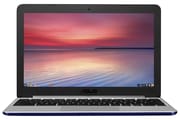 ASUS Chromebook C201 | ASUS Chromebook C201 | ASUS Chromebook C201 | ASUS Chromebook C201 | |
| Price | List Price: $179.00 Amazon Prices: | List Price: $199.00 Amazon Prices: | List Price: $169.00 Amazon Prices: | List Price: $179.00 Amazon Prices: |
| Model number | C201PA-DS02-PW | C201PA-DS02-LG | C201PA-DS01 | C201PA-DS02 |
| Performance Rating | 2.5 | 2.5 | 2.0 | 2.5 |
| Chromebook Plus | No | No | No | No |
| Processor | Quad-core 1.80 Ghz Rockchip RK3288C | Quad-core 1.80 Ghz Rockchip RK3288C | Quad-core 1.80 Ghz Rockchip RK3288C | Quad-core 1.80 Ghz Rockchip RK3288C |
| RAM | 4 GB | 4 GB | 2 GB | 4 GB |
| Internal Storage | 16 GB eMMC | 16 GB eMMC | 16 GB eMMC | 16 GB eMMC |
| Screen Size | 11.6" | 11.6" | 11.6" | 11.6" |
| Screen Resolution | 1366x768 | 1366x768 | 1366x768 | 1366x768 |
| Screen Type | LED Backlit TN | LED Backlit TN | LED Backlit TN | LED Backlit TN |
| Touch Screen | No | No | No | No |
| Stylus / Pen | No Stylus Support | No Stylus Support | No Stylus Support | No Stylus Support |
| Dimensions width x length x thickness | 11.2 x 7.6 x 0.7 inches (284.48 x 193.04 x 17.78 mm) | 11.2 x 7.6 x 0.7 inches (284.48 x 193.04 x 17.78 mm) | 11.2 x 7.6 x 0.7 inches (284.48 x 193.04 x 17.78 mm) | 11.2 x 7.6 x 0.7 inches (284.48 x 193.04 x 17.78 mm) |
| Weight | 2.1 lbs (0.95 kg) | 2.1 lbs (0.95 kg) | 2.1 lbs (0.95 kg) | 2.1 lbs (0.95 kg) |
| Backlit Keyboard | No | No | No | No |
| Webcam | 720p HD | 720p HD | 720p HD | 720p HD |
| WiFi | 802.11 a/b/g/n/ac | 802.11 a/b/g/n/ac | 802.11 a/b/g/n/ac | 802.11 a/b/g/n/ac |
| Bluetooth | Bluetooth 4.1 | Bluetooth 4.1 | Bluetooth 4.1 | Bluetooth 4.1 |
| Ethernet | No | No | No | No |
| Cellular Modem | No | No | No | No |
| HDMI | Micro HDMI | Micro HDMI | Micro HDMI | Micro HDMI |
| USB Ports | 2 USB 2.0 | 2 USB 2.0 | 2 USB 2.0 | 2 USB 2.0 |
| Thunderbolt Ports | No | No | No | No |
| Card Reader | microSD Card Reader | microSD Card Reader | microSD Card Reader | microSD Card Reader |
| Battery | 2 cell, 38 Whrs, Lithium-ion | 2 cell, 38 Whrs, Lithium-ion | 2 cell, 38 Whrs, Lithium-ion | 2 cell, 38 Whrs, Lithium-ion |
| Battery Life | 13.0 hours | 13.0 hours | 13.0 hours | 13.0 hours |
| Fanless | Yes | Yes | Yes | Yes |
| Auto Update Expiration Date | June, 2020 | June, 2020 | June, 2020 | June, 2020 |
Related Chromebooks
-
 ASUS Chromebook C203XAThe ASUS Chromebook C203XA shines with military-grade durability, an 11.6-inch anti-glare HD…
 -
 ASUS Chromebook CX1 (CX1101)The ASUS Chromebook CX1 combines a sleek form factor with practical features: an 11.6” anti-glare…
 -
 Samsung Chromebook 4The Samsung Chromebook 4 shines with its compact design, sturdy build, and budget-friendly price.…
 -
 Acer Chromebook 311 (AMD)The Acer Chromebook 311 combines an 11.6-inch ComfyView screen, robust AMD processing, and 10-hour…
 -
 Dell Chromebook 11 (3100)The Dell Chromebook 11 (3100) is a ruggedized 11.6-inch education Chromebook with rubber bumpers, a…
 -
 Acer Chromebook Spin 11 CP311The Acer Chromebook Spin 11 combines functionality and portability with its 11.6-inch touch IPS…
Variants on this page
The C201 shipped as the C201PA model line in four cataloged SKUs, all of which share the same chassis, processor, display, and AUE date:
| Variant | RAM | Storage | List price | Notes |
|---|---|---|---|---|
v1 C201PA-DS02-PW | 4 GB | 16 GB eMMC | $179.00 | ”Pearl White” color edition |
v2 C201PA-DS02-LG | 4 GB | 16 GB eMMC | $199.00 | ”Light Blue” color edition |
v3 C201PA-DS01 | 2 GB | 16 GB eMMC | $169.00 | 2 GB entry-tier SKU |
v4 C201PA-DS02 | 4 GB | 16 GB eMMC | $179.00 | 4 GB standard SKU |
All four SKUs share the same Rockchip RK3288C, the same 38 Whr battery, and the same dual-band 802.11ac WiFi module. The only meaningful difference between the DS02 colour variants is cosmetic.
Hardware and performance
The ASUS Chromebook C201 runs on the Rockchip RK3288C at 1.8 GHz with four ARM Cortex-A17 cores and an ARM Mali-T764 GPU. The Rockchip was a deliberate alternative to Intel’s Bay Trail and Nvidia’s Tegra K1; it was a then-recent application processor more typically found in Android tablets, repurposed here for Chrome OS.
OMG Chrome’s benchmark testing recorded Octane results that came in “just short of 7,000,” Kraken at 4,984 (lower is better), and SunSpider at 657 (lower is better). OMG Chrome characterised the result as “roughly on par last years Nvidia Tegra K1 Chromebooks” and “comes almost within touching distance of costlier Chromebooks using Intel Bay Trail chips.” The tester quoted in that piece, Chris Elkendier of Technology Resource Advisors, told the publication he was “pleasantly surprised” with the C201’s performance given the price.
Trusted Reviews’ Alastair Stevenson recorded a Kraken score of 5438.8 ms (lower is better), and reported in everyday use that “applications opened instantly and the Chromebook never once chugged, even when running” multiple tabs at once. Stevenson framed the broader pattern this way: “as long as you have an active internet connection Chromebook’s should offer significantly” faster performance than the spec sheet suggests, because Chrome OS pushes the heavy lifting to the server.
Lon Seidman’s launch video on the C201 (see the videos section above) put the device through an in-browser Octane comparison against the more expensive ASUS C200 (Bay Trail Celeron N2830) and the Nvidia Tegra K1 Acer C720. Seidman’s takeaway: the Rockchip performed roughly on par with the C200’s Intel chip and held its own against the Tegra K1, at a noticeably lower price.
Display and design
The 11.6-inch TN panel at 1366x768 is the most-criticised part of the C201 in the contemporary press. Trusted Reviews described the display as having “Reds are particularly washed out and lack any real dynamism” and “whites have a bit of a murky hue, which hints to me the screen hasn’t” been factory-calibrated to a useful target. Viewing angles are limited, which is the common TN failure mode and which makes side-on screen sharing awkward.
The chassis is one of the C201’s quieter wins. At 2.1 pounds and 0.7 inches thick it is genuinely light, and reviewers consistently praised the build for the price. Trusted Reviews noted that during the review period the device survived “an accidental drop onto a hardwood floor from a coffee table” without functional damage, which is the kind of education-grade resilience Chromebook buyers expect.
Connectivity
The C201’s port layout is decisively economical: two USB 2.0 ports, one micro HDMI (Type D) output, one microSD card slot, a combo headphone / microphone jack, and a barrel power input. There is no USB 3.0 anywhere, no Ethernet jack, and the HDMI is the micro variant, so external monitors typically need a micro-HDMI-to-HDMI cable or adapter.
Wireless is where the page’s prior revision was wrong. The C201 ships with dual-band 802.11ac WiFi and Bluetooth 4.1. ASUS’s own product page advertises “802.11ac Wi-Fi for speeds up to three times (3X) faster than 802.11n,” Lon Seidman explicitly called out “wireless AC built in, two channel AC wireless. It even supports 5 gigahertz Wi-Fi” on camera, and Austin Evans noted “full 802.11ac Wi-Fi for top notch internet speeds.” Owners on dual-band routers should use the 5 GHz network for less interference and better throughput.
Reviewer insights
OMG Chrome on the Rockchip benchmark surprise
OMG Chrome framed the C201 as an answer to a question the Chromebook community was actively asking in mid-2015: could a low-power ARM chip from a Chinese fabless designer hold its own against Intel and Nvidia in Chrome OS? Their tester Chris Elkendier’s recorded results (Octane just short of 7,000; Kraken 4,984; SunSpider 657) put the C201 within striking distance of Intel Bay Trail Chromebooks at a meaningfully lower price. Elkendier’s broader read was that the Rockchip would “do well in the EDU market, and that’s exactly what it’s made for.”
Trusted Reviews: 4 stars, with display caveats
Trusted Reviews’ Alastair Stevenson awarded the C201 a 4-star Recommended badge in his September 2015 review. The verdict text concluded that “of its disappointing screen the Chromebook C201 is a competent laptop” that meets typical productivity and web-browsing needs for most buyers. The same review observed Trusted Reviews’ battery measurement of “10 to 15% per hour” discharge in mixed everyday use, with a full 0-to-100% charge in roughly 45 minutes. Stevenson’s main reservations were the TN panel’s washed-out colour reproduction and limited contrast, both of which are obvious to a buyer who places the C201 next to almost any IPS Chromebook from the same year.
TechGearoid: retrospective view
TechGearoid’s retrospective review revisited the C201 several years after launch and confirmed the long-term reliability and battery story stayed intact: the publication noted that the device “powers up within seconds” and that “web browsing is fast with no freezing or timeouts” thanks to the Rockchip’s modest but consistent web-page rendering. The review’s spec table also independently lists “Wi-Fi 802.11 A/C enabled,” consistent with the launch press and the ASUS product page.
Auto Update Expiration and what it means for owners
Google set the Auto Update Expiration (AUE) date for the ASUS Chromebook C201 at June 2020. After that date the device stopped receiving Chrome OS security updates and feature releases. The hardware still boots, Chrome still loads, but Google no longer ships patches for newly disclosed vulnerabilities, and an increasing number of web platform features have rolled past what the frozen Chrome version supports. The Chromebook Auto Update Expiration FAQ covers the broader policy context.
Post-AUE options for owners of an ARM C201 are narrower than for an Intel-based Chromebook of the same vintage. The MrChromebox firmware utility supports only Intel-based Chromebooks; it does not flash custom UEFI / coreboot on Rockchip ARM Chromebooks like the C201. That removes the easiest “install a current Linux distribution” path that Bay Trail-era Chromebooks enjoy. The realistic options on a working C201 in 2026 are:
- Keep Chrome OS in place and use the device only for tasks that do not depend on a current browser or current security patches: a dedicated guest browser on a trusted home network, a static-page kiosk, a digital photo frame.
- Switch to a chromeOS Flex retirement is not an option for the C201 either, since chromeOS Flex requires an x86_64 CPU; the RK3288 is ARMv7 (32-bit ARM).
- Boot a custom kernel + Debian / Arch on the Rockchip directly. The RK3288 is supported by the mainline Linux kernel and there are community recipes (Arch Linux ARM, Debian) for running a current ARM Linux distribution on the C201 by replacing the Chrome OS partition layout. This is hobbyist territory: it requires developer mode, a clean reinstall, and an external SD card for any meaningful working storage given the 16 GB internal eMMC.
For most owners the practical conclusion is that the C201 has reached the end of its useful daily-driver life. As a backup, a kid’s first laptop in a low-stakes environment, or a parts donor, it still has value.
Historical significance
The ASUS Chromebook C201 sits in a small group of ARM-based Chromebooks that proved an alternative architecture could ship credibly in the category. The Rockchip partnership demonstrated that non-Intel processors could deliver acceptable Chromebook performance at a meaningfully lower BOM cost, which mattered for the education channel. ARM Chromebooks remained niche until MediaTek’s Kompanio line revived the category in the 2020s; today most low-cost Chromebooks ship on Intel N-series or MediaTek Kompanio silicon rather than Rockchip.
The C201 followed ASUS’s earlier Chromebook C200 (Intel Bay Trail) and was a sibling to the education-focused Chromebook C202SA (Intel Bay Trail again). Its aggressive pricing helped establish the sub-$200 Chromebook as a sustainable category for education and budget consumers, a position the line ASUS has continued with the CM14 and CX1 series in subsequent generations.
Frequently asked questions
Q: Is the ASUS Chromebook C201 safe to use online in 2026?
A: Not for anything that handles sensitive data. The Auto Update Expiration passed in June 2020, so the C201 no longer receives Chrome OS security updates. For light personal browsing on a trusted home network the practical risk is low but non-zero; for anything that touches banking, work, school, or personal email logins, retire the device or reflash it to a current Linux distribution.
Q: What processor does the ASUS Chromebook C201 use?
A: The Rockchip RK3288C: a quad-core ARM Cortex-A17 SoC at 1.8 GHz with an integrated ARM Mali-T764 GPU. It was one of the very few non-Intel processors used in Chromebooks during 2015.
Q: Does the ASUS Chromebook C201 have 802.11ac WiFi?
A: Yes. The C201 ships with dual-band 802.11ac WiFi and Bluetooth 4.1, confirmed by ASUS’s official product page, by Lon Seidman’s launch review, by Austin Evans’ launch review, and by TechGearoid’s retrospective spec table. An earlier revision of this page incorrectly listed the device as 802.11n only; that has been corrected.
Q: How long does the ASUS Chromebook C201 battery last?
A: ASUS rated the 38 Whr 2-cell pack at up to 13 hours. Trusted Reviews measured 10 to 15 percent discharge per hour in mixed everyday use, which lines up with 11 to 13 hours real world. The pack charges from 0 to 100 percent in roughly 45 minutes when new. After more than a decade, original packs will have lost meaningful capacity.
Q: Can the C201 run Android apps?
A: Yes, but with caveats. Android-app support arrived on Chrome OS during the C201’s supported life, but the Rockchip ARM architecture made app compatibility uneven: some Android apps optimised for Intel-based Chromebooks did not run cleanly on the C201, and ARM-native Android apps generally worked well. Post-AUE, the Play Store no longer receives the security updates that make running modern Android apps on the device a reasonable choice.
Q: What are the main differences between the ASUS Chromebook C200 and C201?
A: The C200 used an Intel Celeron N2830 Bay Trail processor; the C201 used the Rockchip RK3288C ARM SoC. The C201 was lighter (2.1 vs 2.5 pounds), had longer battery life (13 vs roughly 11 hours), and was fanless where the C200 used a quiet fan. Both have dual-band 802.11ac WiFi; the older C200 has USB 3.0, which the C201 dropped.
Q: Can I install Linux on the ASUS Chromebook C201?
A: Not via the MrChromebox firmware path that works for Intel-based Chromebooks; that utility does not support Rockchip ARM devices. The realistic Linux path on the C201 is a community recipe (Arch Linux ARM, Debian) that boots a mainline Linux kernel after putting the device into developer mode and reinstalling the partition layout. The 16 GB internal eMMC is tight for a full Linux desktop, so plan to add an SD card for working storage.