
ASUS Chromebook Flip C434
Updated on

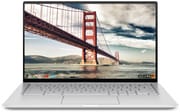
The ASUS Chromebook Flip C434 is a 2019 convertible that drew strong reviews for its build and screen. It pairs a 14-inch 1920x1080 touchscreen, wrapped in slim bezels for an 87 percent screen-to-body ratio, with an aluminum chassis and a 360-degree hinge for laptop, tablet, and tent modes. It runs an Intel Core m3-8100Y with 4GB or 8GB of RAM and 32GB or 64GB of eMMC storage, weighs 3.19 pounds at 0.62 inches thick, and adds a backlit keyboard, an HD webcam, Wi-Fi 5, Bluetooth 4, and a rated 10-hour battery. The CPU was modest even at launch, so the 4GB base config is the one to think hardest about.
Pros and Cons
| Pros | Cons |
|---|---|
| Aluminum chassis, called premium by Chrome Unboxed and Laptop Mag | Core m3-8100Y is a 2018 Amber Lake-Y chip, modest even at launch |
| Slim-bezel 14-inch FHD touchscreen (87% screen-to-body) | 4GB base RAM feels tight under heavy multitasking |
| 360-degree convertible hinge with a backlit keyboard | Keyboard tray flexes and the keys have a bit much travel (Android Authority) |
| Strong battery life (Laptop Mag measured 9 hours 58 minutes) | Heavy (3.19 lbs) for extended tablet use (Engadget) |
| Two USB-C (display + power) plus USB-A and microSD | No HDMI or Ethernet; soldered RAM and eMMC |
Related Videos
ASUS Chromebook Flip C434 Comparison Chart
 ASUS Chromebook Flip C434 | ASUS Chromebook Flip C434 | ASUS Chromebook Flip C434 | |
| Price | List Price: $569.99 Amazon Prices: Loading prices... | List Price: $599.99 Amazon Prices: Loading prices... | List Price: $499.99 Amazon Prices: |
| Model number | C434TA-DSM4T | C434TA-DS384T | C434TA-DH342T |
| Performance Rating | 3.1 | 4.2 | 3.1 |
| Chromebook Plus | No | No | No |
| Processor | Dual-core 1.10 Ghz (max 3.40 Ghz) Intel Core m3-8100Y | Dual-core 1.10 Ghz (max 3.40 Ghz) Intel Core m3-8100Y | Dual-core 1.10 Ghz (max 3.40 Ghz) Intel Core m3-8100Y |
| RAM | 4 GB | 8 GB | 4 GB |
| Internal Storage | 64 GB eMMC | 64 GB eMMC | 32 GB eMMC |
| Screen Size | 14" | 14" | 14" |
| Screen Resolution | 1920x1080 | 1920x1080 | 1920x1080 |
| Screen Type | LED-backlit | LED-backlit | LED-backlit |
| Touch Screen | Yes | Yes | Yes |
| Stylus / Pen | No Stylus Support | No Stylus Support | No Stylus Support |
| Dimensions width x length x thickness | 12.64 x 7.95 x 0.62 inches (321.06 x 201.93 x 15.75 mm) | 12.64 x 7.95 x 0.62 inches (321.06 x 201.93 x 15.75 mm) | 12.64 x 7.95 x 0.62 inches (321.06 x 201.93 x 15.75 mm) |
| Weight | 3.19 lbs (1.45 kg) | 3.19 lbs (1.45 kg) | 3.19 lbs (1.45 kg) |
| Backlit Keyboard | Yes | Yes | Yes |
| Webcam | HD camera | HD camera | HD camera |
| WiFi | Wi-Fi 5 (802.11ac) | Wi-Fi 5 (802.11ac) | Wi-Fi 5 (802.11ac) |
| Bluetooth | Bluetooth 4.0 | Bluetooth 4.0 | Bluetooth 4.0 |
| Ethernet | No | No | No |
| Cellular Modem | No | No | No |
| HDMI | No HDMI | No HDMI | No HDMI |
| USB Ports | 1 USB 3, 2 USB-C (support Display, Power Delivery) | 1 USB 3, 2 USB-C (support Display, Power Delivery) | 1 USB 3, 2 USB-C (support Display, Power Delivery) |
| Thunderbolt Ports | No | No | No |
| Card Reader | microSD Card Reader | microSD Card Reader | microSD Card Reader |
| Battery | 3 cell, 48 WHr, lithium-polymer | 3 cell, 48 WHr, lithium-polymer | 3 cell, 48 WHr, lithium-polymer |
| Battery Life | 10.0 hours | 10.0 hours | 10.0 hours |
| Fanless | Yes | Yes | Yes |
| Auto Update Expiration Date | June, 2029 | June, 2029 | June, 2029 |
Related Chromebooks
-
 ASUS Chromebook CM14 FlipThe ASUS Chromebook CM14 Flip is a fanless 14-inch convertible Chromebook with a MediaTek Kompanio…
 -
 ASUS Chromebook Flip C433The ASUS Chromebook Flip C433 is a 2019 convertible whose Auto Update Expiration Google extended to…
 -
 HP Chromebook x360 14b (2024)The HP Chromebook x360 14b (2024) is a 14-inch convertible sold as a standard Intel N100 build and…
 -
 Lenovo 14e Chromebook (Gen 3)The Lenovo 14e Chromebook Gen 3 is a 14-inch education laptop sold in Intel N100 and N200 builds…
 -
 Lenovo IdeaPad Slim 3 ChromebookThe Lenovo IdeaPad Slim 3 Chromebook 14 pairs a fanless MediaTek Kompanio 520 processor with a…
 -
 Acer Gateway Chromebook 314The Acer Gateway Chromebook 314 is a 14-inch ChromeOS laptop on Acer's Chromebook 314 chassis with…
A USB-C port sits on each side, both carrying display output and power delivery, alongside one USB-A port, a combo headphone jack, and a microSD slot for extra storage. There is no built-in Ethernet, so a wired connection needs a USB Ethernet adapter. Storage is soldered eMMC and the RAM is not upgradable, so pick the configuration you need at purchase: the 4GB build is the one that runs short first, and the microSD slot only helps with files.
Reviewer Insights
Chrome Unboxed
Chrome Unboxed’s hands-on review praised the C434’s build quality, portability, and the slim-bezel display design, calling it “a great device” that “does a lot of things really, really well.” The reviewer highlighted the aluminum chassis as feeling premium (“it just feels premium on every front”) and noted that the screen itself “isn’t that amazing” on paper but reads as a selling point because of the tiny bezels that draw the eye and shrink the overall footprint. The critique landed on the trackpad (“mediocre at best”) and on the 4GB base RAM, with the reviewer warning that owners running “30 40 tabs open all the time” will see tabs refresh when they come back to them. The Core m3-8100Y itself drew a strong review (around 30,000 on Octane and “no issues whatsoever with performance” in day-to-day use).
Engadget
Engadget’s review by Nathan Ingraham (also published in written form) framed the C434 as the follow-up to the previous Flip, noting “a bigger screen, newer processor and higher asking price.” Engadget concluded: “It’s a little big, heavy, and expensive for a Chromebook, but it has one of the better screens you can find on a laptop in this price range.” They were lukewarm on the 360-degree hinge, writing that “the 360-degree hinge is just making the computer more expensive without offering any useful features” because the 3.2-pound chassis “is just too big and heavy to use as a tablet.” Ingraham acknowledged the C434 as a good conventional laptop and called the 8GB RAM upgrade “a worthwhile investment for multitaskers” while noting the base 4GB occasionally felt limiting during his 10-to-20-tab workflow.
Laptop Mag
Phillip Tracy at Laptop Mag described the Chromebook as having a premium design with an aluminum chassis and called the 14-inch panel “both vivid and bright.” He recommended it to switchers: “Overall, the Chromebook Flip C434 is an excellent 2-in-1 laptop and the device I would recommend to anyone making the switch to Chrome OS.” Tracy’s review unit was the entry-level Core m3-8100Y with 4GB of RAM; he found it had “enough oomph that I could comfortably browse the web while running simple tasks” and recorded “some minor lag when switching between tabs” only after loading 18 Chrome tabs plus four simultaneous video streams. Battery life landed at 9 hours 58 minutes on the Laptop Mag test, ahead of the category average.
Android Authority
Eric Zeman at Android Authority called the Flip C434 “the best value in Chromebooks at the moment,” commending ASUS for “updating its beloved C302CA convertible.” He described it as “an attractive, sturdy workhorse that should appeal to budget-minded ChromeOS fans.” Zeman did push back on the keyboard, writing that “the entire tray in which the keyboard sits is perhaps too flexible, and the keys themselves have a hair more travel (1.4mm) than I prefer,” but he treated those as minor drawbacks rather than dealbreakers. His verdict: “the Core m3 ASUS Chromebook Flip C434 is a great deal” that “nearly delivers the Pixelbook experience at half the price.”
Outclassed on speed, supported through June 2029
Intel’s current N-series and mid-tier ARM Chromebooks are quicker than the Amber Lake-Y Core m3-8100Y, so anyone shopping new should weigh the aluminum build against newer touchscreen Chromebooks with longer support windows. The hardware the four reviews liked has not changed: the same chassis, the same slim bezels, the same 1920x1080 panel they saw in 2019. The ChromeOS Auto Update Expiration runs through June 2029, which leaves owners of an existing C434 roughly three more years of security patches before the device drops out of support.
A comfortable keeper for the people who already own one
There is no rush to replace an existing C434 for browsing, documents, and media before Chrome OS support ends in June 2029. Buying one new in 2026 is harder to justify, since current N-series Intel and ARM Chromebooks offer more performance and longer support windows for the money, so compare against newer touchscreen Chromebooks before deciding. For a side-by-side with other models, use the Chromebook Comparison Chart.
Frequently Asked Questions
When does the ASUS Chromebook Flip C434 stop getting updates?
Its Chrome OS Auto Update Expiration date is June 2029, so it keeps receiving security updates until then.
What processor and RAM does it have?
An Intel Core m3-8100Y (2 cores, 4 threads, up to 3.4GHz), a 2018 Amber Lake-Y chip that was modest even at launch, with 4GB or 8GB of RAM. The RAM is soldered; Engadget found the base 4GB limiting during a 10-to-20-tab workflow.
Can I upgrade the RAM or storage?
No. Both the RAM and the eMMC storage (32GB or 64GB) are soldered and cannot be upgraded, so choose the configuration you need at purchase. The microSD slot is the only way to add storage.
What ports does it have?
One USB-A 3.x port, two USB-C ports (both support display output and power delivery, one on each side), a combo headphone jack, and a microSD card reader. There is no HDMI or Ethernet port.
How is the battery life?
Rated up to 10 hours. Laptop Mag measured 9 hours 58 minutes on its battery test, ahead of the category average at the time.
Can the C434 be used as a tablet?
Yes, the 360-degree hinge folds it into tablet and tent modes, though at 3.19 pounds Engadget felt it is on the heavy side to use as a tablet for long.