
ASUS Chromebook CM14 Flip
Published on

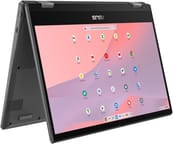
The ASUS Chromebook CM14 Flip is a 14-inch convertible built on the MediaTek Kompanio 520, an ARM chip efficient enough to run without a fan. Silent operation suits a library or a classroom, and the battery covers 10 to 14 hours of ordinary use. The 360-degree hinge moves the screen between laptop, tent, stand, and tablet modes, and some SKUs add a garaged USI stylus that charges inside the chassis. Web browsing, email, and document editing all run comfortably at an entry-level price.
Comfortable typing on a dim 250-nit screen
| Pros | Cons |
|---|---|
| Battery life (10-14 hours real-world use) | All-plastic build attracts fingerprints easily |
| Fanless, completely silent operation | Screen brightness limited to 250-300 nits |
| Excellent keyboard with tactile, clicky feedback | Trackpad feels plasticky with sluggish response |
| WiFi 6 and Bluetooth 5.4 connectivity | No keyboard backlighting |
| Optional garaged USI 2.0 stylus charges inside chassis | Confusing SKU variations regarding stylus support |
| Chrome OS updates until June 2033 | Performance can stutter during heavy multitasking |
Related Videos
ASUS Chromebook CM14 Flip Comparison Chart
 ASUS Chromebook CM14 Flip | |
| Price | List Price: $409.99 Amazon Prices: Loading prices... Best Buy: Loading price... |
| Model number | CM1402FM2A-DS84FT-S |
| Performance Rating | 4.3 |
| Chromebook Plus | No |
| Processor | Octa-core 2.00 Ghz MediaTek Kompanio 520 |
| RAM | 8 GB |
| Internal Storage | 64 GB eMMC |
| Screen Size | 14" |
| Screen Resolution | 1920x1080 |
| Screen Type | IPS |
| Touch Screen | Yes |
| Stylus / Pen | Supported |
| Dimensions width x length x thickness | 12.78 x 8.93 x 0.72 inches (324.61 x 226.82 x 18.29 mm) |
| Weight | 3.44 lbs (1.56 kg) |
| Backlit Keyboard | No |
| Webcam | 720p HD |
| WiFi | Wi-Fi 6 (802.11ax) |
| Bluetooth | Bluetooth 5.4 |
| Ethernet | No |
| Cellular Modem | No |
| HDMI | No HDMI |
| USB Ports | 1 USB 3, 2 USB-C 2x USB-C 3.2 Gen 1 (with display & power delivery), 1x USB-A 3.2 Gen 1 |
| Thunderbolt Ports | No |
| Card Reader | microSD Card Reader |
| Battery | 2 cell, 42Wh, Li-ion |
| Battery Life | 14 hours |
| Fanless | Yes |
| Auto Update Expiration Date | June, 2033 |
Related Chromebooks
-
 ASUS Chromebook Flip C434The 2019 ASUS Chromebook Flip C434 is a 14-inch convertible with a slim-bezel FHD touchscreen, an…
 -
 ASUS Chromebook Flip C433The ASUS Chromebook Flip C433 is a 2019 convertible whose Auto Update Expiration Google extended to…
 -
 Lenovo 14e Chromebook (Gen 3)The Lenovo 14e Chromebook Gen 3 is a 14-inch education laptop sold in Intel N100 and N200 builds…
 -
 Lenovo IdeaPad Slim 3 ChromebookThe Lenovo IdeaPad Slim 3 Chromebook 14 pairs a fanless MediaTek Kompanio 520 processor with a…
 -
 HP Chromebook 14a (2021)The HP Chromebook 14a (2021) pairs a 14-inch touchscreen with a Celeron N4020, 4GB of RAM, 32GB of…
 -
 HP Chromebook 14 G6The HP Chromebook 14 G6 is an education and business model with a Celeron N4020, 4GB or 8GB of RAM,…
An efficient ARM chip keeps this chassis fanless

The chassis measures 12.78 x 8.93 x 0.72 inches and weighs 3.44 pounds, which keeps a 14-inch convertible reasonably portable. All-plastic construction holds the weight down and shows fingerprints on the smooth finish. The 360-degree hinge is sturdy and moves the 1920x1080 IPS touchscreen between laptop, tent, stand, and tablet modes. A privacy shutter covers the 720p webcam when it is not in use, and the keyboard is spill-resistant. Brightness tops out between 250 and 300 nits, which is workable indoors and washes out in direct sun.
The MediaTek Kompanio 520 runs 8 cores at up to 2.0 GHz. Basic web browsing, social media, email, and document editing run without trouble. Open a large stack of Chrome tabs or a demanding Android app and the slowdowns become obvious. The 8GB of RAM leaves enough headroom for a student or home-office workload, while the 64GB of eMMC storage fills quickly and pushes you toward microSD cards or cloud storage.
WiFi 6 (802.11ax) handles wireless networking and Bluetooth 5.4 covers accessories. Two USB-C 3.2 Gen 1 ports carry display output and power delivery, one on each side, so the charger fits either edge of the machine, and a single USB-A 3.2 Gen 1 port takes older peripherals. A microSD card reader expands storage and a 3.5mm combo jack handles audio. There is no HDMI, so an external display needs a USB-C adapter, and a wired network connection needs a USB Ethernet adapter on the USB-A port.
Reviewer Insights

Chrome Unboxed’s Perspective
Chrome Unboxed found the device surprisingly solid despite its all-plastic construction. They noted that “the keyboard is surprisingly good… the feedback on them is so good” and were pleasantly surprised by the typing experience for passwords and general use. The reviewer estimated “8 to 10 hour battery of actual use is probably very realistic maybe probably pushing on to 11 or 12” from the efficient MediaTek processor.
Chrome Unboxed called the speakers “loud and clear” for a budget device and picked out the physical privacy shutter for the webcam as a thoughtful security feature. On the machine’s intended use, the reviewer said “for basic tasks if you’re doing stuff like you know social media checking email banking those kind of things you would do with a Chromebook in this kind of price range I think it’s going to do pretty well for you.”
Tech Through the Lens Review
Tech Through the Lens reviewed the machine after three weeks of use, covering build quality, port selection, screen brightness, and light gaming. The reviewer liked the optional garaged USI 2.0 stylus, noting “you can push to pop it out and I like the fact it’s got charging contacts either side” which keeps the stylus charged while stored inside the chassis.
The reviewer was more critical of the display, stating “Screen brightness is limited to 250 nits” which “struggles in bright light” and may be inadequate for outdoor use. The review also warned about confusing SKU variations, noting that some models lack stylus support entirely despite looking identical. The power indicator LED was called out as “one of the weakest LEDs I’ve ever seen for the power charge indicator.” The reviewer did appreciate the spill-resistant keyboard with 1.5mm travel and the long Chrome OS support life extending to June 2033.
Laptop Mag
According to Laptop Mag, the ASUS Chromebook CM14 Flip is “bolstered by impressive battery life, a firm exterior, and powerful audio” making its many flaws forgivable at the entry-level price point. The review highlighted solid battery life lasting over 10 hours in testing, satisfying keyboard feel, and surprisingly loud speakers. They noted that “Asus takes us back to the good old days when they were minimalistic and affordable.”
Laptop Mag was critical of the display quality and trackpad experience. The reviewer described the trackpad as potentially “the worst I’ve used, as my fingers feel road blocked each time I glide them across the surface.” The webcam quality was also criticized as “ugly.” Their conclusion positioned the machine for budget-conscious buyers who prioritize battery life and durability over display quality and trackpad responsiveness.
A quiet convertible built for classwork
The 360-degree hinge folds flat for handwriting. Students get 10 to 14 hours from a charge, which covers a full school day without a charger. The optional garaged USI stylus adds pen input when the SKU includes it.
Display quality and trackpad response are the weak points, which matters most for outdoor work and long editing sessions. Buyers who need a brighter screen or a faster chip should price Chromebook Plus certified models instead.
For a side-by-side against other models, see the Chromebook Comparison Chart.
Frequently Asked Questions
What processor does the ASUS Chromebook CM14 Flip use?
It runs a MediaTek Kompanio 520 with 8 cores, 2 Cortex-A76 performance cores and 6 Cortex-A55 efficiency cores, at up to 2.0 GHz. The chip runs cool enough for a fanless chassis while everyday Chrome OS tasks stay smooth.
Can I upgrade the RAM in the CM14 Flip?
No. The 8GB of LPDDR4X memory is soldered to the motherboard, so the configuration you buy is the one you keep for the life of the machine. 8GB leaves reasonable multitasking headroom for typical Chrome OS workflows.
What ports does the CM14 Flip have?
Two USB-C 3.2 Gen 1 ports with display output and power delivery, one on each side; one USB-A 3.2 Gen 1 port; a microSD card reader for storage expansion; and a 3.5mm combo audio jack. There is no built-in HDMI port, so connecting an external display requires a USB-C adapter.
Does the CM14 Flip include a stylus?
It depends on the SKU. Some configurations include a garaged USI 2.0 stylus that stores and charges inside the chassis, while others have a plug in the stylus slot and no pen at all. The touchscreen works with any USI-compatible stylus bought separately, so check the model number before ordering.
How long will the CM14 Flip receive Chrome OS updates?
Google’s Auto Update Expiration (AUE) policy puts the CM1402F at June 2033 for automatic Chrome OS updates. That is roughly 10 years of security patches, feature updates, and bug fixes from the original release.
Is the CM14 Flip good for students?
For classwork it fits well. Tablet mode handles note-taking, the fanless chassis stays silent in a library, and the 10-14 hour battery lasts a school day without a charger. The spill-resistant keyboard helps with daily handling. The one limit is outdoors, where the 250-300 nit display is dim in direct sunlight.
Can the CM14 Flip run Android apps?
Yes, through the Google Play Store. Light productivity apps, social media, and streaming services run smoothly, while demanding Android games and resource-intensive apps slow down on the entry-level MediaTek processor. The 8GB configuration holds more in memory than a 4GB build would.