
ASUS Chromebook Flip C213SA
Updated on

Note: This Chromebook is no longer sold new, but Google extended its Auto Update Expiration to June 2027 (the original AUE was June 2024), so existing units still receive Chrome OS updates for now. Extended-support updates may drop some features such as Android app support. The information below is kept for historical reference and as an owner guide.
The ASUS Chromebook Flip C213SA launched in mid-2017 as a rugged, education-focused convertible designed specifically for classroom environments. Priced between $320-399 depending on configuration, this 11.6-inch laptop targeted schools and institutions that needed durable devices capable of surviving rough treatment by students. The C213SA combined a 360-degree flip-back hinge for tablet-style use with military-grade durability certifications and a spill-resistant keyboard. Tested Technology’s review framed it as a modern revival of the netbook idea, the lightweight, cloud-focused laptop reborn as a Chromebook (its reviewer described himself as a former “loud evangelist for Netbooks”).
| Pros | Cons |
|---|---|
| Military-grade MIL-STD-810G rugged construction | No keyboard backlighting |
| 360° convertible hinge for tablet mode | Aging Intel Celeron N3350 struggles with multitasking |
| Spill-resistant keyboard with decent 2mm travel | RAM and storage soldered, no upgrade path |
| Dual USB-C ports with display and charging support | Limited 32GB internal storage |
| 12-hour claimed battery life | Voice dictation struggles with punctuation |
| Completely silent fanless operation | 1366x768 panel is hard to read in sunlight |
Related Videos
ASUS Chromebook Flip C213SA Comparison Chart
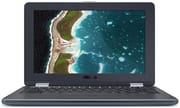 ASUS Chromebook Flip C213SA | ASUS Chromebook Flip C213SA | |
| Price | List Price: $399.00 Amazon Prices: | List Price: $349.00 Amazon Prices: |
| Model number | C213SA-YS02-S | C213SA-YS02 |
| Performance Rating | 2.3 | 2.3 |
| Chromebook Plus | No | No |
| Processor | Dual-core 1.10 Ghz (max 2.40 Ghz) Intel Celeron N3350 | Dual-core 1.10 Ghz (max 2.40 Ghz) Intel Celeron N3350 |
| RAM | 4 GB | 4 GB |
| Internal Storage | 32 GB eMMC | 32 GB eMMC |
| Screen Size | 11.6" | 11.6" |
| Screen Resolution | 1366x768 | 1366x768 |
| Screen Type | LED backlit | LED backlit |
| Touch Screen | Yes | Yes |
| Stylus / Pen | Supported | No Stylus Support |
| Dimensions width x length x thickness | 7.8 x 12.1 x 0.8 inches (198.12 x 307.34 x 20.32 mm) | 7.8 x 12.1 x 0.8 inches (198.12 x 307.34 x 20.32 mm) |
| Weight | 2.7 lbs (1.23 kg) | 2.7 lbs (1.23 kg) |
| Backlit Keyboard | No | No |
| Webcam | HD | HD |
| WiFi | 802.11 a/b/g/n/ac (2x2) | 802.11 a/b/g/n/ac (2x2) |
| Bluetooth | Bluetooth 4.0 | Bluetooth 4.0 |
| Ethernet | No | No |
| Cellular Modem | No | No |
| HDMI | No HDMI | No HDMI |
| USB Ports | 2 USB 3, 2 USB-C (Type C ports are USB3.0 [USB3.1 GEN1] and support display and power delivery) | 2 USB 3, 2 USB-C (Type C ports are USB3.0 [USB3.1 GEN1] and support display and power delivery) |
| Thunderbolt Ports | No | No |
| Card Reader | microSD SDXC | microSD SDXC |
| Battery | 4 cell, 46 Whrs, Polymer | 4 cell, 46 Whrs, Polymer |
| Battery Life | 12.0 hours | 12.0 hours |
| Fanless | Yes | Yes |
| Auto Update Expiration Date | June, 2027 | June, 2027 |
Related Chromebooks
-
 ASUS Chromebook Flip CR1The ASUS Chromebook Flip CR1 (CR1100FKA) is a rugged 11.6-inch education convertible on an Intel…
 -
 ASUS Chromebook Flip C214The ASUS Chromebook Flip C214 is a rugged 11.6-inch education convertible with an Intel Celeron…
 -
 Acer Chromebook Spin 11 CP311The Acer Chromebook Spin 11 combines functionality and portability with its 11.6-inch touch IPS…
 -
 Lenovo Flex 3 ChromebookThe Lenovo Flex 3 Chromebook is a fanless 11.6-inch convertible with an IPS touchscreen, a MediaTek…
 -
 Acer Chromebook 15The Acer Chromebook 15 stands out with a 15.6" FHD IPS touch display, backlit keyboard, and up to…
 -
 Samsung Chromebook Plus v2The Samsung Chromebook Plus v2 is a fanless 12.2-inch convertible Chromebook with an Intel Celeron…
A fanless Celeron that trades speed for silence
The Intel Celeron N3350 inside is a dual-core Apollo Lake part clocked at 1.1 GHz with burst speeds up to 2.4 GHz. It was already a year old when the ASUS Chromebook Flip C213SA launched, and ASUS picked it for battery efficiency and fanless operation rather than speed. The absence of a fan keeps the machine silent in a quiet classroom and also leaves it no thermal headroom to lean on.
4GB of LPDDR4 RAM and 32GB of eMMC storage cover what Chrome OS asks for in ordinary use. Tested Technology found that Chrome OS ran well on this hardware for basic tasks, with the N3350 handling web browsing, Google Docs, and video playback without issue. Past that point the chip runs out of room. A stack of open browser tabs, Android apps running alongside them, or any attempt at gaming all hit the same ceiling.
32GB of internal storage fills up quickly, though the microSD SDXC card slot takes the overflow for media files and offline documents. ASUS expected users to lean on cloud storage instead, a reasonable assumption for the education market where Google Workspace (then G Suite) dominated. Neither the RAM nor the storage can be changed later, so a school had to size its order correctly at purchase time.
A rugged shell around a modest screen
The 11.6-inch touchscreen runs at 1366x768 with LED backlighting, a resolution that limits how much fits on screen at one time. Touch is what makes the convertible modes useful, letting a student fold the display back for tablet-style interaction during presentations or group work. Brightness holds up indoors; direct sunlight washes the panel out.
ASUS built this Chromebook to survive classroom abuse, achieving MIL-STD-810G military-grade certification for durability. The rubber-edged chassis absorbs drops and bumps, and the spill-resistant keyboard handles the drink accidents that plague school laptops. Tested Technology praised the “slim but very rugged notebook” construction, noting the device’s ability to withstand daily handling by students.
The C213SA weighs 2.7 pounds and measures 12.1 x 7.8 x 0.8 inches, heavier than a consumer ultraportable of the same size because of the reinforcement. The 360-degree hinge moves through four positions: laptop, tent, stand, and tablet. Teachers used those positions for different parts of a lesson, from typing at a desk to standing a device up for a student presentation.
Docking over one cable, no Ethernet on board
Two USB Type-C ports (USB 3.1 Gen 1) carry charging, display output, and peripherals. Tested Technology highlighted how an external display could “act as a full scale docking station” over a single USB-C connection, allowing teachers to connect the Chromebook to external displays and accessories through one cable. Two USB 3.0 Type-A ports take mice and USB drives. There is no Ethernet jack, so a classroom that needs a wired connection has to add a USB Ethernet adapter.
Wireless is 802.11ac with a 2x2 MIMO antenna, which holds up better than a single-stream radio when a whole class shares one access point. Bluetooth 4.0 covers wireless peripherals, and the combination audio jack takes headphones for individual work.
ASUS claimed up to 12 hours from the 46Wh four-cell polymer battery, with mixed classroom use landing nearer 8-10 hours. That covers first period through an after-school activity without a trip to an outlet, useful in rooms where sockets are scarce. Charging over USB-C also means a short top-up between classes is worth doing.
Reviewer Insights
Tested Technology
Chris Bidmead’s October 2017 review evaluated the C213SA as a successful modern interpretation of the netbook concept. With the C213 priced at just under £320, Bidmead judged it “pretty good” value for users committed to the Chrome OS ecosystem. Bidmead noted that the keyboard had “a decent travel of 2mm” despite lacking backlighting, while the built-in voice dictation had “some serious limitations,” with Bidmead observing that “Punctuation is only understood in a limited way.”
Bidmead also pointed to the device’s guaranteed five years of Chrome OS updates from launch as a reason it would “work well for at least the next five years,” positioning it as an institutional rather than consumer device. Google later extended that support: the C213 board’s Auto Update Expiration was pushed from its original June 2024 date to June 2027.
Why schools bought it
ASUS sold it into schools with a MIL-STD-810G shell at list prices of $349 and $399. The tradeoff a district accepted was the N3350 and the 1366x768 panel, neither of which held back Google Docs or a classroom website. A related fleet issue is the Chromebook magnet trick, a student prank that uses magnets to trigger the lid sensor.
Built for the 2017 school Chromebook push
The ASUS Chromebook Flip C213SA arrived while Chromebooks were taking over school carts. By 2017 Google’s platform had a large share of the education market, and manufacturers were designing hardware specifically for that environment. This was ASUS’s answer to rugged education Chromebooks from Dell, Lenovo, and Acer.
Choosing the Celeron N3350 followed the same priorities a school buyer had. Battery life, reliability, and cost mattered more than benchmark numbers, and Google Docs, educational websites, and video playback all ran fine on the chip. The convertible hinge aged well too, as tablets spread through classrooms and a device that worked in either shape saved buying both.
ASUS kept the formula in later education models. The Chromebook Flip CR1 and other rugged machines built on the durability groundwork this one laid. A school that bought in 2017 got its original five-year update window, and Google’s later extension carried ChromeOS support through to June 2027.
If you are weighing this model against newer options, our Chromebook Comparison Chart puts current Chromebooks side by side so you can find the right fit.
Frequently Asked Questions
Q: Can I still use the ASUS Chromebook Flip C213SA in 2026?
A: For now, yes. Google extended the C213SA’s ChromeOS support to June 2027 (originally June 2024), so as of 2026 it still receives updates, though extended-support updates may drop some features such as Android app support. After June 2027 it will stop getting security patches and new features. Given its age, use caution for sensitive activities like online banking.
Q: What made the ASUS Chromebook Flip C213SA ‘rugged’?
A: The C213SA achieved MIL-STD-810G military-grade certification through reinforced construction, rubber-edged chassis for drop protection, and a spill-resistant keyboard. These features made it durable enough to survive typical classroom accidents and rough handling by students.
Q: Could you use the ASUS Chromebook Flip C213SA as a tablet?
A: Yes, the 360-degree hinge allowed the C213SA to fold completely flat and be used as a tablet. The touchscreen supported both touch gestures and stylus input (stylus sold separately). The device also supported tent and stand modes for presentations and video viewing.
Q: Why did the ASUS Chromebook Flip C213SA use an older processor?
A: ASUS chose the Intel Celeron N3350 to prioritize battery life (12 hours claimed), fanless silent operation, and cost control for the education market. While newer processors were available, the N3350 provided adequate performance for typical classroom tasks while keeping the device affordable for school bulk purchases.
Q: Could you upgrade the RAM or storage in the ASUS Chromebook Flip C213SA?
A: No, both the 4GB RAM and 32GB eMMC storage were soldered to the motherboard and not user-upgradeable. However, the microSD SDXC card slot allowed storage expansion for files and media, partially compensating for the limited internal storage.
Q: What was the difference between C213SA-YS02 and C213SA-YS02-S?
A: The C213SA-YS02-S was typically the spill-resistant model variant with rubberized construction, often sold to schools at a slightly higher price ($399 vs $349). Both shared the same core specifications: Celeron N3350, 4GB RAM, and 32GB storage.