
ASUS Chromebook Flip CX5 (CX5400)
Updated on

The ASUS Chromebook Flip CX5 (CX5400) is a 14-inch convertible that ASUS launched in 2021 on 11th-generation Intel Tiger Lake silicon. The 8GB/128GB build runs an Intel Core i3-1110G4, and the 16GB/512GB build steps up to an Intel Core i7-1160G7. Both sit in an all-aluminum chassis with no fan, and ChromeOS updates run through June 2031. A USI stylus comes in the box, stows inside the chassis, and recharges while it sits there, so the pen travels with the machine.
| Pros | Cons |
|---|---|
| All-aluminum unibody resists flex and creaking | 16:9 aspect ratio limits vertical screen space for productivity |
| Fanless design makes no noise at any point | Speaker quality trails behind top competitors like the Pixelbook Go |
| USI stylus included, stowed and charged inside the chassis | Android Police noted trackpad accuracy problems on early units |
| 330-nit IPS touchscreen holds color consistently across the panel | Aluminum chassis warms up under extended heavy use |
| Physical shutter covers the webcam | microSD card protrudes slightly from the slot |
| Chrome OS updates guaranteed through June 2031 | Android Police questioned whether Chrome OS justifies the price |
Related Videos
ASUS Chromebook Flip CX5 (CX5400) Comparison Chart
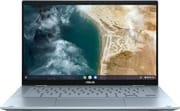 ASUS Chromebook Flip CX5 (CX5400) | ASUS Chromebook Flip CX5 (CX5400) | |
| Price | List Price: $1049.99 Amazon Prices: | List Price: $699.99 Amazon Prices: Loading prices... |
| Model number | CX5400FMA-DN762T-S | CX5400FMA-DN388T-S |
| Performance Rating | 7.8 | 5.5 |
| Chromebook Plus | No | No |
| Processor | Quad-core 2.10 Ghz (max 4.40 Ghz) Intel Core i7-1160G7 | Dual-core 2.50 Ghz (max 3.90 Ghz) Intel Core i3-1110G4 Processor |
| RAM | 16 GB | 8 GB |
| Internal Storage | 512 GB SSD | 128 GB SSD |
| Screen Size | 14" | 14" |
| Screen Resolution | 1920x1080 | 1920x1080 |
| Screen Type | IPS | IPS |
| Touch Screen | Yes | Yes |
| Stylus / Pen | Supported | Supported |
| Dimensions width x length x thickness | 12.63 x 8.13 x 0.92 inches (320.8 x 206.5 x 23.37 mm) | 12.63 x 8.13 x 0.92 inches (320.8 x 206.5 x 23.37 mm) |
| Weight | 3.09 lbs (1.4 kg) | 3.09 lbs (1.4 kg) |
| Backlit Keyboard | Yes | Yes |
| Webcam | 720p HD | 720p HD |
| WiFi | WiFi 6 | WiFi 6 |
| Bluetooth | Bluetooth 5.0 | Bluetooth 5.0 |
| Ethernet | No | No |
| Cellular Modem | No | No |
| HDMI | Full-Size HDMI | Full-Size HDMI |
| USB Ports | 1 USB 3, 2 USB-C Thunderbolt 4 with DisplayPort support | 1 USB 3, 2 USB-C Thunderbolt 4 with DisplayPort support |
| Thunderbolt Ports | 2 | 2 |
| Card Reader | microSD Card Reader | microSD Card Reader |
| Battery | 3 cell, 48 WHrs, Li-ion | 3 cell, 48 WHrs, Li-ion |
| Battery Life | 10.0 hours | 10.0 hours |
| Fanless | Yes | Yes |
| Auto Update Expiration Date | June, 2031 | June, 2031 |
Related Chromebooks
-
 ASUS Chromebook Flip C434The 2019 ASUS Chromebook Flip C434 is a 14-inch convertible with a slim-bezel FHD touchscreen, an…
 -
 ASUS Chromebook Flip CX1 (CX1400)The ASUS Chromebook Flip CX1 (CX1400) is a 14-inch convertible 2-in-1 with a 360-degree FHD…
 -
 Acer Chromebook Spin 314The Acer Chromebook Spin 314 is a budget 14-inch convertible Chromebook with a 360-degree hinge, a…
 -
 Lenovo Flex 5 ChromebookThe Lenovo Flex 5 Chromebook is a 2020 convertible with a 13.3-inch FHD IPS touchscreen, Intel Core…
 -
 Acer Chromebook Spin 713The Acer Chromebook Spin 713 boasts a vivid 13.5-inch 2256x1504 IPS touch display, versatile 2-in-1…
 -
 Acer Chromebook Spin 314 (2024)A 14-inch convertible Chromebook with a 16:10 WUXGA touch display, 360-degree hinge, and software…
An aluminum unibody that carries its own stylus

The all-aluminum unibody keeps the flex and creaking of mid-range Chromebooks out of the deck and the lid, and Chrome Unboxed compared its rigidity to the Pixelbook Go. ASUS chose beveled edges and an angular profile over the rounded shapes common in the category, and the machine still comes in at just over 3 pounds. That structure holds together across all four convertible modes.
The 14-inch Full HD IPS panel is rated around 330 nits, under the 400+ nit screens on some premium competitors, and color stays consistent from edge to edge. NanoEdge bezels give an 85% screen-to-body ratio, so the footprint stays compact for a 14-inch machine. The touchscreen takes finger input and the included USI stylus, and the pen garage on the left side of the chassis holds the stylus magnetically and charges it. The panel and the speakers make this a workable machine for creative tasks including music production on a Chromebook.
Two Thunderbolt 4 USB-C ports sit on opposite sides of the chassis, so a charger can come in from either direction. A single USB-A 3.2 Gen 1 port covers legacy peripherals, and the microSD slot expands storage past the 128GB NVMe drive on the base build. WiFi 6 and Bluetooth 5.0 handle wireless, and the physical camera shutter blocks the webcam at the hardware level. The 48Wh battery is rated for about 10 hours, and heavy stylus use or video streaming cuts into that figure.
Reviewer Insights

An everyday carry for Chrome Unboxed
Chrome Unboxed’s Robby Payne declared the CX5400 his “everyday carry” device and ranks it among his favorite Chromebooks. In his initial unboxing, he noted that “this is actually the real successor, I feel like, to things like the Flip C302, the C434, and the C436,” emphasizing how the CX5400 corrects the shortcomings of previous ASUS convertibles. On the build he said, “This thing feels awesome… This is like Pixelbook Go kind of firmness here.”
In his follow-up review after extended use, Payne said “The ASUS Chromebook Flip CX5400 has become my everyday carry.” He called the glass trackpad “absolute butter” and liked the visible gray keycaps that stay legible with backlighting active. He called the speakers “not the best in class” compared to the Pixelbook Go, though he found them superior to most other Chromebooks in the category.
Written reviews split on build quality and price
Chrome Unboxed’s written review said, “This thing just oozes quality.” The review credited how the CX5400 integrates its components beyond what the specifications promise, calling the result “that undefined quality that just makes you truly enjoy using something.” On the stowed stylus it observed that “the best pen is always the one you actually have with you.”
Android Police’s Will Sattelberg gave the machine 7/10, praising the “distinctive angular aluminum design with beveled edges” and “responsive, backlit keyboard” while criticizing the 16:9 aspect ratio that “reduces vertical workspace” and questioning whether Chrome OS limitations justify the premium pricing. Sattelberg also noted trackpad accuracy concerns on early units.
Customer Reviews
Across 92 ratings on Amazon, the ASUS Chromebook Flip CX5 (CX5400) averages 4.1 stars. The reviews skew positive (60 percent are 5-star), and 13 percent are 1-star. Owners who like it point to the speed and the build quality. Donavan Boykin, a verified buyer, called it a “Premium Chromebook” and noted the “all aluminum chassis,” while Jim C. wrote that his Core i3 / 8GB model “is PLENTY fast and capable for work tasks, gaming, streaming entertainment, and everything in between and more.” Several reviewers single out the keyboard and the built-in stylus as nice touches.
The silver keys draw repeated complaints. Verified buyer Fnarfl wrote, “I wish Asus would be more practical and drop the silver keys, which are difficult to see,” and Matt Bailey echoed that “it was hard to see the letters on the keys.” Battery life splits owners; some call it excellent and others do not. Verified buyer Ms. Fancy, in a 1-star writeup, reported, “The battery life sucks. Barely three hours out of it,” along with a touchscreen that degraded over time. Matt Bailey also faulted the speakers. Read more owner reviews on Amazon.
A well-built convertible held back by a 16:9 screen
While the 16:9 aspect ratio and merely-good speakers represent compromises, the overall package justifies the premium positioning for users who prioritize craftsmanship and longevity over raw specifications. Chrome OS support runs to June 2031 on both the Core i3-1110G4 and the Core i7-1160G7 builds. To see how it stacks up against other models, our Chromebook Comparison Chart lets you sort and filter by specs side by side.
Frequently Asked Questions
How long will the ASUS Chromebook Flip CX5 (CX5400) receive Chrome OS updates?
The CX5400 receives Chrome OS updates and security patches until June 2031 under Google’s official Auto Update Expiration schedule.
Does the CX5400 include a stylus, and where is it stored?
Yes. The USI stylus ships in the box and stores inside a dedicated garage on the left side of the chassis, where it charges on its own. No separate cable or cradle is involved.
Is the ASUS Chromebook Flip CX5 (CX5400) completely fanless?
Yes. There is no fan in the chassis, so the machine makes no noise in a library, a meeting, or a late-night work session. The trade-off is an aluminum shell that warms up during extended heavy use, normal thermal behavior for a passively cooled device.
What ports does the ASUS Chromebook Flip CX5 (CX5400) have?
The CX5400 carries two Thunderbolt 4 USB-C ports, one on each side, both of which handle charging and display output. It adds one USB 3.2 Gen 1 Type-A port for legacy peripherals, a microSD card reader for storage expansion, and a 3.5mm headphone and microphone combo jack.
Can the RAM or storage be upgraded in the CX5400?
No. RAM and storage are soldered and cannot be changed after purchase. Buy the 16GB RAM and 512GB Core i7-1160G7 model up front if 8GB and 128GB will not cover your workload. The microSD card slot adds room for files, but it cannot replace the internal NVMe drive.
How does the CX5400 compare to the larger CX5500 model?
The CX5400 is a 14-inch fanless model. The CX5500 measures 15.6 inches, uses a different port layout that includes HDMI, and runs active cooling that allows sustained higher performance. Choose the CX5400 for portability and silent operation, or the CX5500 for the larger display and HDMI connectivity.