
ASUS Chromebox
Updated on

Note: This Chromebox has been discontinued and is no longer available for purchase new. Its Auto Update Expiration date was September 2019, meaning it no longer receives Chrome OS updates or security patches. The information below is kept for historical reference.
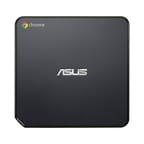
The ASUS Chromebox (model CN60) holds an important place in Chrome OS history as one of the first desktop Chrome devices to achieve mainstream adoption. Released in early 2014, this compact mini-desktop introduced many users to the concept of a Chrome OS machine that wasn’t a laptop. At just $179 for the entry-level model, the Chromebox delivered the simplicity of Chrome OS in a form factor that could tuck behind a monitor or sit unobtrusively on a desk, making it particularly appealing for business environments, digital signage, and users who preferred their own keyboard, mouse, and display.
| Pros | Cons |
|---|---|
| Compact 4.9” square form factor | No built-in speakers |
| User-upgradeable RAM up to 8GB | Entry-level model limited to 2GB RAM |
| Four USB 3.0 ports | Requires separate peripherals |
| Dual display support (HDMI + DisplayPort) | Performance struggles with 10+ browser tabs |
| Gigabit Ethernet for reliable connectivity | Occasional tab crashes under memory pressure |
| Fast 17.8-second boot times | Basic integrated graphics |
Related Videos
ASUS Chromebox Comparison Chart
 ASUS Chromebox | ASUS Chromebox | ASUS Chromebox | |
| Price | List Price: $269.00 Amazon Prices: | List Price: $199.00 Amazon Prices: | List Price: $159.00 Amazon Prices: |
| Model number | M075U | G016U | M004U |
| Performance Rating | 2.5 | 1.9 | 1.8 |
| Chromebook Plus | No | No | No |
| Processor | Dual-core 1.70 Ghz Intel Core i3-4010U | Dual-core 1.50 Ghz Intel Celeron 3205U | Dual-core 1.40 Ghz Intel Celeron 2955U |
| RAM | 4 GB | 2 GB | 2 GB |
| Internal Storage | 16 GB SSD (upgradable) | 16 GB SSD (upgradable) | 16 GB SSD (upgradable) |
| Screen Size | No Screen | No Screen | No Screen |
| Screen Resolution | No Screen | No Screen | No Screen |
| Screen Type | No Screen | No Screen | No Screen |
| Touch Screen | No | No | No |
| Stylus / Pen | No Stylus Support | No Stylus Support | No Stylus Support |
| Dimensions width x length x thickness | 4.88 x 4.88 x 1.65 inches (123.95 x 123.95 x 41.91 mm) | 4.88 x 4.88 x 1.65 inches (123.95 x 123.95 x 41.91 mm) | 4.88 x 4.88 x 1.65 inches (123.95 x 123.95 x 41.91 mm) |
| Weight | 1.32 lbs (0.6 kg) | 1.32 lbs (0.6 kg) | 1.32 lbs (0.6 kg) |
| Backlit Keyboard | No | No | No |
| Webcam | No Webcam | No Webcam | No Webcam |
| WiFi | 802.11 a/b/g/n | 802.11 a/b/g/n | 802.11 a/b/g/n |
| Bluetooth | Bluetooth 4.0 | Bluetooth 4.0 | Bluetooth 4.0 |
| Ethernet | Yes | Yes | Yes |
| Cellular Modem | No | No | No |
| HDMI | Full-Size HDMI | Full-Size HDMI | Full-Size HDMI |
| USB Ports | 4 USB 3 | 4 USB 3 | 4 USB 3 |
| Thunderbolt Ports | No | No | No |
| Card Reader | SD | SD | SD |
| Battery | No Battery | No Battery | No Battery |
| Battery Life | 0.0 hours | 0.0 hours | 0.0 hours |
| Fanless | No | No | No |
| Auto Update Expiration Date | September, 2019 | August, 2020 | September, 2019 |
Related Chromebooks
-
 ASUS Chromebox 5The ASUS Chromebox 5 is a Chrome OS desktop with 12th Gen Intel processors, Thunderbolt 4, Wi-Fi…
 -
 ASUS Chromebook C203XAThe ASUS Chromebook C203XA is a rugged 11.6-inch education laptop with a MediaTek MT8173C, an…
 -
 Lenovo Chromebox MicroThe Lenovo Chromebox Micro is a fanless 6.4 x 3.1 x 0.8 inch ChromeOS desktop built on the Intel…
 -
 Acer Chromebox CXI5A compact Chrome OS desktop with 12th Gen Intel processors, USB-C with DisplayPort output, and…
 -
 Acer Chromebook 311 (AMD)The Acer Chromebook 311 (CB311-10H) is an 11.6-inch ChromeOS laptop on an AMD A4-9120C with 4GB of…
 -
 CTL Chromebox CBx3The CTL Chromebox CBx3 is a Chrome OS desktop built on 13th Gen Intel processors, with Wi-Fi 6E,…
Hardware and Performance
The ASUS Chromebox runs on the Intel Celeron 2955U, a fourth-generation Haswell processor clocked at 1.4 GHz. This dual-core chip represented a meaningful step up from the Bay Trail processors found in many budget Chromebooks of the era, offering better single-threaded performance for web applications. Computerworld’s testing documented boot times of just 17.8 seconds, a significant improvement over traditional desktop computers that often took several minutes to reach a usable state.
The base configuration ships with 2GB of DDR3 RAM, which proved limiting for heavy multitasking. JR Raphael’s hands-on review found that “around 10-12 tabs” pushed the system to its limits, causing occasional tab crashes and sluggish performance. The saving grace was the user-serviceable design allowing RAM upgrades up to 8GB, which Raphael confirmed dramatically improved the experience for power users willing to invest in additional memory.
Without built-in speakers, users needed to connect external audio via the 3.5mm jack or Bluetooth, though this also meant the Chromebox could pair with quality speakers suited for music production on a Chromebook or media enjoyment. Power consumption was low for a desktop system. Brian Nadel’s week-long testing measured just 11.2 watts during simultaneous HD video playback, presentations, and browser simulations. This efficiency, combined with quiet operation during normal tasks, made the Chromebox suitable for home offices and environments where noise would be distracting.
Design and Connectivity
ASUS designed the Chromebox as a minimalist chrome and black square measuring just 4.9 x 4.9 x 1.7 inches. The included VESA mount allowed it to attach directly behind a compatible monitor, effectively creating an all-in-one setup without sacrificing the ability to upgrade or replace the display later. At 1.2 pounds, handling the unit during installation was trivial.
The connectivity options were notably generous for the price point. Four USB 3.0 ports provided ample expansion without requiring a hub. Dual display output through HDMI and DisplayPort supported up to two 1920x1080 monitors, useful for users who needed extended desktop space. Gigabit Ethernet ensured reliable wired network connectivity, while 802.11a/b/g/n WiFi and Bluetooth 4.0 handled wireless needs. An SD card reader and 3.5mm audio jack rounded out the port selection.
The 16GB SSD provided fast storage but limited local capacity. Users relying heavily on offline content needed to supplement with external storage or the included 100GB Google Drive allocation valid for two years.
Reviewer Insights
Professional reviews from 2014 consistently praised the Chromebox’s value while noting its performance limitations.
Computerworld (JR Raphael)
JR Raphael conducted an in-depth hands-on evaluation, testing both the standard 2GB configuration and an upgraded 4GB setup. He described the Chromebox as “a nicely designed minimalist box that blends into your workspace without any fuss.” His testing revealed the practical limits of the base memory: heavy browser usage with streaming media and multiple active tabs caused performance degradation. After upgrading to 4GB, the system handled his multitasking workflow without issue. Raphael particularly appreciated the user-serviceable design, noting it was accessible to anyone “comfortable with Computer Repair 101.”
Computerworld (Brian Nadel)
Brian Nadel’s week-long evaluation focused on real-world usability. He measured the Chromebox as 14% smaller than Samsung’s competing Chromebox while offering comparable connectivity. His power measurements confirmed the efficiency advantages of Chrome OS desktops, with the system drawing just 11.2 watts under a workload that would stress traditional Windows machines. Nadel concluded that the Chromebox “shows that less can be more,” making it suitable for users whose computing needs centered on web applications and cloud services.
Use Cases and Target Audience
The original Chromebox found its niche in several specific scenarios. Businesses deployed them for basic workstation needs where employees primarily used web-based applications and cloud services. Schools adopted them for computer labs where simplified management and low cost outweighed the need for traditional desktop software. Digital signage applications took advantage of the small form factor and automatic updates. Home users who owned quality peripherals from a previous desktop appreciated keeping their keyboard, mouse, and monitor while moving to a simpler computing platform.
The Chromebox was less suitable for users requiring local application support, significant offline capabilities, or demanding graphics performance. The integrated Intel HD Graphics handled basic tasks and video playback but couldn’t accelerate demanding content creation workflows.
Historical Context
The ASUS Chromebox launched during a pivotal expansion period for Chrome OS. Google was actively growing the platform beyond laptops, and the Chromebox represented the desktop component of this strategy. Competing directly with Samsung’s Chromebox (released slightly earlier), the ASUS model offered comparable specifications at a lower entry price while matching the user-upgradeable RAM that made desktop Chromeboxes more practical than their laptop counterparts.
ASUS continued developing the Chromebox line with subsequent models including the Chromebox 3 (CN65) and later generations, each building on lessons learned from this original design.
For anyone still shopping for a Chrome OS desktop, our Chromebook Comparison Chart covers the current lineup with up-to-date specs and prices.
Frequently Asked Questions
Q: Can I still use the ASUS Chromebox in 2026?
A: While the original ASUS Chromebox can still physically power on, it stopped receiving Chrome OS updates in September 2019. This means no security patches, no new features, and increasing website compatibility issues. Using it for sensitive activities like online banking or storing personal data is not recommended.
Q: What is the difference between the ASUS Chromebox models M075U, G016U, and M004U?
A: The three models differ primarily in RAM: the M075U shipped with 4GB RAM ($269), while the G016U and M004U shipped with 2GB RAM ($199 and $159 respectively). All models used the same Intel Celeron 2955U processor and 16GB SSD storage, and all supported RAM upgrades up to 8GB.
Q: Could you upgrade the RAM in the ASUS Chromebox?
A: Yes, the ASUS Chromebox was designed with user-serviceable RAM. The system supported up to 8GB of DDR3 memory, and multiple reviewers confirmed the upgrade process was straightforward for users comfortable with basic hardware installation.
Q: What displays could the ASUS Chromebox support?
A: The ASUS Chromebox supported up to two displays at 1920x1080 resolution through its HDMI and DisplayPort outputs. It also included a VESA mount for attaching directly behind a compatible monitor.
Q: Why did the ASUS Chromebox stop receiving updates?
A: The Chromebox reached its Google-mandated Auto Update Expiration (AUE) date in September 2019, approximately 5 years after launch. This was standard policy for Chromebooks and Chromeboxes at the time. Google has since extended AUE periods for newer devices to 10 years.