
CTL Chromebox CBx3
Published on

The CTL Chromebox CBx3 represents a significant milestone for Chrome OS desktops as the first device to feature Intel’s 13th Gen Raptor Lake processors. Available with either the Core i7-1355U or Celeron 7305, this compact Chromebox targets education, business, and home office environments where simplified desktop computing is preferred. The inclusion of WiFi 6E wireless, Bluetooth 5.3, and user-upgradeable components makes it a forward-looking choice with support extending through June 2032. Whether deploying computer labs, setting up kiosks, or building a streamlined home office, the CBx3 delivers modern connectivity in a familiar Chrome OS package.
Pros and Cons of the CTL Chromebox CBx3
| Pros | Cons |
|---|---|
| First Chrome OS device with 13th Gen Intel Raptor Lake | Core i7 model pricing approaches Windows mini PC territory |
| User-upgradeable DDR4 RAM and NVMe storage | Celeron variant offers modest performance gains over predecessors |
| WiFi 6E and Bluetooth 5.3 wireless connectivity | Limited availability compared to mainstream Chromeboxes |
| Long support window through June 2032 | Desktop form factor requires monitor, keyboard, mouse |
| Dual HDMI outputs for multi-monitor setups | No built-in webcam or microphone |
| Compact chassis with VESA mounting support | Performance difference between i7 and 12th Gen is minimal |
Related Videos
CTL Chromebox CBx3 Comparison Chart
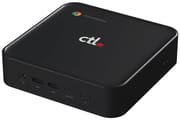 CTL Chromebox CBx3 | CTL Chromebox CBx3 | |
| Price | List Price: $998.75 Amazon Prices: Loading prices... | List Price: $649 Amazon Prices: Loading prices... |
| Model number | CBx3-7 | CBx3 |
| Performance Rating | 9.7 | 5.1 |
| Chromebook Plus | No | No |
| Processor | Deca-core 3.70 Ghz (max 5.00 Ghz) Intel Core i7-1355U | 5-core 0.90 Ghz (max 1.10 Ghz) Intel Celeron Processor 7305 |
| RAM | 8 GB | 8 GB |
| Internal Storage | 256 GB NVMe (upgradable) | 256 GB NVMe (upgradable) |
| Screen Size | No Screen | No Screen |
| Screen Resolution | No Screen | No Screen |
| Screen Type | No Screen | No Screen |
| Touch Screen | No | No |
| Stylus / Pen | No Stylus Support | No Stylus Support |
| Dimensions width x length x thickness | 5.83 x 5.85 x 1.57 inches (148.08 x 148.59 x 39.88 mm) | 5.83 x 5.85 x 1.57 inches (148.08 x 148.59 x 39.88 mm) |
| Weight | 1.32 lbs (0.6 kg) | 1.32 lbs (0.6 kg) |
| Backlit Keyboard | No | No |
| Webcam | No Webcam | No Webcam |
| WiFi | Wi-Fi 6E (802.11ax) | Wi-Fi 6E (802.11ax) |
| Bluetooth | Bluetooth 5.3 | Bluetooth 5.3 |
| Ethernet | Yes | Yes |
| Cellular Modem | No | No |
| HDMI | Full-Size HDMI | Full-Size HDMI |
| USB Ports | 1 USB 2.0, 3 USB 3, 1 USB-C Two USB 3.0 ports on front, one USB 3.0 on rear, one USB 2.0 on rear, one USB-C on rear with DisplayPort Alt Mode | 1 USB 2.0, 3 USB 3, 1 USB-C Two USB 3.0 ports on front, one USB 3.0 on rear, one USB 2.0 on rear, one USB-C on rear with DisplayPort Alt Mode |
| Thunderbolt Ports | No | No |
| Card Reader | microSD Card Reader | microSD Card Reader |
| Battery | No Battery | No Battery |
| Battery Life | Unknown | Unknown |
| Fanless | No | No |
| Auto Update Expiration Date | June, 2032 | June, 2032 |
Related Chromebooks
-
 Acer Chromebox CXI6The Acer Chromebox CXI6 delivers desktop Chrome OS performance with Intel Raptor Lake processors,…
 -
 ASUS Chromebox 5The ASUS Chromebox 5 delivers modern desktop Chrome OS performance with 12th-gen Intel processors,…
 -
 HP Chromebox G4The HP Chromebox G4 brings 13th-generation Intel processors to the desktop Chrome OS experience…
 -
 Lenovo ThinkCentre M60q ChromeboxLenovo's first Chromebox in seven years delivers 12th-gen Intel power in a compact 1-liter desktop…
 -
 Acer Chromebox Mini CXM1The Acer Chromebox Mini CXM1 delivers enterprise-grade digital signage in an ultra-compact fanless…
 -
 ASUS Chromebook CX14 (CX1405)The ASUS Chromebook CX14 (CX1405) offers a solid, portable design with a 180-degree hinge and…
Detailed Insights into the CTL Chromebox CBx3

The CTL Chromebox CBx3 measures 5.83 x 5.85 x 1.57 inches and weighs just 1.32 pounds, maintaining the compact desktop form factor that Chromeboxes are known for. The chassis accommodates VESA mounting for clean installations behind monitors. The front panel provides two USB 3.0 ports and a combo audio jack for easy access, while the rear includes one USB 3.0 port, one USB 2.0 port, one USB-C port with DisplayPort Alt Mode, dual HDMI ports, Gigabit Ethernet, and a microSD card slot. This port selection supports multi-monitor configurations without adapters.
At the heart of the flagship model lies the Intel Core i7-1355U with 10 cores and 12 threads, capable of boosting to 5.0 GHz. According to Chrome Unboxed, the performance difference between 12th and 13th Gen is “minimal with the only notable difference being a slightly higher clock frequency.” The Celeron 7305 variant uses an Alder Lake chip with 5 cores at 1.1 GHz, suitable for basic web browsing and cloud-based productivity. Both configurations ship with 8GB DDR4 RAM and 256GB NVMe storage, with upgrade paths available for users needing more capacity.
Connectivity options include WiFi 6E (802.11ax) wireless for the latest tri-band networks, Bluetooth 5.3 for peripheral connections, and Gigabit Ethernet for wired deployments. The USB-C port supports DisplayPort Alt Mode, enabling up to three external displays when combined with the dual HDMI outputs. Storage expansion is handled via the internal M.2 NVMe slot and external microSD card reader. Liliputing notes these are “some of the easiest on the market to upgrade,” making them attractive for organizations planning long-term deployments.
Reviewer Insights on the CTL Chromebox CBx3

Chrome Unboxed
According to Chrome Unboxed, the CTL Chromebox CBx3-7 marks a historic moment as “the first-ever Raptor Lake ChromeOS device to break cover.” The publication compared its pre-order pricing favorably against 12th Gen competitors priced between $900 and $1,100, noting the CTL’s approximately 20% discount brought the i7 model to $849 during the launch period. Their coverage highlighted the device’s suitability for “home desktops, school computer labs, multi-user office setups and…kiosks and signage.”
Liliputing
Brad Linder at Liliputing covered the CBx3 launch with attention to the hardware specifications. The review noted the dual processor options give buyers flexibility between performance and budget, with the Celeron 7305 model targeting basic workloads while the Core i7-1355U handles more demanding multitasking. The article emphasized the user-upgradeable memory and storage as distinguishing features in a market where many compact systems use soldered components.
Across the coverage, commentators agreed that the Core i7 model represents the cutting edge of Chrome OS desktop hardware, though the practical performance gains over previous generations remain modest for typical Chrome OS workloads. The value proposition depends heavily on specific deployment needs and budget considerations.
Use Cases for the CTL Chromebox CBx3
The CTL Chromebox CBx3 fits several deployment scenarios where Chrome OS simplicity meets modern hardware requirements. Educational institutions benefit from the long support window and easy management through Google Admin Console. The Celeron variant provides cost-effective computer lab stations, while the Core i7 model suits faculty workstations with heavier multitasking needs.
Business environments can deploy the CBx3 for digital signage, kiosks, and reception desk terminals where reliability and minimal maintenance matter more than raw performance. The compact form factor with VESA mounting keeps installations tidy, and the user-upgradeable components allow organizations to extend hardware lifecycles through memory and storage upgrades.
Home office users seeking a dedicated Chrome OS desktop will appreciate the WiFi 6E connectivity and dual HDMI outputs for multi-monitor productivity. The Core i7 model’s processing power also makes it capable of handling browser-based music production with tools like BandLab or Soundtrap. The June 2032 support date provides years of guaranteed updates, though buyers should weigh the platform limitations against similarly-priced Windows mini PCs.
Conclusion
The CTL Chromebox CBx3 stands out as a forward-looking Chrome OS desktop with genuine hardware advancements for users committed to the Chrome OS ecosystem. Its combination of 13th Gen Intel processors and WiFi 6E connectivity positions it well for deployments extending into the next decade. Organizations already invested in Chrome OS management will find the CBx3 a natural upgrade path from aging Chromebox fleets.
That said, buyers should carefully consider whether the Chrome OS platform suits their workflow. Users who need Windows applications, extensive local storage, or offline-first workflows might find better value in comparable Windows mini PCs. The Core i7 model in particular pushes into pricing territory where Windows alternatives offer broader software compatibility.
For those comparing options, see our Chromebook Comparison Chart to find the best match for your needs.
Frequently Asked Questions
What processor does the CTL Chromebox CBx3 use?
The CTL Chromebox CBx3 is available with two processor options. The CBx3-7 flagship model features the Intel Core i7-1355U with 10 cores and 12 threads, boosting up to 5.0 GHz. The entry-level model uses the Intel Celeron 7305 with 5 cores at 1.1 GHz. The Core i7 variant was the first Chrome OS device to feature Intel’s 13th Gen Raptor Lake architecture.
Can I upgrade the RAM and storage in the CTL Chromebox CBx3?
Yes, the CTL Chromebox CBx3 features user-upgradeable DDR4 RAM and NVMe storage. According to Liliputing, these are “some of the easiest on the market to upgrade.” The device ships with 8GB RAM and 256GB NVMe storage, with room to expand both components for users needing additional capacity.
What ports does the CTL Chromebox CBx3 have?
The CTL Chromebox CBx3 includes two USB 3.0 ports on the front panel, one USB 3.0 port on the rear, one USB 2.0 port on the rear, one USB-C port with DisplayPort Alt Mode, dual HDMI ports, Gigabit Ethernet, a microSD card slot, and a combo audio jack. This port selection supports up to three external displays without adapters.
When does Chrome OS support end for the CTL Chromebox CBx3?
The CTL Chromebox CBx3 has an Auto Update Expiration (AUE) date of June 2032. This means Google will provide Chrome OS updates including security patches and new features until that date. This represents one of the longest support windows currently available for Chrome OS devices.
Can the CTL Chromebox CBx3 connect to multiple monitors?
Yes, the CTL Chromebox CBx3 supports multi-monitor configurations through its dual HDMI ports and USB-C port with DisplayPort Alt Mode. Users can connect up to three external displays without requiring additional adapters, making it suitable for productivity setups requiring extended screen real estate.
Does the CTL Chromebox CBx3 support Android and Linux apps?
Yes, the CTL Chromebox CBx3 supports both Android apps through the Google Play Store and Linux apps through the built-in Linux container (Crostini). This expands software options beyond web applications, though Android app compatibility can vary and Linux app performance depends on the specific processor configuration chosen.