
Acer Chromebox CXI6
Updated on

The Acer Chromebox CXI6 brings Intel Raptor Lake processing to the Chrome OS desktop, aimed at businesses and educational institutions running managed fleets. Processor options run from the Intel Core i3-1305U to the Core 7 150U, and dual HDMI 2.1 ports plus a DisplayPort connection drive up to four simultaneous displays. User-upgradeable RAM and storage, 2.5 Gigabit Ethernet, and WiFi 6E wireless cover the wiring an organization is likely to standardize on. Acer positions the box for digital signage, conference rooms, and everyday productivity workstations.
Pros and Cons
| Pros | Cons |
|---|---|
| Quad-display support via HDMI 2.1 and DisplayPort | No consumer retail availability at launch |
| User-upgradeable DDR4 RAM up to 16GB | No Thunderbolt connectivity |
| 2.5 Gigabit Ethernet for fast wired networking | Lacks webcam and microphone |
| WiFi 6E and Bluetooth 5.3 wireless connectivity | Active cooling may generate some noise |
| NVMe SSD upgradeable via PCIe Gen 4 slot | Higher starting price than budget Chromeboxes |
| H1 Security Chip for enterprise protection | VESA mount kit sold separately |
Acer Chromebox CXI6 Comparison Chart
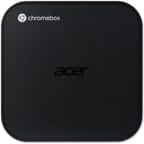 Acer Chromebox CXI6 | Acer Chromebox CXI6 | Acer Chromebox CXI6 | Acer Chromebox CXI6 | Acer Chromebox CXI6 | |
| Price | List Price: $519.99 Amazon Prices: | List Price: Amazon Prices: | List Price: Amazon Prices: | List Price: Amazon Prices: | List Price: $799.99 Amazon Prices: Loading prices... |
| Model number | DT.Z5CAA.001 | --- | --- | DT.Z5BAA.001 | CXI6-C58G |
| Performance Rating | 8.8 | 7.5 | 7.2 | 4.0 | 8.1 |
| Chromebook Plus | No | No | No | No | No |
| Processor | Deca-core 1.40 Ghz (max 5.00 Ghz) Intel Core 5 120U | Hexa-core 1.20 Ghz (max 4.70 Ghz) Intel Core 3 100U | 5-core 1.60 Ghz (max 4.50 Ghz) Intel Core i3-1305U | Deca-core 1.80 Ghz (max 5.40 Ghz) Intel Core 7 150U | Deca-core 1.40 Ghz (max 5.00 Ghz) Intel Core 5 120U |
| RAM | 16 GB | 8 GB | 8 GB | 16 GB | 8 GB |
| Internal Storage | 256 GB NVMe SSD (upgradable PCIe Gen 4) | 128 GB NVMe SSD (upgradable PCIe Gen 4) | 128 GB NVMe SSD (upgradable PCIe Gen 4) | 256 GB NVMe SSD (upgradable PCIe Gen 4) | 256 GB NVMe SSD (upgradable PCIe Gen 4) |
| Screen Size | No Screen | No Screen | No Screen | No Screen | No Screen |
| Screen Resolution | No Screen | No Screen | No Screen | No Screen | No Screen |
| Screen Type | No Screen | No Screen | No Screen | No Screen | No Screen |
| Touch Screen | No | No | No | No | No |
| Stylus / Pen | No Stylus Support | No Stylus Support | No Stylus Support | No Stylus Support | No Stylus Support |
| Dimensions width x length x thickness | 6.55 x 6.52 x 1.72 inches (166.37 x 165.61 x 43.69 mm) | 6.55 x 6.52 x 1.72 inches (166.37 x 165.61 x 43.69 mm) | 6.55 x 6.52 x 1.72 inches (166.37 x 165.61 x 43.69 mm) | 6.55 x 6.52 x 1.72 inches (166.37 x 165.61 x 43.69 mm) | 6.55 x 6.52 x 1.72 inches (166.37 x 165.61 x 43.69 mm) |
| Weight | 1.76 lbs (0.8 kg) | 1.76 lbs (0.8 kg) | 1.76 lbs (0.8 kg) | 1.76 lbs (0.8 kg) | 1.76 lbs (0.8 kg) |
| Backlit Keyboard | No | No | No | No | No |
| Webcam | No Webcam | No Webcam | No Webcam | No Webcam | No Webcam |
| WiFi | Wi-Fi 6E (802.11ax) | Wi-Fi 6E (802.11ax) | Wi-Fi 6E (802.11ax) | Wi-Fi 6E (802.11ax) | Wi-Fi 6E (802.11ax) |
| Bluetooth | Bluetooth 5.3 | Bluetooth 5.3 | Bluetooth 5.3 | Bluetooth 5.3 | Bluetooth 5.3 |
| Ethernet | Yes | Yes | Yes | Yes | Yes |
| Cellular Modem | No | No | No | No | No |
| HDMI | Full-Size HDMI | Full-Size HDMI | Full-Size HDMI | Full-Size HDMI | Full-Size HDMI |
| USB Ports | 6 USB 3, 1 USB-C 4x USB 3.2 Gen 2 Type-A (front), 2x USB 3.2 Gen 1 Type-A (rear), 1x USB 3.2 Gen 2 Type-C (rear) with DisplayPort support | 6 USB 3, 1 USB-C 4x USB 3.2 Gen 2 Type-A (front), 2x USB 3.2 Gen 1 Type-A (rear), 1x USB 3.2 Gen 2 Type-C (rear) with DisplayPort support | 6 USB 3, 1 USB-C 4x USB 3.2 Gen 2 Type-A (front), 2x USB 3.2 Gen 1 Type-A (rear), 1x USB 3.2 Gen 2 Type-C (rear) with DisplayPort support | 6 USB 3, 1 USB-C 4x USB 3.2 Gen 2 Type-A (front), 2x USB 3.2 Gen 1 Type-A (rear), 1x USB 3.2 Gen 2 Type-C (rear) with DisplayPort support | 6 USB 3, 1 USB-C 4x USB 3.2 Gen 2 Type-A (front), 2x USB 3.2 Gen 1 Type-A (rear), 1x USB 3.2 Gen 2 Type-C (rear) with DisplayPort support |
| Thunderbolt Ports | No | No | No | No | No |
| Card Reader | SD | SD | SD | SD | SD |
| Battery | No Battery | No Battery | No Battery | No Battery | No Battery |
| Battery Life | Unknown | Unknown | Unknown | Unknown | Unknown |
| Fanless | No | No | No | No | No |
| Auto Update Expiration Date | June, 2032 | June, 2032 | June, 2032 | June, 2032 | June, 2032 |
Related Chromebooks
-
 CTL Chromebox CBx3The CTL Chromebox CBx3 is a Chrome OS desktop built on 13th Gen Intel processors, with Wi-Fi 6E,…
 -
 Acer Chromebook Spin 312The Acer Chromebook Spin 312 is a compact 12.2-inch convertible Chromebook with a 360-degree hinge,…
 -
 Acer Chromebook Vero 514The Acer Chromebook Vero 514 blends sustainability with performance. Sporting a Full HD IPS…
 -
 ASUS Chromebox 5The ASUS Chromebox 5 is a Chrome OS desktop with 12th Gen Intel processors, Thunderbolt 4, Wi-Fi…
 -
 HP Chromebox G4The HP Chromebox G4 is a 5.87-inch-square Chrome OS desktop sold with 13th-generation Intel chips…
 -
 ASUS Chromebook CX14 (CX1405)The ASUS Chromebook CX14 (CX1405) offers a solid, portable design with a 180-degree hinge and…
Four display outputs and a swappable M.2 slot
The chassis measures 166.5 x 165.8 x 43.8mm (approximately 6.55 x 6.52 x 1.72 inches) and weighs 1.76 pounds, small enough to sit behind a monitor or under a desk. The front panel carries four USB 3.2 Gen 2 Type-A ports, an SD card reader for quick media transfers, and a 3.5mm audio combo jack. The rear adds two USB 3.2 Gen 1 Type-A ports, a USB 3.2 Gen 2 Type-C port supporting DisplayPort alternate mode, dual HDMI 2.1 outputs capable of 4K@60Hz, a full DisplayPort connector, and the 2.5 Gigabit Ethernet jack. That spread is what lets the CXI6 drive four independent monitors at once while holding a wired link above Gigabit speed.
Processing comes from Intel’s Raptor Lake architecture, with configurations spanning the Core i3-1305U, the Core 3 100U, the Core 5 120U, and the Core 7 150U. The Core 5 120U variant offers 10 cores and 12 threads with boost clocks up to 5.0 GHz, scoring approximately 16,072 on PassMark’s CPU benchmark. That is enough headroom for browser work and video conferencing. Unlike the fanless Chromebox Mini CXM1, the CXI6 includes active cooling to manage the higher thermal output from these processors.
WiFi 6E (802.11ax) reaches the 6 GHz spectrum for reduced congestion and improved speeds, while Bluetooth 5.3 handles peripheral connections. The 2.5 Gigabit Ethernet port matches the upgraded switches increasingly common in enterprise environments. DDR4 RAM is user-upgradeable to 16GB, and the PCIe Gen 4 M.2 slot holds the NVMe SSD, shipped at up to 256GB in stock configurations. An IT department can raise memory or storage later instead of replacing the whole unit.
Reviewer Insights
ChromeUnboxed
ChromeUnboxed’s coverage of the Acer Chromebox CXI6 debut at IFA 2025 described it as “a streamlined yet incredibly powerful desktop solution” and called out “the absolutely massive selection of ports” as its standout feature. The reviewer noted the CXI6 targets “demanding commercial and educational environments” where the combination of processing power and connectivity flexibility matters most.
The North American launch was set for December 2025 with a starting price of $519.99 for the Core 5 120U configuration. European markets see an earlier release with pricing starting at 299 euros, though specific configurations at that price point were not detailed. Enterprise editions ship through Acer’s commercial channels, offering additional management and support options for larger deployments.
Liliputing
The Intel Raptor Lake processor upgrade is what Liliputing’s article treated as the key advancement over previous CXI generations. The coverage emphasized the comprehensive port selection as enabling deployment scenarios, from simple desktop replacements to complex multi-monitor workstations.
Built for managed fleets that need four displays
Upgradeable RAM and storage let an IT department stretch a hardware lifecycle, and the security, manageability, and automatic updates come with Chrome OS itself.
Acer sells the CXI6 through business channels and authorized resellers rather than general retail, so a household buyer will have a harder time finding one and less use for the enterprise features. It also has a fan. For a silent desk, Acer’s fanless Chromebox Mini CXM1 is the alternative, with a less powerful processor.
For organizations comparing Chrome OS desktop options, see our Chromebook Comparison Chart to evaluate how the CXI6 stacks up. Chrome OS updates guaranteed until June 2032 set the support window.
Frequently Asked Questions
What processors are available in the Acer Chromebox CXI6?
Four Intel Raptor Lake options: the Core i3-1305U (5 cores, 6 threads), the Core 3 100U (6 cores, 8 threads), the Core 5 120U (10 cores, 12 threads), and the Core 7 150U (10 cores, 12 threads). The Core 5 120U scores approximately 16,072 on PassMark’s CPU benchmark.
Can I upgrade the RAM and storage in the Acer Chromebox CXI6?
Yes. DDR4 RAM is user-upgradeable to 16GB, and a PCIe Gen 4 M.2 slot takes an NVMe SSD, so memory and storage can be raised later without replacing the whole unit.
What ports does the Acer Chromebox CXI6 have?
The front panel has 4x USB 3.2 Gen 2 Type-A ports, an SD card reader, and a 3.5mm audio jack. The rear panel has 2x USB 3.2 Gen 1 Type-A ports, 1x USB 3.2 Gen 2 Type-C with DisplayPort support, 2x HDMI 2.1 outputs, 1x DisplayPort, and 2.5 Gigabit Ethernet.
How many monitors can the Acer Chromebox CXI6 support?
Four independent monitors at once, using the dual HDMI 2.1 ports, the DisplayPort, and USB-C with DisplayPort alternate mode. The HDMI 2.1 ports run 4K resolution at 60Hz, which covers multi-monitor desks, digital signage arrays, and conference room displays.
Is the Acer Chromebox CXI6 fanless?
No. It uses active cooling with a fan to manage the thermal output from its Intel Raptor Lake processors. If you need a completely silent Chromebox, consider the Acer Chromebox Mini CXM1, which is fanless but carries a less powerful Celeron processor.
How long will the Acer Chromebox CXI6 receive Chrome OS updates?
The Auto Update Expiration (AUE) date is June 2032. Until then it keeps getting security and feature updates.
Does the Acer Chromebox CXI6 support VESA mounting?
Yes, VESA mounting is supported, so the box can be installed behind a monitor or under a desk. The VESA kit is sold separately as an optional accessory rather than included in the box.