
HP Chromebook 11 (G1)
Updated on

Note: This Chromebook has been discontinued and is no longer available for purchase new. Its Auto Update Expiration date was October 2018, meaning it no longer receives Chrome OS updates or security patches. The information below is kept for historical reference.
The HP Chromebook 11 (G1) emerged in October 2013 as a collaboration between HP and Google that aimed to bring premium design sensibilities to budget-friendly Chrome OS hardware. At $279, the Chromebook 11 G1 delivered an exceptional IPS display, fanless operation, and distinctive color options that set it apart from the utilitarian plastic notebooks dominating the market. While the ARM-based Samsung Exynos 5250 processor limited performance compared to Intel alternatives, the silent operation and surprisingly quality speakers made it a compelling option for basic web tasks.
| Pros | Cons |
|---|---|
| Excellent IPS display with 176-degree viewing angles | Weak battery life (4-5 hours actual use) |
| Completely silent fanless design | Chassis flexes and creaks under pressure |
| Innovative micro-USB charging shared with smartphones | Only USB 2.0 ports, no USB 3.0 |
| Surprisingly clear and loud speakers under keyboard | VGA webcam quality below expectations |
| Lightweight at 2.3 lbs with premium feel | Performance struggles with 10+ browser tabs |
| Multiple color options (black, white with accents) | No dedicated video output |
Related Videos
HP Chromebook 11 (G1) Comparison Chart
HP Chromebook 11 (G1) | 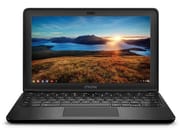 HP Chromebook 11 (G1) | HP Chromebook 11 (G1) | HP Chromebook 11 (G1) | HP Chromebook 11 (G1) | |
| Price | List Price: Amazon Prices: | List Price: Amazon Prices: | List Price: Amazon Prices: | List Price: Amazon Prices: | List Price: Amazon Prices: |
| Model number | --- | --- | --- | --- | --- |
| Performance Rating | 2.1 | 2.1 | 2.1 | 2.1 | 2.1 |
| Chromebook Plus | No | No | No | No | No |
| Processor | Dual-core 1.70 Ghz Samsung Exynos 5 | Dual-core 1.70 Ghz Samsung Exynos 5 | Dual-core 1.70 Ghz Samsung Exynos 5 | Dual-core 1.70 Ghz Samsung Exynos 5 | Dual-core 1.70 Ghz Samsung Exynos 5 |
| RAM | 4 GB | 4 GB | 4 GB | 4 GB | 4 GB |
| Internal Storage | 32 GB eMMC | 32 GB eMMC | 32 GB eMMC | 32 GB eMMC | 32 GB eMMC |
| Screen Size | 11.6" | 11.6" | 11.6" | 11.6" | 11.6" |
| Screen Resolution | 1366x768 | 1366x768 | 1366x768 | 1366x768 | 1366x768 |
| Screen Type | IPS | IPS | IPS | IPS | IPS |
| Touch Screen | No | No | No | No | No |
| Stylus / Pen | No Stylus Support | No Stylus Support | No Stylus Support | No Stylus Support | No Stylus Support |
| Dimensions width x length x thickness | 11.69 x 7.56 x 0.69 inches (296.93 x 192.02 x 17.53 mm) | 11.69 x 7.56 x 0.69 inches (296.93 x 192.02 x 17.53 mm) | 11.69 x 7.56 x 0.69 inches (296.93 x 192.02 x 17.53 mm) | 11.69 x 7.56 x 0.69 inches (296.93 x 192.02 x 17.53 mm) | 11.69 x 7.56 x 0.69 inches (296.93 x 192.02 x 17.53 mm) |
| Weight | 2.3 lbs (1.05 kg) | 2.3 lbs (1.05 kg) | 2.3 lbs (1.05 kg) | 2.3 lbs (1.05 kg) | 2.3 lbs (1.05 kg) |
| Backlit Keyboard | No | No | No | No | No |
| Webcam | 640x480 | 640x480 | 640x480 | 640x480 | 640x480 |
| WiFi | 802.11 a/b/g/n | 802.11 a/b/g/n | 802.11 a/b/g/n | 802.11 a/b/g/n | 802.11 a/b/g/n |
| Bluetooth | Bluetooth 4.0 | Bluetooth 4.0 | Bluetooth 4.0 | Bluetooth 4.0 | Bluetooth 4.0 |
| Ethernet | No | No | No | No | No |
| Cellular Modem | No | No | No | No | No |
| HDMI | No HDMI | No HDMI | No HDMI | No HDMI | No HDMI |
| USB Ports | 2 USB 2.0 | 2 USB 2.0 | 2 USB 2.0 | 2 USB 2.0 | 2 USB 2.0 |
| Thunderbolt Ports | No | No | No | No | No |
| Card Reader | No Card Reader | No Card Reader | No Card Reader | No Card Reader | No Card Reader |
| Battery | 3 cell, 36 WHr, Lithium-ion | 3 cell, 36 WHr, Lithium-ion | 3 cell, 36 WHr, Lithium-ion | 3 cell, 36 WHr, Lithium-ion | 3 cell, 36 WHr, Lithium-ion |
| Battery Life | 6.0 hours | 6.0 hours | 6.0 hours | 6.0 hours | 6.0 hours |
| Fanless | Yes | Yes | Yes | Yes | Yes |
| Auto Update Expiration Date | October, 2018 | October, 2018 | October, 2018 | October, 2018 | October, 2018 |
Related Chromebooks
-
 HP Chromebook 11a (ARM)The HP Chromebook 11a offers an 11.6-inch anti-glare display, 720p HD webcam, and up to 15 hours of…
 -
 HP Chromebook 14 (AMD)The HP Chromebook 14 combines a 14-inch WLED-backlit display, TrueVision HD webcam, and fanless…
 -
 Acer Chromebook 311 (AMD)The Acer Chromebook 311 combines an 11.6-inch ComfyView screen, robust AMD processing, and 10-hour…
 -
 ASUS Chromebook C203XAThe ASUS Chromebook C203XA shines with military-grade durability, an 11.6-inch anti-glare HD…
 -
 Acer Chromebook Spin 11 CP311The Acer Chromebook Spin 11 combines functionality and portability with its 11.6-inch touch IPS…
 -
 Lenovo Flex 3 ChromebookThe Lenovo Flex 3 Chromebook hits the sweet spot with its 11.6-inch IPS touchscreen, 4GB RAM, and…
Hardware and Build Quality
The HP Chromebook 11 G1 distinguished itself through design choices that prioritized aesthetics over raw computing power. The glossy plastic exterior concealed a magnesium internal frame that CNET’s Bridget Carey noted provided structural integrity unexpected at this price point: “If you’re worried about plastic being flimsy, they actually have a magnesium frame inside.” This hybrid construction kept weight to just 2.3 pounds while preventing the wobble common in budget laptops. The rounded corners and seamless edges evoked comparisons to Apple’s discontinued white MacBook.
However, the plastic exterior had limitations that reviewers consistently identified. NotebookCheck’s Steve Schardein documented chassis flexibility issues, and Engadget’s Sarah Silbert noted the device “occasionally creaks under pressure.” The Samsung Exynos 5250 dual-core ARM processor running at 1.7GHz delivered modest performance, with Octane benchmark scores around 5,300 compared to 14,000+ for contemporary Intel Celeron options. This translated to adequate performance for basic browsing but noticeable lag when running more than 10 concurrent tabs.
The speakers built into the keyboard deck delivered surprisingly clear audio for a device at this price point, though users interested in music production on a Chromebook would still need external audio gear. The keyboard received positive assessments for its typing experience despite the compact form factor. The Next Web’s Ken Yeung found the full-size layout worked well for extended typing sessions, though the trackpad earned mixed reviews. Engadget described it as feeling “a bit sticky” and requiring multiple taps for reliable input, a common complaint across budget Chromebooks of this era.
Display Excellence
The 11.6-inch IPS display represented the HP Chromebook 11 G1’s standout feature, delivering visual quality that routinely impressed reviewers accustomed to mediocre TN panels at this price point. DetroitBORG’s Michael Kukielka expressed surprise at “how good it looks, especially if you’re used to a MacBook Air,” praising the contrast and color accuracy. CNET measured the display at 50% brighter than the previous year’s Samsung Chromebook, with 300 nits of brightness and viewing angles up to 176 degrees.
NotebookCheck’s detailed testing confirmed the display credentials, reporting color accuracy and contrast ratios that exceeded expectations for the price class. The 1366x768 resolution provided adequate pixel density at 11.6 inches, though it fell short of higher-resolution options available in some competing Windows ultrabooks. The non-touch IPS panel consumed less power than touchscreen alternatives, contributing to the theoretical 6-hour battery rating.
Battery and Connectivity Concerns
Battery life emerged as the HP Chromebook 11 G1’s most significant weakness. While HP advertised 6 hours of runtime, real-world testing consistently fell short. DetroitBORG identified battery life as “one Achilles heel,” reporting approximately 5 hours of actual use. Engadget measured 4-5 hours in typical usage scenarios, significantly below the advertised specification. NotebookCheck’s controlled WiFi browsing test achieved 5 hours and 8 minutes, confirming the pattern of underperformance.
The micro-USB charging approach represented both innovation and frustration. HP designed the Chromebook 11 G1 to charge from the same cables used by Android smartphones, eliminating the need for proprietary chargers. CNET highlighted this convenience: “one cord will charge all your devices.” However, the slow charging rate—approximately 4 hours for a full charge according to Engadget—tested users’ patience, and the original chargers were later recalled due to overheating concerns.
Port selection reflected the era’s transition away from legacy connectivity without yet embracing USB-C. Two USB 2.0 ports provided basic peripheral support, though the absence of USB 3.0 limited transfer speeds for external storage. Without Ethernet or USB-C, users who needed a wired network connection would have required a USB Ethernet adapter. No dedicated video output meant users couldn’t easily connect external displays, and the lack of a card reader required cloud storage or USB drives for file management.
Reviewer Insights
Professional reviews from 2013 painted a picture of a Chromebook that excelled in design and display quality while struggling with performance and endurance.
NotebookCheck
Steve Schardein’s comprehensive technical review awarded the HP Chromebook 11 an 81 out of 100, praising its build quality and ergonomics while noting clear limitations. His benchmark testing revealed SunSpider scores of 704ms, confirming sluggish JavaScript performance compared to Intel alternatives. Thermal testing showed the fanless design maintained comfortable temperatures in the high 30s Celsius during normal use, though heavy workloads pushed surface temperatures to 48.8°C. The review concluded that Chrome OS limitations and weak performance restricted appeal to users comfortable with purely web-based workflows.
Engadget
Sarah Silbert’s review positioned the HP Chromebook 11 as “a great value for those who understand Chromebook limitations.” Testing confirmed the display quality claims, with praise for the 300-nit brightness and color accuracy. The review highlighted the magnesium frame’s contribution to build quality but criticized the trackpad’s sticky feel and the disappointing battery life. At $279, Engadget considered it suitable as a “second computer” for basic web tasks rather than a primary machine.
The Next Web
Ken Yeung’s week-long hands-on review described the HP Chromebook 11 as “a hybrid luxury computer that costs a fraction of what you would pay for the Pixel.” Testing revealed that performance degraded noticeably with 10 or more browser tabs open, with audio breaking up during heavy multitasking. The review appreciated the included cloud storage bonuses—100GB Google Drive for two years—but noted the plastic construction “felt cheap” despite the internal magnesium frame. The conclusion recommended it for users who accepted the requirement for constant internet connectivity.
Historical Significance
The HP Chromebook 11 G1 holds a notable place in Chromebook history as one of the earliest attempts to bring premium design aesthetics to budget Chrome OS hardware. The collaboration between HP and Google produced a device that prioritized user experience elements like display quality and silent operation over raw specifications. While the ARM processor limited practical performance, the design philosophy influenced subsequent Chromebook development toward more refined aesthetics.
The micro-USB charging innovation, despite the later recall, demonstrated willingness to prioritize user convenience over proprietary accessories. This approach foreshadowed the industry-wide adoption of USB-C as a universal charging standard. The multiple color options—white with blue, green, red, or yellow accents, plus piano black—also pioneered personalization in a product category previously dominated by silver and gray.
Frequently Asked Questions
Q: Is the HP Chromebook 11 G1 still usable today?
A: The HP Chromebook 11 G1 reached its Auto Update Expiration in October 2018, meaning it no longer receives Chrome OS security updates. While the hardware may still function, using it for activities like online banking or accessing sensitive accounts poses security risks. It cannot be recommended for any use case requiring current security patches.
Q: What processor does the HP Chromebook 11 G1 use?
A: The HP Chromebook 11 G1 uses a Samsung Exynos 5250 dual-core ARM processor running at 1.7GHz. This ARM-based chip enabled fanless operation but delivered lower performance than Intel Celeron processors found in competing Chromebooks of the era.
Q: Why was the HP Chromebook 11 charger recalled?
A: HP issued a recall for the original micro-USB chargers shipped with the Chromebook 11 G1 due to overheating concerns. The chargers could pose fire and burn hazards. HP offered replacement chargers to affected customers.
Q: What colors was the HP Chromebook 11 G1 available in?
A: The HP Chromebook 11 G1 launched in five color combinations: piano black, white with blue accents, white with green accents, white with red accents, and white with yellow accents. This colorful lineup distinguished it from the typically monochrome Chromebook market.
Q: How does the HP Chromebook 11 G1 compare to modern Chromebooks?
A: Modern Chromebooks offer substantially better performance, longer battery life, higher-resolution displays, and USB-C connectivity. The HP Chromebook 11 G1’s ARM processor and 2013-era specifications cannot match current entry-level Chromebooks in any practical measure. However, its IPS display quality was advanced for its time.
Q: Does the HP Chromebook 11 G1 support Android apps?
A: The HP Chromebook 11 G1 predates Google Play Store support for Chromebooks and never received this feature. It is limited to web apps and Chrome extensions only.