
Lenovo 10e Chromebook Tablet
Updated on

Note: Lenovo discontinued the 10e Chromebook Tablet, and it is no longer sold new.
The Lenovo 10e Chromebook Tablet launched in early 2020 as a ruggedized education device, sharing its internal components with the consumer-focused Chromebook Duet while wrapping them in a classroom-tough shell. Built specifically for K-12 deployments, the tablet featured a rubber bumper and reinforced corners for classroom handling. At $269, it offered schools an affordable Chrome OS tablet alternative to iPads, though the education-only positioning and lack of premium consumer features limited its appeal outside institutional settings. With strong battery life and a sharp display, the 10e served its intended purpose well, even if reviewers consistently recommended the Duet for anyone buying with their own money.
| Pros | Cons |
|---|---|
| Excellent 1920x1200 IPS display with 400 nits brightness and great viewing angles | Speaker quality described as “about as bad as you could possibly imagine” |
| 12-16+ hour battery life for all-day classroom use | Heavier and thicker than consumer alternatives like the Chromebook Duet |
| Ruggedized design with rubber bumper survives student handling | Optional keyboard folio lacks trackpad, limiting desktop productivity |
| MediaTek MT8183 handles basic tasks and mobile gaming adequately | Software quirks with app drawer and taskbar in tablet mode |
| Remains one-hand operable despite larger footprint | No headphone jack limits audio options in shared environments |
| 5MP rear camera useful for classroom documentation tasks | No microSD slot, so the 32GB of eMMC storage is the whole capacity |
Related Videos
Lenovo 10e Chromebook Tablet Comparison Chart
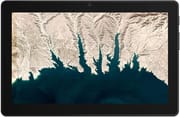 Lenovo 10e Chromebook Tablet | |
| Price | List Price: $269.00 Amazon Prices: |
| Model number | 82AM0002USF |
| Performance Rating | 3.2 |
| Chromebook Plus | No |
| Processor | Octa-core 2.00 Ghz (max 2.00 Ghz) MediaTek MT8183 |
| RAM | 4 GB |
| Internal Storage | 32 GB eMMC |
| Screen Size | 10.1" |
| Screen Resolution | 1920x1200 |
| Screen Type | IPS |
| Touch Screen | Yes |
| Stylus / Pen | No Stylus Support |
| Dimensions width x length x thickness | 9.8 x 6.5 x 0.37 inches (248.92 x 165.1 x 9.4 mm) |
| Weight | 1.1 lbs (0.5 kg) |
| Backlit Keyboard | No |
| Webcam | Front 2.0MP / Rear 5.0MP |
| WiFi | 2x2 dual-band 802.11ac |
| Bluetooth | Bluetooth 4.2 |
| Ethernet | No |
| Cellular Modem | No |
| HDMI | No HDMI |
| USB Ports | 1 USB-C (power delivery, data transfer and DisplayPort) |
| Thunderbolt Ports | No |
| Card Reader | No Card Reader |
| Battery | 31.5 WHr, Lithium-ion |
| Battery Life | 16.5 hours |
| Fanless | Yes |
| Auto Update Expiration Date | June, 2030 |
Related Chromebooks
-
 Lenovo Chromebook DuetLenovo Chromebook Duet offers a 10.1" touch IPS display, versatile tablet form factor, and 10-hour…
 -
 ASUS Chromebook Detachable CM3 (CM3000)The ASUS Chromebook Detachable CM3 is a 10.5-inch tablet (1.12 pounds alone, about 2 pounds with…
 -
 Lenovo 300e Yoga Chromebook Gen 4The Lenovo 300e Yoga Chromebook Gen 4 is a rugged 11.6-inch education convertible with a MediaTek…
 -
 ASUS Chromebook CM30 DetachableThe ASUS Chromebook CM30 Detachable bundles a 10.5-inch WUXGA touchscreen tablet, a keyboard folio,…
 -
 Acer Chromebook Spin 311The Acer Chromebook Spin 311 (CP311-3H) is an 11.6-inch convertible on an eight-core MediaTek…
 -
 Acer Chromebook 311An 11.6-inch Chromebook with an Intel Celeron N4000, 4GB of RAM, a fanless chassis, and up to 10…
A rugged shell around Chromebook Duet internals
Lenovo built the 10e for school districts that wanted a durable, affordable Chrome OS tablet, and every design decision followed from that. The thick rubber bumper added bulk but protected the tablet from the drops and bumps of classroom life, and the reinforced corners and plastic construction prioritized survival over looks. At 1.1 pounds it stayed portable enough for elementary students, though it was noticeably heavier than the sleeker Chromebook Duet that shared its silicon.
The 10.1-inch IPS panel runs 1920x1200 in a 16:10 aspect ratio and reaches roughly 400 nits, so text stayed crisp and colors rendered vibrantly. Chrome Unboxed’s testing praised the panel quality, noting it provided “consistent viewing angles and great color” suitable for both reading and multimedia consumption. That panel is what made the tablet workable for video streaming, educational apps, and document viewing.
A single USB-C port, a normal count for a 2020 tablet, handled charging, data transfer, and DisplayPort output, and there is no headphone jack, which was awkward in classrooms where students carried wired earbuds. Wireless is 2x2 dual-band 802.11ac Wi-Fi and Bluetooth 4.2, standard for education hardware of the era. There is no microSD slot either, so the 32GB of eMMC storage was the whole capacity and cloud storage did the rest.
The MediaTek MT8183 processor (also marketed as the Helio P60T) covers basic productivity and web browsing and runs out of headroom on demanding workloads. Chrome Unboxed described it as “no speed demon, but it is quite usable” for light tasks. The 4GB of RAM carried typical education app workflows, and Chrome Unboxed found Android games ran smoothly with gyro aiming working. Anyone expecting laptop-class multitasking hit the limits quickly.
Reviewer Insights
Chrome Unboxed’s Assessment
Robby Payne from Chrome Unboxed reviewed the tablet and framed it explicitly as “a flawed preview of the upcoming Chromebook Duet.” Payne praised the display: “The display is great. I’m talking 1920x1200, 16:10 IPS panel that gets nice and bright with consistent viewing angles and great color.” He tracked 12+ hours of regular use and up to 16 hours with lighter workloads.
Payne panned the speakers, which rules the tablet out for tasks like music production: “The stereo speakers that sound about as bad as you could possibly imagine.” He also hit software issues during testing, including app drawer and taskbar misbehavior that reset after powerwash, and the optional keyboard accessory lacked a trackpad, which limited productivity in desktop mode. He wrote, “I don’t recommend you go buy a 10e now or in the future. The Duet rights all the 10e’s wrongs…the best value in the Chrome OS.” For anyone spending their own money, he considered the consumer Duet the obvious choice.
Payne tested titles including PUBG Mobile, Call of Duty Mobile, Stadia, and Roblox, and found the tablet delivered “excellent mobile gaming, gyro aiming works perfectly.”
Education buyers took durability over the Duet’s polish
Launched alongside the more refined Chromebook Duet, the 10e showed how far education buyers diverged from consumers, valuing durability and fleet deployment over premium design and audio quality. School districts that wanted an affordable, rugged Chrome OS tablet got what they needed, even as Payne steered personal buyers toward the Duet instead.
The Auto Update Expiration date is June 2030, so deployed units still take Chrome OS updates. What Lenovo learned from the 10e and the Duet shaped the later tablets and detachables in the same lineup, including the Chromebook Duet Gen 9 and the Chromebook Duet 5.
Those evaluating current Chromebook options can use the Chromebook Comparison Chart to weigh specs side by side across the full catalog.
Frequently Asked Questions
What was the difference between the Lenovo 10e Chromebook Tablet and the Chromebook Duet?
They share the same MediaTek MT8183 processor, 4GB of RAM, and core specifications. The split is in the design: the 10e wraps that hardware in a rubber bumper and a thicker chassis, while the Chromebook Duet ships a slimmer consumer build with a fabric keyboard cover and kickstand. The 10e also drops the headphone jack and its speakers are poor. Payne pointed personal buyers at the Duet and left the 10e to classroom fleets.
What was the battery life of the Lenovo 10e Chromebook Tablet?
Lenovo rated the 10e at up to 16.5 hours of battery life. Real-world testing by Chrome Unboxed confirmed long battery life, with 12+ hours of regular use and potentially 16 hours with lighter workloads. Gaming use reduced battery life to approximately 8-10 hours. The battery made the tablet well-suited for all-day classroom use without midday charging.
Did the Lenovo 10e Chromebook Tablet have a keyboard?
There was an optional keyboard folio, and it had no trackpad. Cursor control fell back to the touchscreen, which slowed down desktop mode. Typing on it was fine; Payne called the missing trackpad a drawback next to the Chromebook Duet’s included keyboard cover.
Could you use the Lenovo 10e Chromebook Tablet for gaming?
Yes, mobile gaming was one of its strengths. Chrome Unboxed’s testing confirmed excellent performance with games including PUBG Mobile, Call of Duty Mobile, Stadia streaming, and Roblox. The gyro aiming functionality worked correctly in supported titles. Gaming battery life was approximately 8-10 hours. However, the tablet’s poor speaker quality meant headphones (via Bluetooth, since there was no headphone jack) were recommended for gaming with audio.
Why didn’t the Lenovo 10e have a headphone jack?
Lenovo built the 10e for education deployments and left the jack out. Personal audio meant Bluetooth headphones or a USB-C adapter. The omission drew criticism, especially given how poor the built-in speakers are.
When does the Lenovo 10e Chromebook Tablet stop receiving updates?
The tablet has an Auto Update Expiration (AUE) date of June 2030 (extended from its original May 2028 date; extended-support updates may reduce Android app support). Until that date, the device continues to receive Chrome OS updates and security patches. After June 2030, the tablet will still function but will no longer receive software updates, making it unsuitable for environments requiring current security patches.
Can you still buy the Lenovo 10e Chromebook Tablet?
No. Lenovo discontinued it, and it was sold through education channels rather than retail stores even while in production. For a current Lenovo Chrome OS tablet, look at the Chromebook Duet Gen 9 or the Chromebook Duet 5.