
Lenovo Chromebook 100e (2nd Gen)
Updated on

Note: The Lenovo Chromebook 100e (2nd Gen) is no longer available for purchase.
The Lenovo Chromebook 100e (2nd Gen) was Lenovo’s entry-level education Chromebook for the 2019 school year, built for the K-12 classroom. A MediaTek M8173C processor and 4GB of RAM sit behind an 11.6-inch screen in a clamshell that puts durability and battery life ahead of speed. MIL-STD-810G-tested construction, a mechanically anchored keyboard that could withstand minor spills, and rubber bumpers protecting the corners cover the ways a student breaks a laptop. The 10-hour battery life carried a full school day without hunting for outlets, and the fanless design kept the machine silent in a quiet room.
| Pros | Cons |
|---|---|
| 10-hour battery life lasts a full school day without charging | MediaTek processor sluggish with multiple tabs and Android apps |
| MIL-STD-810G rated with rubber bumpers and reinforced ports | Limited to 16-32GB eMMC storage fills up quickly |
| Spill-resistant keyboard survives minor liquid accidents | Non-touch anti-glare display lacks tablet mode flexibility |
| No fan, so it makes no noise in a classroom | 4GB RAM inadequate for modern Chrome OS multitasking |
| Lightweight at 2.68 lbs for students to carry between classes | Chrome OS updates end at the June 2027 Auto Update Expiration |
| HDMI port provides easy connection to classroom projectors | 720p webcam produces grainy video quality |
Related Videos
Lenovo Chromebook 100e (2nd Gen) Comparison Chart
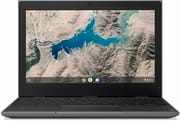 Lenovo Chromebook 100e (2nd Gen) | Lenovo Chromebook 100e (2nd Gen) | Lenovo Chromebook 100e (2nd Gen) | |
| Price | List Price: $159.99 Amazon Prices: | List Price: $209.00 Amazon Prices: | List Price: $349.99 Amazon Prices: |
| Model number | 81QB000AUS | 81QB0000US | 81QB0008US |
| Performance Rating | 2.6 | 2.6 | 2.6 |
| Chromebook Plus | No | No | No |
| Processor | Quad-core 1.70 Ghz (max 2.10 Ghz) MediaTek MT8173C | Quad-core 1.70 Ghz (max 2.10 Ghz) MediaTek MT8173C | Quad-core 1.70 Ghz (max 2.10 Ghz) MediaTek MT8173C |
| RAM | 4 GB | 4 GB | 4 GB |
| Internal Storage | 16 GB eMMC | 16 GB eMMC | 32 GB eMMC |
| Screen Size | 11.6" | 11.6" | 11.6" |
| Screen Resolution | 1366x768 | 1366x768 | 1366x768 |
| Screen Type | Anti-Glare | Anti-Glare | Anti-Glare |
| Touch Screen | No | No | No |
| Stylus / Pen | No Stylus Support | No Stylus Support | No Stylus Support |
| Dimensions width x length x thickness | 11.41 x 8.03 x 0.8 inches (289.81 x 203.96 x 20.32 mm) | 11.41 x 8.03 x 0.8 inches (289.81 x 203.96 x 20.32 mm) | 11.41 x 8.03 x 0.8 inches (289.81 x 203.96 x 20.32 mm) |
| Weight | 2.68 lbs (1.22 kg) | 2.68 lbs (1.22 kg) | 2.68 lbs (1.22 kg) |
| Backlit Keyboard | No | No | No |
| Webcam | 720p | 720p | 720p |
| WiFi | 802.11ac (2x2) | 802.11ac (2x2) | 802.11ac (2x2) |
| Bluetooth | Bluetooth 4.1 | Bluetooth 4.1 | Bluetooth 4.1 |
| Ethernet | No | No | No |
| Cellular Modem | No | No | No |
| HDMI | Full-Size HDMI | Full-Size HDMI | Full-Size HDMI |
| USB Ports | 1 USB 3, 1 USB-C | 1 USB 3, 1 USB-C | 1 USB 3, 1 USB-C |
| Thunderbolt Ports | No | No | No |
| Card Reader | SD | SD | SD |
| Battery | 3 cell, 42 WHr, Li-Polymer | 3 cell, 42 WHr, Li-Polymer | 3 cell, 42 WHr, Li-Polymer |
| Battery Life | 10.0 hours | 10.0 hours | 10.0 hours |
| Fanless | Yes | Yes | Yes |
| Auto Update Expiration Date | June, 2027 | June, 2027 | June, 2027 |
Related Chromebooks
-
 Lenovo Flex 3 ChromebookThe Lenovo Flex 3 Chromebook is a fanless 11.6-inch convertible with an IPS touchscreen, a MediaTek…
 -
 Lenovo Chromebook 3 11"The Lenovo Chromebook 3 11 is a fanless 11.6-inch Chromebook with an Intel Celeron N4020, 4GB of…
 -
 Acer Chromebook 311 (AMD)The Acer Chromebook 311 (CB311-10H) is an 11.6-inch ChromeOS laptop on an AMD A4-9120C with 4GB of…
 -
 ASUS Chromebook C203XAThe ASUS Chromebook C203XA is a rugged 11.6-inch education laptop with a MediaTek MT8173C, an…
 -
 Acer Chromebook Spin 11 CP311The Acer Chromebook Spin 11 combines functionality and portability with its 11.6-inch touch IPS…
 -
 Dell Chromebook 3120The Dell Chromebook 3120 is a fanless 11.6-inch education Chromebook with an Intel N100, sold in…
Rugged plastic and 10 hours from the ARM chip
Lenovo shipped several processors under the 100e name: the MediaTek M8173C version covered here sat alongside Intel Celeron and AMD A4 variants, each targeting slightly different performance and price points within the education market. This ARM-based model offered the longest battery life of the group, which suited younger students who forget to charge their devices. The MediaTek chip’s power efficiency meant the 42 Wh battery could reliably deliver 10 hours of use with screen brightness at classroom-appropriate levels.
Build quality focused on surviving student life. The textured gray plastic chassis resisted fingerprints and scratches, while the reinforced ports and mechanically anchored keys meant the device could handle being shoved into backpacks and dropped on desks without immediately breaking. Lenovo rated the 100e to survive drops from desk height onto carpet, and the spill-resistant keyboard gave teachers a few seconds to react when the inevitable water bottle mishap occurred. The materials are inexpensive plastics picked for how much abuse they absorb. Teachers and IT admins deploying these in classrooms should also be aware of the Chromebook magnet trick, where students use small magnets to trigger the lid sensor and put nearby devices to sleep.
At 1366x768 across 11.6 inches, text appeared sharp enough for schoolwork on the anti-glare display. The anti-glare coating reduced distracting reflections under classroom fluorescent lights, which matters more in a room lit that way than color accuracy does. Lenovo left touch out, so this is strictly a clamshell without the tablet mode of a convertible like the Lenovo 300e.
4GB of RAM sets the ceiling on multitasking
Google Docs, light web browsing, and educational web apps run at a usable pace. A modest handful of Chrome tabs remained manageable on the MediaTek M8173C, and the system handled Google Classroom smoothly, booting and resuming quickly enough to keep students on task.
Android apps and heavier web applications ask for more than the chip has. Running Android apps from the Play Store often resulted in noticeable lag, and resource-intensive educational games could stutter. The 4GB of RAM became a bottleneck when students tried to multitask aggressively: having Zoom running alongside multiple browser tabs and an Android app slowed the system down.
The 16GB eMMC configuration left little space after Chrome OS installed, pushing schools toward the 32GB model for the extra space. Neither configuration supported user-upgradeable storage, though the SD card slot provided some expansion capability for students who needed to store media files.
A full-size HDMI port that skips the dongle
One USB-C port handled charging and could support data transfer or display output via adapter, while a single USB-A 3.0 port accommodated traditional peripherals like mice and flash drives. The full-size HDMI port allowed direct connection to classroom projectors and monitors without adapters. Schools needing wired network access could plug in a USB Ethernet adapter since the 100e lacks a built-in Ethernet port.
The 2x2 802.11ac radio connected reliably to school networks, and without Wi-Fi 6 it missed the performance gains that help in the crowded wireless environments common in schools. Bluetooth 4.1 supported wireless mice, keyboards, and headphones. The 720p webcam sufficed for video calls but produced noticeably grainy video in anything less than ideal lighting.
Plan a replacement before the June 2027 update cutoff
Google originally set this board’s AUE at June 2025, then extended it by two years; later policy changes pushed newer devices out to 10 years of updates. The MediaTek model receives Chrome OS updates through its Auto Update Expiration in June 2027. Schools still operating these 100e units keep getting security patches and feature updates until that 2027 cutoff, after which the devices continue to function without further Google support.
Lenovo sold the machine through education channels to school districts rather than consumer retail. Durability, battery life, and low acquisition cost were what a district managing a fleet of student devices bought it for, and the specification sheet was assembled around that: MIL-STD-810G testing, reinforced ports, an anchored keyboard, and a screen and processor cheap enough to keep the per-unit price down.
Owners can keep using the machine for basic tasks, though the 4GB of RAM leaves less headroom each year as web applications grow heavier. Schools and individuals still running these units should plan a move to a supported Chromebook with more memory and a longer update window. Our Chromebook Comparison Chart lets you sort and filter current models by specs, price, and features to find a suitable replacement.
Frequently Asked Questions
Can I still buy a Lenovo Chromebook 100e (2nd Gen)?
Lenovo discontinued the 100e (2nd Gen), so no retailer sells it new. Used units may occasionally appear on secondary markets, but with the MediaTek model’s Auto Update Expiration arriving in June 2027, any purchase would have only a short supported window left. Consider newer Lenovo education Chromebooks that offer better performance and longer software support.
Is the Lenovo Chromebook 100e (2nd Gen) still receiving updates?
Yes, through June 2027. The MediaTek model covered here receives Chrome OS updates until its Auto Update Expiration (AUE) that month (Google extended this board from an original June 2025 date). After June 2027 it continues to function without security updates or new features. Weigh that against what the machine is used for, particularly in educational environments handling student data.
What processor was in the Lenovo Chromebook 100e (2nd Gen)?
The model covered on this page uses the MediaTek M8173C processor, a quad-core ARM chip running at 1.7 GHz. Note that Lenovo released multiple processor variants of the 100e (2nd Gen), including versions with Intel Celeron N4020 and AMD A4-9120C processors. Each variant had different performance characteristics, so verify which processor is in your specific unit if purchasing used.
Can I upgrade the RAM or storage on the Lenovo Chromebook 100e?
No. The RAM and eMMC storage are soldered to the motherboard, and the machine shipped with 4GB of RAM and either 16GB or 32GB of eMMC depending on configuration. The SD card slot can hold files, but it cannot expand system storage.
How long does the Lenovo Chromebook 100e battery last?
Lenovo rated the Chromebook 100e (2nd Gen) for up to 10 hours of battery life under typical student workloads of web browsing, document editing, and educational apps. The MediaTek ARM processor’s power efficiency paired with a 42 Wh cell is what got it there. Battery degradation over time means older units may not achieve these numbers.
Was the Lenovo Chromebook 100e designed for schools?
Lenovo built the 100e (2nd Gen) for K-12 education, with MIL-STD-810G tested durability, a spill-resistant keyboard, rubber bumpers on the corners, and reinforced ports to survive daily student use. The device was sold primarily through education channels to school districts rather than consumer retail outlets.
What’s the difference between the Lenovo 100e and 300e?
The main differences between the Lenovo 100e and 300e (both 2nd Gen) are the display and form factor. The 300e features a touchscreen IPS display and a 360-degree hinge allowing tablet mode use, while the 100e has a non-touch anti-glare display in a traditional clamshell design. The 300e is slightly heavier and typically cost more at launch. Both share the same MediaTek M8173C processor and education-focused durability features.