
Lenovo ThinkCentre M60q Chromebox
Published on

The Lenovo ThinkCentre M60q Chromebox marks Lenovo’s return to the Chromebox market after a seven-year hiatus, and it arrives with modern 12th-generation Intel processors and enterprise-ready features. This compact desktop fits easily behind a monitor or on a desk corner while delivering enough processing power for everyday productivity, digital signage, or thin-client deployments. Available in configurations ranging from Intel Celeron 7305 to Core i5-1235U, it provides flexibility for both budget-conscious buyers and those needing extra performance. The inclusion of WiFi 6E, Bluetooth 5.3, and support for up to four independent displays makes it particularly versatile for modern workplace setups. Whether deployed in schools, offices, or home environments, the M60q offers a compelling blend of Chrome OS simplicity and ThinkCentre reliability.
Pros and Cons of the Lenovo ThinkCentre M60q Chromebox
| Pros | Cons |
|---|---|
| Compact 1-liter Tiny form factor with included stand | No built-in speakers or microphone |
| 12th-generation Intel processors with hybrid architecture | Celeron version uses non-upgradeable eMMC storage |
| WiFi 6E and Bluetooth 5.3 for modern wireless connectivity | WiFi connection can be inconsistent according to reviewers |
| Six USB Type-A ports plus USB-C with DisplayPort | No integrated webcam for video calls |
| Supports up to four independent displays | Intel integrated graphics limits demanding workloads |
| Includes dedicated ChromeOS keyboard and mouse in box | Vertical stand not physically attached to unit |
Lenovo ThinkCentre M60q Chromebox Comparison Chart
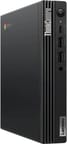 Lenovo ThinkCentre M60q Chromebox | Lenovo ThinkCentre M60q Chromebox | Lenovo ThinkCentre M60q Chromebox | |
| Price | List Price: Amazon Prices: Loading prices... | List Price: Amazon Prices: | List Price: Amazon Prices: |
| Model number | 12C6001UCA | 12C6001VCA | 12C6001SUS |
| Perfomance Rating | 3.8 | 8.5 | 9.9 |
| Chromebook Plus | No | No | No |
| Processor | 5-core 0.90 Ghz (max 1.10 Ghz) Intel Celeron Processor 7305 | Hexa-core 3.30 Ghz (max 4.40 Ghz) Intel Core i3-1215U Processor | Deca-core 3.30 Ghz (max 4.40 Ghz) Intel Core i5-1235U |
| RAM | 4 GB | 8 GB | 16 GB |
| Internal Storage | 64 GB eMMC (upgradable) | 128 GB NVMe SSD (upgradable) | 256 GB NVMe SSD (upgradable) |
| Screen Size | No Screen | No Screen | No Screen |
| Screen Resolution | No Screen | No Screen | No Screen |
| Screen Type | No Screen | No Screen | No Screen |
| Touch Screen | No | No | No |
| Stylus / Pen | No Stylus Support | No Stylus Support | No Stylus Support |
| Dimensions width x length x thickness | 7 x 7.16 x 1.33 inches (177.8 x 181.86 x 33.78 mm) | 7 x 7.16 x 1.33 inches (177.8 x 181.86 x 33.78 mm) | 7 x 7.16 x 1.33 inches (177.8 x 181.86 x 33.78 mm) |
| Weight | 2.35 lbs (1.07 kg) | 2.35 lbs (1.07 kg) | 2.35 lbs (1.07 kg) |
| Backlit Keyboard | No | No | No |
| Webcam | No Webcam | No Webcam | No Webcam |
| WiFi | Wi-Fi 6E (802.11ax) | Wi-Fi 6E (802.11ax) | Wi-Fi 6E (802.11ax) |
| Bluetooth | Bluetooth 5.3 | Bluetooth 5.3 | Bluetooth 5.3 |
| Ethernet | Yes | Yes | Yes |
| Cellular Modem | No | No | No |
| HDMI | Full-Size HDMI | Full-Size HDMI | Full-Size HDMI |
| USB Ports | 6 USB 3, 1 USB-C Front: 1x USB-C 3.2 Gen 2 (supports DisplayPort 1.4), 2x USB 3.2 Gen 2 (Type-A). Rear: 4x USB 3.2 Gen 1 (Type-A). | 6 USB 3, 1 USB-C Front: 1x USB-C 3.2 Gen 2 (supports DisplayPort 1.4), 2x USB 3.2 Gen 2 (Type-A). Rear: 4x USB 3.2 Gen 1 (Type-A). | 6 USB 3, 1 USB-C Front: 1x USB-C 3.2 Gen 2 (supports DisplayPort 1.4), 2x USB 3.2 Gen 2 (Type-A). Rear: 4x USB 3.2 Gen 1 (Type-A). |
| Thunderbolt Ports | No | No | No |
| Card Reader | No Card Reader | No Card Reader | No Card Reader |
| Battery | No Battery | No Battery | No Battery |
| Battery Life | Unknown | Unknown | Unknown |
| Fanless | No | No | No |
| Auto Update Expiration Date | June, 2032 | June, 2032 | June, 2032 |
Related Chromebooks
-
 ASUS Chromebox 5The ASUS Chromebox 5 delivers modern desktop Chrome OS performance with 12th-gen Intel processors,…
 -
 Acer Chromebox Mini CXM1The Acer Chromebox Mini CXM1 delivers enterprise-grade digital signage in an ultra-compact fanless…
 -
 Lenovo 3i ChromebookThe Lenovo 3i Chromebook offers a large 15.6-inch anti-glare FHD display with a numeric keypad,…
 -
 Lenovo Chromebox MicroAn ultra-compact, fanless Chromebox designed for digital signage and specialized deployments,…
 -
 Lenovo IdeaPad 3i ChromebookA budget-friendly 15.6" Chromebook featuring a Full HD display, Intel Celeron N4500 processor, and…
 -
 Acer Chromebox CXI5A compact Chrome OS desktop with 12th Gen Intel processors, USB4 connectivity, and support through…
Detailed Insights into the Lenovo ThinkCentre M60q Chromebox

The ThinkCentre M60q measures 7.0 x 7.16 x 1.33 inches and weighs just 2.35 pounds, making it one of the most compact Chromeboxes available today. The Tiny form factor originated from Lenovo’s Windows-based ThinkCentre line, bringing enterprise build quality to Chrome OS. The front panel provides quick access to two USB 3.2 Gen 2 Type-A ports, a USB-C port with DisplayPort 1.4 support, and a combo audio jack. The rear panel houses four additional USB 3.2 Gen 1 ports, two full-size HDMI outputs, Gigabit Ethernet, and the Kensington lock slot. An internal cooling fan maintains thermal performance, though reviewers note it runs quietly under normal workloads.
At the heart of the base configuration lies the Intel Celeron 7305, a 5-core hybrid processor combining one performance core with four efficiency cores. The mid-tier Core i3-1215U bumps this to 6 cores and 8 threads, while the top-tier Core i5-1235U delivers 10 cores and 12 threads for more demanding multitasking. XDA Developers found that the 12th-generation Intel CPUs handle everyday productivity tasks with ease, including web browsing with multiple tabs, document editing, and video streaming. Intel UHD Graphics provides sufficient performance for basic tasks, though reviewers note it struggles with graphics-intensive workloads.
Connectivity options include WiFi 6E (802.11ax) wireless with Bluetooth 5.3, courtesy of the Intel AX211 wireless card. The port selection provides extensive USB connectivity with six Type-A ports and one Type-C port that doubles as a DisplayPort 1.4 output. Storage expansion on the Core i3 and i5 models is handled via an M.2 NVMe slot, allowing aftermarket SSD upgrades. The Celeron configuration uses 64GB eMMC storage that cannot be upgraded, so buyers should consider their storage needs before purchase.
Reviewer Insights on the Lenovo ThinkCentre M60q Chromebox

XDA Developers
Arif Bacchus at XDA Developers tested the Core i3-1215U configuration and awarded it an 8 out of 10 rating. The review praised the compact form factor and included accessories, noting “It was a pleasure to prop the ThinkCentre M60q to the side of my monitor and use it the month that I had it.” The productivity performance of the 12th-generation Intel CPUs stood out as the highlight.
However, the reviewer encountered some WiFi inconsistency during testing and noted the lack of built-in speakers. “Still, for everyday web browsing, and general productivity with Android apps and more, this is one great and modern Chromebox.” The included ChromeOS keyboard and mouse received positive mention as a value-add for those starting fresh.
Storage Review
Tom Fenton at Storage Review approached the M60q from an enterprise thin-client perspective, testing it for virtual desktop infrastructure (VDI) deployments. The review highlighted its excellent build quality and attention to detail, along with very low CPU and memory utilization during standard tasks. “Lenovo packed a lot of performance into such a tiny system.”
The enterprise focus revealed some Chrome OS limitations for VDI use, including issues with the native Horizon client that was designed for mobile devices. However, the review praised Chrome OS as “fast and stable” with minimal IT support requirements. The locked-down nature of Chrome OS provides inherent resistance to large-scale virus attacks, making it attractive for managed deployments.
Across multiple reviews, the consensus points to the 12th-generation Intel processors and compact form factor as the primary strengths, while the lack of built-in audio appears consistently as an area requiring external speakers or headphones.
Customer Reviews of the Lenovo ThinkCentre M60q Chromebox
Amazon customers have rated the ThinkCentre M60q Chromebox 4.1 out of 5 stars. The most praised aspects include the compact size, included keyboard and mouse, and overall system stability. Buyers particularly appreciate the ability to upgrade RAM and storage on the Core i3 and i5 models.
However, some customers note that the Celeron version feels underpowered for heavy multitasking and that the eMMC storage on the base model cannot be upgraded. Several reviews mention the need to purchase external speakers or headphones since the unit lacks built-in audio output beyond the headphone jack.
Overall, the customer sentiment is positive, with most buyers finding the ThinkCentre M60q Chromebox well-suited for general productivity, digital signage, and kiosk applications.
Conclusion
The Lenovo ThinkCentre M60q Chromebox stands out as a well-designed desktop option for Chrome OS users who need a compact, reliable system. Its combination of 12th-generation Intel processors and enterprise-grade build quality makes it well-suited for office environments, schools, and managed deployments. The Core i3 and i5 configurations offer expandable storage and sufficient performance for demanding multitasking.
That said, users who need built-in audio or a webcam for video calls will need to add external peripherals. The Celeron configuration with non-upgradeable eMMC storage may be limiting for some users, so the Core i3 model represents the sweet spot for most buyers.
For those comparing options, see our Chromebook Comparison Chart to find the best match for your needs.
Frequently Asked Questions
What processor options are available for the Lenovo ThinkCentre M60q Chromebox?
The ThinkCentre M60q Chromebox is available with three processor options: Intel Celeron 7305 (5 cores, 5 threads), Intel Core i3-1215U (6 cores, 8 threads), and Intel Core i5-1235U (10 cores, 12 threads). All three use Intel’s 12th-generation Alder Lake hybrid architecture, combining performance and efficiency cores for improved multitasking.
Can I upgrade the RAM and storage in the ThinkCentre M60q Chromebox?
The Core i3 and Core i5 configurations use M.2 NVMe SSDs that can be upgraded to larger capacities. However, the Celeron configuration uses 64GB eMMC storage that is soldered and cannot be upgraded. RAM is upgradeable on all models via SO-DIMM slots.
What ports does the Lenovo ThinkCentre M60q Chromebox have?
The M60q includes six USB Type-A ports (2x USB 3.2 Gen 2 on front, 4x USB 3.2 Gen 1 on rear), one USB-C 3.2 Gen 2 port with DisplayPort 1.4 support, two full-size HDMI ports, Gigabit Ethernet, a combo headphone/microphone jack, and a Kensington lock slot.
How many displays can the ThinkCentre M60q Chromebox support?
The ThinkCentre M60q Chromebox supports up to four independent displays using the two HDMI ports and USB-C DisplayPort output. This makes it suitable for multi-monitor productivity setups or digital signage applications.
What is the Auto Update Expiration (AUE) date for the ThinkCentre M60q Chromebox?
The Lenovo ThinkCentre M60q Chromebox has an Auto Update Expiration date of June 2032, providing approximately 9 years of Chrome OS updates and security patches from its launch.
What’s included in the box with the ThinkCentre M60q Chromebox?
The ThinkCentre M60q Chromebox includes the Chromebox unit, a dedicated Chrome OS wired keyboard, a USB mouse, a 90W Slim Tip power adapter, a vertical stand, and a quick start guide. The inclusion of the keyboard and mouse provides a complete setup experience out of the box.
Does the ThinkCentre M60q Chromebox have a built-in webcam or speakers?
No, the ThinkCentre M60q Chromebox does not include a built-in webcam, microphone, or speakers. For video conferencing, you’ll need to add an external USB webcam and either external speakers or headphones connected via the combo audio jack.