
ASUS NUC 16 Pro
Published on

The ASUS NUC 16 Pro represents the next generation of Intel’s iconic NUC mini PC line, now powered by the Panther Lake architecture. Available in configurations ranging from the Core Ultra 5 335 up to the flagship Core Ultra X9 388H with integrated Intel Arc B390 graphics, it delivers serious computing power in a compact 0.7-liter chassis. The system supports WiFi 7, dual 2.5 Gigabit Ethernet, Thunderbolt 4, and PCIe Gen 5 storage, making it one of the most connectivity-rich mini PCs on the market. ASUS has also packed in AI acceleration with up to 180 platform TOPS across the CPU, GPU, and NPU, positioning the NUC 16 Pro as a Copilot+ PC ready for emerging AI workloads. Whether you need a compact workstation for professional tasks, an AI development platform, or a powerful home office machine, the NUC 16 Pro targets users who refuse to compromise on performance despite limited desk space.
Pros and Cons of the ASUS NUC 16 Pro
| Pros | Cons |
|---|---|
| Panther Lake processors with up to 180 platform TOPS for AI workloads | Slightly larger 5x4 inch chassis compared to classic 4x4 NUC design |
| WiFi 7 and Bluetooth 6.0 for cutting-edge wireless connectivity | No analog headphone jack (digital audio only via HDMI/Thunderbolt) |
| Dual 2.5 Gigabit Ethernet for reliable wired networking | Slightly larger 5x4 inch chassis compared to classic 4x4 NUC design |
| PCIe Gen 5 x4 primary M.2 slot for blazing fast storage | Top-tier X9 388H model uses soldered LPDDR5x (not user-upgradeable) |
| Two Thunderbolt 4 ports with DisplayPort 2.1 alt mode | Arc B390 integrated graphics still trails AMD’s Radeon 8060S |
| Tool-less chassis design for easy component access | No discrete GPU support due to compact form factor |
Related Videos
ASUS NUC 16 Pro Comparison Chart
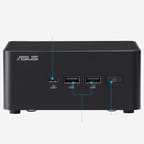 ASUS NUC 16 Pro | ASUS NUC 16 Pro | ASUS NUC 16 Pro | ASUS NUC 16 Pro | ASUS NUC 16 Pro | |
| Price | List Price: $999.00 Amazon Prices: Loading prices... | List Price: $1,559.00 Amazon Prices: Loading prices... | List Price: $1,659.00 Amazon Prices: Loading prices... | List Price: $1,879.00 Amazon Prices: Loading prices... | List Price: $1,999.00 Amazon Prices: Loading prices... |
| Version | Barebone/Core Ultra 7 356H | 16GB/512GB/Core Ultra 7 356H | 16GB/1TB/Core Ultra 7 356H | 32GB/1TB/Core Ultra 7 356H | 32GB/2TB/Core Ultra 7 356H |
| Performance Rating | 9.1 | 9.1 | 9.1 | 9.7 | 9.7 |
| Operating System | No OS | No OS | No OS | No OS | No OS |
| Processor | Sixteen-core 1.90 Ghz (max 4.70 Ghz) Intel Core Ultra 7 356H | Sixteen-core 1.90 Ghz (max 4.70 Ghz) Intel Core Ultra 7 356H | Sixteen-core 1.90 Ghz (max 4.70 Ghz) Intel Core Ultra 7 356H | Sixteen-core 1.90 Ghz (max 4.70 Ghz) Intel Core Ultra 7 356H | Sixteen-core 1.90 Ghz (max 4.70 Ghz) Intel Core Ultra 7 356H |
| GPU | Integrated Intel Arc graphics | Integrated Intel Arc graphics | Integrated Intel Arc graphics | Integrated Intel Arc graphics | Integrated Intel Arc graphics |
| RAM | 0 GB DDR5, 2-channel (Up to 128GB DDR5-7200) | 16 GB DDR5, 2-channel | 16 GB DDR5, 2-channel | 32 GB DDR5, 2-channel | 32 GB DDR5, 2-channel |
| Internal Storage | 0 GB None (Barebone) | 512 GB NVMe SSD | 1 TB NVMe SSD | 1 TB NVMe SSD | 2 TB NVMe SSD |
| Dimensions width x length x thickness | 5.67 x 4.61 x 1.65 inches (144.02 x 117.09 x 41.91 mm) | 5.67 x 4.61 x 1.65 inches (144.02 x 117.09 x 41.91 mm) | 5.67 x 4.61 x 1.65 inches (144.02 x 117.09 x 41.91 mm) | 5.67 x 4.61 x 1.65 inches (144.02 x 117.09 x 41.91 mm) | 5.67 x 4.61 x 1.65 inches (144.02 x 117.09 x 41.91 mm) |
| Weight | 2 lbs (0.91 kg) | 2 lbs (0.91 kg) | 2 lbs (0.91 kg) | 2 lbs (0.91 kg) | 2 lbs (0.91 kg) |
| WiFi | Wi-Fi 7 (802.11be) | Wi-Fi 7 (802.11be) | Wi-Fi 7 (802.11be) | Wi-Fi 7 (802.11be) | Wi-Fi 7 (802.11be) |
| Bluetooth | 6.0 | 6.0 | 6.0 | 6.0 | 6.0 |
| Ethernet | 2 Ethernet ports at 2.5 Gbps | 2 Ethernet ports at 2.5 Gbps | 2 Ethernet ports at 2.5 Gbps | 2 Ethernet ports at 2.5 Gbps | 2 Ethernet ports at 2.5 Gbps |
| HDMI | 2 Full-Size HDMI Ports | 2 Full-Size HDMI Ports | 2 Full-Size HDMI Ports | 2 Full-Size HDMI Ports | 2 Full-Size HDMI Ports |
| DisplayPort | DP 2.1 via Thunderbolt 4 | DP 2.1 via Thunderbolt 4 | DP 2.1 via Thunderbolt 4 | DP 2.1 via Thunderbolt 4 | DP 2.1 via Thunderbolt 4 |
| VGA | No VGA Ports | No VGA Ports | No VGA Ports | No VGA Ports | No VGA Ports |
| USB Ports | 1 USB 2.0, 3 USB 3, 1 USB-C 1x USB-C 3.2 Gen 2x2, 3x USB-A 3.2 Gen 2, 1x USB-A 2.0, 2x Thunderbolt 4 | 1 USB 2.0, 3 USB 3, 1 USB-C 1x USB-C 3.2 Gen 2x2, 3x USB-A 3.2 Gen 2, 1x USB-A 2.0, 2x Thunderbolt 4 | 1 USB 2.0, 3 USB 3, 1 USB-C 1x USB-C 3.2 Gen 2x2, 3x USB-A 3.2 Gen 2, 1x USB-A 2.0, 2x Thunderbolt 4 | 1 USB 2.0, 3 USB 3, 1 USB-C 1x USB-C 3.2 Gen 2x2, 3x USB-A 3.2 Gen 2, 1x USB-A 2.0, 2x Thunderbolt 4 | 1 USB 2.0, 3 USB 3, 1 USB-C 1x USB-C 3.2 Gen 2x2, 3x USB-A 3.2 Gen 2, 1x USB-A 2.0, 2x Thunderbolt 4 |
| Thunderbolt Ports | 2 | 2 | 2 | 2 | 2 |
| Internal SATA Ports | No SATA ports | No SATA ports | No SATA ports | No SATA ports | No SATA ports |
| Card Reader | No Card Reader | No Card Reader | No Card Reader | No Card Reader | No Card Reader |
| Headphone Jack | none | none | none | none | none |
| Fanless | No | No | No | No | No |
| VESA Mount | Yes | Yes | Yes | Yes | Yes |
| In the Box | AC adapter with power cord, VESA bracket and screws, cable clip, warranty card | AC adapter with power cord, VESA bracket and screws, cable clip, warranty card | AC adapter with power cord, VESA bracket and screws, cable clip, warranty card | AC adapter with power cord, VESA bracket and screws, cable clip, warranty card | AC adapter with power cord, VESA bracket and screws, cable clip, warranty card |
| Expandability | Up to 128GB DDR5-7200 (2x CSO-DIMM). 2x M.2: PCIe 5.0 x4 + PCIe 4.0 x4. Tool-less chassis. | Up to 128GB DDR5-7200 (2x CSO-DIMM). 2x M.2: PCIe 5.0 x4 + PCIe 4.0 x4. Tool-less chassis. | Up to 128GB DDR5-7200 (2x CSO-DIMM). 2x M.2: PCIe 5.0 x4 + PCIe 4.0 x4. Tool-less chassis. | Up to 128GB DDR5-7200 (2x CSO-DIMM). 2x M.2: PCIe 5.0 x4 + PCIe 4.0 x4. Tool-less chassis. | Up to 128GB DDR5-7200 (2x CSO-DIMM). 2x M.2: PCIe 5.0 x4 + PCIe 4.0 x4. Tool-less chassis. |
Related Mini PCs
-
 ASUS NUC 14 ProThe ASUS NUC 14 Pro marks ASUS's debut as the new steward of the legendary NUC line, pairing…
 -
 MINISFORUM UN1290The MINISFORUM UN1290 delivers desktop-class Intel Core i9-12900HK performance in a compact 0.9L…
 -
 MINISFORUM Venus UN1265Introducing the MINISFORUM Venus UN1265 Mini PC: a powerhouse in a pint-sized package. Equipped…
 -
 Minisforum AtomMan X7 TiThe Minisforum AtomMan X7 Ti is a premium mini PC featuring the Intel Core Ultra 9 185H processor,…
 -
 GMKtec K1Compact, powerful, and user-upgradable, the GMKtec K1 Mini PC packs a punch with an AMD Ryzen 7…
 -
 GMKtec M3 UltraThe GMKtec M3 Ultra packs a powerful 14-core Intel i7-12700H processor into a palm-sized chassis,…
Detailed Insights into the ASUS NUC 16 Pro

The ASUS NUC 16 Pro measures 5.67 x 4.61 x 1.65 inches and weighs approximately 2.0 pounds, adopting a slightly larger footprint than the traditional 4x4 NUC form factor to accommodate the Panther Lake platform’s thermal requirements. The chassis retains the tool-less design that ASUS introduced with the NUC 14 Pro, allowing users to access internals without a screwdriver. The front panel houses a USB-C 3.2 Gen 2x2 port running at 20Gbps alongside two USB-A 3.2 Gen 2 ports, while the rear panel provides two Thunderbolt 4 ports, two full-size HDMI outputs, dual 2.5 Gigabit Ethernet ports, and additional USB-A ports. ASUS has opted for dual-fan cooling to sustain performance under prolonged workloads, which is a critical design choice for processors with up to 80W maximum turbo power. Notably, the NUC 16 Pro lacks an analog headphone jack entirely, relying on digital audio output through HDMI or Thunderbolt.
The base configuration ships with the Intel Core Ultra 7 356H, a 16-core Panther Lake processor featuring four high-performance Cougar Cove P-cores boosting up to 4.7 GHz, eight efficient Darkmont E-cores, and four low-power E-cores. This processor scores approximately 32,113 on PassMark’s CPU Mark benchmark, placing it competitively among high-end mobile processors and representing a significant generational leap over the Core Ultra 7 155H found in the ASUS NUC 14 Pro. The flagship Core Ultra X9 388H variant pushes performance further with a 5.1 GHz boost clock, a PassMark score around 39,049, and the integrated Intel Arc B390 GPU with 12 Xe3 cores. TechRadar reports that the Arc B390 delivers enough performance for 1080p gaming on high settings without a discrete GPU, though it falls short of AMD’s Radeon 8060S found in competing Strix Halo platforms.
Connectivity is a standout feature of the NUC 16 Pro, offering WiFi 7 (802.11be) with Bluetooth 6.0, dual Intel I226-V/LM 2.5 Gigabit Ethernet controllers, and two Thunderbolt 4 ports supporting DisplayPort 2.1 alt mode. The system can drive up to four 4K displays or two 8K displays simultaneously through its combined HDMI and Thunderbolt outputs. Storage expansion is handled by two M.2 2280 slots, with the primary slot supporting PCIe Gen 5 x4 for the fastest NVMe SSDs available and the secondary slot running at PCIe Gen 4 x4. Digital Trends notes that the DDR5 CSO-DIMM models support up to 128GB of memory across two slots, while the X9 388H uses soldered LPDDR5x-9600 capped at 96GB.
Reviewer Insights on the ASUS NUC 16 Pro

TechRadar
According to TechRadar, the ASUS NUC 16 Pro sets its sights on the fastest mini PC category with Intel’s new Panther Lake platform. Their coverage focused on the flagship X9 388H configuration and its AI capabilities, highlighting the 180 TOPS of platform compute that makes it a serious contender for edge AI and creative workloads. They noted that “the Arc B390 is impressive for an integrated solution, although it isn’t expected to outperform AMD’s Radeon 8060S iGPU found in the Ryzen AI Max+ 395.” The review also praised the dual-fan cooling system designed to sustain performance under prolonged loads and the system’s NPU 5 for AI-accelerated tasks.
Digital Trends
Digital Trends covered the US launch of the Core Ultra 7 356H barebone variant, describing it as “serious hardware inside a tiny box.” Their analysis highlighted the unusually high 128GB DDR5 memory ceiling and dual M.2 slots supporting up to 16TB of total storage as standout features for a mini PC at this size. The article noted that while the barebone approach requires users to source their own memory and storage, it offers flexibility for workstation-class builds. They emphasized the PCIe Gen 5 support on the primary M.2 slot and the WiFi 7 and Bluetooth 6 connectivity as forward-looking features that should keep the system relevant for years to come.
ASUS and Intel Perspective
In a joint presentation, ASUS and Intel representatives described the Panther Lake architecture as combining “Arrow Lake-like multi-thread performance” with “Luna Lake-like efficiency.” They highlighted that “the Panther Lake 12XC configuration can deliver up to 180 peak TOPS and enable users to do 1080p high settings at more than 60 frames per second in terms of gaming.” The representatives also emphasized ASUS’s extensive reliability testing, including mil-spec and IP testing with demonstrated mean time between failure metrics, positioning the NUC 16 Pro as enterprise-grade hardware.
Across the available coverage, reviewers consistently praise the NUC 16 Pro’s connectivity suite and AI capabilities as its primary differentiators. The main criticism centers on the Arc B390 graphics not quite matching AMD’s latest integrated solutions, and the barebone-only availability in the US market may frustrate buyers looking for a ready-to-use system.
Conclusion
The ASUS NUC 16 Pro delivers a compelling upgrade for users invested in the NUC ecosystem, bringing Panther Lake’s AI acceleration, WiFi 7, and PCIe Gen 5 storage to a compact form factor. The Core Ultra 7 356H barebone variant offers an excellent foundation for builders who want to customize their own memory and storage configuration, while the upcoming X9 388H model with Arc B390 graphics targets users who need both AI compute and reasonable gaming capabilities without a discrete GPU.
That said, buyers who need a ready-to-use system may want to wait for pre-configured models to become available in the US market. Users primarily interested in raw GPU performance should also consider AMD-based alternatives like mini PCs with the Ryzen AI Max+ 395 and its Radeon 8060S integrated graphics. The lack of a headphone jack is also worth noting for users who rely on analog audio output.
For those comparing options, see our Mini PC Comparison Chart to find the best match for your needs.
Frequently Asked Questions
What processors does the ASUS NUC 16 Pro use?
The ASUS NUC 16 Pro is available with Intel Panther Lake processors ranging from the Core Ultra 5 335 (8 cores, up to 4.6 GHz) to the Core Ultra 7 356H (16 cores, up to 4.7 GHz) and the flagship Core Ultra X9 388H (16 cores, up to 5.1 GHz). The X9 388H also includes Intel Arc B390 integrated graphics with 12 Xe3 cores. All models include Intel’s NPU 5 with 50 TOPS of AI compute.
Can I upgrade the RAM in the ASUS NUC 16 Pro?
It depends on the model. The Core Ultra 7 356H and Core Ultra 5 335 variants use DDR5 CSO-DIMM slots that support up to 128GB of memory across two channels, making RAM fully user-upgradeable. However, the flagship Core Ultra X9 388H model uses soldered LPDDR5x-9600 memory (up to 96GB) that cannot be upgraded after purchase.
What ports does the ASUS NUC 16 Pro have?
The ASUS NUC 16 Pro features a comprehensive port selection. The front panel includes one USB-C 3.2 Gen 2x2 (20Gbps) and two USB-A 3.2 Gen 2 (10Gbps) ports. The rear panel provides two Thunderbolt 4 ports (40Gbps with DisplayPort 2.1 alt mode), two full-size HDMI ports, dual 2.5 Gigabit Ethernet, one USB-A 3.2 Gen 2, one USB-A 2.0, and a DC power input. There is no headphone jack; audio is digital only through HDMI or Thunderbolt.
What’s included in the box with the ASUS NUC 16 Pro?
The ASUS NUC 16 Pro barebone comes with the mini PC unit, an AC adapter with power cord, a VESA mounting bracket with screws, a cable clip, and warranty documentation. Since it is sold as a barebone system, RAM and storage are not included and must be purchased separately.
Is the ASUS NUC 16 Pro good for gaming?
The ASUS NUC 16 Pro can handle casual gaming, especially the flagship Core Ultra X9 388H variant with its Intel Arc B390 integrated graphics. ASUS and Intel claim it can deliver over 60 FPS at 1080p on high settings in many titles. However, it does not support discrete graphics cards due to its compact form factor, so it is not ideal for demanding AAA gaming at high resolutions. For dedicated gaming mini PCs, consider systems with AMD Radeon 8060S integrated graphics or models with discrete GPU support.
How many displays can the ASUS NUC 16 Pro support?
The ASUS NUC 16 Pro supports up to four 4K displays or two 8K displays simultaneously. Display output is available through two full-size HDMI ports and two Thunderbolt 4 ports with DisplayPort 2.1 alt mode. This makes it well-suited for multi-monitor workstation setups.
What storage options does the ASUS NUC 16 Pro support?
The ASUS NUC 16 Pro has two M.2 2280 slots for NVMe SSDs. The primary slot supports PCIe Gen 5 x4, offering the fastest available SSD speeds, while the secondary slot runs at PCIe Gen 4 x4. Together, the two slots can accommodate up to 16TB of total storage. The system does not include any SATA ports or 2.5-inch drive bays.