
Beelink GTi12 Ultra
Updated on

The Beelink GTi12 Ultra is a mini PC built around Intel’s Core i9-12900H, a 14-core, 20-thread chip, with 32GB of DDR5 (upgradeable to 64GB) and two PCIe 4.0 M.2 slots. The integrated Intel Iris Xe graphics handle desktop work and light games, not modern AAA titles, so on its own this is a productivity and content-creation machine. A built-in 145W power supply keeps the desk free of a power brick.
The optional EX Docking Station connects a full-length desktop graphics card over a direct PCIe x8 Gen 4 link and feeds it from a 600W power supply, and reviewers measured frame rates close to a tower PC’s. Bought together, the two pieces give you a compact workstation on the desk that games like a tower once it is docked.
| Pros | Cons |
|---|---|
| 14-core Core i9-12900H handles video editing and heavy multitasking | Iris Xe graphics are weak for gaming without the dock |
| EX dock runs a desktop GPU over PCIe x8, near-tower performance | Dock fits only dual-slot cards and has limited power connectors |
| DDR5 to 64GB and two PCIe 4.0 M.2 slots | Internal upgrades require removing several screws and cables |
| Thunderbolt 4, dual 2.5GbE, SD reader, built-in 145W PSU | The two-box dock setup is a niche use case |
| Clean Windows 11 Pro install, no bloatware | Higher cost than a comparable plain mini PC |
| Runs quiet (Hubwood measured ~38 dBA while gaming) | The 12th-gen i9 can bottleneck the fastest dock GPUs |
Related Videos
Beelink GTi12 Ultra Comparison Chart
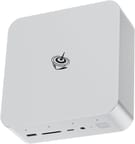 Beelink GTi12 Ultra | |
| Price | List Price: $759.00 Amazon Prices: Loading prices... |
| Version | 32GB/1TB/Intel Core i9 12900H |
| Performance Rating | 9.3 |
| Operating System | Windows 11 Pro |
| Processor | Fourteen-core 3.80 Ghz (max 5.00 Ghz) Intel Core i9-12900H |
| GPU | Integrated Intel Iris Xe Graphics |
| RAM | 32 GB |
| Internal Storage | 1 TB |
| Dimensions width x length x thickness | 6.22 x 6.22 x 2.2 inches (157.99 x 157.99 x 55.88 mm) |
| Weight | 2.84 lbs (1.29 kg) |
| WiFi | Wi-Fi 6 (802.11ax) |
| Bluetooth | Bluetooth 5.2 |
| Ethernet | 2 Ethernet ports at 2.5 Gbps |
| HDMI | 1 Full-Size HDMI Port |
| DisplayPort | 1 DisplayPort |
| VGA | No VGA Ports |
| USB Ports | 5 USB 3, 2 USB-C Front: 1 USB-A, 1 USB-C. Rear: 4 USB-A, 1 Thunderbolt 4 USB-C. |
| Thunderbolt Ports | 1 |
| OCuLink | No |
| Internal SATA Ports | No SATA ports |
| Card Reader | SD Card Reader |
| Headphone Jack | combo |
| Fanless | No |
| VESA Mount | No |
| In the Box | Mini PC, power cable, HDMI cord, user manual, optional docking station includes 600W power supply |
| Expandability | Upgradeable RAM and SSDs; supports external GPU via docking station; additional M.2 slot for storage; docking station supports full-length PCIe graphics cards |
Related Mini PCs
-
 Beelink EQI13 PROThe Beelink EQI13 PRO delivers desktop-class performance in a palm-sized design, featuring an Intel…
 -
 Beelink GTi14The Beelink GTi14 pairs an Intel Core Ultra (9 185H or 7 155H) and Arc graphics with up to 96GB…
 -
 GMKtec Nucbox M4 Mini PCThe GMKtec NucBox M4 pairs an 11th-gen Intel Core i9-11900H with DDR4 (up to 128GB), an M.2 NVMe…
 -
 GEEKOM IT1 MegaCompact yet powerful, the GEEKOM IT1 Mega boasts up to 64GB DDR5 RAM, dual M.2 storage slots, Intel…
 -
 GEEKOM XT1 MegaThe GEEKOM XT1 Mega is a compact Meteor Lake mini PC (Intel Core Ultra 5 125H or Ultra 9 185H,…
 -
 GMKtec NucBox K11The GMKtec NucBox K11 is a Ryzen 9 8945HS mini PC with Radeon 780M graphics, two DDR5 slots (96GB…
Strong CPU numbers, gaming only through the dock
The Core i9-12900H is a 14-core (6 performance, 8 efficiency), 20-thread chip that turbos to 5.0 GHz. Hubwood measured about 16,200 in Cinebench R23 multi-core, and TechLabUK landed close behind at 16,015, enough headroom for the video editing and Photoshop work both reviewers tried. The chip runs at a 65W power limit: Hubwood logged 19W at idle and 111W under a full CPU load, with temperatures in the 80 to 87C range and no throttling, and noise around 38 dBA while gaming. The Iris Xe GPU is modest for a 12th-gen integrated part; RandomGaminginHD measured roughly 38 FPS in Cyberpunk 2077 and 98 FPS in Counter-Strike 2 at 1080p, so it is fine for older or light games but not modern AAA titles.
The EX Docking Station seats the machine on a direct PCIe x8 Gen 4 slot fed by a 600W power supply, with an extra M.2 slot on board (Hubwood noted that dock M.2 slot is capped near 10Gbps). Docked with a desktop card, reviewers measured 1440p frame rates close to a tower’s: Hubwood saw 152 FPS in Hogwarts Legacy and 80 FPS in Black Myth: Wukong with an RTX 4070; RandomGaminginHD logged 76 FPS in Cyberpunk 2077 at ultra with an RTX 4070 Super; and Jason Witmer hit 148 FPS in Cyberpunk 2077 and 85 FPS in Space Marine 2 with an RX 7900 XTX. The dock mount fits only dual-slot cards, its power connectors are limited, and the 12th-gen CPU can hold back the fastest GPUs.
Reviewer Insights
Hubwood: no bloatware, and a lot of screws to get inside
Hubwood ran the dock with an RTX 4070 and concluded the docked performance is “absolutely on par with a fully-fledged desktop PC,” landing on “I can’t help myself but recommend getting the GTi12 Ultra and the EX Dock.” He liked that it ships without bloatware, calling it “probably one of the last AI-free mini PCs,” but flagged that internal upgrades mean removing a lot of screws and cables.
An RTX 4070 Super at 1440p ultra against the Iris Xe at 1080p
RandomGaminginHD treated the dock as the whole point, saying “the dock is the star of the show.” With an RTX 4070 Super he showed the gap between docked and undocked gaming (76 FPS in Cyberpunk 2077 at 1440p ultra versus about 38 FPS at 1080p on the Iris Xe), and his main hardware nitpick was that the built-in speakers sound “tinny.”
Innovation and design earn Jason Witmer’s praise
Jason Witmer tested the most powerful card of the group, an RX 7900 XTX, and measured 148 FPS in Cyberpunk 2077 at 1440p with the CPU peaking around 82 to 83C and no throttling. He called the machine “awesome” for its “innovation and design,” but questioned who it is for: “I’m just struggling to see who exactly it’s for.”
An older RX 6700 XT still clears 1440p high
TechLabUK called it “the most powerful mini PC that we’ve had actually on the channel” and measured 16,015 in Cinebench R23 multi-core. With an RX 6700 XT in the dock he saw 91 FPS in Cyberpunk 2077 at 1440p high, and his verdict was that “you could completely replace your desktop with it,” with the caveat that the layered internals are awkward to open.
Praise for the aluminum shell, with 4K as the stress test
Dan Does Game focused on the docked experience with an RTX 4070, summing the result up as “the performance with this, outrageous.” He praised the aluminum chassis for heat dissipation, and his testing leaned on 4K gaming, where Fortnite ranged from about 130 FPS on low settings down to 40 FPS on ultra.
Two 8-pin connectors and a dual-slot bracket
DannyzReviews put hard numbers on the CPU (15,869 in Cinebench R23 multi-core, 12,670 in Geekbench 6 multi-core) and demonstrated the dock with an older RTX 2080, where Counter-Strike 2 jumped from 92 FPS on the Iris Xe to 361 FPS docked. He also flagged that the dock bracket takes only dual-slot cards and ships with two 8-pin connectors, which limits GPU choice.
Customer Reviews
The five-star Amazon reviews are short. A verified buyer named C.Z. wrote “Work as expected! Fast and quiet.” and a verified buyer named shawn wrote “Got here fast in great shape. Price point is great.” Harry Briley, also a verified buyer, was happy enough to buy a second unit, but his review flags a setup gotcha: do not connect to the Internet on first boot, because doing so forces a Microsoft account and blocks creating a local administrator, and he notes “The paper instructions make no mention of this!”
The one-star review (a verified buyer, JAVIER SUAREZ, writing from Mexico) is about after-sales support rather than the hardware itself. He says the machine works as described, but reports that the driver and firmware download pages are confusing, that there is no Spanish-language documentation or support, and that warranty help dried up after the first month, leaving him to negotiate a return by email with agents in China. Ten ratings is a small sample, and the support complaint is the one to weigh if you are buying from outside the United States.
Buy it for the workstation, add the dock only if you will game
The base case is a compact, quiet workstation for video editing, 3D rendering, or heavy multitasking, with DDR5 expandable to 64GB and two M.2 slots for storage. The second case adds the EX dock and a desktop graphics card on top of that machine, which brings tower-level gaming without paying for or housing a tower. Shoppers weighing a Windows box like this against Apple’s compact desktop can read our take on whether the Mac Mini M4 is worth it.
It is a weaker pick if you want strong gaming out of the box (the Iris Xe iGPU is not built for it and the dock is a separate purchase), if you only run triple-slot GPUs (the dock bracket will not fit them), or if you want the newest silicon. The later Beelink GTi13 and Beelink GTi14 use newer CPUs and may suit gaming-first or budget buyers better.
To compare it against other models, use Starry Hope’s Mini PC Comparison Tool.
Frequently Asked Questions
Can the Beelink GTi12 Ultra handle gaming?
On its own it manages light or older games, since the Intel Iris Xe integrated graphics reach around 38 FPS in Cyberpunk 2077 at 1080p. With the optional EX Docking Station and a desktop graphics card, reviewers measured near-tower frame rates, such as 148 FPS in Cyberpunk 2077 at 1440p with an RX 7900 XTX.
Is the RAM and storage upgradeable?
Both are. The dual DDR5 slots take up to 64GB, and the two M.2 PCIe Gen 4 slots expand storage up to 8TB. Getting inside means removing several screws and cables, which Hubwood and TechLabUK both found awkward.
What is the EX Docking Station, and do I need it?
It is an optional dock that connects a full-length desktop graphics card to the GTi12 Ultra over a direct PCIe x8 Gen 4 slot, fed by its own 600W power supply, plus an extra M.2 slot. Only desktop-class gaming needs it.
Does the GTi12 Ultra come with Windows pre-installed?
It ships with Windows 11 Pro. Hubwood liked that nothing is preinstalled on top of it.
Is the Mini PC noisy under load?
Hubwood measured around 38 dBA while gaming, with CPU temperatures in the 80 to 87C range and no throttling.
What GPUs are compatible with the EX Docking Station?
The dock bracket fits dual-slot cards and provides two 8-pin PCIe power connectors. Reviewers successfully ran cards from an RTX 2080 up to an RX 7900 XTX, but triple-slot or very power-hungry GPUs will not fit or feed properly.
Does the GTi12 Ultra support multiple monitors?
Yes, through its HDMI, DisplayPort, and Thunderbolt 4 outputs.
How much power does the GTi12 Ultra use?
Hubwood measured about 19 watts at idle and 111 watts under a full CPU load, drawn from the built-in 145W power supply. The EX dock adds its own separate 600W supply for the graphics card.