
Beelink GTi14
Updated on

The Beelink GTi14 (marketed as the GTi14 Ultra) is a compact Intel Core Ultra desktop. The top configuration uses the 16-core Core Ultra 9 185H with integrated Intel Arc graphics; a cheaper tier drops to the Core Ultra 7 155H. It ships with 32GB of DDR5 (upgradeable to 96GB) and a 1TB PCIe 4.0 NVMe SSD, with a second M.2 slot for up to 8TB total. The integrated Arc graphics suit multitasking, productivity, and light gaming, while the defining feature is a PCIe Gen 4 x8 slot that connects a full-size desktop GPU through Beelink’s optional EX docking station.
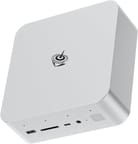
The metal chassis houses a built-in power supply (no external brick), Wi-Fi 7, Bluetooth 5.4, dual 2.5Gb Ethernet, Thunderbolt 4, an SD card reader, and a fingerprint sensor. It is strong for multitasking and AI work, but gaming is limited until you attach an external GPU, so it suits buyers who want modularity and expandability over out-of-the-box gaming.
| Pros | Cons |
|---|---|
| Compact metal chassis. | High price point compared to competitors with similar or better performance. |
| Powerful Intel Core Ultra 9 processor with 16 cores and 22 threads. | Subpar integrated GPU performance for demanding gaming tasks. |
| Expandable RAM (up to 96GB) and storage (up to 8TB). | Complex teardown process for internal upgrades (requires removing multiple screws). |
| support for external GPUs via PCIe Gen 4 x8 slot and optional docking station. | High idle and shutdown power consumption. |
| Extensive connectivity: Wi-Fi 7, Thunderbolt 4, dual 2.5Gb Ethernet, and SD card reader. | Limited out-of-the-box usability for the PCIe slot without the proprietary GPU dock. |
| Quiet operation with effective cooling under heavy workloads. | Gaming performance lags behind AMD-based competitors in this price range. |
| Built-in AI-powered microphone and fingerprint sensor for added convenience. | Built-in speakers are underwhelming, with muffled and distorted audio quality. |
Related Videos
Beelink GTi14 Comparison Chart
 Beelink GTi14 | Beelink GTi14 | |
| Price | List Price: $1069.00 Amazon Prices: Loading prices... | List Price: $969.00 Amazon Prices: |
| Version | 32GB/1TB/Intel Ultra 9 185H | 32GB/1TB/Intel Ultra 7 155H |
| Performance Rating | 9.5 | 8.9 |
| Operating System | Windows 11 Pro | Windows 11 Pro |
| Processor | Sixteen-core 2.30 Ghz (max 5.10 Ghz) Intel Core Ultra 9 Processor 185H | Sixteen-core 2.50 Ghz (max 4.80 Ghz) Intel Core Ultra 7 Processor 155H |
| GPU | Integrated Intel Arc graphics | Integrated Intel Arc graphics |
| RAM | 32 GB | 32 GB |
| Internal Storage | 1 TB | 1 TB |
| Dimensions width x length x thickness | 6.22 x 6.22 x 2.2 inches (157.99 x 157.99 x 55.88 mm) | 6.22 x 6.22 x 2.2 inches (157.99 x 157.99 x 55.88 mm) |
| Weight | 2.84 lbs (1.29 kg) | 2.84 lbs (1.29 kg) |
| WiFi | Wi-Fi 7 (802.11be) | Wi-Fi 7 (802.11be) |
| Bluetooth | Bluetooth 5.4 | Bluetooth 5.4 |
| Ethernet | 2 Ethernet ports at 2.5 Gbps | 2 Ethernet ports at 2.5 Gbps |
| HDMI | 1 Full-Size HDMI Port | 1 Full-Size HDMI Port |
| DisplayPort | 1 DisplayPort (Supports DP1.4a 4K 144Hz) | 1 DisplayPort (Supports DP1.4a 4K 144Hz) |
| VGA | No VGA Ports | No VGA Ports |
| USB Ports | 5 USB 3, 1 USB-C 1xType-C(Data 10Gbps), 1xThunderbort 4(40Gbps/DP1.4/TBT4/PD) | 5 USB 3, 1 USB-C 1xType-C(Data 10Gbps), 1xThunderbort 4(40Gbps/DP1.4/TBT4/PD) |
| Thunderbolt Ports | 1 | 1 |
| OCuLink | No | No |
| Internal SATA Ports | No SATA ports | No SATA ports |
| Card Reader | SD Card Reader | SD Card Reader |
| Headphone Jack | combo | combo |
| Fanless | No | No |
| VESA Mount | No | No |
| In the Box | GTI i4 185H, User's Manual, HDMI Cable, Power Adapter | GTI i4 185H, User's Manual, HDMI Cable, Power Adapter |
| Expandability | Users can take initiative to upgrade up to 96GB RAM; Dual M.2 PCle 4.0 SSD slots supporting up to 8TB; PCIe Gen 4 x8 slot for external GPU | Users can take initiative to upgrade up to 96GB RAM; Dual M.2 PCle 4.0 SSD slots supporting up to 8TB; PCIe Gen 4 x8 slot for external GPU |
Related Mini PCs
-
 Beelink EQI13 PROThe Beelink EQI13 PRO delivers desktop-class performance in a palm-sized design, featuring an Intel…
 -
 Beelink GTi12 UltraThe Beelink GTi12 Ultra runs an Intel Core i9-12900H with dual DDR5 slots (up to 64GB) and two PCIe…
 -
 GEEKOM IT1 MegaCompact yet powerful, the GEEKOM IT1 Mega boasts up to 64GB DDR5 RAM, dual M.2 storage slots, Intel…
 -
 GEEKOM XT12 ProThe GEEKOM XT12 Pro is a compact aluminum mini PC with an Intel Core i9-12900H (or i7-12650H), 32GB…
 -
 GMKtec NucBox K11The GMKtec NucBox K11 pairs an AMD Ryzen 9 8945HS and Radeon 780M with up to 96GB DDR5, dual PCIe…
 -
 MINISFORUM MS-01Compact yet powerful, the Minisforum MS-01 packs an Intel Core i9-13900H, up to 96GB DDR5 RAM,…
Detailed Overview of the Beelink GTi14 Ultra
The top-tier Core Ultra 9 185H is a 16-core, 22-thread chip that handles demanding multitasking and productivity well. With 32GB of DDR5 (upgradeable to 96GB), a 1TB PCIe 4.0 NVMe SSD, and a second M.2 slot for up to 8TB total, storage and memory have real headroom. The integrated Intel Arc graphics cover light gaming and 4K video editing; for more, the PCIe Gen 4 x8 slot connects a full desktop GPU through Beelink’s optional EX docking station.
Connectivity is broad: Wi-Fi 7, Bluetooth 5.4, dual 2.5Gb Ethernet, Thunderbolt 4, an SD card reader, and several USB ports, driving up to three displays over HDMI, DisplayPort, and Thunderbolt. It also has an AI microphone array and a fingerprint sensor, though reviewers found the built-in speakers weak. The chassis is user-upgradeable (RAM, SSD, Wi-Fi) but cumbersome to open, and a built-in 145W power supply removes the external brick. The trade-off is plain: a flexible, modular workstation whose integrated graphics are the gaming ceiling until you add an external GPU.
What reviewers found
Reviewers tested both the Core Ultra 9 185H and Core Ultra 7 155H builds and converged on one read: a well-engineered, modular workstation whose integrated Arc graphics are the limit until you add the dock, all genuine hands-on coverage of the GTi14 (not the newer GTi15).
Elevated Systems
Elevated Systems reviewed the 155H build and praised the modularity (even the power supply is user-serviceable) and the PCIe Gen 4 x8 expansion slot, noting the integrated Arc graphics edged out the GEEKOM A8 in iGPU benchmarks. His main gripes were high idle power and that the PCIe slot is not usable without Beelink’s proprietary dock; he also found the AI microphone good for calls but the chip’s AI performance behind AMD’s.
Robtech
Robtech highlighted the feature set (built-in speakers, fingerprint sensor, full-size SD slot, Wi-Fi 7, dual 2.5Gb Ethernet) but flagged the larger footprint from the internal power supply and a cumbersome teardown. He found productivity and light gaming fine, but the integrated graphics short of AMD’s in games, and pointed budget buyers toward the cheaper Beelink SA14.
Retro Game Corps
Retro Game Corps focused on the EX docking station, which adds a 600W power supply and a PCIe slot for a desktop GPU and which he called the real draw. On its own the integrated graphics underwhelmed: Cyberpunk 2077 needed FSR to hold roughly 35 FPS, Xbox and Xbox 360 emulation were “basically unplayable,” and the speakers sounded “pretty muffled.” He also flagged the roughly 20-screw teardown.
Level1Techs
Level1Techs called it a “competent little machine” with a “fully unlocked” BIOS and the standout PCIe slot for a full-size GPU, and rated it well for workstation, Linux, and virtualization use thanks to the dual LAN. He measured high memory latency (about 170 ns) that left it behind Ryzen rivals in gaming, and noted the NPU is currently held back by the lack of optimized Windows software.
Customer Reviews of the Beelink GTi14
Amazon buyer reviews of the Beelink GTi14 are mixed, with praise for performance and build quality alongside reports of serviceability and reliability problems. The recurring praise is around everyday performance, build quality, port selection, and small touches like the fingerprint reader in the power button. Wayne D, a verified buyer, wrote “Great PC. It runs all my software and is very responsive,” and called out that “Third monitor support works perfectly.” Zach, also verified, summed up the upside as “Big PC performance from such a tiny little box,” while noting that gaming or AI users should pair it with Beelink’s EX Pro docking station for a real GPU.
The complaints cluster around two things: serviceability and a minority of units that misbehaved. Several owners found the chassis very hard to open; verified buyer Adam Gervais rated it 4 stars but warned it is “Almost impossible to upgrade. Design is overly complex and unneeded,” adding that two stripped screws made “opening a nightmare.” The harshest review comes from verified buyer R.O., who gave 1 star and reported “Both USB and Bluetooth frequently have random drop outs” plus pixelated video that persisted after reinstalling Windows and updating Intel drivers. That is one account rather than a widespread pattern, but it is the kind of problem worth knowing about before you buy.
Conclusion: Who Should Consider the Beelink GTi14 Ultra?
The Beelink GTi14 suits buyers who want a compact, modular workstation for multitasking, AI work, or video editing, with the Core Ultra 9, upgradeable RAM and storage, and a deep I/O set. Its real differentiator is the PCIe x8 EX dock: a path to a full desktop GPU that few mini PCs offer, which makes it a flexible base for anyone who occasionally needs serious graphics.
It is a weaker pick if you want strong gaming out of the box (the integrated Arc graphics are the limit, and reviewers note AMD rivals lead in gaming and memory latency), or if the high price, high idle power, and a teardown that needs many screws would bother you. To compare other options, see Starry Hope’s Mini PC Comparison Tool.
Frequently Asked Questions
Can the Beelink GTi14 Ultra handle gaming?
With its integrated Intel Arc graphics, the Beelink GTi14 Ultra is capable of light gaming, performing well in less demanding titles like Valorant or League of Legends. However, the performance may fall short for modern AAA games or graphically intensive tasks. To enhance gaming capabilities, users can connect an external GPU via the optional docking station, which significantly boosts performance.
Is the RAM and storage upgradeable?
Yes, the GTi14 Ultra supports up to 96GB of DDR5 RAM and 8TB of internal storage via its dual M.2 PCIe Gen 4 slots. However, accessing the internal components requires removing multiple screws, which can be a bit cumbersome for some users.
Does the GTi14 Ultra come with Wi-Fi and Bluetooth?
Yes, the GTi14 Ultra features the latest Wi-Fi 7 and Bluetooth 5.4, offering fast and reliable wireless connectivity. These features support modern office setups and multitasking.
What is the purpose of the PCIe Gen 4 x8 slot?
The PCIe Gen 4 x8 slot lets users connect an external GPU or other high-performance peripherals via the optional docking station. This feature is particularly useful for gamers, creators, or professionals who need additional graphical power or expandability.
How quiet is the Beelink GTi14 Ultra during operation?
The GTi14 Ultra operates very quietly, even under heavy workloads, thanks to its effective cooling system. Noise levels are reported to be as low as 32 decibels, suitable for quiet office environments or home use.
Does the Mini PC come with built-in speakers?
Yes, the GTi14 Ultra includes built-in speakers, which are convenient for casual use. However, the audio quality is limited, with some users describing it as muffled or distorted. For better sound, external speakers or headphones are recommended.
What’s included in the box?
The GTi14 Ultra package includes the Mini PC, a user manual, an HDMI cable, and a power adapter. The optional docking station for external GPUs is sold separately.
Is the GTi14 Ultra energy-efficient?
While the GTi14 Ultra performs well under load, its idle power consumption is relatively high, drawing up to 30 watts when idle and 3 to 6 watts even when shut down. Users can enable power-saving features in the BIOS to mitigate this, but it may not be the most energy-efficient option.
Who is the GTi14 Ultra best suited for?
The GTi14 Ultra is for professionals, creators, and enthusiasts who need a compact, modular Mini PC with strong multitasking and connectivity features. It’s also for users with the flexibility to upgrade components or connect an external GPU. However, gamers or those on a budget may want to explore alternatives with better integrated GPU performance or lower costs.