
Acer Chromebook 14
Updated on

The Acer Chromebook 14 (CB3-431) reached its Chrome OS Auto Update Expiration in June 2022 (Google’s official Chrome Enterprise list shows “Chromebook 14 (CB3-431): Jun 2022”). The hardware still powers on, but the device no longer receives Chrome OS updates or security patches, and Starry Hope does not recommend it for new purchases. Five retail SKUs are listed below for historical reference: four Full HD (1920x1080) N3160 / 32 GB variants in silver, gold, and blue at $299 or $349, plus one budget HD (1366x768) N3060 / 16 GB variant (CB3-431-C99D) at $249.
An aluminum $299 Chromebook with a Full HD matte screen
The CB3-431 launched in May 2016. The headline configuration paired an all-aluminum chassis with a 14-inch 1920x1080 IPS matte display, a fanless Intel Celeron N3160 (quad-core, 1.6 to 2.24 GHz), 4 GB of RAM, and 32 GB of eMMC storage. Acer sold the same chassis in silver, gold, and blue, and shipped one lower-spec sibling (the CB3-431-C99D) with a dual-core Celeron N3060, a 1366x768 panel, and 16 GB of storage at a $249 price point. The screen is non-touch, the clickpad is plastic, and the ports are two USB 3.0 Type-A and full-size HDMI with no SD card slot. Battery life depends on the workload, and independent testing landed in the 9 to 10 hour range under continuous use, not the 12 hours Acer marketed.
The Acer Chromebook Plus 514 and the ASUS Chromebook CX1 (CX1500) are the closest current 14-inch aluminum equivalents that still receive Chrome OS updates.
Related Videos
Acer Chromebook 14 Comparison Chart
5 configurations
| Configuration | Processor | Storage | Screen | Performance | List price | Amazon price | Compare |
|---|---|---|---|---|---|---|---|
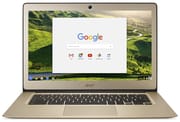 CB3-431-C5FM / NX.GC2AA.007 CB3-431-C5FM / NX.GC2AA.007 | Celeron N3160 | 32 GB eMMC | 1920x1080 | 2.1 | $299.99 | Details
| |
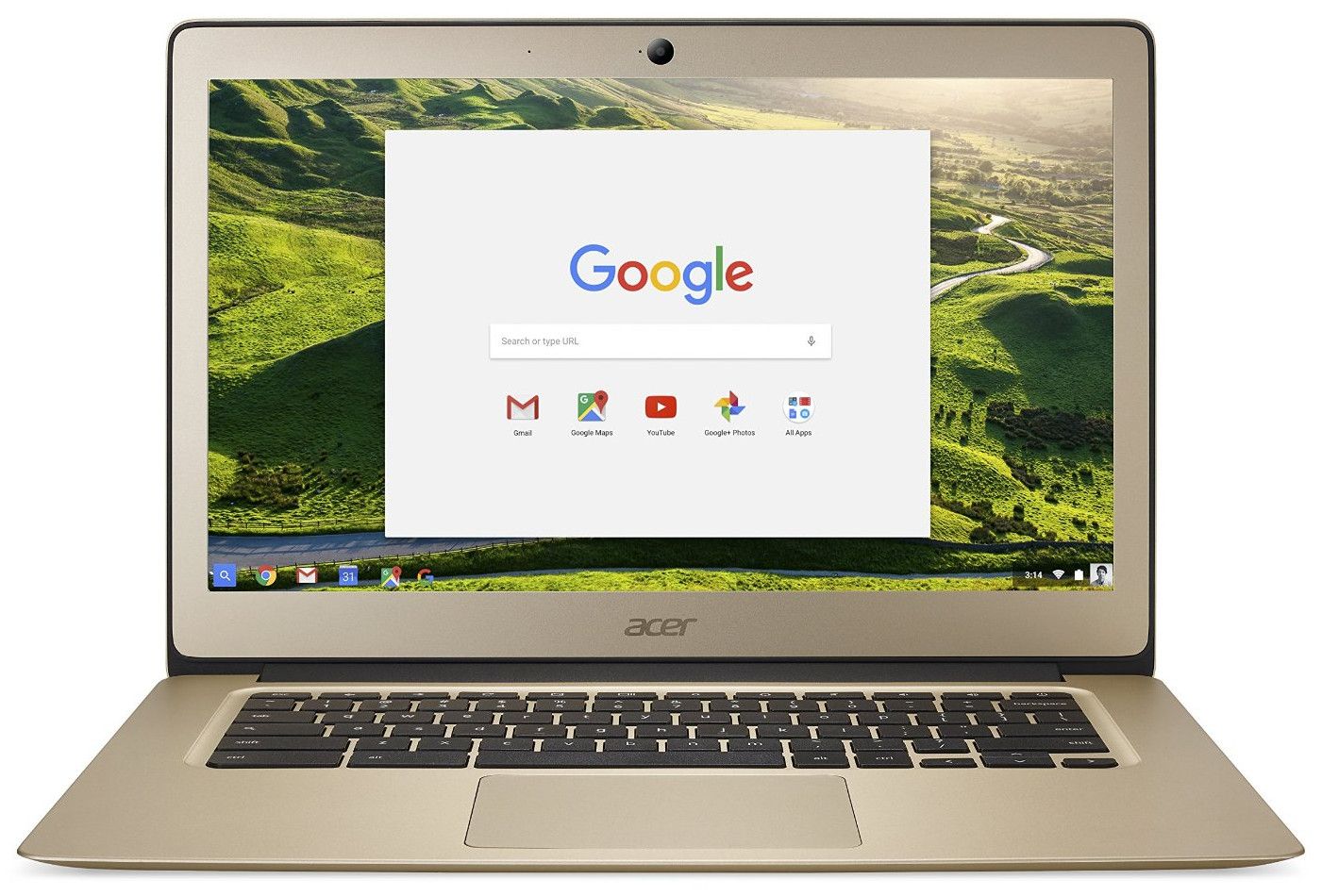 CB3-431-C0AK / NX.GJEAA.001 CB3-431-C0AK / NX.GJEAA.001 | Celeron N3160 | 32 GB eMMC | 1920x1080 | 2.1 | $299.99 | Details
| |
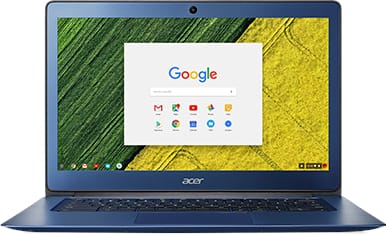 CB3-431-C539 / NX.GU7AA.001 CB3-431-C539 / NX.GU7AA.001 | Celeron N3160 | 32 GB eMMC | 1920x1080 | 2.1 | $299.99 | Details
| |
| CB3-431-C99D / NX.GC2AA.016 | Celeron N3060 | 16 GB eMMC | 1366x768 | 2.0 | $249.99 | Details
| |
| CB3-431-C6ZB / NX.GJEAA.002 | Celeron N3160 | 32 GB eMMC | 1920x1080 | 2.1 | $349.99 | Details
|
Specs shared by every configuration
| Chromebook Plus | No |
|---|---|
| RAM | 4 GB |
| Screen Size | 14" |
| Screen Type | IPS |
| Touch Screen | No |
| Stylus / Pen | No Stylus Support |
| Dimensions width x length x thickness | 13.4 x 9.3 x 0.7 inches (340.36 x 236.22 x 17.78 mm) |
| Weight | 3.4 lbs (1.55 kg) |
| Backlit Keyboard | No |
| Webcam | 1280x720 |
| WiFi | 802.11ac with MIMO (2.4GHz and 5GHz) |
| Bluetooth | Bluetooth 4.2 |
| Ethernet | No |
| Cellular Modem | No |
| HDMI | Full-Size HDMI |
| USB Ports | 2 USB 3 |
| Thunderbolt Ports | No |
| Card Reader | No Card Reader |
| Battery | 3 cell, 3950 mAh, Lithium-ion |
| Battery Life | 12.0 hours |
| Fanless | Yes |
| Auto Update Expiration Date | June, 2022 |
Related Chromebooks
-
 Acer Chromebook 514The Acer Chromebook 514 (CB514-1H and 1HT) is a fanless 14-inch ChromeOS laptop sold with Celeron…
 -
 Acer Chromebook 314The Acer Chromebook 314 (CB314) is a fanless 14-inch laptop with an Intel Celeron N4000, sold in…
 -
 ASUS Chromebook C403The ASUS Chromebook C403 is a fanless 14-inch education Chromebook with an anti-glare 1366x768…
 -
 ASUS Chromebook CX1 (CX1400)The ASUS Chromebook CX1 (CX1400) is a fanless 14-inch 1920x1080 ChromeOS laptop sold on Celeron…
 -
 HP Chromebook 14 (AMD)The HP Chromebook 14 (AMD) is a fanless 14-inch Chromebook built on the AMD A4-9120C APU with…
 -
 HP Chromebook 14 G7The HP Chromebook 14 G7 packs a 14-inch anti-glare WLED screen, Wi-Fi 6, a 720p HD webcam, and…
An all-metal shell with a thin port selection
Nick Mediati at TechRadar (published July 8, 2016) wrote that the device is “as solid as they come” and that “the all-metal enclosure is rigid, with minimal flexing and almost no creaking.” Justin Pot at Digital Trends (June 15, 2016) said the chromebook “feels way nicer than any $300 laptop deserves to,” and Henry T. Casey at Laptop Mag (May 13, 2016) listed “Sturdy aluminum chassis” as the first pro on the published pro/con scorecard.
At 0.67 inches thick and 3.4 pounds (3.42 pounds per TechRadar’s measurement), it is thicker and heavier than ultrabooks of the same vintage but not unusually so for a 14-inch laptop. The brushed metal finish shows fingerprints; the build feels rigid in the hand. The hinge opens close to 180 degrees and the screen will lay flat on a desk, a detail Lon Seidman shows directly in the Lon.TV review when he tilts the display “all the way down to the desk.” The lid takes two hands to open from closed because the chassis is light enough that one hand lifts the bottom.
There is no SD card slot, no Ethernet port, no USB-C, and no Thunderbolt. The two USB 3.0 Type-A ports, full-size HDMI, and combo 3.5 mm jack are the entire external interface. The missing SD slot was the most-repeated complaint across reviews. Lon called it “a bit of a disappointment” and noted that camera-card slots “can use those slots as augmented storage because these generally have limited storage, and this one certainly does with only 32 GB available.”
A 1080p matte panel that runs dim
The 14-inch 1920x1080 IPS matte panel was rare at this price. Most $299 Chromebooks of the era shipped 1366x768 screens. Digital Trends listed “Vibrant 1080p display” as a pro on its scorecard. The matte finish reduces reflections in mixed lighting, which the Promevo review calls out positively: “the Acer Chromebook 14 has a 14 inch full HD IPS display it’s really bright and vibrant” and “I love matte finish screens… it helps dull any light reflections that you might pick up.”
Laptop Mag listed “Dim display” as a con on its scorecard. The panel is bright enough indoors and washes out outside or under bright fluorescent ceiling lights. The CB3-431-C99D budget variant ships a 1366x768 panel instead of the Full HD display; everything else about the chassis and ports is the same on that SKU.
Braswell Celerons that browse well and stumble on 1080p video
The 1080p variants use the Intel Celeron N3160 (quad-core, 1.6 to 2.24 GHz, Intel HD Graphics 400), and the budget C99D variant uses the Intel Celeron N3060 (dual-core, 1.6 to 2.48 GHz). Both are Braswell-era 6-watt chips. They feel responsive for Chrome OS basics (Docs, Slides, multi-tab Gmail, light Android apps) and slow down on demanding pages.
TechRadar found that the device “feels plenty responsive, even though its 1.6 GHz Intel Celeron N3160 is hardly a powerhouse by modern PC standards.” The same review reported that “Video playback was hit-and-miss, though: I noticed stuttering and dropped frames while watching 1080p HD video.” Lon Seidman’s Google Octane V2 benchmark measured “a score of 8,186, which puts it pretty much in line with other devices running with the same or similar processor.”
The 4 GB of LPDDR3 RAM and the 16 or 32 GB of eMMC are both soldered to the board, so neither can be upgraded after purchase. With no SD slot, an external USB drive is the only way to add storage.
Shallow keys, a loud clickpad, and better speakers than expected
The keyboard is a black chiclet layout with shallow travel. Laptop Mag listed “Shallow keyboard” as a con on its scorecard. Lon noted that “the travel on the keys, the distance to how far they go down before they spring back up isn’t as good as I’d like it to be” and that he “would like a little bit more of a deeper travel keyboard,” though he found it “not bad overall.” Techusiast’s 2018 review reported that the keyboard “is really easy and comfortable to type on” and is “very quiet.”
The trackpad is a plastic clickpad. Lon’s specific complaint was that “precise movements aren’t as easy on here” and that the surface “doesn’t feel as slippery as it should be,” and he had trouble with click-and-drag tasks. Techusiast described the touchpad as “exceptionally great” with “a clicky feeling” and noted that “when you click, it’s on the loud side, so while you type very quietly, your clicks will definitely be heard.”
Speaker quality earned a positive note from Laptop Mag, which listed “Strong audio” as a pro. Lon mentioned “downward-facing speakers” that sound “different depending on what surface they’re on” but with “decent stereo separation.”
Nine hours of battery in testing
Acer marketed 12 hours, and that figure does not hold up in independent testing. TechRadar’s Chromebook battery test (continuous HD video playback at 50% brightness) measured “a runtime of about 9 hours and 2 minutes.” Laptop Mag’s battery test landed nearly identical: “9 hours and 25 minutes,” which the review called “longer than the average thin-and-light notebook.” Lon reported “the best I’m seeing with it is about 8 to 10 with the display brightness turned down a bit,” with the qualifier that “if you really turn the display brightness down, you could probably squeeze 12 hours out of it if you’re not pushing it.” Techusiast said in mixed Chrome OS use he got “7-9 hours of use out of this device by browsing the web and maybe using a few Android applications here and there.”
Reviewer Insights
TechRadar (Nick Mediati, July 8 2016) rated the device 3.5 / 5 with the pros “Top-notch build quality, Gorgeous looks, Solid keyboard and touchpad” against the con “Flaky HD video playback.”
Digital Trends (Justin Pot, June 15 2016) rated it 8 / 10 with the verdict “the Acer Chromebook 14 feels way nicer than any $300 laptop deserves to.” The published pros were: “4GB of RAM, Vibrant 1080p display, Solid aluminum alloy housing, Pleasing keyboard and touchpad, Excellent battery life.” The published cons were “No SD card slot for added storage” and “Processor performance has limits.”
Laptop Mag (Henry T. Casey, May 13 2016) rated it 3.5 / 5. The published verdict was that the Chromebook is “a stylish 14-inch notebook with strong audio and battery life, but its keyboard and display could be better.” Pros: “Sturdy aluminum chassis, Solid multitasking performance, Long battery life, Strong audio.” Cons: “Shallow keyboard, Dim display, No SD memory reader.” The 9-hour-25-minute battery figure cited above came from this review’s test.
Lon Seidman’s Lon.TV review reports the Google Octane V2 score (8,186), the SD card complaint, and the keyboard-travel observation.
Chrome Unboxed’s review of the Celeron N3160 model never got past 8,000 in Octane (7,800 to 7,900 in guest mode) and advised against the machine for heavy multitasking work, while calling it fine for browsing, streaming, and Google Docs at home. The reviewer estimated the matte panel at 200 to 240 nits and found that the plastic trackpad picked up skin oil and turned jumpy after a few minutes of use.
Lee’s Tech Room revisited a 4GB/32GB unit in 2020 and ran five to ten tabs without much slowdown. He pointed to the bottom-firing speakers, which lose sound with the laptop on a lap, the loud trackpad click, and the missing SD slot, which leaves an external drive or cloud storage as the way to add space.
Techusiast (Roland) revisited the device in 2018 and concluded: “This Acer Chromebook pretty much excels at everything. It has a great aluminium design that’s lightweight, thin and very compact. It has a Full HD display that allows you to watch movies and multitask just like you would on any other laptop or computer.” His battery line was that “the battery will definitely allow you to go through a full workday without charging it.”
Promevo (the host opens with “the Acer cd34 31 better known to you is the Acer Chromebook 14” and goes on to describe “a 14 inch full HD IPS display, it’s really bright and vibrant” with the matte finish) covers the display and the form factor.
A well-built budget laptop whose update window has closed
The CB3-431 suited buyers who wanted an aluminum build, a 14-inch matte 1080p screen, and all-day battery life in a $299 Chromebook. It has no touchscreen, backlit keyboard, USB-C, or SD card slot, it stutters on local 1080p video, and its Chrome OS update window closed in June 2022. The CB3-431-C99D budget variant traded the 1080p panel and quad-core CPU for a $249 entry price.
To see how this model stacks up against current options, the Chromebook Comparison Chart lets you filter and sort the full catalog by specs, price, and AUE date.
Frequently Asked Questions
When did the Acer Chromebook 14 (CB3-431) reach its Chrome OS Auto Update Expiration date?
June 2022. Google’s official Chrome Enterprise Auto Update Expiration list shows “Chromebook 14 (CB3-431): Jun 2022.” After that point, Chrome OS no longer ships updates or security patches to the device. The browser still runs, but it should not be used for accounts that depend on a current browser security sandbox (banking, payment, healthcare logins).
What is the difference between the CB3-431 variants?
There are two configuration tiers. The Full HD SKUs (CB3-431-C5FM, C0AK, C539, C6ZB) use a quad-core Intel Celeron N3160, a 14-inch 1920x1080 IPS matte display, and 32 GB of eMMC storage, at $299 (silver, gold, blue) or $349 (premium gold). The budget SKU (CB3-431-C99D) uses a dual-core Intel Celeron N3060, a 14-inch 1366x768 panel, and 16 GB of eMMC, at $249. All variants ship 4 GB of LPDDR3 RAM, the same aluminum chassis, fanless thermals, 2x USB 3.0, full-size HDMI, and 802.11ac with Bluetooth 4.2.
Does the CB3-431 have an SD card slot?
No. This was the most consistently criticized omission across reviews. Storage cannot be expanded internally; an external USB 3.0 drive is the only path beyond the soldered eMMC.
Can the RAM or eMMC be upgraded?
No. Both are soldered to the motherboard. Buyers had to pick their RAM and storage at purchase.
How long does the battery last?
Independent battery testing measured roughly 9 hours under continuous HD video playback (TechRadar measured 9 hours 2 minutes, Laptop Mag measured 9 hours 25 minutes) and 7 to 10 hours under mixed real-world workloads. Acer’s 12-hour marketing figure required very low brightness and light workloads.
Should I buy a used CB3-431 today?
For daily browsing, no: the Chrome OS Auto Update Expiration has passed and Google does not extend support past that date on this hardware. It can still function for light offline use if priced cheaply, but current entry-level Chromebooks deliver a better experience and ship with several more years of updates.