
Acer Chromebook Spin 11 CP311
Updated on

The Acer Chromebook Spin 11 CP311 (model CP311-1H) was designed from the ground up as a rugged education device that could survive the demands of classroom environments while providing genuine computing utility. Released in 2018 at an MSRP of $329-349, this 11.6-inch convertible Chromebook earned MIL-STD-810G military certification for durability, featuring a spill-resistant keyboard, reinforced corners, and an anti-microbial Gorilla Glass touchscreen that withstands drops from up to 48 inches. The 360-degree hinge enables laptop, tablet, tent, and display modes, while the included Wacom EMR stylus opens up possibilities for note-taking and creative work. With an Intel Celeron N3350 processor, 4GB of RAM, and 32GB of eMMC storage, the Spin 11 delivers the dependable if modest performance that Chrome OS requires, backed by up to 10 hours of battery life and a fanless design that eliminates noise and maintenance concerns. For students, educators, and families seeking a durable convertible Chromebook that can handle everyday abuse, the Spin 11 CP311 remains a compelling value.
| Pros | Cons |
|---|---|
| MIL-STD-810G certified durability (48-inch drop test, 132 lbs pressure resistance) | Dim display with limited 1366x768 resolution struggles in bright environments |
| Included Wacom EMR stylus with minimal latency for note-taking | Intel Celeron N3350 provides only modest performance for demanding tasks |
| Spill-resistant keyboard drains up to 11oz of liquid away from electronics | RAM and storage are soldered with no upgrade path beyond initial 4GB/32GB |
| Fanless design eliminates classroom noise and reduces maintenance needs | Tablet mode can feel awkward due to 3-pound weight and thick bezels |
| All-day battery life (9-10 hours in real-world testing) | No HDMI port requires USB-C adapter for external display connections |
| Anti-microbial Gorilla Glass ideal for shared classroom environments | Keyboard lacks backlighting for low-light use |
Related Videos
Acer Chromebook Spin 11 CP311 Comparison Chart
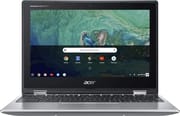 Acer Chromebook Spin 11 CP311 | |
| Price | List Price: $329.99 Amazon Prices: Loading prices... |
| Model number | CP311-1H-C5PN / NX.GV2AA.001 |
| Performance Rating | 2.8 |
| Chromebook Plus | No |
| Processor | Dual-core 1.10 Ghz (max 2.40 Ghz) Intel Celeron N3350 |
| RAM | 4 GB |
| Internal Storage | 32 GB eMMC |
| Screen Size | 11.6" |
| Screen Resolution | 1366x768 |
| Screen Type | IPS |
| Touch Screen | Yes |
| Stylus / Pen | Supported |
| Dimensions width x length x thickness | 11.7 x 8.1 x 0.8 inches (297.18 x 205.74 x 20.32 mm) |
| Weight | 2.98 lbs (1.35 kg) |
| Backlit Keyboard | No |
| Webcam | 5MP |
| WiFi | IEEE 802.11a/b/g/n/ac |
| Bluetooth | Bluetooth 4.2 |
| Ethernet | No |
| Cellular Modem | No |
| HDMI | No HDMI |
| USB Ports | 2 USB 3, 2 USB-C (supports external display) |
| Thunderbolt Ports | No |
| Card Reader | microSD Card Reader |
| Battery | 3 cell, 3315 mAh, Lithium Ion |
| Battery Life | 10.0 hours |
| Fanless | Yes |
| Auto Update Expiration Date | June, 2027 |
Related Chromebooks
-
 Acer Chromebook 311Dive into productivity with the Acer Chromebook 311—an 11.6-inch HD touchscreen laptop packing an…
 -
 Acer Chromebook Spin 311The Acer Chromebook Spin 311 offers an 11.6-inch HD touch display, versatile 360-degree hinge, and…
 -
 Lenovo Flex 3 ChromebookThe Lenovo Flex 3 Chromebook hits the sweet spot with its 11.6-inch IPS touchscreen, 4GB RAM, and…
 -
 ASUS Chromebook Flip CR1The ASUS Chromebook Flip CR1 combines rugged durability with educational versatility, featuring…
 -
 Samsung Chromebook Plus v2The Samsung Chromebook Plus v2 boasts a versatile 12.2" touch LED screen, dual cameras, and pen…
 -
 ASUS Chromebook C203XAThe ASUS Chromebook C203XA shines with military-grade durability, an 11.6-inch anti-glare HD…
Detailed Insights into the Acer Chromebook Spin 11 CP311

The Spin 11’s physical design prioritizes classroom survival above all else, and the engineering shows. The reinforced rubberized corners and durable plastic chassis with a textured finish absorb impacts that would crack consumer-grade laptops. EdTech Magazine’s Dr. Jeffrey Sheen verified that the device “survives drops of up to 48 inches” and “withstands direct downward force of 132 pounds,” making it genuinely student-proof. The anti-microbial coating on the Gorilla Glass touchscreen addresses hygiene concerns in shared computing environments, while the drainage system beneath the keyboard routes liquid spills away from internal electronics. At just under 3 pounds and 0.8 inches thick, the Spin 11 remains reasonably portable despite its ruggedized construction, though it’s noticeably heavier than ultrabook-class devices.
Performance from the Intel Celeron N3350 dual-core processor falls into the entry-level category, but Chrome OS optimization ensures the system remains responsive for typical educational workloads. Laptop Mag’s testing found the Spin 11 “surprisingly competent when it comes to handling stressful workloads,” noting that it handled 17 simultaneous Chrome tabs including streaming video before showing signs of strain. The 4GB of DDR4 memory provides adequate headroom for web browsing, Google Docs, and Android apps from the Play Store, though power users and those seeking smooth Android gaming will want more capable hardware. The fanless design means the Spin 11 operates in complete silence, a genuine benefit in quiet classroom and library environments where fan noise becomes distracting.
The convertible form factor enabled by the 360-degree hinge transforms the Spin 11 between four distinct modes: traditional laptop, tablet, tent for presentations, and display mode for watching content. The IPS touchscreen delivers good color accuracy and viewing angles, though brightness peaks around 250 nits, which several reviewers noted as inadequate for outdoor use or bright classrooms near windows. The included Wacom EMR stylus requires no battery and attaches magnetically to the chassis, providing a convenient note-taking and sketching tool with impressively low latency. USB-C ports on both sides support video output and charging, providing flexibility in how the device connects to external displays and accessories. Schools that require wired network connections can use a USB Ethernet adapter with the available USB-A ports.
Reviewer Insights on the Acer Chromebook Spin 11 CP311

cbutters Tech’s Perspective
cbutters Tech provided invaluable real-world perspective by reviewing the Spin 11 based on his daughter’s actual classroom usage. He highlighted the Wacom stylus as a standout feature, praising its “minimal latency” that made note-taking feel natural. Battery life exceeded his expectations, with the device lasting “a week with light daily use” in his daughter’s school routine. The rugged build quality proved its worth through the inevitable drops and bumps of student life, and the spill-resistant keyboard saved the device on at least one occasion. His primary criticism centered on the 1366x768 display resolution, which he found adequate for schoolwork but limiting for content consumption and creative tasks.
EdListen’s Perspective
EdListen’s Bjorn Behrendt approached the Spin 11 from an IT administrator’s perspective, providing a complete teardown that revealed insights invisible to typical reviews. He appreciated the recyclable packaging and the world-facing 5MP camera that enables photography in tablet mode, features specifically designed for education deployments. However, the teardown exposed a significant concern: the battery sits in the chassis without secure mounting, essentially “free-floating” within the device. Behrendt also confirmed that RAM and storage are soldered to the motherboard, eliminating any upgrade possibilities for IT departments hoping to extend the device’s useful life through hardware improvements.
Laptop Mag
According to Laptop Mag, “For $349, you get a system with a relatively attractive design and with some respectable Intel Celeron horsepower under the hood.” Their comprehensive testing pushed the device through a gauntlet including simultaneous game applications and dozens of browser tabs, finding it “surprisingly competent when it comes to handling stressful workloads.” The review awarded 3 out of 5 stars, praising the solid performance-to-price ratio and comfortable keyboard while criticizing the dim display and what they described as “cumbersome and uncomfortable” tablet mode ergonomics. Their assessment that the Spin 11 delivers genuine value for education buyers reflects the consensus among tech reviewers.
EdTech Magazine
EdTech Magazine’s Dr. Jeffrey Sheen examined the Spin 11 specifically through an educational deployment lens. His review emphasized the MIL-STD-810G certification that few competitors could match at this price point, noting the device’s ability to withstand 132 pounds of direct pressure and survive drops onto concrete. Battery testing achieved 9 hours and 47 minutes of HD video playback, just under Acer’s 10-hour specification. Sheen particularly praised the “kid-friendly keyboard with wide, recessed keys” that prevents crumb and debris accumulation, a seemingly minor feature that IT departments deeply appreciate. While acknowledging the incremental performance improvements over Acer’s previous N7 model, he concluded that the Spin 11 represents a “meaningful upgrade” for districts considering new Chromebook purchases.
TechRadar
TechRadar’s Jacqueline Thomas concluded that “this Chromebook spins up a win,” awarding an impressive 4 out of 5 stars. The review praised the affordable price point, durable construction, and included stylus as key differentiators from competing devices. Criticisms centered on the dim screen, battery life that fell slightly short of claims in heavy usage, and performance that Thomas described as “lackluster” for demanding workloads. Nevertheless, the overall positive assessment reflected genuine value for the target education market.
Customer Reviews of the Acer Chromebook Spin 11 CP311
Amazon customer reviews paint a picture of strong satisfaction among buyers who understood the Spin 11’s education-focused positioning. The device maintains a 4.6-star rating from over 1,500 reviews, with praise centering on durability, value, and genuine usefulness for students and everyday computing tasks. Parents frequently mention purchasing multiple units for their children, with several noting that the devices have survived years of student use including multiple drops and the occasional liquid spill. The Wacom stylus receives particular enthusiasm from users who discovered unexpected utility for note-taking, simple art projects, and annotating documents.
Critical reviews tend to focus on performance limitations rather than build quality failures. Users expecting desktop-class speed express frustration with occasional lag during multitasking, particularly when running Android apps alongside multiple browser tabs. The display brightness generates consistent complaints from users in sun-lit environments, confirming reviewer assessments about outdoor visibility challenges. Storage constraints at 32GB require cloud-centric workflows, which some users find limiting for offline content and Android app installations. However, these criticisms typically acknowledge that the device delivers appropriate value for its price point, with dissatisfied buyers often noting they expected more than the Celeron processor could realistically deliver.
Conclusion
The Acer Chromebook Spin 11 CP311 successfully delivers on its education-focused mission by prioritizing durability, versatility, and value over raw performance specifications. The MIL-STD-810G certification, spill-resistant keyboard, and anti-microbial touchscreen address real concerns that educators and IT departments face when deploying technology to students. The included Wacom stylus adds genuine utility that extends beyond basic typing and browsing. Performance from the Intel Celeron N3350 remains adequate for Chrome OS workloads, though users should maintain realistic expectations about demanding tasks and multitasking scenarios. For families, students, and educational institutions seeking a rugged convertible Chromebook under $350 with strong support through June 2027, the Spin 11 CP311 represents a thoughtful balance of features that prioritizes longevity and reliability over flashier specifications.
Frequently Asked Questions
Is the Acer Chromebook Spin 11 CP311 good for students?
Yes, the Spin 11 CP311 was specifically designed for education and is one of the best Chromebooks for kids. It features MIL-STD-810G certification for drop and pressure resistance, a spill-resistant keyboard with drainage system, and anti-microbial Gorilla Glass touchscreen. The included Wacom stylus aids note-taking, while the rugged construction survives typical student handling.
Can the RAM or storage be upgraded on the Acer Spin 11 CP311?
No, both the 4GB RAM and 32GB eMMC storage are soldered to the motherboard and cannot be upgraded. EdListen’s teardown confirmed this limitation. Users needing more storage should rely on cloud services or microSD card expansion.
Does the Acer Chromebook Spin 11 include a stylus?
Yes, the Spin 11 CP311 includes a Wacom EMR stylus that requires no battery or charging. The stylus attaches magnetically to the device for storage and provides responsive, low-latency input for note-taking, drawing, and document annotation.
How durable is the Acer Chromebook Spin 11 CP311?
The Spin 11 carries MIL-STD-810G military specification certification, surviving drops from 48 inches and withstanding 132 pounds of direct pressure. The spill-resistant keyboard can drain up to 11 ounces of liquid, and the Corning Gorilla Glass display includes anti-microbial coating for shared environments.
What is the battery life on the Acer Spin 11 CP311?
Acer rates the Spin 11 at up to 10 hours of battery life. EdTech Magazine’s testing achieved 9 hours and 47 minutes during HD video playback. Real-world usage with mixed web browsing, document editing, and video watching typically yields 7-9 hours depending on screen brightness and workload intensity.
Can the Acer Chromebook Spin 11 connect to an external monitor?
Yes, both USB-C ports support DisplayPort video output. You’ll need a USB-C to HDMI or USB-C to DisplayPort adapter since the Spin 11 lacks a dedicated HDMI port. The USB-C ports are positioned on opposite sides of the device for charging and display flexibility.
When does Chrome OS support end for the Acer Spin 11 CP311?
The Acer Chromebook Spin 11 CP311 has an Auto Update Expiration (AUE) date of June 2027, which is when Google will stop providing Chrome OS security and feature updates. The device will continue to function after this date but won’t receive new updates.