
ASUS Chromebook C202XA
Updated on

The ASUS Chromebook C202XA is an 11.6-inch education Chromebook carrying MIL-STD-810G certification, rubberized bumpers, a spill-resistant keyboard rated for up to 66cc of liquid, and a chassis rated to survive drops from up to 4 feet. Its MediaTek M8173C processor and 32GB of eMMC storage put it in the entry-level tier, so the durability and the modular internals are why schools and parents of young students bought it. As a common school Chromebook, it was one of the models where students discovered the magnet trick that could put the device to sleep by triggering the lid sensor. Chrome OS updates run through June 2027.
ASUS Chromebook C202XA Comparison Chart
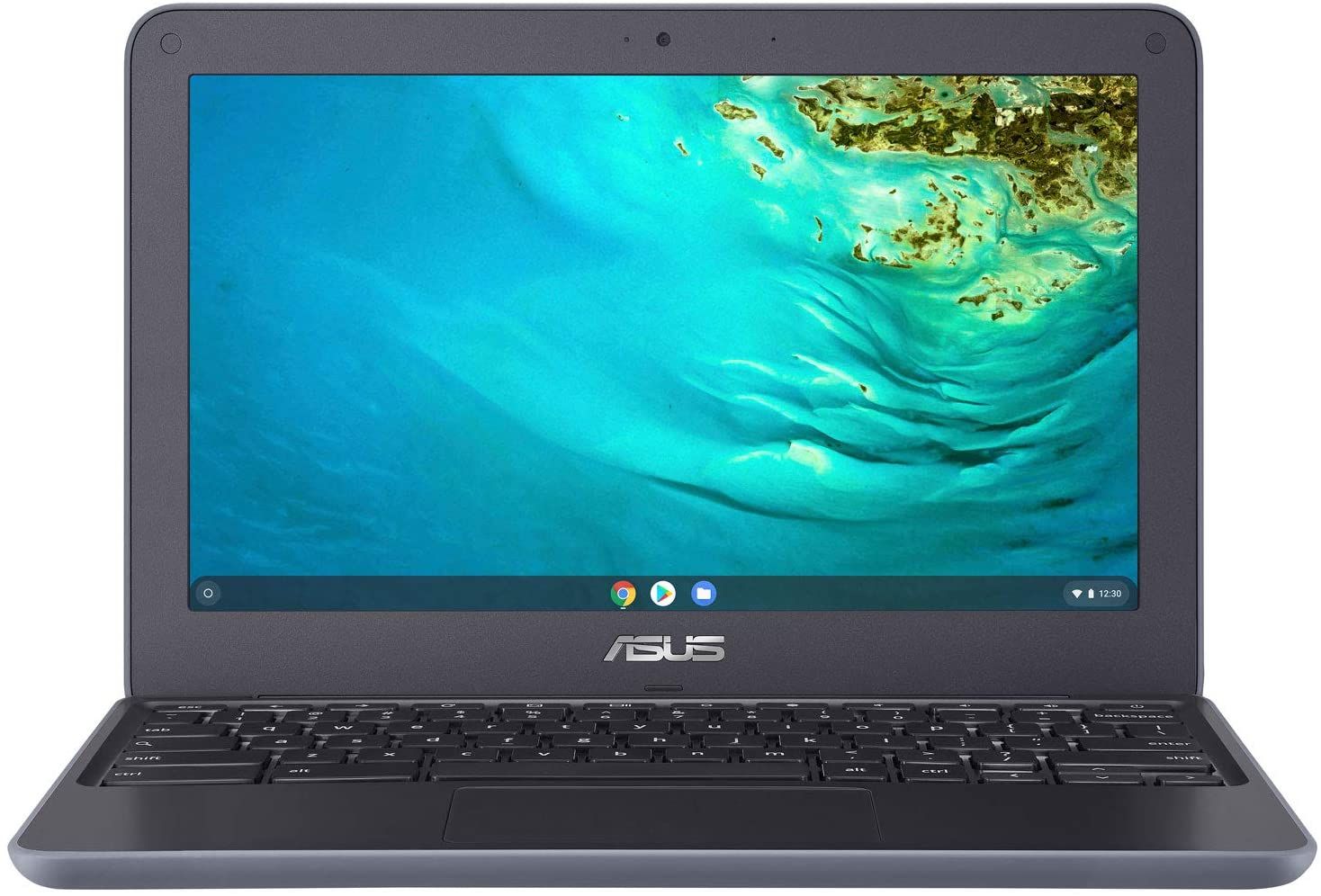 ASUS Chromebook C202XA |  ASUS Chromebook C202XA | ASUS Chromebook C202XA | |
| Price | List Price: $199.99 Amazon Prices: | List Price: $199.99 Amazon Prices: | List Price: $199.99 Amazon Prices: |
| Model number | 202XA-BS01-CB | C202XA-YH02-BL | C202XA-YB04-BL |
| Performance Rating | 2.6 | 2.6 | 2.6 |
| Chromebook Plus | No | No | No |
| Processor | Quad-core 1.70 Ghz (max 2.10 Ghz) MediaTek MT8173C | Quad-core 1.70 Ghz (max 2.10 Ghz) MediaTek MT8173C | Quad-core 1.70 Ghz (max 2.10 Ghz) MediaTek MT8173C |
| RAM | 4 GB | 4 GB | 4 GB |
| Internal Storage | 32 GB eMMC | 32 GB eMMC | 32 GB eMMC |
| Screen Size | 11.6" | 11.6" | 11.6" |
| Screen Resolution | 1366x768 | 1366x768 | 1366x768 |
| Screen Type | Anti-glare | Anti-glare | Anti-glare |
| Touch Screen | No | No | No |
| Stylus / Pen | No Stylus Support | No Stylus Support | No Stylus Support |
| Dimensions width x length x thickness | 11.6 x 7.9 x 0.9 inches (294.64 x 200.66 x 22.86 mm) | 11.6 x 7.9 x 0.9 inches (294.64 x 200.66 x 22.86 mm) | 11.6 x 7.9 x 0.9 inches (294.64 x 200.66 x 22.86 mm) |
| Weight | 2.6 lbs (1.18 kg) | 2.6 lbs (1.18 kg) | 2.6 lbs (1.18 kg) |
| Backlit Keyboard | No | No | No |
| Webcam | HD | HD | HD |
| WiFi | 802.11 b/g/n/ac (2x2) | 802.11 b/g/n/ac (2x2) | 802.11 b/g/n/ac (2x2) |
| Bluetooth | Bluetooth 4.2 | Bluetooth 4.2 | Bluetooth 4.2 |
| Ethernet | No | No | No |
| Cellular Modem | No | No | No |
| HDMI | Full-Size HDMI | Full-Size HDMI | Full-Size HDMI |
| USB Ports | 1 USB 3, 1 USB-C | 1 USB 3, 1 USB-C | 1 USB 3, 1 USB-C |
| Thunderbolt Ports | No | No | No |
| Card Reader | SD | SD | SD |
| Battery | 3 cell, 47 Whrs, Lithium Polymer | 3 cell, 47 Whrs, Lithium Polymer | 3 cell, 47 Whrs, Lithium Polymer |
| Battery Life | 10.0 hours | 10.0 hours | 10.0 hours |
| Fanless | Yes | Yes | Yes |
| Auto Update Expiration Date | June, 2027 | June, 2027 | June, 2027 |
Related Chromebooks
-
 ASUS Chromebook C203XAThe ASUS Chromebook C203XA is a rugged 11.6-inch education laptop with a MediaTek MT8173C, an…
 -
 ASUS Chromebook C423The ASUS Chromebook C423 pairs a 14-inch 1366x768 display with a dual-core Celeron N3350, 4GB of…
 -
 Acer Chromebook 311 (AMD)The Acer Chromebook 311 (CB311-10H) is an 11.6-inch ChromeOS laptop on an AMD A4-9120C with 4GB of…
 -
 Acer Chromebook Spin 11 CP311The Acer Chromebook Spin 11 combines functionality and portability with its 11.6-inch touch IPS…
 -
 Lenovo Flex 3 ChromebookThe Lenovo Flex 3 Chromebook is a fanless 11.6-inch convertible with an IPS touchscreen, a MediaTek…
 -
 Dell Chromebook 3120The Dell Chromebook 3120 is a fanless 11.6-inch education Chromebook with an Intel N100, sold in…
MIL-STD-810G build with swappable internals
Rubberized bumpers wrap the entire chassis and the corners are reinforced, so a dropped machine takes the impact on plastic rather than on the shell seams. The anti-glare 11.6-inch display runs at 1366x768 and sits on reinforced hinges that let the screen fold back 180 degrees flat, so pushing the lid too far does not strain them. The whole laptop weighs 2.6 pounds and measures 11.6 by 7.9 by 0.9 inches, light enough for a younger student to carry comfortably through the school day.
The MediaTek M8173C is a quad-core ARM processor running at 1.7GHz with burst speeds up to 2.1GHz, paired with 4GB of LPDDR3 RAM. That is enough for web browsing, Google Docs, and classroom web apps, and it slows down once several browser tabs are open at once. Neither the RAM nor the 32GB of eMMC storage can be upgraded later, so the single 4GB configuration is the ceiling for every model number ASUS shipped.
The port set covers one USB-A 3.0 port, one USB-C port that handles both charging and display output, a full-size HDMI port for a projector or external monitor, an SD card reader, and a combo audio jack. There is no fan, so the machine runs silently. WiFi 5 (802.11ac) with 2x2 MIMO and Bluetooth 4.2 cover wireless, and there is no Ethernet jack, so a USB Ethernet adapter on the USB-A or USB-C port is the wired option. The spill-resistant keyboard uses chiclet-style keys with 2.0mm of travel and is not backlit.
The modular construction is aimed at school IT departments. The laptop opens with 10 screws, and the keyboard, battery, and motherboard are individually replaceable modules. A damaged keyboard or a worn 47Whr battery can be swapped on a workbench rather than sending the whole laptop back to ASUS.
A durable classroom laptop with entry-level performance
ASUS spent the budget on the shell and the serviceability; the MediaTek chip is entry-level. That mix made it practical for students from elementary through middle school, and a fleet bought for that reason still runs Chrome OS updates through June 2027. The MediaTek M8173C is the limit an owner will hit first, particularly with several browser tabs open alongside a video call. Anyone shopping for a rugged education Chromebook now should look at newer models in ASUS’s education lineup or at comparable machines from Acer and Lenovo; our Chromebook Comparison Chart lines up current specs side by side.
Frequently Asked Questions
How long will the ASUS Chromebook C202XA receive updates?
Chrome OS updates run through June 2027. That Auto Update Expiration (AUE) date covers security patches, feature updates, and bug fixes from Google. The laptop keeps working afterward; it just stops getting updates.
Can the RAM or storage be upgraded on the C202XA?
No, both the 4GB RAM and 32GB eMMC storage are soldered to the motherboard and cannot be upgraded. The modular design allows replacement of damaged components with identical parts, but not upgrades to higher specifications. For additional storage, you can use the SD card slot or USB storage.
Is the ASUS Chromebook C202XA good for remote learning?
For basic remote learning, yes. The HD webcam and microphone handle video calls on Google Meet or Zoom, and battery life of 8+ hours covers a full school day without charging. A video call plus several browser tabs will slow it down, though.
What makes the C202XA more durable than regular laptops?
Its durability features are MIL-STD-810G military-grade certification, rubberized bumpers around the entire chassis, reinforced corners, a spill-resistant keyboard that can handle up to 66cc (about 2 ounces) of liquid, and the ability to survive 4-foot drops landing flat or 2.5-foot drops landing on the side. The 180-degree hinge prevents damage from overly enthusiastic lid opening.
Can the C202XA run Android apps?
Yes, the ASUS Chromebook C202XA supports Android apps from the Google Play Store. However, the combination of limited storage (32GB) and modest processing power means you should be selective about which apps you install. Educational apps, Google apps, and lightweight productivity tools run well, but demanding games or graphics-intensive apps may struggle.
Is the ASUS Chromebook C202XA still available for purchase?
No, the ASUS Chromebook C202XA is out of production and is not sold through regular retail channels. For a similar rugged education Chromebook, look at current models from ASUS’s education lineup or comparable K-12 machines from Acer, Lenovo, or HP.